Best Adobe Spark Alternatives in 2026: 8 Options Compared

- 1
 Canvaall-round design for teamsVisit
- 2
 Adobe Expressdirect Spark successorVisit
- 3
 VistaCreateaffordable social designVisit
- 4
 PicMonkeyphoto editing and designVisit
- 5
 Snappafast social graphicsVisit
- Adobe Express is the direct successor to Spark, so existing Spark users will find the most familiar workflow there.
- Canva is the most complete all-round design tool, with templates for almost every format a small team needs.
- VistaCreate, PicMonkey and Snappa suit users who want quick social graphics without a steep learning curve.
- Desygner, Fotor and Kittl cover narrower needs, from brand templates to photo editing and illustration.
Quick comparison
| Product | Ideal for | Price from | Free version | |
|---|---|---|---|---|
| Canva | all-round design for teams | See website | Yes | Visit |
| Adobe Express | direct Spark successor | See website | Yes | Visit |
| VistaCreate | affordable social design | See website | Yes | Visit |
| PicMonkey | photo editing and design | See website | Free trial | Visit |
| Snappa | fast social graphics | See website | Yes | Visit |
 Desygner | brand templates for teams | See website | Yes | Visit |
 Fotor | photo editing and collages | See website | Yes | Visit |
 Kittl | illustration and vintage design | See website | Free trial | Visit |
The best Adobe Spark Alternatives
Here are our picks for the best adobe spark alternatives, covering a mix of well-known leaders and strong smaller options. We compared official feature pages, pricing pages, app-store listings, privacy policies and public reviews to build this list.
Canva
Ideal for: all-round design for teams
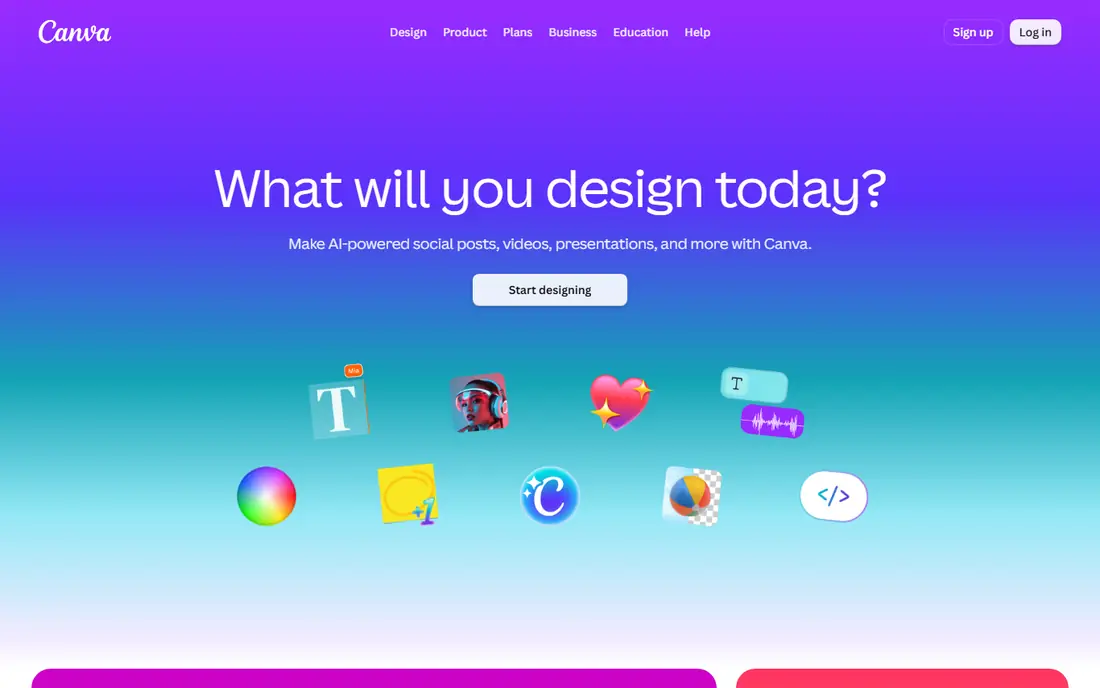
Canva is the most popular design tool for non-designers, and its template library is the reason. Social posts, presentations, posters, videos and documents all have ready templates, and brand kits keep colours and fonts consistent across a team. Collaboration is simple, with shared folders and commenting.
The free tier covers a lot, but premium photos, fonts and features need a paid plan, and heavy users will feel those limits. For most small teams, Canva is the default design tool and the first alternative to try.
Bottom line: Canva suits all-round design for teams best. Its strongest point is huge template library, while the main drawback to weigh is free tier limits some assets. Check the current pricing page before deciding, since plans and limits change.
- Huge template library
- Brand kits
- Easy collaboration
- Free tier limits some assets
- Advanced features need a paid plan
Adobe Express
Ideal for: direct Spark successor
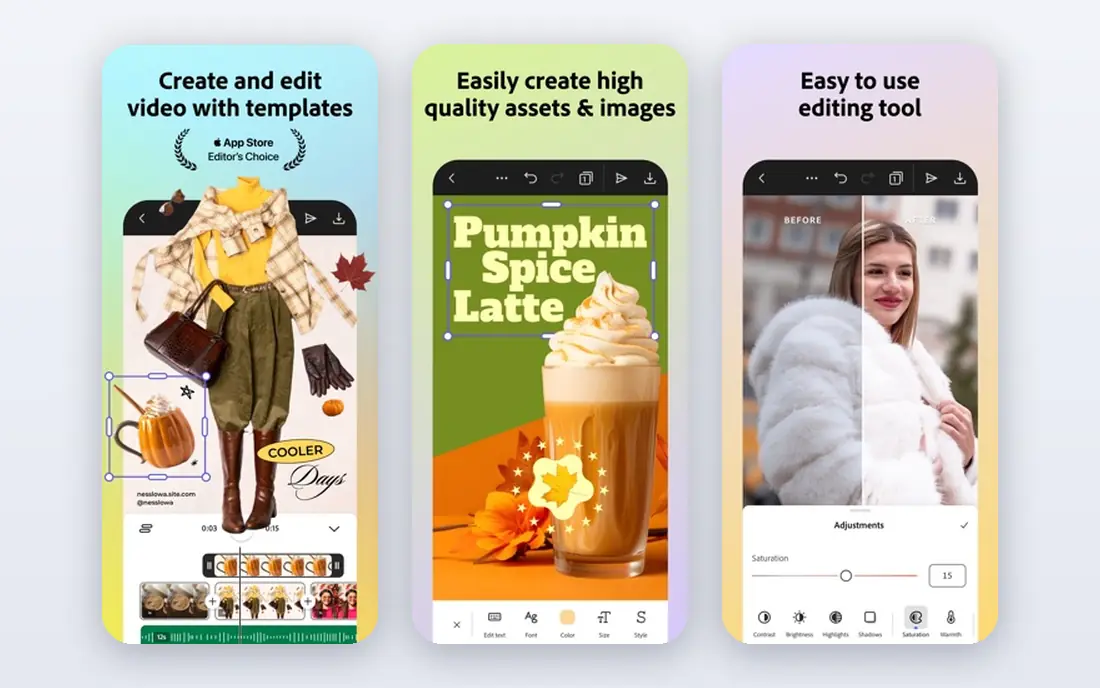
Adobe Express is the direct successor to Adobe Spark, so Spark users will find a familiar workflow with more features. It offers quick social graphics, short videos and web pages, plus access to Adobe fonts and stock assets. The interface is simple enough for beginners.
Some advanced features sit behind Creative Cloud plans, and the template library is smaller than Canva's. For Spark users and Adobe fans, Express is the natural next step.
Bottom line: Adobe Express suits direct Spark successor best. Its strongest point is closest to Spark, while the main drawback to weigh is some features need a Creative Cloud plan. Check the current pricing page before deciding, since plans and limits change.
- Closest to Spark
- Adobe fonts and stock
- Quick video tools
- Some features need a Creative Cloud plan
- Template range smaller than Canva
VistaCreate
Ideal for: affordable social design

VistaCreate, formerly Crello, offers a large template library for social posts, ads and animations at a price below Canva's paid plan. The editor is simple, templates are modern, and the free tier covers basic design needs. Small teams on a budget get a lot for the money.
The community and integration range are smaller than Canva's, and some assets sit behind the paid plan. For affordable social design, VistaCreate is a strong alternative.
Bottom line: VistaCreate suits affordable social design best. Its strongest point is large template library, while the main drawback to weigh is smaller community than Canva. Check the current pricing page before deciding, since plans and limits change.
- Large template library
- Affordable paid plan
- Simple editor
- Smaller community than Canva
- Fewer integrations
PicMonkey
Ideal for: photo editing and design
PicMonkey combines photo editing with design templates, which suits users who start from a photo rather than a blank template. Touch-up tools, text and graphics layers and social templates cover the common jobs, and the editor is easy to learn.
There is no ongoing free tier beyond a trial, and video features are thinner than in Canva or Express. For users who value photo editing inside a design tool, PicMonkey is a good pick.
Bottom line: PicMonkey suits photo editing and design best. Its strongest point is good photo tools, while the main drawback to weigh is no free tier beyond trial. Check the current pricing page before deciding, since plans and limits change.
- Good photo tools
- Templates for social and print
- Easy to learn
- No free tier beyond trial
- Fewer video features
Snappa
Ideal for: fast social graphics
Snappa is built for speed, letting users create a social graphic in minutes from templates sized for each network. The editor is deliberately simple, which means less time learning and more time publishing. A free tier covers a few downloads per month.
The template library is smaller than Canva's, and advanced features are limited. For users who mainly need quick social graphics, Snappa is refreshingly fast.
Bottom line: Snappa suits fast social graphics best. Its strongest point is very fast for social posts, while the main drawback to weigh is smaller template library. Check the current pricing page before deciding, since plans and limits change.
- Very fast for social posts
- Simple editor
- Free tier
- Smaller template library
- Fewer advanced features
Desygner
Ideal for: brand templates for teams
Desygner focuses on business design with brand controls, templates and PDF editing in one tool. Teams can lock brand elements while letting staff customise content, which helps larger organisations keep content consistent. It also handles documents and presentations.
The interface feels less polished than Canva, and the template range is smaller. For teams that need brand control on a budget, Desygner is worth a trial.
Bottom line: Desygner suits brand templates for teams best. Its strongest point is brand control features, while the main drawback to weigh is interface feels less polished. Check the current pricing page before deciding, since plans and limits change.
- Brand control features
- Templates for business
- PDF editing
- Interface feels less polished
- Smaller template range
Fotor
Ideal for: photo editing and collages
Fotor is primarily a photo editor with design features, including collages, HDR tools and templates for social posts. Users who edit photos often will appreciate the depth of its photo tools, which go beyond most design apps.
Design templates are thinner than Canva's, and the free tier includes ads. For photo-led design work, Fotor is a useful and affordable tool.
Bottom line: Fotor suits photo editing and collages best. Its strongest point is strong photo editing, while the main drawback to weigh is design templates are thinner than Canva. Check the current pricing page before deciding, since plans and limits change.
- Strong photo editing
- Collage maker
- Free tier
- Design templates are thinner than Canva
- Ads on free tier
Kittl
Ideal for: illustration and vintage design
Kittl stands out for illustration-led design, with vintage, retro and badge styles that look different from standard social templates. Text effects and illustration tools suit designers and brands that want a distinctive look rather than generic posts.
The focus is narrower than Canva or Express, and illustration tools take time to learn. For brands that want a distinctive visual style, Kittl is a creative alternative.
Bottom line: Kittl suits illustration and vintage design best. Its strongest point is distinctive illustration styles, while the main drawback to weigh is narrower focus than all-round tools. Check the current pricing page before deciding, since plans and limits change.
- Distinctive illustration styles
- Vintage and retro templates
- Good text effects
- Narrower focus than all-round tools
- Learning curve for illustration
How we picked these
We started from the original product and what people use it for, then compared official feature pages, pricing pages, app-store listings, privacy policies and public reviews for each candidate. We kept only products that exist, work in October 2026 and genuinely fit the topic, and we left out products that were discontinued, unrelated or too thin to recommend.
We weighed fit for the topic first, then price and free options, ease of setup and the honest downsides that show up in reviews and documentation. Prices are given as listed on the vendor's own site where we could verify them, and we wrote See website where a price was quoted, unclear or likely to change by plan.
We also left out products that no longer exist, that have been folded into a different product, or that only partly fit the topic. A longer list would have been easier to write, but a list padded with poor fits helps nobody choose, so we kept the list to products we can genuinely recommend for this use.
How to choose a design tool
Start with the formats you create most. Social posts, presentations, print and video each need different template libraries, and a tool that is strong for posts may be weak for video. Pick the tool whose templates match your weekly output.
Next, check brand controls. If a team shares templates, you need brand colours, fonts and logos saved in one place, plus controls over who can change them. A tool without brand kits will produce inconsistent content as the team grows.
Finally, check export options and cost. Free tiers often limit downloads, add watermarks or restrict formats, so test an export before committing. A tool that looks free but charges for the export you need is not actually free.
Run a real trial before you pay. Sign up for the free tier or trial, connect it to a real project, and test the exact tasks you do every week rather than the demo workflow. Check how long setup takes, how clear the reporting is and how quickly support replies, since those details decide whether a tool survives past the first month.
Plan the switch, not just the signup. Export your data from the old tool, check what imports cleanly and what must be rebuilt by hand, and keep the old system running until the new one has handled real work. A short overlap period avoids lost data and gives your team time to learn the new workflow.
Frequently asked questions
What happened to Adobe Spark?
Adobe Spark was renamed and expanded into Adobe Express, which is now Adobe's tool for quick social graphics, videos and web pages. Existing Spark users will find the closest experience in Adobe Express.
What is the best free Adobe Spark alternative?
Canva offers a generous free tier with many templates, and VistaCreate and Snappa also offer free options with limits. Check export and watermark rules on each free plan before relying on it.
Is Canva better than Adobe Express?
Both are strong. Canva has a broader template library and a larger community, while Adobe Express integrates with Adobe fonts and stock assets. The better pick depends on which ecosystem you already use.
Can these tools make videos?
Yes, most of them offer simple video editing for social clips, though they are not replacements for full video editors. Canva and Adobe Express both handle short social videos well.
Do I need design skills to use these tools?
No. All of these tools are built for non-designers, with templates and drag-and-drop editing. A beginner can produce a decent social post within an hour on any of them.
Can I try these options before paying?
Yes, in most cases. Nearly every option on this list offers a free tier or a free trial, and we note that in the comparison table and in each product block. Use the trial for real work rather than a quick look, and check the renewal price before the trial ends so there are no surprises.