Best Alternatives to Adobe Acrobat in 2026: 8 Tools Compared

- 1
 Foxit PDF EditorClosest Adobe replacementVisit
- 2
 Wondershare PDFelementBudget full editingVisit
- 3
 Nitro PDF ProTeams and contractsVisit
- 4
 SmallpdfQuick browser tasksVisit
- 5
 PDFgearFree everyday editingVisit
- Foxit PDF Editor is the closest Adobe replacement for professionals, with full editing, OCR and e-signatures at a lower price.
- PDFgear is the best free alternative for everyday editing, with a genuinely free core feature set.
- Smallpdf and Sejda are the best browser-based options for quick tasks without installing software.
- Wondershare PDFelement offers strong value for budget buyers who want AI features and full editing.
- Check whether you need desktop editing, OCR or redaction before paying, since free tools cover reading and basic edits well.
Quick comparison
| Product | Ideal for | Price from | Free version | |
|---|---|---|---|---|
| Foxit PDF Editor | Closest Adobe replacement | $10.99 per user per month | No | Visit |
| Wondershare PDFelement | Budget full editing | $79.99 per year | Yes | Visit |
| Nitro PDF Pro | Teams and contracts | $15 per user per month | Free trial | Visit |
| Smallpdf | Quick browser tasks | $10 per month | Yes | Visit |
| PDFgear | Free everyday editing | Free | Yes | Visit |
 UPDF | AI features on a budget | $49.99 per year | Yes | Visit |
 Sejda | Online merging and editing | See website | Yes | Visit |
 PDF Expert | Mac and iOS editing | $79.99 per year | Yes | Visit |
The best alternatives to adobe acrobat
These eight tools cover desktop editors, browser tools and Mac-first options. We compared official pricing pages, feature pages and public reviews, focusing on editing depth, OCR, e-signatures and the true cost of each plan.
Foxit PDF Editor
Ideal for: Closest Adobe replacement
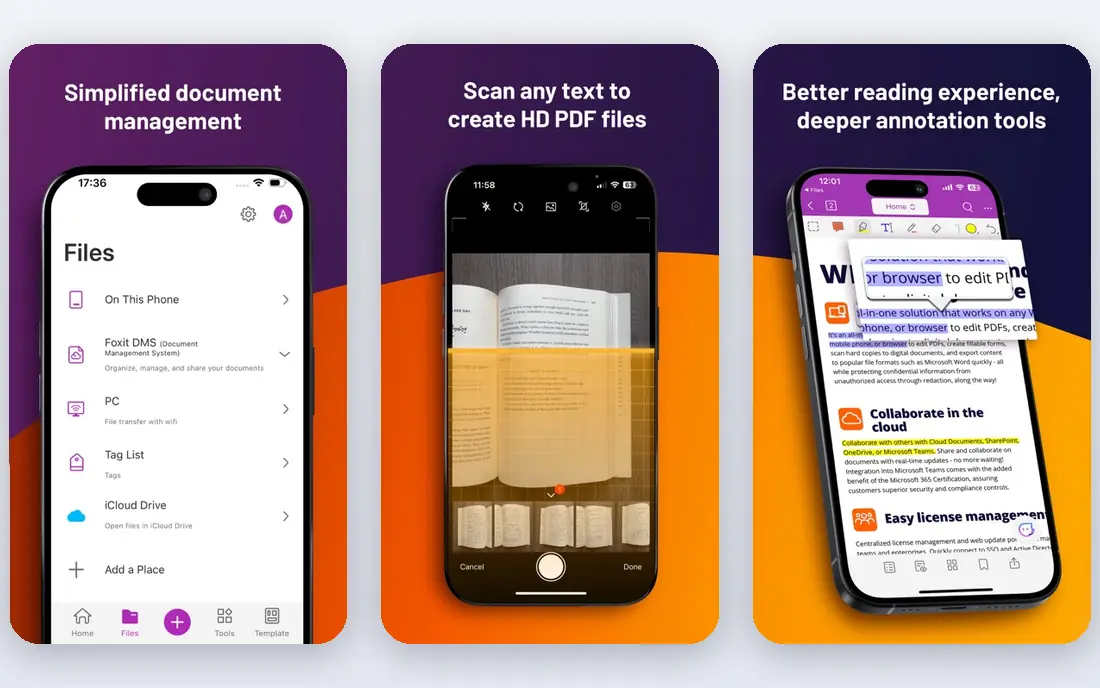
Foxit PDF Editor is the most direct Acrobat replacement for professionals. It edits text and images in PDFs, converts files, runs OCR on scans, handles forms and e-signatures, and adds AI-assisted features on higher tiers. Pricing starts at $10.99 per user per month, with annual plans from around $129 per year in recent comparisons.
The trade-offs are modest: the trial lasts 14 days, and the integration ecosystem is smaller than Adobe's. For a team that wants Acrobat-level capability without Acrobat's price, Foxit is the first alternative to test, and it runs on Windows, Mac, iOS and Android.
- Near-Adobe editing power
- OCR and e-signatures
- Lighter and cheaper than Acrobat
- 14-day trial only, no permanent free tier
- Smaller integration ecosystem than Adobe
Wondershare PDFelement
Ideal for: Budget full editing

Wondershare PDFelement gives budget buyers a full desktop editor with AI features, form handling and e-signatures. Pricing starts at $79.99 per year in recent comparisons, with a limited free plan for basic use. That price undercuts Acrobat Pro substantially while covering the editing tasks most users need.
Advanced features such as full OCR sit on Pro tiers, so check the tier that matches your work. For students, small businesses and home users who need real editing rather than just viewing, PDFelement is one of the best value picks in this list.
- Full editing at a lower price
- AI features
- OCR on Pro tiers
- Some features sit on higher tiers
- Interface can feel busy
Nitro PDF Pro
Ideal for: Teams and contracts
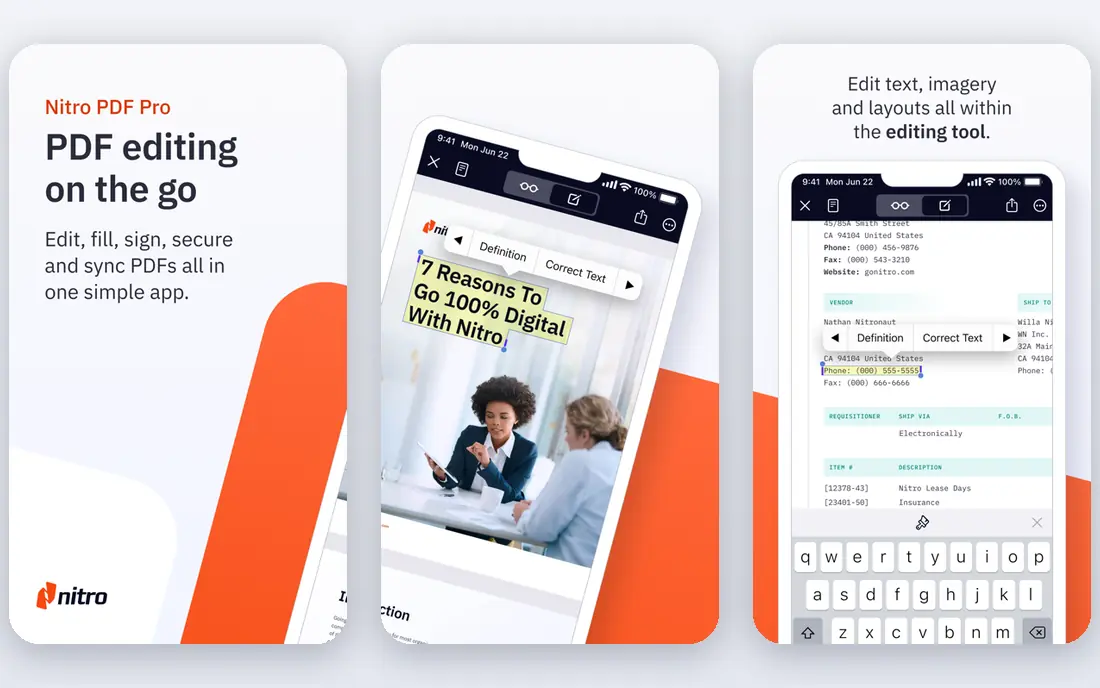
Nitro PDF Pro suits teams that handle contracts and high document volumes. It offers full editing, batch processing, conversion and e-signing, with team plans from $15 per user per month on annual billing, and a perpetual license option for buyers who prefer one-time payment. A 14-day trial lets teams test it before committing.
There is no permanent free tier, and Mac users should check feature parity before buying, since Nitro's strength has historically been Windows. For a Windows-based team that needs reliable batch and contract workflows, Nitro is a strong Acrobat alternative.
- Strong for teams and contract workflows
- Batch processing
- E-signing
- No permanent free tier
- Windows-focused, with Mac support thinner
Smallpdf
Ideal for: Quick browser tasks
Smallpdf is the tool for quick, one-off PDF jobs. Open the browser, drop in a file, compress it, merge pages, convert formats or sign a document, and you are done without installing software. The free plan covers basic tasks with daily limits, while Pro starts at around $10 per month on annual billing.
It will not replace a desktop editor for heavy, complex editing or offline work, and annotation tools are limited. For the common tasks most people actually do with PDFs, though, Smallpdf is the fastest path, and its simplicity is the point.
- Works in the browser, no install
- Easy compress, merge and convert tools
- Google Workspace integration
- Limited annotation and editing depth
- Free plan has daily limits
PDFgear
Ideal for: Free everyday editing
PDFgear is the best free alternative for everyday use. Its core features, including editing, annotation, merging, splitting, conversion and compression, are free, with OCR available in the desktop app. That makes it a genuine replacement for casual and student users who do not want a subscription.
Enterprise features such as advanced redaction, admin controls and deep integrations are thinner here than in Foxit or Acrobat. For personal, student and small-business use, PDFgear covers the job at no cost, which is hard to argue with.
- Fully free core features
- Editing, conversion and compression
- Desktop and mobile apps
- Basic e-signature features
- Less suited to heavy enterprise workflows
UPDF
Ideal for: AI features on a budget
UPDF is a budget editor with modern AI features, including chat with a PDF, summarization and translation, alongside full text and image editing. Pricing starts at $49.99 per year, with a free plan for reading and basic use, and a one-time license option for buyers who dislike subscriptions. It runs on Windows, Mac, iOS and Android.
As a newer vendor, its enterprise ecosystem is smaller than Foxit's, and some advanced features sit on higher tiers. For individual users who want AI help with PDFs at a low price, UPDF is an appealing pick.
- AI chat and summarization
- Full editing
- One-time license option
- Cross-platform
- Newer vendor than Foxit or Nitro
- Some advanced features need higher tiers
Sejda
Ideal for: Online merging and editing
Sejda is a clean browser-based option for online PDF tasks. Merging, splitting, compressing, editing and form filling all work in the browser, with a free plan covering a limited number of tasks per day and paid plans from around $7.50 per month in recent comparisons. The interface is simple, which suits occasional users.
Heavy users will hit the free limits quickly, and the desktop editor is sold separately. For someone who edits PDFs a few times a month and wants no software installed, Sejda is a tidy, low-cost choice.
- Free online tools for merge, split and edit
- No install
- Simple interface
- Free plan has task limits
- Desktop app is a separate purchase
PDF Expert
Ideal for: Mac and iOS editing
PDF Expert, from Readdle, is the best Acrobat alternative for Apple users. It is fast, clean and well designed, with strong annotation, form filling, signing and reading tools that feel native on Mac and iOS. Pricing starts at $79.99 per year, with a free reader tier and a lifetime option in some listings.
The obvious limit is platform: there is no Windows or Android version, so mixed-device households need a second tool. For a Mac or iPad user who edits PDFs daily, PDF Expert's speed and polish make it the most pleasant option in this list.
- Fast, polished Mac and iOS experience
- Strong annotation
- Good reading tools
- Mac and iOS only
- Windows and Android users need another tool
How we picked these
We compared official pricing pages, feature pages and public reviews for PDF editors available in October 2026, favoring tools with a real editing capability, a clear price and a current version. We weighed editing depth, OCR, e-signatures, platform support and free tiers, and we left out viewers that cannot edit PDFs at all.
What to check before you switch from Acrobat
Start with the tasks you actually do. If you only read, annotate, merge and compress PDFs, a free tool such as PDFgear or Smallpdf may already cover you, and paying for Acrobat is wasted money. If you edit text, run OCR on scans, redact sensitive content or manage forms, you need a desktop editor such as Foxit, PDFelement or Nitro.
Then check your platform and file habits. Mac users should test PDF Expert, Windows teams should test Nitro or Foxit, and browser-first users should test Smallpdf or Sejda. Open a real document from your work, not a sample, and try your hardest task: a scanned form, a redaction, a complex table. The tool that handles your worst document is the one to buy.
Finally, check the price model. Subscriptions suit teams that want updates and support, while one-time licenses suit buyers who dislike recurring bills. Compare the annual cost, not just the monthly headline, and confirm whether OCR, redaction and AI features sit in the tier you plan to buy.
Frequently asked questions
What is the best free alternative to Adobe Acrobat?
PDFgear is the best free alternative for everyday editing, with a genuinely free core feature set. Smallpdf and Sejda are also free for basic browser-based tasks, with daily limits on the free tier.
Is Foxit better than Adobe Acrobat?
Foxit PDF Editor matches most of Acrobat's editing, OCR and e-signature features at a lower price, and it runs lighter on system resources. Acrobat still leads on compliance tools and enterprise integrations, so large regulated teams may prefer it.
Can I edit PDFs without installing software?
Yes, Smallpdf and Sejda run in the browser and handle merging, splitting, compression, conversion and basic editing. For heavy editing or offline work, a desktop editor such as Foxit or PDFelement works better.
Which PDF editor is best for Mac?
PDF Expert is the best Mac and iOS pick, thanks to its speed and native design. Foxit and UPDF also run on Mac and offer broader cross-platform support if you also use Windows or Android.
Do I need OCR in a PDF editor?
You need OCR if you work with scanned documents or images of text, since it converts them into searchable, editable text. If you only work with born-digital PDFs, you can skip OCR and save money on a lower tier.