8 Alternatives to VLOOKUP That Work Better

- 1
 Microsoft Excel XLOOKUPExcel users who want a direct VLOOKUP replacementVisit
- 2
 Microsoft Excel INDEX MATCHExcel users on older versions without XLOOKUPVisit
- 3
 Google Sheets QUERYFree filtered lookups in Google SheetsVisit
- 4
 AirtableLinked records for small teamsVisit
- 5
 SmartsheetProject sheets with lookups at scaleVisit
- XLOOKUP is the direct replacement inside Excel, and it looks left, right, and up without the column number counting that VLOOKUP needs.
- Google Sheets QUERY handles large filtered lookups with a short line of code, and Sheets costs nothing for a personal Google account.
- Airtable, Smartsheet, Notion, Coda, and Zapier Tables replace the lookup formula with a linked record, which stays correct when rows move or grow.
- The cheapest route for one person is a free spreadsheet, while a team of 10 can expect to spend from 90 dollars to 200 dollars a month on a database tool.
- Prices below come from vendor pricing pages, and Microsoft 365 Personal at 9.99 dollars a month was confirmed on 13 November 2026.
Quick comparison
| Product | Ideal for | Price from | Free version | |
|---|---|---|---|---|
| Microsoft Excel XLOOKUP | Excel users who want a direct VLOOKUP replacement | $9.99 per month | Yes | Visit |
| Microsoft Excel INDEX MATCH | Excel users on older versions without XLOOKUP | $9.99 per month | Yes | Visit |
| Google Sheets QUERY | Free filtered lookups in Google Sheets | $0 per user/month | Yes | Visit |
| Airtable | Linked records for small teams | $20 per user/month (billed annually) | Yes | Visit |
| Smartsheet | Project sheets with lookups at scale | $9 per user/month (billed annually) | Free trial (30 days) | Visit |
 Notion | Docs and databases in one workspace | $10 per user/month (billed annually) | Yes | Visit |
 Coda | Docs that act like apps with lookup tables | $10 per user/month (billed annually) | Yes | Visit |
 Zapier Tables | Lookups tied to automated workflows | $19.99 per month (billed annually) | Yes | Visit |
The best alternatives to VLOOKUP
Microsoft Excel XLOOKUP
Ideal for: Excel users who want a direct VLOOKUP replacement
XLOOKUP arrived as the modern answer to VLOOKUP, and it fixes the three limits that frustrate people most. It can search to the left of the lookup column, it defaults to an exact match instead of an approximate one, and it lets you set the text that appears when no match exists. You write the lookup value, the lookup range, and the return range, and the result follows. There is no column index number to count, so adding a column in the middle of your table does not break the formula.
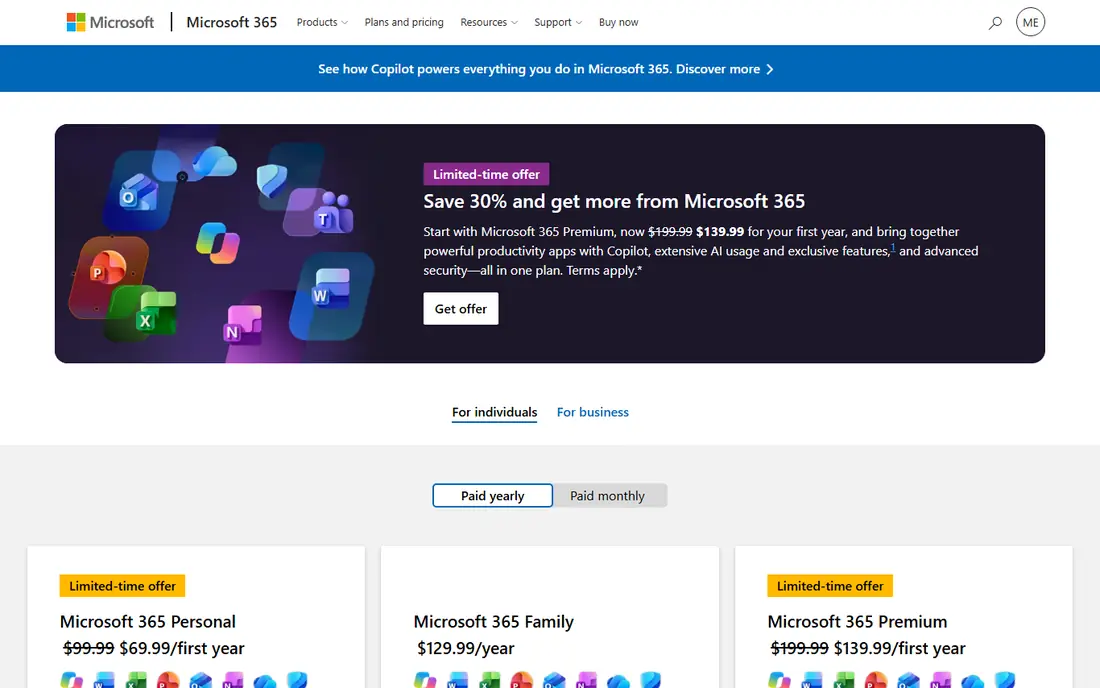
The function also handles vertical and horizontal searches, and it can return a full row or column of results at once. That makes it a strong pick for price lists, staff directories, and order records where one key should pull several fields. The free web version of Excel includes XLOOKUP, while the desktop app comes with Microsoft 365 Personal at 9.99 dollars a month, confirmed on the Microsoft pricing page on 13 November 2026.
- Searches in any direction and defaults to an exact match
- Built-in handling for missing values with a custom message
- Not available in Excel 2016 or Excel 2019, so files shared with older versions lose the function
Microsoft Excel INDEX MATCH
Ideal for: Excel users on older versions without XLOOKUP
INDEX MATCH pairs two older functions to do what VLOOKUP cannot. MATCH finds the position of a value in a column, and INDEX returns the value at that position in another column. Because the two parts are separate, the lookup works in any direction, and inserting a column does not shift the result. It has been the standard workaround for years, and it still runs in versions of Excel that never received XLOOKUP.
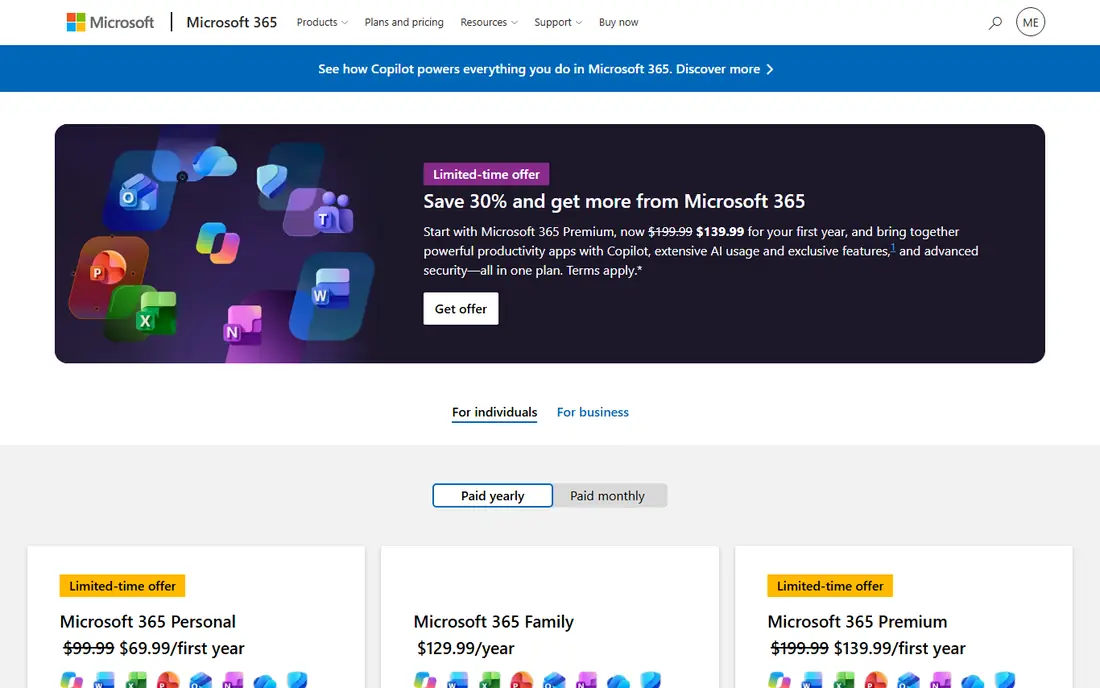
The trade off is readability. A formula with two nested functions and several ranges is harder for a colleague to audit than a single XLOOKUP, and a small bracket mistake can hide for weeks. Microsoft 365 Personal costs 9.99 dollars a month, confirmed on the Microsoft pricing page on 13 November 2026, and Excel for the web is free with a Microsoft account. Choose this pair when you share files with people on older Excel versions.
- Works in older Excel versions and looks left or right
- Only recalculates the columns it needs
- Nested formulas are hard to read and hard to fix when an error appears
Google Sheets QUERY
Ideal for: Free filtered lookups in Google Sheets
Google Sheets QUERY turns a lookup into a small database query. Instead of matching one value at a time, you write a select statement that pulls every row where a condition holds, and you can sort or group the result in the same line. That suits order lists, stock checks, and survey data where you need many matching rows rather than a single cell.
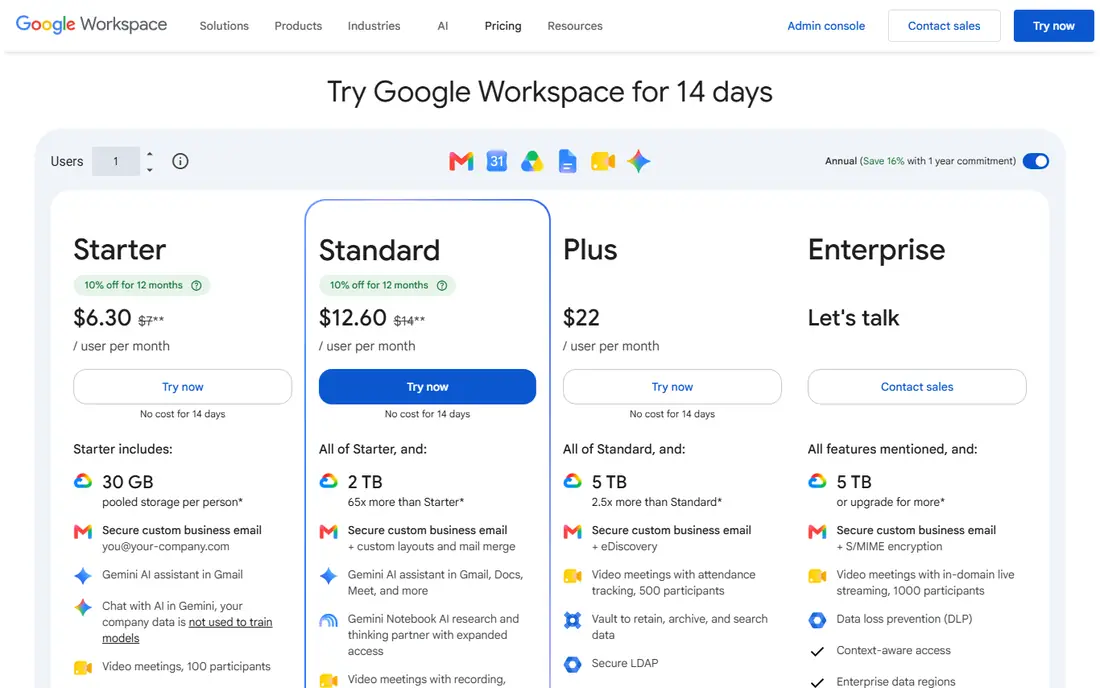
The cost is a learning curve. QUERY uses its own syntax, and column letters change meaning when someone reorders the source table, which can break a report without a clear error. It also runs inside Google Sheets only, so it cannot reach data stored elsewhere without an import step. Sheets is free with a Google account, and Google Workspace Business Starter costs 7 dollars per user a month on an annual plan. That price was shown on the Google Workspace pricing page in October 2026 and was not re-opened in full on 13 November 2026, so confirm it before you buy.
- Filters, sorts, and groups in one line
- Free with a Google account
- Uses SQL-like syntax that takes time to learn, and column references break when source columns move
Airtable
Ideal for: Linked records for small teams
Airtable replaces the lookup formula with a link between two tables. You connect an order to a customer record once, and every field from that customer becomes available through the link. When a customer name or price changes, every linked row shows the new value at once. There is no formula to copy down a column and no risk that a row insert breaks a range.
The limits are real and worth checking before you commit. The Team plan caps each base at 50,000 records, and Airtable bills for commenters as well as editors on that plan, which can raise the bill for a chatty team. The free plan covers 1,000 records per base and up to 5 editors. Team costs 20 dollars per collaborator a month billed annually, confirmed on the Airtable support plans page on 13 November 2026.
- Linked records replace fragile formulas, and views filter and sort without code
- Team plan caps each base at 50,000 records, and commenters also count as billable seats on Team
Smartsheet
Ideal for: Project sheets with lookups at scale
Smartsheet keeps the grid that spreadsheet users know, then adds links between sheets so a lookup can reach across projects. A cell link pulls a value from another sheet, and cross-sheet formulas match rows by a key, which covers the same ground as VLOOKUP across separate files. Reports then gather rows from many sheets into one view, and dashboards show the result without another export. It suits teams that track work in many sheets at once.
The cost side needs care. Smartsheet has no free plan for new signups, only a 30-day trial, and the Pro plan stops at 10 members, so a growing team must move to Business. Pro costs 9 dollars per member a month billed annually, and Business costs 19 dollars billed annually. These figures come from the Smartsheet pricing page as read on 26 October 2026 and were not re-opened in full on 13 November 2026, so confirm them before you buy.
- Cross-sheet formulas and cell links work across projects
- Gantt, board, and calendar views included
- No free plan for new signups since August 2024, and Pro is capped at 10 members
Notion
Ideal for: Docs and databases in one workspace
Notion handles lookups through relations between databases. You link a task to a project, a meeting to a client, or an invoice to a supplier, and a rollup then shows a sum, a count, or a date from the linked rows. The result lives inside the same pages where the team writes notes and plans, so the lookup data and the written context sit together. Guests can view invited pages at no cost, which helps when outside partners need to see a list.
The setup takes more clicks than a spreadsheet formula. You create the relation, choose the linked database, add the rollup, and set the calculation, and a wrong step leaves a blank column that gives no error message. The free plan also keeps only 7 days of page history. Plus costs 10 dollars per member a month billed annually, and Business costs 20 dollars billed annually. These figures come from the Notion pricing page as read on 28 October 2026 and checked again on 11 November 2026, while the pricing page opened on 13 November 2026 did not render the price figures in text, so confirm them before you buy.
- Relations and rollups link databases without formulas
- Guests are free
- Lookup setup takes several steps, and the free plan keeps only 7 days of page history
Coda
Ideal for: Docs that act like apps with lookup tables
Coda blends a document with a database, and its lookup columns work much like Airtable links. A table can pull a row from another table, show its fields, and filter the choices to the ones that make sense. Buttons and automations then act on the matched rows, so a lookup can start a status change or send a row to another table. It suits teams that want a doc, a tracker, and a small workflow in one place.
The billing model is the part to study first. Coda charges only for Doc Makers, the people who create docs, while editors and viewers cost nothing. That keeps the bill low for viewer-heavy teams, but it can surprise a team where many people build docs. The free plan supports one Doc Maker with unlimited viewers. Pro costs 10 dollars per Doc Maker a month billed annually, and Team costs 30 dollars billed annually. These figures come from vendor pricing coverage dated October 2026 and were not re-opened in full on 13 November 2026, so confirm them before you buy.
- Lookup columns and buttons turn a doc into a small app
- Only Doc Makers are billed
- Pricing by Doc Maker confuses teams where many people build docs, and the learning curve is steep
Zapier Tables
Ideal for: Lookups tied to automated workflows
Zapier Tables stores structured data inside Zapier, and its lookup value comes from the automations around it. A new form entry can look up a customer row, a changed record can start a message, and a matched row can feed the next step of a workflow without a manual copy. Tables hold up to 100 fields each, and the record cap grows with the plan, from 2,500 records on Free to 100,000 on Professional and 500,000 on Team.
The catch is that Tables is priced as part of a Zapier platform plan, not as a standalone database. The Professional plan starts at 19.99 dollars a month billed annually for 750 tasks, and higher task volumes cost more. A team that only needs lookups and no automation will find cheaper options here. These figures come from the Zapier pricing page as shown in search results dated October 2026 and were not re-opened in full on 13 November 2026, so confirm them before you buy.
- Tables are included in Zapier plans, and record changes can trigger automations at once
- Record caps are low on the free plan at 2,500 records, and the price rises with task volume
Which option fits your team size and budget
| Team size and budget | Best pick | Monthly cost at that size | Why it fits |
|---|---|---|---|
| 1 person, 0 dollars | Google Sheets QUERY | $0 | Free lookups with no signup cost |
| 1 person, under 10 dollars | Microsoft Excel XLOOKUP | $9.99 | Desktop Excel plus 1 TB of storage |
| 2 to 5 people, under 60 dollars | Coda Pro | $10 per Doc Maker | Only builders are billed, so a 5 person team with 2 makers costs 20 dollars |
| 2 to 5 people, under 100 dollars | Notion Plus | $10 per member | 5 members cost 50 dollars a month billed annually |
| 5 to 10 people, under 100 dollars | Smartsheet Pro | $9 per member | 10 members cost 90 dollars a month billed annually, at the Pro cap |
| 5 to 10 people, under 200 dollars | Airtable Team | $20 per seat | 10 seats cost 200 dollars a month billed annually |
| Any size, automation first | Zapier Tables | From $19.99 per month | Tables included, cost grows with task volume |
How we chose
We compared vendor pricing pages, product documentation, and feature lists for each tool, and we checked the price figures against the vendor pages named in Sources. We looked for tools that match rows by a key, return a value from another table, or link records so the result stays correct when data moves. We left out tools that only sort or filter one table without matching across tables. We did not test the products hands-on, and we did not use customer counts, ratings, or awards. Prices were checked on the dates noted in each section, and they can change, so open the pricing page before you buy.
What to check before you buy
First, check whether your files already use the newer functions. XLOOKUP needs a current Microsoft 365 version, and sharing an XLOOKUP file with someone on Excel 2019 will show errors in place of results. Second, count the people who will edit, not just the people who will view. Airtable Team bills commenters, Notion bills every member, and Coda bills only Doc Makers, so the same headcount can cost very different amounts. Third, check the record cap against your real data size, because a 1,000 record free plan or a 50,000 record Team cap can force an upgrade sooner than you expect. Fourth, test a lookup after inserting and deleting rows, since that is where VLOOKUP breaks and where a good replacement should hold.
Frequently asked questions
Is XLOOKUP a full replacement for VLOOKUP?
Yes, XLOOKUP covers every VLOOKUP case and adds more. It searches left and right, defaults to an exact match, returns a custom message when nothing matches, and can return a whole row at once. The main limit is version support, since Excel 2016 and Excel 2019 do not include it, so check which versions your team runs first.
Can Google Sheets QUERY replace VLOOKUP completely?
QUERY can replace most VLOOKUP uses and goes further, because one line can filter, sort, and group many rows at once. It needs SQL-like syntax, and its column references can break when the source table changes shape. For a single value lookup, a plain VLOOKUP style formula in Sheets is often simpler and easier to read.
Which VLOOKUP alternative is free?
Google Sheets is free with a Google account, and Excel for the web is free with a Microsoft account. Airtable, Notion, and Coda also offer free plans with record or history limits, while Smartsheet offers only a 30-day trial for new signups. A free plan suits a solo user or a small test, and a growing team should budget for a subscription plan.
Should I use a database instead of a spreadsheet formula?
Use a database when several people edit the same data, when rows are added daily, or when one record should feed many views. Linked records stay correct when rows move, while formulas break when ranges shift. Use a formula when one person owns a small file and the lookup is simple, because a spreadsheet is faster to set up.
What is the cheapest VLOOKUP alternative for a team of 10?
Smartsheet Pro at 9 dollars per member a month billed annually costs 90 dollars a month for 10 members, which is the lowest figure in this guide for that size. Notion Plus at 10 dollars per member costs 100 dollars a month, and Airtable Team at 20 dollars per seat costs 200 dollars a month. Confirm the current prices before you buy, since vendors change list prices.
Sources
- https://www.microsoft.com/en-us/microsoft-365/buy/compare-all-microsoft-365-products?ocid=cmmtfiu3of5
- https://www.microsoft.com/en-us/microsoft-365/buy/compare-all-microsoft-365-products?ocid=cmmtfiu3of5
- https://workspace.google.com/pricing/
- https://support.airtable.com/articles/2277136852-airtable-plans-overview
- https://www.smartsheet.com/pricing
- https://www.notion.com/pricing
- https://coda.io/pricing
- https://zapier.com/pricing?cd799cd5_page=2&58636949_page=7&cd799cd5_page=2&e9bc163a_page=19