Best Anaconda Alternatives in 2026: 8 Tools Compared

- 1
 JupyterOpen notebooksVisit
- 2
 Google ColabFree cloud notebooksVisit
- 3
 PyCharmFull Python IDEVisit
- 4
 VS CodeFlexible code editorVisit
- 5
 DatabricksTeam data platformVisit
- Jupyter is the closest notebook replacement and the base for much of the Python data world.
- Google Colab is the best free cloud option, with no setup and free computing included.
- PyCharm and VS Code suit developers who want a full editor for larger projects.
- Databricks fits teams that run data work at scale on cloud infrastructure.
- Kaggle pairs notebooks with data sets and competitions, which suits learning and practice.
Quick comparison
| Product | Ideal for | Price from | Free version | |
|---|---|---|---|---|
| Jupyter | Open notebooks | Free | Yes | Visit |
| Google Colab | Free cloud notebooks | Free | Yes | Visit |
| PyCharm | Full Python IDE | See website | Yes | Visit |
| VS Code | Flexible code editor | Free | Yes | Visit |
| Databricks | Team data platform | See website | Free trial | Visit |
 Kaggle | Notebooks plus data sets | Free | Yes | Visit |
 Posit | R and Python data work | See website | Yes | Visit |
 Spyder | Scientific Python IDE | Free | Yes | Visit |
The best Anaconda alternatives
Anaconda is known for bundling Python, a package manager, and tools such as Jupyter into one install for data science. The tools below cover the same jobs in different ways: notebooks, editors, cloud platforms, and scientific environments. Some replace the whole bundle, while others replace just the part you use most.
Jupyter
Ideal for: Open notebooks
Jupyter is the notebook at the heart of Anaconda, and it works fine on its own. JupyterLab gives you notebooks, terminals, and file browsing in a browser tab, and the notebook format is shared by Colab, Kaggle, and VS Code, so work moves between tools easily. Extensions add debugging, variable views, and more.
The trade-off is setup. Without Anaconda, you install Python and packages yourself with tools such as pip or uv, which is simple for experienced users but more work for beginners. If notebooks are the main thing you miss from Anaconda, Jupyter alone is our pick.
- Free and open source
- The standard notebook format
- Huge extension and kernel library
- You manage your own Python setup
- No built-in package management like Anaconda
Google Colab
Ideal for: Free cloud notebooks

Google Colab runs Jupyter notebooks in the cloud, so you open a browser tab and start coding. Google provides computing, including GPUs on free and paid plans, and notebooks save to Drive for easy sharing. Students and solo analysts can do real work without installing anything.
Free sessions have time limits and usage caps, and long jobs may stop, so production work needs a paid plan or a local setup. For learning, teaching, and quick analysis, Colab is the easiest free start here.
- Free notebooks in the browser with computing included
- Easy sharing
- No local setup
- Sessions time out
- Free computing limits apply
- Needs a Google account and internet
PyCharm
Ideal for: Full Python IDE
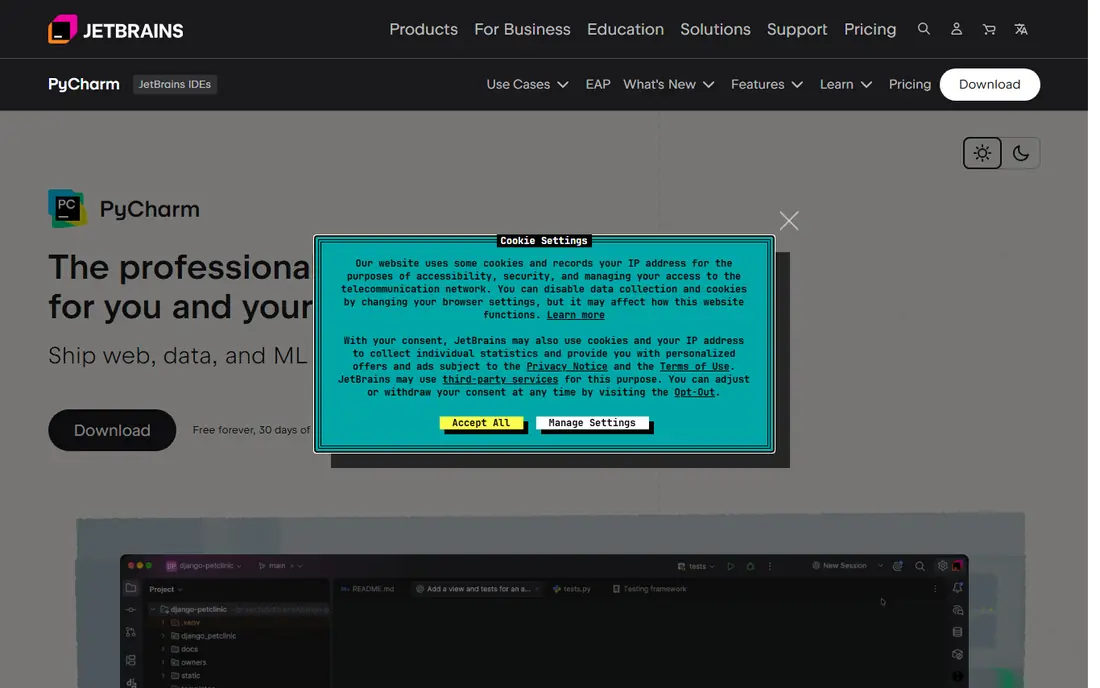
PyCharm is a full Python development environment from JetBrains. It offers smart code completion, a strong debugger, refactoring tools, and support for notebooks, databases, and web frameworks. The free Community edition covers most pure Python work, while the paid edition adds data science tools and web support.
It uses more memory than VS Code and feels heavier for quick scripts. For developers building larger Python applications alongside data work, PyCharm is a strong, professional choice.
- Strong code completion, debugging, and refactoring
- Good notebook and data tools
- Free Community edition
- Heavier than a plain editor
- Data science features sit mainly in the paid edition
VS Code
Ideal for: Flexible code editor
VS Code is the most flexible editor here. With the Python and Jupyter extensions, it runs notebooks, debugs code, manages environments, and connects to remote machines, all for free. The extension library covers nearly every language and tool a data worker might need.
Flexibility means setup work. Beginners must choose extensions and environment tools themselves, where Anaconda made those choices for them. For developers who like to shape their own setup, VS Code is hard to beat.
- Free, fast, and widely extended
- Strong Python and notebook support
- Huge extension library
- You assemble your own data setup
- Configuration takes time for beginners
Databricks
Ideal for: Team data platform
Databricks is a cloud platform for teams that do data work at scale. Collaborative notebooks, job scheduling, data pipelines, and Spark processing live in one place, with access controls and versioning for team use. It is the natural home for work that outgrows a laptop.
Solo users will find it costly and complex compared with Jupyter or Colab. For data teams running shared pipelines on cloud infrastructure, Databricks is the most capable platform here.
- Collaborative notebooks at scale
- Strong Spark and data pipeline tools
- Cloud-native
- Cost and complexity suit teams more than solo users
- Needs cloud accounts
Kaggle
Ideal for: Notebooks plus data sets
Kaggle combines notebooks with a massive library of public data sets and competitions. You can open a notebook, load a data set, and start analysis in minutes, all for free, with computing included. Competitions give learners real problems and a community to learn from.
Kaggle notebooks run in the cloud with session limits, so they suit learning and exploration more than private production pipelines. For students and analysts building skills, Kaggle is an excellent free option.
- Free notebooks with computing
- Huge public data set library
- Competitions for practice
- Cloud-only notebooks
- Less suited to private production work
- Session limits apply
Posit
Ideal for: R and Python data work
Posit, formerly RStudio, makes tools for data science in R and Python. Its desktop IDE supports both languages, and its publishing products let teams share reports and dashboards. The free tools cover a lot, and the company has a long record in the data community.
Python support, while good, is newer than the R tooling, so Python-first users should test the workflow during a trial. For teams that mix R and Python, Posit is the best combined option here.
- Strong tools for R and Python together
- Good publishing and sharing options
- Free desktop tools
- Python support is newer than R support
- Team products need paid plans
Spyder
Ideal for: Scientific Python IDE
Spyder is a scientific Python environment that many researchers know from Anaconda, and it runs fine on its own. It includes a variable explorer, integrated plots, and a console layout that suits interactive analysis. Installation is simple with pip, and it stays focused on data work.
It is less flexible than VS Code for general software development, and its extension library is smaller. For scientists and analysts who want a simple, focused desktop tool, Spyder is a good free pick.
- Free and open source
- Variable explorer and plots built in
- Designed for scientific work
- Less flexible than VS Code for general coding
- Smaller extension library
How we picked these
We compared official feature pages, pricing pages, documentation, and public reviews for each tool, and we checked that each product is actively offered in October 2026. We favored tools that cover Anaconda's core jobs, which are notebooks, Python environments, and data analysis, and we kept a mix of free, editor, cloud, and team options. We did not list Miniconda separately, since it is part of the same Anaconda family.
What to check before you switch
Python environments cause most migration pain, so plan the move carefully.
Package management
Pick a package and environment approach before you switch, such as pip with virtual environments or uv, and test installing your key packages. Some packages install differently outside Anaconda, so check the ones your work depends on first.
Notebook compatibility
Test your existing notebooks in the new tool, since most tools here read the standard notebook format. Check that plots, widgets, and extensions you rely on still work, and re-run a notebook end to end before trusting the move.
Collaboration needs
Decide how you will share work. Cloud notebooks make sharing easy, while desktop tools need Git or shared drives. Teams should also check access controls and review workflows before picking a platform.
Environment reproducibility matters more than most teams expect, so check that environments can be rebuilt from a lock file months later without package drift. Commercial licensing deserves a close read too, since some distributions limit free use inside larger organizations, and the rules differ between individual and enterprise installs. If your team works with GPUs or large datasets, confirm that the environment tool handles hardware-specific packages cleanly. Also consider how environments move between laptops, servers, and cloud notebooks, because a setup that only works on one machine creates friction for collaboration and review.
Support and community size also matter when a setup breaks, so check documentation quality, forum activity, and whether paid support is available for the tools you rely on. If your team publishes notebooks or shares analysis with non-technical readers, confirm that sharing and viewing work without forcing every reader to install the same stack. Finally, keep one test environment separate from daily work, so upgrades can be checked before they touch active projects.
The right Python setup depends on the project in front of you. Notebook tools suit exploration and teaching, while full IDEs suit larger codebases with tests and version control. Check that the packages you need install cleanly in the environment you plan to use, and confirm that notebooks or scripts can be shared with teammates who may use a different tool. For classroom use, weigh account setup and moderation features. For data work, weigh database connectors and scheduling. Keep environments reproducible by recording package versions, so a project that runs today still runs after a break.
Frequently asked questions
What is Anaconda?
Anaconda is a distribution of Python for data science that bundles the language, a package manager, and tools such as Jupyter into one install. It is popular in teaching and research because one install gives beginners everything they need.
What is the best free Anaconda alternative?
Jupyter with your own Python install is the best free desktop option, while Google Colab and Kaggle are the best free cloud options. VS Code and Spyder are also free and work well for daily data coding.
Do I still need Anaconda to use Jupyter?
No. Jupyter runs on any standard Python install, and you can install it with pip or uv. Anaconda is convenient, but it is not required for notebooks or data science work.
Which alternative is best for teams?
Databricks is best for data teams working at scale on cloud infrastructure. Posit suits teams that mix R and Python, while VS Code with Git works well for smaller development teams.
Can I move my Anaconda notebooks to these tools?
Yes, in most cases. The notebook format is standard, so notebooks open in Jupyter, Colab, Kaggle, VS Code, and Databricks. Check widgets and extensions after moving, since a few Anaconda-specific extras may behave differently.