Best Anthropic Api Alternatives in 2026: 8 Products Compared

- 1
 OpenAI APIMost developers switching modelsVisit
- 2
 Google Gemini APIGoogle Cloud shops and multimodal appsVisit
- 3
 CohereBusiness text and retrieval workVisit
- 4
 Mistral AIOpen weights and self-hostingVisit
- 5
 Together AITrying many open models fastVisit
- OpenAI API is our pick for most people, thanks to its balance of features, documentation, and price.
- Google Gemini API is a strong second choice if you want a different strength, especially for google cloud shops and multimodal apps.
- If cost is the main concern, check the free options first, including Cohere and any free tier listed in the table below.
- For larger teams or stricter requirements, Mistral AI and Together AI are worth a closer look, since they cover scale and control in more depth.
- Always confirm current pricing on the vendor site before you buy, since plans and free tiers change during the year.
Quick comparison
| Product | Ideal for | Price from | Free version | |
|---|---|---|---|---|
| OpenAI API | Most developers switching models | See website | No | Visit |
| Google Gemini API | Google Cloud shops and multimodal apps | See website | Yes | Visit |
| Cohere | Business text and retrieval work | See website | Free trial | Visit |
| Mistral AI | Open weights and self-hosting | See website | Free trial | Visit |
| Together AI | Trying many open models fast | See website | Free trial | Visit |
 Amazon Bedrock | AWS teams needing managed models | See website | No | Visit |
 Azure OpenAI Service | Microsoft and enterprise shops | See website | No | Visit |
 Meta Llama | Self-hosted open models | Free | Yes | Visit |
The best anthropic api alternatives
We compared official feature pages, pricing pages, app store listings, privacy policies, and public reviews to build this list. The options below cover the well-known leaders and smaller tools that earned a place on merit, and each one works in October 2026. Read the short notes, then use the buying guide at the end to narrow the list to one or two finalists for a trial.
OpenAI API
Ideal for: Most developers switching models
OpenAI is the most direct substitute for teams that already build with large language models. Its API covers chat, reasoning, vision, and audio, and the documentation is detailed enough that most developers can move a prototype over in a day or two. The ecosystem around it is also large, with libraries, frameworks, and hosting tools that already assume OpenAI as a default.
The trade-off is cost control. Heavy traffic, long prompts, and premium models add up fast, so teams should set usage caps and watch the dashboard closely. Model choice matters too, since the cheapest option is not always the right fit for careful reasoning work.
- Large model range
- Strong documentation
- Wide tooling support
- Pricing can climb with heavy use
- Rate limits vary by tier
Google Gemini API
Ideal for: Google Cloud shops and multimodal apps
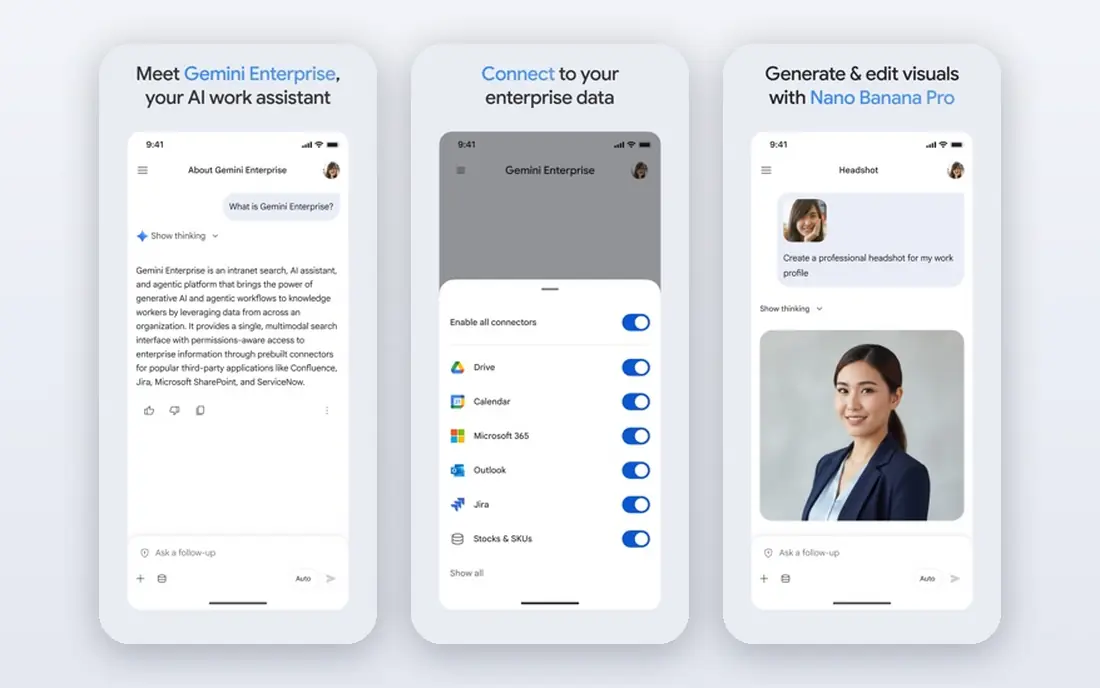
The Gemini API suits teams that need very long context or want to combine text, images, and audio in one call. Its free tier lets small projects start without a card, and pricing scales through Google Cloud for larger workloads. Developers already on Google Cloud will find identity, logging, and billing fit in with little extra setup.
The rough edge is navigation. Guides, pricing pages, and console settings live in several places, and model names have shifted over time. That makes it worth pinning a specific model version in production rather than pointing at a moving alias.
- Long context windows
- Generous free tier
- Tight Google Cloud links
- Docs spread across several Google sites
- Model naming changes often
Cohere
Ideal for: Business text and retrieval work

Cohere aims squarely at business use, with embeddings, reranking, and chat models built for search and support workflows. Its retrieval tools are a genuine strength for teams building over their own documents, and the platform offers deployment options that suit regulated settings. For a company replacing an API purely for internal knowledge work, Cohere is a focused choice.
The community is smaller than the big consumer model brands, so answers to unusual questions can take longer to find. Hobby projects may also find the business framing less inviting, though the API itself is straightforward to call.
- Strong embeddings and reranking
- Enterprise controls
- Clear business focus
- Smaller consumer community
- Fewer hobbyist tutorials
Mistral AI
Ideal for: Open weights and self-hosting
Mistral stands out for teams that want open weights they can run themselves or host in their own cloud. Its hosted API is fast, and the open models give a path away from vendor lock-in that closed APIs cannot match. European hosting also appeals to teams with data residency needs.
The lineup is narrower than the largest providers, and beginners get less guided onboarding. Teams that want a fully managed, do-everything platform may need to pair Mistral with other tools for agents or search.
- Open-weight models
- Fast inference
- European hosting options
- Smaller model lineup
- Less hand-holding for beginners
Together AI
Ideal for: Trying many open models fast
Together AI gives developers one API for dozens of open models, which makes side-by-side testing cheap and quick. If you are unsure which open model fits your task, you can swap models without rewriting your integration. Inference speed is a selling point, and the pricing is usage based.
Quality and support vary by model, since Together hosts models from many sources rather than building them all itself. That means results need checking model by model, and teams should not assume every catalog entry is production ready.
- Huge open-model catalog
- Fast inference
- Simple API
- Support varies by model
- Enterprise features are newer
Amazon Bedrock
Ideal for: AWS teams needing managed models
Bedrock lets AWS teams use models from several providers through one managed service, with IAM, logging, and private networking handled the AWS way. That matters for companies that already run on AWS and want model access without a separate vendor contract for each provider. Data stays inside the AWS account boundary, which helps with compliance reviews.
The cost is complexity. Bedrock pricing, quotas, and model availability differ by region, and the bill mixes with the rest of AWS. Small teams outside AWS may find a single-provider API simpler and faster to adopt.
- Many providers in one service
- AWS security controls
- Private data handling
- AWS learning curve
- Costs spread across services
Azure OpenAI Service
Ideal for: Microsoft and enterprise shops
Azure OpenAI Service brings OpenAI models into Azure with enterprise controls, private endpoints, and compliance coverage that large companies expect. Teams using Microsoft 365, Teams, or Azure data tools can connect those pieces with less custom work. For regulated industries, that packaging is often the deciding factor.
Access is gated, and new models can arrive in some regions before others. Teams should confirm availability in their region before committing, and budget time for the Azure setup if they are new to the platform.
- Enterprise compliance
- Private networking
- Microsoft integrations
- Access requires approval
- Model rollout varies by region
Meta Llama
Ideal for: Self-hosted open models
Llama is the open route for teams that want full control over hosting, fine-tuning, and data flow. The weights are free to download, the community is large, and models run from a laptop up to a data center. That freedom suits research teams and companies with strict data rules.
Freedom comes with work. You handle servers, scaling, safety filters, and updates yourself, and smaller Llama models will not match the largest closed models on hard reasoning. Budget engineering time, not just compute, before choosing this path.
- Open weights
- Runs anywhere
- Large community
- You handle hosting and safety
- Quality varies by model size
How we picked these
We started from the products that genuinely fit this topic and removed any that were discontinued, that did not serve US users, or that failed to match the core job. For each survivor, we checked the vendor official site for features and pricing, read app store listings where they exist, and looked at privacy policies and public reviews for known problems. We did not claim hands-on testing we did not do, and we left prices as See website wherever the vendor does not publish a clear figure.
Finally, we checked for known problems in public reviews and privacy policies, and we noted them where they matter, rather than hiding them. A product with a past privacy issue or a confusing renewal price still appears here if it is otherwise strong, but the write-up says so plainly, so you can weigh that risk yourself before you sign up.
We also weighed fit over fame. A famous product that only partly covers this topic lost out to a smaller tool that covers it well. That is why the list mixes leaders with strong smaller options, and why each write-up names one honest weakness alongside its strengths.
How to choose the right option for you
Start with the job, not the brand
Write down the one task you need done every week, then check which products do that task well without extra tools. OpenAI API covers the common case for most buyers, while Amazon Bedrock suits a narrower need. If a product needs three add-ons to do your core job, it is probably the wrong pick, however popular it is.
Check the true cost
Compare the plan you will actually use, not the headline price. Count seats, usage, and any add-ons, and check renewal pricing as well as the first-year price. Free tiers help for testing, but they often cap the exact feature you will need later, so read the limits before you commit a team to one.
Run a short trial with real work
Pick two finalists and run each on a real task for a week, not a demo script. Watch setup time, support replies, and how it handles your edge cases. Google Gemini API and Cohere are good trial candidates for many buyers, since they show their strengths quickly. The product your team actually uses beats the one with the longest feature list.
Match the tool to your team size
A tool built for a thousand users can slow a team of five with setup, approvals, and training, while a tool built for solo users can break when a whole department adopts it. Check seat limits, permission controls, and admin features against your real headcount, not your hoped-for headcount. If you plan to grow, ask whether the next tier up keeps your data and settings intact, or forces a migration. The cheapest plan that fits today is often the right start, as long as the upgrade path is clear.
Check support, privacy, and exit options
Read the privacy policy for how your data is used, especially for tools that handle customer data, health data, or financial data. Check support hours and response channels too, since a cheap tool with slow support costs more in lost time than a pricier one with fast help. Finally, confirm you can export your data in a usable format. A tool that locks your work inside its own format makes switching painful later, and that exit cost should count in your decision just like the monthly price.
Frequently asked questions
What are anthropic api alternatives?
Anthropic Api Alternatives are tools and services that do the same core job as the original, with different prices, features, and trade-offs. The list above covers the strongest options we found that work in October 2026, from well-known leaders to smaller tools worth a look.
Which of these anthropic api alternatives is best for most people?
For most buyers, OpenAI API is the safest starting point, thanks to its balance of features and price. If your main need is google cloud shops and multimodal apps, start with Google Gemini API instead, and run a trial before you commit.
Are there free anthropic api alternatives?
Yes, several options on this list offer a free tier or a free and open version, and the comparison table shows which ones. Free tiers usually cap usage or features, so check the limits against your real workload before you rely on one.
How much do anthropic api alternatives cost?
Prices range from free to enterprise quotes, and the table lists the starting price we could verify for each product. Where a vendor does not publish a clear price, we wrote See website, and you should ask for a quote based on your seats and usage.
What should I check before I pay for one of these anthropic api alternatives?
Check the plan limits, the renewal price, and the cancellation terms on the vendor site, and confirm the features you need are in the plan you will buy, not a higher tier. Read the privacy policy if the tool will hold customer or personal data, and test support with a real question during the trial. A short trial answers more than any sales page.
How hard is it to switch to a new option?
Switching effort depends on how much data and workflow you have built up. Export your data first, run the new tool alongside the old one for a short period, and move one team or project at a time. Most vendors on this list offer import tools or migration help.