Backstage Developer Portal Alternatives

- Backstage itself is free and open source, so every alternative on this list competes on hosted convenience, support, and built-in governance rather than on the catalog idea alone.
- Port and Atlassian Compass publish clear per-seat prices, while Cortex, OpsLevel, and Harness price by quote, which means budgeting needs a sales call.
- If you want a portal this week with no platform team, a hosted option such as Port or Compass starts faster than self-hosting Backstage.
- Scorecards are the feature that separates portals from plain catalogs, since they measure service health and standards across every team.
- Check seat counting rules before you sign, since some vendors bill every authenticated user while others count only contributing developers.
Quick comparison
| Product | Ideal for | Price from | Free version | |
|---|---|---|---|---|
 Backstage | Free open source portal you host yourself | Free (open source) | Yes | Visit |
 Port | Hosted portal with AI builders and workflows | $30 per user/month (billed annually) | Yes | Visit |
 Cortex | Scorecards and engineering standards at scale | Quote only | No | Visit |
 OpsLevel | Service maturity campaigns and catalogs | Quote only | No | Visit |
 Atlassian Compass | Portal inside the Atlassian suite | $7.67 per user/month (Standard) | Yes | Visit |
 Humanitec | Platform orchestration with portal links | $2,199 per month | Free trial | Visit |
 Harness | DevOps suite with an IDP module | Quote only | Yes | Visit |
The best Backstage developer portal alternatives
Backstage
Ideal for: Free open source portal you host yourself

Backstage is the open source framework from Spotify that started the internal developer portal category, and it is the baseline every alternative on this list is measured against. It gives you a centralized software catalog, software templates that spin up new services with your standards built in, TechDocs for docs-like-code, a search platform, and a Kubernetes plugin that shows deployments from a service owner view. The plugin model is the heart of the product: you add Lighthouse, Tech Radar, cost, or security plugins, or you build your own.
The trade-off is ownership. Backstage costs nothing to license, but you run the hosting, upgrades, and plugin maintenance, and most teams assign at least one engineer to keep it healthy. The site describes the problem plainly: as teams grow, the software ecosystem fragments, and a catalog restores order. If you have platform engineers and want full control over data and custom plugins, Backstage is hard to beat on price. If you do not, a hosted alternative trades that control for a vendor-run service with support included.
- Full catalog, templates, and docs with no license cost
- Large plugin ecosystem from the community
- You host, upgrade, and maintain it yourself
- Setup needs dedicated platform engineers
Port
Ideal for: Hosted portal with AI builders and workflows
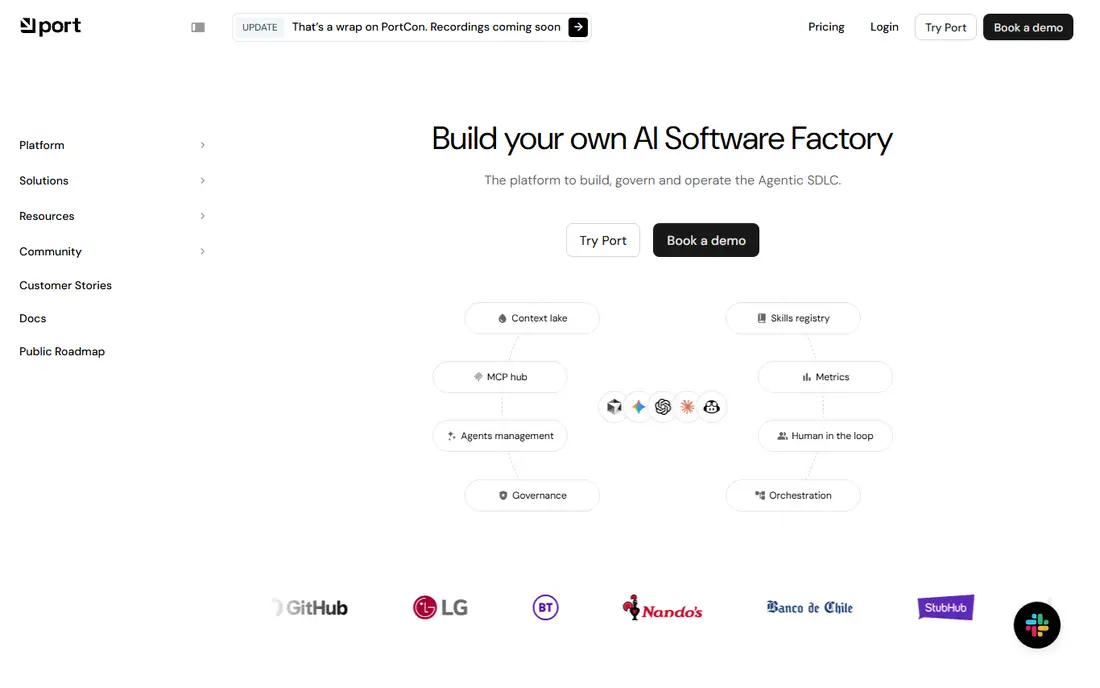
Port is a hosted internal developer portal that turns the Backstage catalog idea into a software factory, with an AI Builder, a workflow orchestrator, metrics, and governance in one service. The Free plan costs $0 for up to 5 seats, 10,000 entities, and 400 workflow runs, with community support and no card required. The Basic plan starts at $30 per seat per month when billed annually, for teams up to 50 seats, with 50,000 entities, 800 workflow runs, and commercial support. The Standard plan starts at $48 per seat per month and adds single sign-on and up to 2 organizations.
Port counts a seat as any authenticated user who accesses the platform, including through the API, Slack, or an IDE extension, while deleted or disabled users are not counted. The platform supports unlimited data sources, catalog pages, and AI agents on the free tier, which makes it easy to run a real proof of concept with your own data before you talk to sales. The main cost risk is seat growth: at $30 to $48 per seat per month, a 100-developer org pays several thousand dollars a month, so model headcount before you commit.
- Free plan covers 5 seats and 10,000 entities
- AI Builder and workflow orchestrator included
- Per-seat pricing climbs fast as teams grow
- Single sign-on needs the Standard plan
Cortex
Ideal for: Scorecards and engineering standards at scale
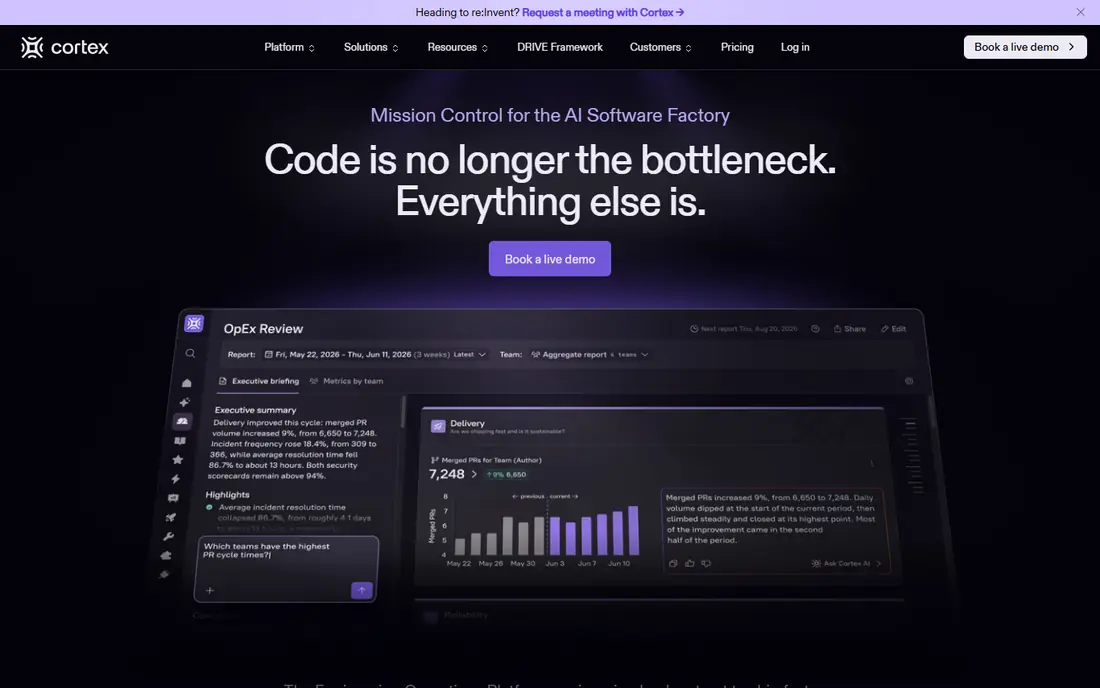
Cortex is a cloud-hosted internal developer portal built around engineering standards, and it suits orgs that want to measure and raise service maturity rather than just list services. Its catalog connects to more than 50 tools, including GitHub, GitLab, Jira, PagerDuty, Datadog, New Relic, Snyk, and Kubernetes, then applies scorecards that grade each service on ownership, readiness, and compliance. The platform also tracks DORA and DRIVE metrics, so leaders can see delivery speed and reliability next to the standards data. Custom data can arrive through APIs, webhooks, and a query language for sources without a native integration.
Pricing is custom and per seat, with quotes scaled to org size, and the pricing page carries no dollar figures. That is the main drawback for smaller teams: you cannot budget without a sales conversation. Implementation usually shows usable data within one to two weeks, according to the vendor, with full scorecard maturity taking longer. Cortex is SOC 2 Type II and ISO 27001 certified, and it runs on Google Cloud with no infrastructure for you to host. Pick it when standards enforcement is the goal, not just a catalog.
- Scorecards tie ownership, standards, and DORA metrics together
- 50 plus native integrations
- No public price, so budgeting needs a sales call
- Cloud-hosted only, with no self-hosted option
OpsLevel
Ideal for: Service maturity campaigns and catalogs
OpsLevel is an internal developer portal that focuses on visibility, compliance, and developer efficiency, with campaigns as its signature feature. A campaign groups a cross-cutting project, such as migrating libraries or fixing security gaps, and tracks progress across every affected service. Scorecards measure team health, a global rubric measures org-wide health, and checks can read repository files, grep code, or query package versions. The AI-powered catalog engine generates component descriptions and document summaries, and automated enrichment keeps catalog data current without manual entry.
The pricing page lists two plans, Standard and Enterprise, with no dollar amounts. Standard covers up to 50 users with unlimited cataloged components, while Enterprise allows unlimited users and adds on-prem and single-tenancy options, a dedicated customer success manager, and prioritized support through a private Slack or Teams channel. Pricing is based on the number of developers using the portal, with volume discounts available. There is no free tier, and trials begin by booking a demo, so plan for a sales-led evaluation. OpsLevel is SOC 2 Type 2 certified.
- Campaigns drive org-wide fixes across services
- AI catalog engine enriches component data
- No public price and no free tier
- Trials start with a demo request, not self-serve signup
Atlassian Compass
Ideal for: Portal inside the Atlassian suite
Atlassian Compass is the internal developer platform for teams already running Jira, Bitbucket, and Opsgenie, and it is the cheapest priced entry on this list. The Free plan costs $0 for up to 3 full users and unlimited basic users, with no card required. The Standard plan costs $7.67 per user per month and adds the full feature set for growing teams, while Premium costs $23.96 per user per month for large orgs that need advanced compliance, support, and data features. A 14-day free trial of Standard is available with no payment details required up front.
Compass builds its software catalog by importing components from Jira, Jira Service Management, Bitbucket, and Opsgenie, so service records, on-call data, and incident events sit in one place. Full users are billable and get all features on the plan, while basic users need only a free Atlassian account and get a limited feature set. Subscriptions are monthly only at present, and Compass runs on cloud with no self-managed option. If your team lives in Atlassian tools, Compass adds a portal without a second vendor or a second login.
- Free plan covers 3 full users with unlimited basic users
- Native Jira, Bitbucket, and Opsgenie links
- Cloud only, with no Data Center option
- Premium needed for advanced compliance features
Humanitec
Ideal for: Platform orchestration with portal links
Humanitec is a platform orchestrator that sits behind the portal rather than replacing it, and it fits teams whose main pain is safe, standardized deployments across environments. It automates and standardizes releases across Kubernetes, serverless, virtual machines, and private cloud, with dynamic configuration management and environment promotion built in. The pricing page lists portal integrations for Backstage, Port, and Cortex, so it can feed catalog data to the portal your developers already use. Features include role-based access control, sandbox organizations, and on higher tiers, SAML, audit logs, and self-hosted runners.
Pricing starts at $2,199 per month in USD for 5 users included, with 1 project and up to 5 environments, email support, and public office hours. The next tier costs $5,499 per month for 50 users, with standard support and monthly office hours with a platform architect. Above that, custom plans add premium support, weekly office hours with a dedicated architect, and enterprise features for regulated industries or private cloud. The entry price rules it out for small teams, but for orgs that need deployment orchestration plus a portal link, it covers ground the pure portals do not.
- Orchestrates deploys across Kubernetes, serverless, and VMs
- Portal integrations for Backstage, Port, and Cortex
- Entry price is high for small teams
- It is an orchestrator first, not a full portal replacement
Harness
Ideal for: DevOps suite with an IDP module
Harness is a DevOps platform whose Internal Developer Portal module sits alongside continuous integration, continuous delivery, GitOps, infrastructure as code, and security testing. That breadth suits teams that want one vendor for the whole delivery pipeline rather than a standalone portal. The Free plan costs $0 for individual developers and small teams and includes Harness Open Source and Litmus Chaos with community support. The Essentials plan bundles CI, CD, infrastructure as code, and security testing in one all-in-one package for growing orgs, while the Enterprise plan lets teams pick modules, including the IDP, with premier support and a dedicated account manager.
No dollar prices appear on the Harness pricing page, so both Essentials and Enterprise are quote only. The comparison table shows Essentials capped at 1 organization, up to 500 users, 5 custom dashboards, and 60 concurrent pipeline executions, while Enterprise is unlimited on those measures. The main trade-off is focus: if you only need a portal, Harness sells you a suite, and the IDP module shares the roadmap with a dozen other products. If you already run Harness for CI and CD, adding the portal keeps everything under one contract.
- Free plan includes open source modules
- IDP sits beside CI, CD, and security testing
- Portal-only buyers pay for suite breadth
- Essentials and Enterprise prices are not published
How we chose
We opened the pricing page of each vendor on 11 November 2026 and recorded the entry price, the free tier, and the limits that shape portal buying, such as seat caps, entity caps, and support levels. We compared catalog depth, templates, scorecards, campaigns, integrations, and deployment models, using vendor pricing pages and product docs. We favored tools with published pricing or a clear quote path, a free tier or trial, and a real catalog, and we left out tools whose pricing we could not confirm on the vendor site. No hands-on testing was done, and no vendor supplied data for this guide.
What to check before you buy
Check how seats are counted, since Port bills every authenticated user while some rivals count only contributing developers, and the difference changes the bill. Confirm whether single sign-on, audit logs, and SCIM sit in your tier, since several vendors gate them above the entry plan. Ask how long implementation takes and who owns upgrades, since self-hosted Backstage needs your engineers while hosted portals handle it. Finally, run a pilot with your own services and scorecards, since catalog quality depends on your integrations, not on the demo data.
| Team size and budget | Best starting pick | Why it fits | Watch out for |
|---|---|---|---|
| Solo or small team, $0 to $50 per month | Backstage, Compass Free, Port Free | Free tiers cover small catalogs with no card | Seat caps and self-hosting effort |
| Growing team, $50 to $500 per month | Port Basic, Compass Standard | Clear per-seat prices and hosted setup | Per-seat costs rise with headcount |
| Mid-size org, $500 to $2,500 per month | Cortex, OpsLevel, Port Standard | Scorecards, campaigns, and SSO | Quote-only pricing needs a sales cycle |
| Enterprise, $2,500 or more per month | Humanitec, Harness Enterprise | Orchestration, scale, and premium support | Suite breadth and contract minimums |
Frequently asked questions
Is Backstage free to use?
Yes. Backstage is open source and free to license, and the project page describes it as a framework for building developer portals with a software catalog, templates, docs, and search. The cost is operational: you host it, upgrade it, and maintain its plugins, which usually needs at least one platform engineer. Hosted alternatives charge a subscription but take over that work.
Which Backstage alternative is cheapest?
Atlassian Compass has the lowest priced entry, with Standard at $7.67 per user per month and a free plan for up to 3 full users. Port Basic starts at $30 per seat per month when billed annually, with a free plan for up to 5 seats. Backstage itself costs $0 to license. The cheapest option depends on headcount, since per-seat prices multiply as the team grows.
What is the difference between a catalog and a portal?
A catalog lists services, owners, and dependencies. A portal adds self-service actions, templates, docs, and scorecards on top of that catalog, so developers can create services and check standards without leaving the tool. Backstage includes both, and every alternative on this list does too, but the depth of scorecards, campaigns, and workflows is where they differ most.
Do I need scorecards in a developer portal?
Scorecards grade each service against your standards, such as ownership, runbooks, security checks, and deployment readiness, and they show which services fall behind. If your goal is only to find services, a catalog is enough. If your goal is to raise quality across many teams, scorecards from Cortex or OpsLevel, or campaigns in OpsLevel, give leaders a way to track progress.
Can I migrate from Backstage to a hosted portal later?
Yes, and several vendors build for that path. Port and Cortex import catalog data from common sources, and Humanitec integrates with Backstage, Port, and Cortex as a portal layer. Before you migrate, export your catalog entities, templates, and TechDocs, and check which plugins have an equivalent in the new tool, since custom plugins are the usual migration cost.