Best 2D Animation Software in 2026: 8 Tools Compared

- 1
 Toon Boom HarmonyProfessional studio animationVisit
- 2
 Adobe AnimateWeb and interactive animationVisit
- 3
 Moho ProRigged character animation without a subscriptionVisit
- 4
 OpenToonzFree studio-grade 2D animationVisit
- 5
 Pencil2DSimple frame-by-frame drawingVisit
- Toon Boom Harmony and Adobe Animate remain the professional standards, while Moho Pro offers a one-time purchase for rigged character work.
- Free tools such as OpenToonz, Pencil2D, Synfig Studio and Blender cover frame-by-frame and cut-out styles at no cost.
- Beginners should start with a free tool or a trial, because drawing style and rigging preference matter more than a feature list.
- Check export formats and operating system support before buying, since some tools are Windows only or Mac only.
Quick comparison
| Product | Ideal for | Price from | Free version | |
|---|---|---|---|---|
| Toon Boom Harmony | Professional studio animation | $30 per month | Free trial | Visit |
| Adobe Animate | Web and interactive animation | $22.99 per month | Free trial | Visit |
| Moho Pro | Rigged character animation without a subscription | $399.99 one-time | Free trial | Visit |
| OpenToonz | Free studio-grade 2D animation | Free | Yes | Visit |
| Pencil2D | Simple frame-by-frame drawing | Free | Yes | Visit |
 Synfig Studio | Vector tweening without drawing every frame | Free | Yes | Visit |
 Blender | Free 2D and 3D animation in one app | Free | Yes | Visit |
 TVPaint Animation | Hand-drawn animation for professionals | See website | Free trial | Visit |
The best 2D animation software
We compared official feature pages, pricing pages, app store listings, privacy policies and public reviews to build this list of 8 options for best 2d animation software. Prices were checked in October 2026 and can change, so confirm the current price on the vendor site before you buy. Our pick for most people is the first option that fits your budget and workflow, not necessarily the most expensive tool on the list. Read the quick comparison first to narrow the field, then read the full write-ups for the two or three options that fit your needs best.
Toon Boom Harmony
Ideal for: Professional studio animation
Toon Boom Harmony is the tool most closely tied to professional 2D production, and its strength is range. It handles hand-drawn frames, rigged cut-out characters and camera moves inside one project, so a small studio does not need to stitch several apps together. The drawing tools feel natural, and the node-based compositing keeps effects inside the same file.
The trade-off is complexity. New users face a large interface and many panels, and the monthly cost is hard to justify for occasional projects. Start with the trial and a real scene, not a tutorial clip, to see whether the workflow suits you.
- Studio-grade rigging and compositing
- Used in professional productions
- Handles traditional, cut-out and hybrid styles
- Steep learning curve
- Subscription cost adds up
- Needs a capable computer
Adobe Animate
Ideal for: Web and interactive animation

Adobe Animate suits animators who publish to the web, build interactive content or already work in Adobe apps. Its vector tools keep lines clean at any size, and exports for HTML5 and video cover most online uses. If your work lives in Photoshop or After Effects, the shared workflow is a genuine time saver.
Animate is less convincing as a full film pipeline, because heavy compositing and long scenes are better handled elsewhere. The subscription also means the cost never stops, even in quiet months. It is a strong choice for web-first animators, not for every studio job.
- Strong vector drawing tools
- Good web and HTML5 export
- Fits well with other Adobe apps
- Subscription only
- Weaker built-in compositing than Harmony
- Less suited to long film production
Moho Pro
Ideal for: Rigged character animation without a subscription
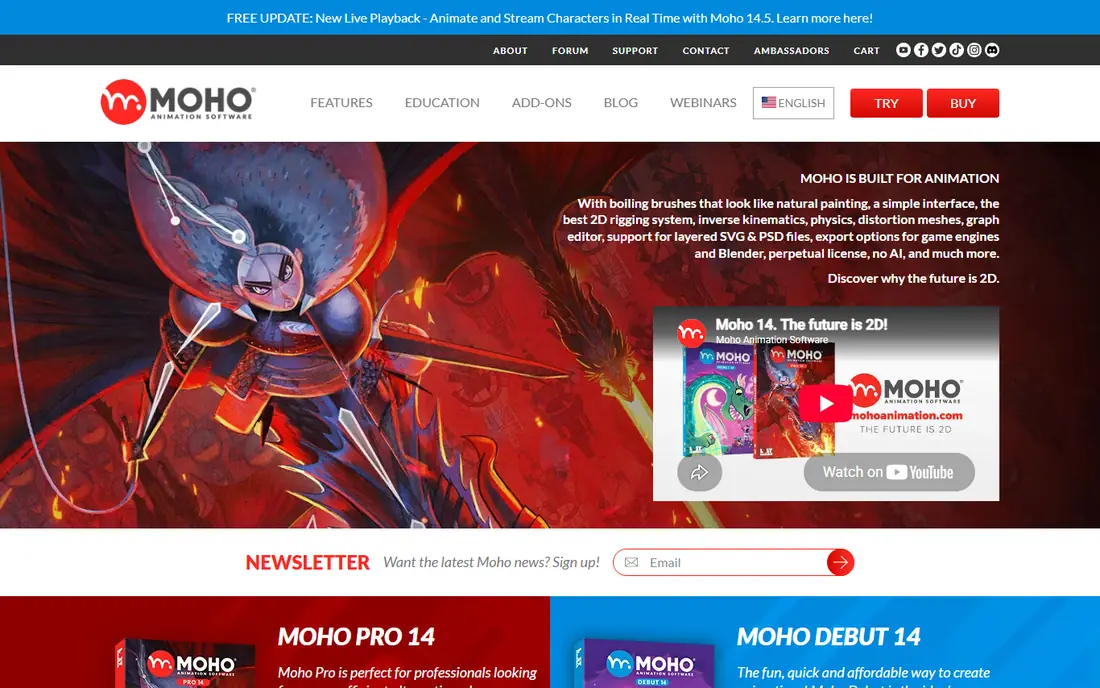
Moho Pro is built around rigged characters, so one drawing can walk, talk and gesture across many scenes. Smart bones help joints bend in a natural way, and the one-time price makes the long-term cost easy to predict. For YouTube series, explainer characters and indie shorts, that combination is hard to beat.
The drawing experience is not as polished as Harmony or Animate, and some users draw characters elsewhere and import them. The learning curve for rigging is real, though shorter than a full studio pipeline. If you animate characters often, Moho Pro pays for itself quickly.
- One-time purchase
- Strong bone rigging and smart bones
- Good value over several years
- Smaller community than Adobe or Toon Boom
- Drawing tools are less refined
- Interface feels dated in places
OpenToonz
Ideal for: Free studio-grade 2D animation
OpenToonz is free software with a serious history, and it includes effects, compositing and scanning tools that paid rivals charge for. It suits animators who want studio-style control without a subscription and who do not mind learning from community guides. The feature set is far deeper than its price suggests.
The interface looks older than modern rivals, and help comes mainly from community forums and documentation. That makes the first week slower, especially for beginners. If you can get past setup, OpenToonz is one of the best free options for ambitious 2D work.
- Free and open source
- Used in professional productions
- Strong effects and scanning tools
- Dated interface
- Sparse official support
- Setup takes patience
Pencil2D
Ideal for: Simple frame-by-frame drawing
Pencil2D is the simplest honest starting point for hand-drawn animation. You draw frames, flip through them with onion skinning, and export a video, with almost nothing in the way. It runs well on modest computers, which makes it a good pick for students and hobbyists.
Its limits show quickly on longer projects. There is no character rigging system and no compositing suite, so complex scenes need another tool. Treat Pencil2D as a sketchbook and learning tool, and graduate when a project outgrows it.
- Very easy to start
- Lightweight on older computers
- Clean hand-drawn workflow
- No rigging or compositing depth
- Limited export options
- Small team behind it
Synfig Studio
Ideal for: Vector tweening without drawing every frame
Synfig Studio fills a useful middle ground between drawing every frame and building a full rig. You set key poses and let the software tween between them, which suits motion graphics, cut-out scenes and explainer clips. Because shapes are vector based, output stays sharp at any size.
The interface takes time to learn, and bone controls are less intuitive than Moho. Rendering large scenes can also be slow on older machines. Still, for free vector animation with real control, Synfig Studio is a strong pick.
- Free and open source
- Tweening reduces frame-by-frame work
- Vector shapes stay crisp
- Learning curve for bones and parameters
- Interface is not beginner friendly
- Rendering can be slow
Blender
Ideal for: Free 2D and 3D animation in one app
Blender is best known for 3D, but its Grease Pencil tools let you draw 2D animation inside a 3D scene, with camera moves and depth that flat tools cannot match. It is completely free, and the tutorial community is enormous, so help is easy to find. For mixed-media shorts, it is a unique option.
The cost is learning time. Blender is a huge application, and a new user must ignore most of it to focus on 2D. If you only want simple cartoons, a smaller tool is faster. If you want 2D characters moving through 3D space, Blender is worth the effort.
- Free and open source
- Grease Pencil for 2D in 3D space
- Huge community and tutorials
- Very large app to learn
- 2D tools sit inside a 3D workflow
- Interface can overwhelm beginners
TVPaint Animation
Ideal for: Hand-drawn animation for professionals
TVPaint Animation is built for animators who draw every frame and want the result to feel like paper. Its bitmap brushes, light table and timeline are tuned for that job, and studios use it for feature and television work. If hand-drawn quality is the priority, few tools feel as direct.
Pricing is not as transparent as rivals, and buyers often need a quote, which slows a quick decision. It is also not the tool for rigged puppet animation. Choose TVPaint when drawing quality matters most and a subscription-style studio tool is not required.
- Bitmap drawing that feels like paper
- Strong frame-by-frame tools
- Used by animation studios
- Quote-based pricing for many buyers
- No vector rigging focus
- Windows and Mac only
How we picked these
We started from the topic and shortlisted products that exist and work today, then checked each vendor homepage, pricing page and free tier. We compared feature pages, app store listings, privacy policies and public reviews, and we dropped any product whose homepage could not be verified or whose price could not be checked. Where a price was unclear or varied by region, we wrote See website rather than guessing a number. That rule kept the list honest, even where a neat price would have made the comparison table look tidier.
We also weighed fit over fame. A well-known product stayed on the list only if it truly fits the topic, and smaller tools earned a place when they served a clear use case better. No product here was tested hands-on for this article, and no vendor paid for placement.
Price and free-tier details matter most when plans change often, so we favoured products with clear published pricing and a trial or free tier where one exists. If a vendor changed a plan after our check, the vendor site is the correct source, and the ranking here still reflects fit, not just price. That check takes extra time, but it prevents a shortlist built on outdated pricing or a product that no longer exists.
Choosing 2D animation software without overspending
Match the tool to the animation style first. Frame-by-frame drawing, rigged cut-out characters and template videos need different tools, and buying the wrong type wastes months of learning time. Test a short scene in two tools before committing, and pay attention to drawing comfort, timeline control and export quality.
Before you pay, run a trial on a real task from your own work, not a demo file. Check export formats, mobile access and support hours, because those details decide whether a tool survives daily use. Also check renewal terms and cancellation steps, since a cheap first year can become an expensive second year if renewal jumps. Finally, ask who will own setup and training, because a tool nobody is responsible for tends to fall out of use within a few months. Keep a short note on why you picked the winner, so a future review can judge it against the same criteria instead of starting from scratch.
A useful final test is to imagine the tool in six months, when the first excitement has faded and the work is routine. If the daily steps are still quick, the cost is still clear, and the support route is still obvious, the choice is likely sound. If any of those three answers is unclear, use the trial period to get a clear answer before committing to an annual plan.
Frequently asked questions
Is there a good free 2D animation software option?
Yes. OpenToonz, Pencil2D and Synfig Studio are free, and Blender includes 2D animation tools at no cost. Free tools need more learning time, but they can produce finished work without a subscription.
What is the best 2D animation software for beginners?
Pencil2D and Synfig Studio are easier starting points than studio tools, because their interfaces are smaller and their core jobs are clearer. Move to Moho Pro or Adobe Animate once you know which style you enjoy.
Is Toon Boom Harmony worth the subscription?
It is worth it for people working toward studio work or complex productions, where rigging, compositing and camera tools save real time. Hobby animators usually get more value from Moho Pro or a free tool.
Can I make 2D animation on a basic laptop?
Yes, for short scenes and simple characters, especially with Pencil2D, Synfig Studio or Moho. Large Harmony or Blender projects benefit from a faster machine and more memory.