Best Absence Management Software in 2026: 8 Tools Compared

- BambooHR and HiBob suit companies that want leave tracking inside a wider human resources system.
- Rippling and Personio combine leave with payroll and HR data, which cuts duplicate entry.
- Calamari and absence.io work well for teams that mainly need simple, clear leave calendars.
- Factorial and Dayforce fit larger or multi-country teams with complex leave rules.
- Check carryover, accrual, and approval rules against your own policies before buying.
Quick comparison
| Product | Ideal for | Price from | Free version | |
|---|---|---|---|---|
 BambooHR | HR suites with leave built in | See website | Free trial | Visit |
 HiBob | Mid-size teams and global leave | See website | No | Visit |
 Rippling | Leave plus payroll and HR | See website | No | Visit |
 Personio | European teams and compliance | See website | No | Visit |
 Factorial | Growing teams and time off rules | See website | Free trial | Visit |
 Dayforce | Large teams and complex policies | See website | No | Visit |
 Calamari | Simple leave and attendance | See website | Free trial | Visit |
 absence.io | Small teams and clear calendars | See website | Free trial | Visit |
The best absence management software
We compared official feature pages, pricing pages, and public reviews for eight tools that track vacation, sick leave, and other time off. The best choice depends on whether you want a standalone leave tool or leave inside a full HR system, and on how complex your accrual and approval rules are.
BambooHR
Ideal for: HR suites with leave built in
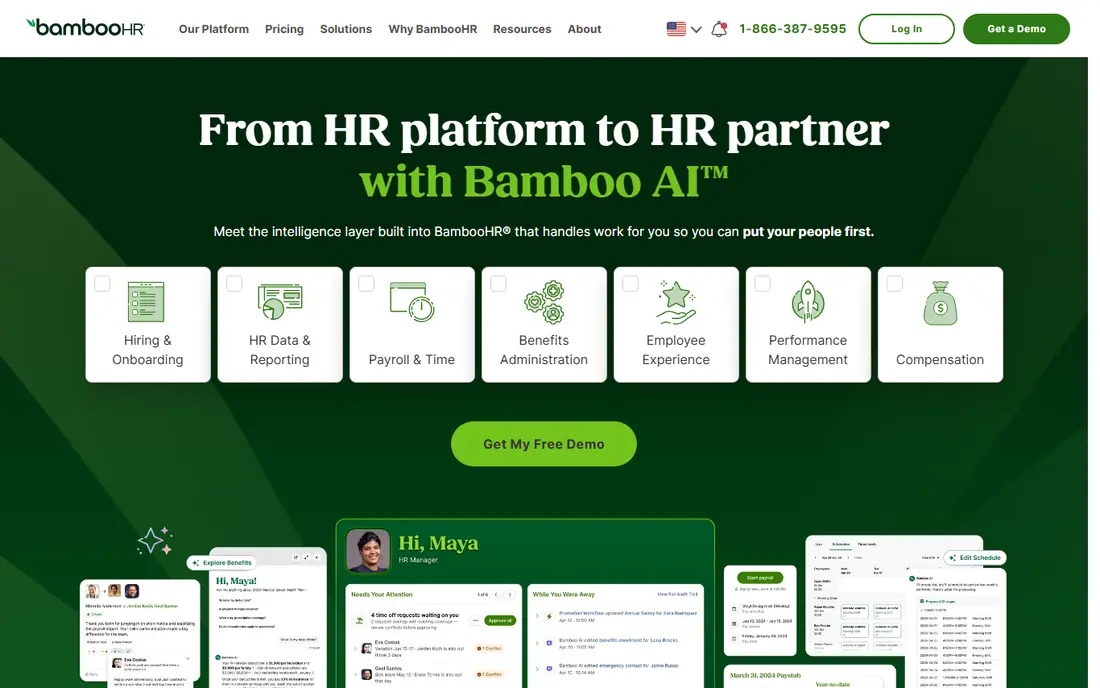
BambooHR keeps time off next to employee records, so managers see balances, history, and team calendars without switching tools. Employees request leave from a phone or computer, and approvers get a clear view of overlaps before saying yes. Accrual rules, carryover, and blackout dates can be set per policy, which helps companies with more than one leave type.
The trade-off is that BambooHR is priced as an HR suite, so a team that only wants leave tracking may pay for features it never uses. Reporting is solid for headcount and leave trends, but workforce scheduling is lighter than in dedicated scheduling tools. For small and mid-size companies that already need HR software, adding leave here is a natural fit.
- Leave tracking inside a full HR system
- Clear employee balances
- Approval workflows
- Pricing is quoted
- Advanced scheduling needs add-ons
HiBob
Ideal for: Mid-size teams and global leave

HiBob, often called Bob, handles leave for teams spread across countries, with policies that differ by location. Managers can see who is away across sites, and employees get balances in local terms. The platform also covers onboarding, performance, and people analytics, so leave data feeds wider workforce planning.
Implementation needs care when policies vary a lot by country, since each rule must be set correctly. Smaller teams with one location may find HiBob more than they need. For mid-size companies with international staff, the combination of local policy support and clear calendars is hard to beat.
- Multi-country leave policies
- Team calendars
- Strong reporting
- Setup takes time for complex policies
- Pricing is quoted
Rippling
Ideal for: Leave plus payroll and HR
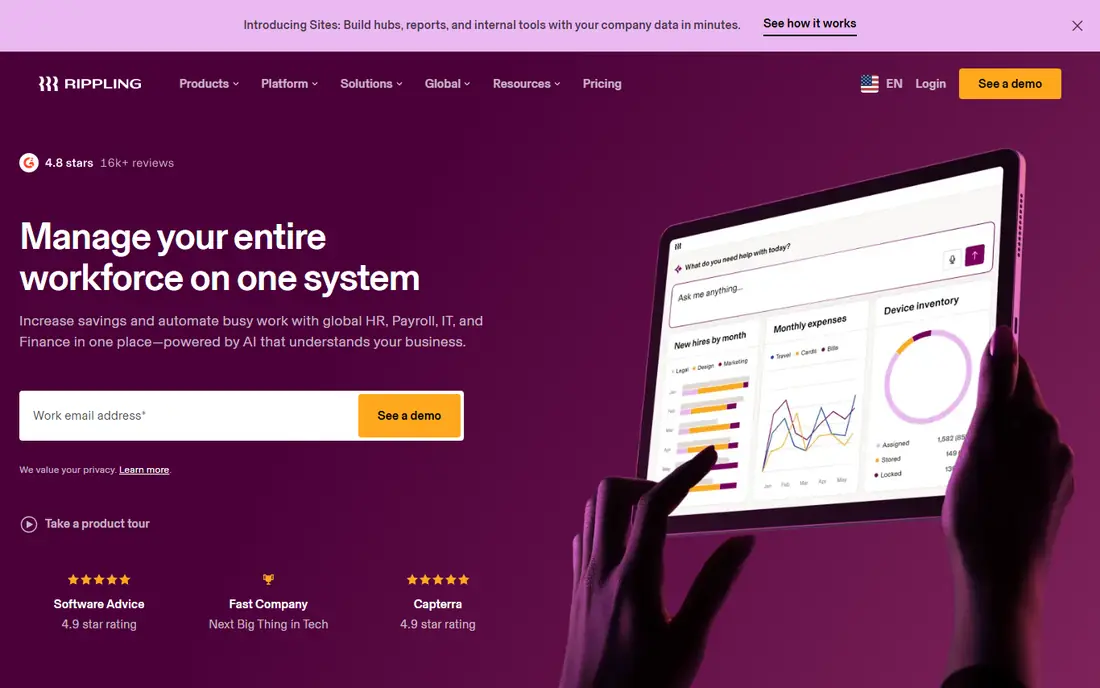
Rippling ties time off to payroll and HR records, so approved leave flows into pay calculations without retyping. Managers approve requests with team availability in view, and finance teams get cleaner records for payroll runs. The platform also handles devices and app access, which suits companies that want one system for many back-office tasks.
Modular pricing means the final bill depends on which products you add, so ask for a full quote. A team that only needs leave tracking may prefer a simpler tool. Companies already planning to run payroll and HR on Rippling will get the most value from its leave features.
- Payroll, HR, and IT in one system
- Automatic accrual updates
- Approval chains
- Pricing is modular and quoted
- Smaller teams may find it broad
Personio
Ideal for: European teams and compliance
Personio is built for European small and mid-size companies, with leave policies, approvals, and documents in one place. Employees request time off and see remaining balances, while managers check team coverage before approving. Payroll preparation pulls attendance and absence data, which reduces month-end manual work.
Companies outside Europe can use Personio, but its deepest compliance support is European. Pricing depends on headcount and modules, so smaller firms should confirm the full cost. For a European team that wants HR and leave together, Personio is a practical, well-supported choice.
- Leave, HR, and payroll preparation
- Country-specific rules
- Approval workflows
- Strongest in Europe
- Pricing is quoted per company size
Factorial
Ideal for: Growing teams and time off rules
Factorial gives growing teams a flexible way to set leave types, accrual, and approvals without heavy setup. Employees manage requests from an app, and managers see calendars that flag overlaps. Attendance and clock-in features sit alongside leave, which helps companies that track both office presence and time off.
Plan tiers matter, since some reporting and automation features sit on higher plans. Check which tier covers your policy needs before signing. For a team moving from spreadsheets to a first HR tool, Factorial offers a gentle step up with room to grow.
- Flexible leave policies
- Clock-in and attendance
- Employee self-service
- Some features vary by plan
- Support response can vary by region
Dayforce
Ideal for: Large teams and complex policies
Dayforce, from Ceridian, handles leave for large employers with shift patterns, unions, and multi-state rules. Absence data feeds scheduling and payroll in the same system, so managers see coverage and pay effects together. Analytics help HR teams spot absence trends and plan cover.
The cost is implementation effort. Large deployments need careful configuration and training, and pricing reflects enterprise scale. Smaller companies will find Dayforce heavy. For large teams with complex policies, the depth and payroll link justify the effort.
- Complex leave and scheduling rules
- Payroll in one system
- Strong analytics
- Implementation is a project
- Pricing is quoted and higher
Calamari
Ideal for: Simple leave and attendance
Calamari focuses on leave and attendance without trying to be a full HR suite. Employees request time off, managers approve with calendar context, and balances update automatically. Attendance features, including clock-in options, suit teams that track presence as well as leave.
Companies that later want recruiting, performance, or payroll will need separate tools. That focus is also the appeal: setup is quick, and the interface stays simple for staff who only need leave. For small and mid-size teams that want a dedicated leave tool, Calamari is easy to adopt.
- Clear leave calendars
- Simple approvals
- Attendance tracking
- HR features are limited
- Integrations are narrower than suites
absence.io
Ideal for: Small teams and clear calendars
absence.io keeps leave management plain and visual, with calendars that show who is away by team or department. Employees submit requests in a few clicks, and managers approve with overlap warnings. Rules for allowance, carryover, and approval chains cover common small-team needs without long configuration.
Larger companies with complex accrual or multi-country rules may outgrow it. Integrations are fewer than in full HR suites, so check your payroll and calendar tools before buying. For a small team that wants to replace a shared spreadsheet, absence.io is a quick, low-friction win.
- Simple setup
- Team calendar views
- Department-level rules
- Limited HR depth
- Fewer payroll integrations
How we picked these
We compared official feature pages, pricing pages, and public reviews for tools that track leave in October 2026. We favored tools with clear approval workflows, calendar views, accrual rules, and payroll or calendar connections, and we mixed standalone leave tools with full HR suites. We did not claim hands-on testing, and we list prices as shown on vendor sites, using See website where pricing is quoted.
What to check before you buy
Start by writing down your leave policies exactly as they work today, including accrual rates, carryover limits, probation rules, and blackout periods. Then test each shortlisted tool against those rules, not against a demo with generic settings. A tool that cannot model your carryover rule will create manual work every January.
Next, check approvals and visibility. Managers need overlap warnings, team calendars, and mobile approvals, while staff need clear balances and request history. Confirm calendar and payroll connections with your exact tools, and ask how sick leave, parental leave, and part-time pro-rating are handled. Finally, run a trial with one department, gather feedback from managers and staff, and only then roll the tool out company wide.
A final check before you commit
Price comparisons work best when you model a full year of use, including seats, add-ons, storage, and support, rather than comparing headline monthly rates. A plan that looks cheap for three users can grow quickly when contractors, managers, or part-time staff are added, and a plan that looks costly may include features you would otherwise buy separately. Ask for a written quote for your expected user count at six and twelve months, and check renewal terms, since first-year discounts often hide the long-term rate you will actually pay.
Total cost includes time as well as money, so count setup hours, training hours, and the admin time needed each month for each finalist. A tool that saves ten minutes per user per day can justify a higher fee, while a cheap tool that needs constant manual fixes can cost more in staff time than it saves in subscription fees. Ask current users in similar firms about weekly admin load, and treat those answers as part of the price. The cheapest subscription is rarely the cheapest system once staff time is counted honestly.
Frequently asked questions
What is absence management software?
It tracks vacation, sick leave, parental leave, and other time off, including balances, approvals, and calendars. It replaces spreadsheets and email requests with a single record that managers, staff, and payroll can all see.
Does absence software connect to payroll?
Many tools do, either directly or through integrations, so approved leave flows into pay runs. Standalone tools may need an export step, so confirm the link with your exact payroll system before buying.
Can it handle different leave rules by country or state?
Full HR suites and global tools such as HiBob, Personio, and Dayforce handle location-specific rules best. Simpler tools cover one set of rules well but may struggle with many local variations.
How do employees request leave?
Staff usually request from a web app or mobile app, pick dates and leave type, and see their remaining balance. Managers approve or decline, often with a calendar view that shows team overlaps.
Is a standalone leave tool better than an HR suite?
A standalone tool is simpler and cheaper if leave is your only need. An HR suite costs more but keeps leave, employee records, and payroll in one place, which reduces duplicate data entry.