Best accounting software for analytics in 2026: 7 Options Compared

- 1
 QuickBooks Onlinesmall firms that want strong reportingVisit
- 2
 Xerosmall firms that want clean dashboardsVisit
- 3
 Sage Accountingfirms that want deeper reportingVisit
- 4
 FreshBookssmall firms that want simple clear reportsVisit
- 5
 Zoho Bookssmall firms that want affordable analyticsVisit
- QuickBooks and Xero suit small firms that want accounting plus strong reporting.
- Sage suits firms that want accounting with deeper inventory and project reporting.
- FreshBooks and Zoho Books suit small firms that want simple, clear financial reports.
- NetSuite and Fathom suit larger firms and advisers that need deep analytics.
Quick comparison
| Product | Ideal for | Price from | Free version | |
|---|---|---|---|---|
| QuickBooks Online | small firms that want strong reporting | See website | Free trial | Visit |
| Xero | small firms that want clean dashboards | See website | Free trial | Visit |
| Sage Accounting | firms that want deeper reporting | See website | Free trial | Visit |
| FreshBooks | small firms that want simple clear reports | See website | Free trial | Visit |
| Zoho Books | small firms that want affordable analytics | See website | Yes | Visit |
 NetSuite | larger firms that need deep analytics | See website | No | Visit |
 Fathom | advisers and firms that want visual analytics | See website | Free trial | Visit |
The best accounting software for analytics
Accounting software for analytics goes beyond bookkeeping, offering dashboards, cash flow forecasts, profitability reports and custom views that help owners decide. We compared official product pages, pricing pages and public reviews, focusing on reporting depth, dashboards, forecasting, integrations and pricing model. Pricing is often plan based, so we note the model rather than quoting a figure we could not confirm.
QuickBooks Online
Ideal for: small firms that want strong reporting

QuickBooks Online is the most widely used small business accounting platform in the US, with profit and loss, balance sheet, cash flow, sales and expense reports, plus dashboards and forecasting tools on higher plans. Its large app range links to banks, payments and payroll, which keeps data current for analysis. That breadth suits firms that want accounting and insight in one place.
Before you pay, check the limits that apply to your own use, including seats, storage, monthly usage and support hours. A plan that looks generous on the headline page can still cap the one feature you rely on most, so read the plan comparison page rather than the marketing summary. A trial or free tier is the safest way to test this, and it also shows whether support answers promptly when you need help.
Advanced reporting and forecasting sit on higher plans, and pricing rises with users and features. Check which reports your plan includes, and test cash flow forecasting on your real data before committing to a yearly plan.
- Strong reports
- Cash flow tools
- Large app range
- Advanced reports need higher plans
- Pricing rises with users
Xero
Ideal for: small firms that want clean dashboards
Xero offers clean dashboards, bank feeds, invoicing, expenses and reporting, with a strong app ecosystem for analytics and forecasting add-ons. Its interface suits owners and advisers who want a clear view of cash, profit and outstanding invoices at a glance. That clarity helps a small firm act on numbers rather than only recording them.
The price on the headline page is only part of the cost, so check renewal pricing, per-seat charges and any paid add-ons before you commit. Free tiers help for light use, but they often cap the features that matter once work grows, and trials end on a fixed date whether you have finished testing or not. Set a reminder before a trial ends, and confirm cancellation steps in advance so you are not locked into a plan you no longer need.
Payroll and some advanced features vary by region, and plan limits apply to invoices and bills. Check your region plan details, and confirm which analytics add-ons you need beyond core reports.
- Clean dashboard
- Strong bank feeds
- Reporting
- Payroll and advanced features vary by region
- Plan limits apply
Sage Accounting
Ideal for: firms that want deeper reporting
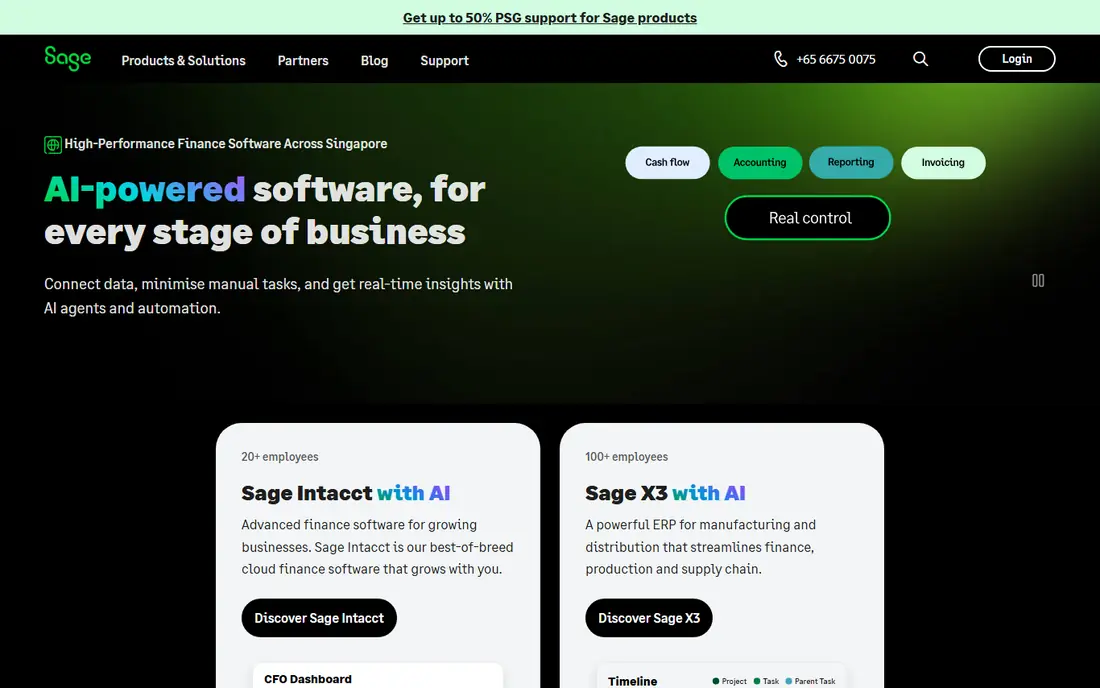
Sage Accounting covers invoicing, expenses, bank reconciliation and reporting, with deeper inventory and project reporting on higher plans. Its cash flow and profitability views suit firms that track jobs or stock alongside general accounting. That depth helps a growing firm that has outgrown simple bookkeeping.
Pricing is where many readers get caught out, so look past the headline figure and check what the plan actually includes for your level of use. Seats, usage limits, add-ons and renewal terms can change the real monthly cost, and a cheaper plan that lacks one feature you need is not a saving. If a free tier or trial is offered, use it for real work before paying, and confirm how cancellation works while you still have time to change your mind.
Its interface takes learning compared with QuickBooks or Xero, and pricing varies by plan and region. Trial it on your real chart of accounts, and check project and inventory reporting for your business type.
- Accounting plus inventory and project reports
- Cash flow
- Interface takes learning
- Pricing varies by plan
FreshBooks
Ideal for: small firms that want simple clear reports
FreshBooks suits service firms that want simple invoicing, expenses, time tracking and clear profit reports without accounting complexity. Its dashboards show outstanding invoices, expenses and profit at a glance, which helps a freelancer or small agency act quickly. Client portals and payment reminders support cash flow.
Before you pay, check the limits that apply to your own use, including seats, storage, monthly usage and support hours. A plan that looks generous on the headline page can still cap the one feature you rely on most, so read the plan comparison page rather than the marketing summary. A trial or free tier is the safest way to test this, and it also shows whether support answers promptly when you need help.
Accounting depth is lighter than QuickBooks or Xero for inventory and complex reporting, and advanced analytics may need add-ons. Check whether its reports cover your tax and adviser needs before choosing it as your main system.
- Simple invoicing and reports
- Time tracking
- Client portal
- Accounting depth is lighter
- Advanced analytics need add-ons
Zoho Books
Ideal for: small firms that want affordable analytics
Zoho Books offers accounting with dashboards, reports, invoicing and expenses at affordable plans, plus a free tier for small volumes. Its integration with other Zoho apps, including CRM and Analytics, suits firms already using Zoho. That ecosystem gives a low cost route to deeper reporting.
The price on the headline page is only part of the cost, so check renewal pricing, per-seat charges and any paid add-ons before you commit. Free tiers help for light use, but they often cap the features that matter once work grows, and trials end on a fixed date whether you have finished testing or not. Set a reminder before a trial ends, and confirm cancellation steps in advance so you are not locked into a plan you no longer need.
Advanced analytics often need Zoho Analytics as an add-on, and US payroll features are limited compared with QuickBooks. Test core reports and the Analytics link on your data, and check plan limits for invoices and users.
- Affordable plans
- Dashboards
- Zoho ecosystem
- Advanced analytics need Zoho Analytics
- US payroll is limited
NetSuite
Ideal for: larger firms that need deep analytics
NetSuite, from Oracle, combines ERP, accounting, inventory, CRM and advanced reporting in one cloud system, with dashboards, saved searches and multi-entity consolidation. Larger firms benefit from that depth, since finance, operations and sales data sit together for analysis. Its reporting suits firms with complex structures.
Pricing is where many readers get caught out, so look past the headline figure and check what the plan actually includes for your level of use. Seats, usage limits, add-ons and renewal terms can change the real monthly cost, and a cheaper plan that lacks one feature you need is not a saving. If a free tier or trial is offered, use it for real work before paying, and confirm how cancellation works while you still have time to change your mind.
Pricing is enterprise level and implementation takes time, so a small firm will find it heavy. Ask for a demo on your chart of accounts and reporting needs, and confirm implementation and training costs.
- ERP plus accounting
- Advanced reporting
- Multi-entity
- Enterprise pricing
- Implementation takes time
Fathom
Ideal for: advisers and firms that want visual analytics
Fathom is an analytics and reporting tool that connects to accounting systems such as QuickBooks and Xero, turning financial data into visual dashboards, forecasts and KPI reports. Advisers and firms use it to present insight to clients and owners in a clear format. That visual layer suits owners who find standard accounting reports hard to read.
Before you pay, check the limits that apply to your own use, including seats, storage, monthly usage and support hours. A plan that looks generous on the headline page can still cap the one feature you rely on most, so read the plan comparison page rather than the marketing summary. A trial or free tier is the safest way to test this, and it also shows whether support answers promptly when you need help.
It needs an accounting system underneath, so it is an add-on rather than a replacement, and pricing is per company. Trial it on your real accounts, and check whether its forecasts and KPIs match the questions your managers actually ask.
- Visual dashboards
- Forecasting
- KPI tracking
- Needs an accounting system
- Pricing per company
How we picked these
We compared official feature pages, pricing pages, app store listings, privacy policies and public reviews for each option in this guide. We kept only products that exist and work in October 2026 and that fit the topic directly, and we checked that each official homepage loads and belongs to the product named. Prices and free tiers are taken from the vendor site where we could verify them, and we wrote See website where a price could not be confirmed, rather than guessing. Our pick in each guide reflects fit for ordinary readers, not a claim of hands-on testing, and we note the honest limits of each option alongside its strengths.
How to choose accounting software for analytics
Start with the decisions you make monthly: cash flow, profitability by product or client, and forecast versus actual. A system that answers those three from live data is more useful than a long report list nobody reads. Check bank feed reliability, since stale bank data makes every dashboard misleading, and test reports on your real chart of accounts.
Compare plan costs including users, payroll and analytics add-ons, and check adviser access if an accountant reviews your books. Set up a monthly review habit: check cash flow, outstanding invoices and profit by segment, and act on one insight each month. Analytics only help if someone owns the review and follows through.
Frequently asked questions
What is the best accounting software for analytics?
QuickBooks and Xero suit small firms that want accounting plus strong reporting, Sage suits deeper inventory and project reports, and FreshBooks and Zoho Books suit simple clear reports. NetSuite suits larger firms, while Fathom adds visual analytics on top of an accounting system.
Can accounting software forecast cash flow?
Yes, QuickBooks, Xero, Sage and Fathom offer cash flow forecasts and projections, though depth varies by plan. Forecasts depend on clean, current data, so keep bank feeds connected and invoices up to date for reliable results.
Is QuickBooks better than Xero for reporting?
QuickBooks offers a wider report range and US payroll depth, while Xero offers a cleaner dashboard and strong bank feeds. Both cover core reports well, so choose by adviser preference, payroll needs and which interface your team finds easier.
Do I need a separate analytics tool for accounting?
Not always, since core accounting reports cover profit, cash and invoices, but tools such as Fathom add visual dashboards, KPI tracking and forecasting for owners and advisers. Add a tool when standard reports do not answer manager questions clearly.
How do I use accounting analytics to grow a business?
Track profit by product or client, cash flow, outstanding invoices and forecast versus actual each month. Act on the weakest area first, whether that is pricing, collections or costs, and review progress monthly rather than only at year end.