Best Accounting Software for Self Employed in 2026: 8 Tools Compared

- 1
 FreshBooksEasy invoicing and expensesVisit
- 2
 QuickBooksGrowing self-employed businessVisit
- 3
 WaveFree starter accountingVisit
- 4
 XeroClean double-entry accountingVisit
- 5
 KeeperTax and deduction helpVisit
- FreshBooks is our pick for most self-employed workers, with easy invoicing, expense tracking and time tracking in one friendly app.
- QuickBooks suits self-employed workers who may grow into a larger business, since its ecosystem covers payroll, inventory and accountant access.
- Wave suits budget starters with free invoicing and accounting, while Keeper and Hurdlr suit freelancers who want tax and deduction help.
- This is not tax advice, and tax rules vary by income type and location, so confirm quarterly estimates and deductions with a tax professional.
Quick comparison
| Product | Ideal for | Price from | Free version | |
|---|---|---|---|---|
| FreshBooks | Easy invoicing and expenses | See website | No | Visit |
| QuickBooks | Growing self-employed business | See website | No | Visit |
| Wave | Free starter accounting | Free | Yes | Visit |
| Xero | Clean double-entry accounting | See website | No | Visit |
| Keeper | Tax and deduction help | See website | No | Visit |
 Hurdlr | Automatic expense tracking | See website | Yes | Visit |
 FreeAgent | UK-friendly freelancer accounting | See website | No | Visit |
 Zoho Books | Budget full-featured accounting | See website | Yes | Visit |
The best accounting software for self employed
Self-employed accounting needs invoicing, expense capture, mileage, tax estimates and a clean profit and loss view, without the complexity of a full enterprise system. Freelancers, contractors and sole proprietors value speed and simplicity over deep inventory or payroll features. We compared invoicing, expense tools, tax features, bank feeds and pricing.
FreshBooks
Ideal for: Easy invoicing and expenses
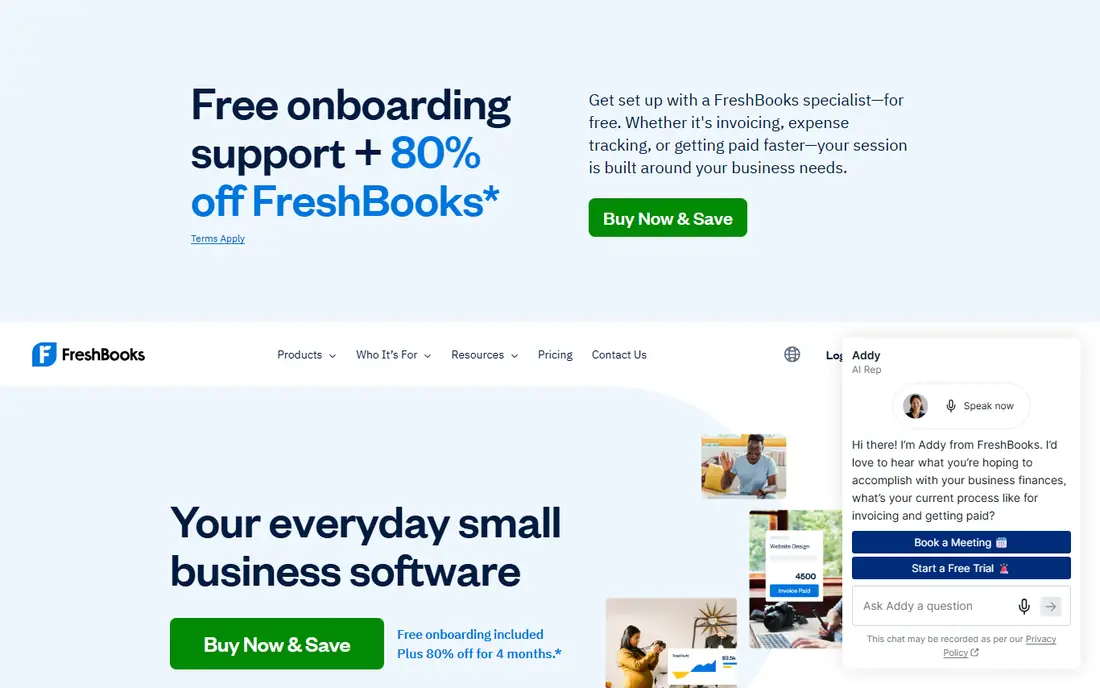
FreshBooks suits freelancers who live by invoices. Its invoicing is fast and polished, with custom templates, automatic reminders, late fees and online payment options, while expense tracking and time tracking feed the same client view. That client-centred design helps a freelancer see who owes what, who paid late and which projects earn most.
The limit is accounting depth. FreshBooks handles freelancer needs well, but double-entry purists and businesses with inventory or complex payroll may prefer Xero or QuickBooks. For a service freelancer who invoices clients weekly, FreshBooks is the friendliest accounting tool here.
- Beautiful, easy invoicing
- Expense and time tracking
- Client portal and payment reminders
- Double-entry depth trails Xero and QuickBooks
- Pricing rises with client count on lower tiers
QuickBooks
Ideal for: Growing self-employed business
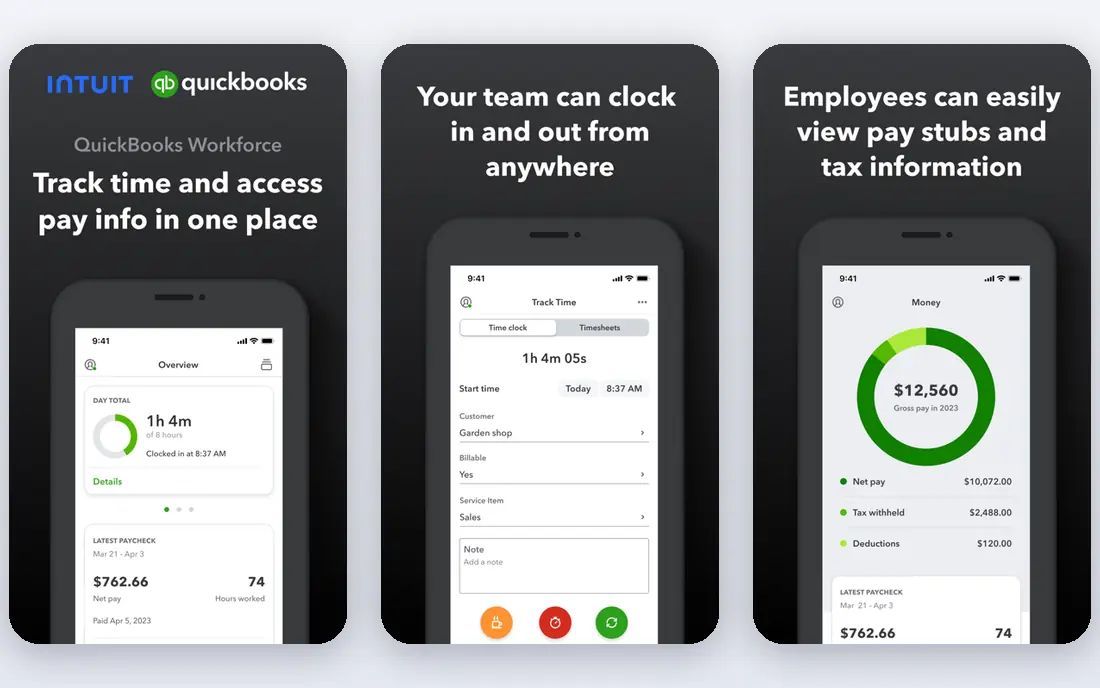
QuickBooks suits self-employed workers who expect to grow. Its Sole Trader plan covers invoicing, expenses, mileage and tax estimates for solo operators, while the wider QuickBooks ecosystem adds payroll, inventory, multi-user access and accountant collaboration if the business hires or expands. Bank feeds and receipt capture reduce manual entry.
The weakness is weight. QuickBooks interface feels heavier than FreshBooks or Wave for a solo freelancer with simple needs, and tier pricing can surprise a user who only needs invoicing. QuickBooks fits a freelancer who wants room to grow without switching systems later.
- Wide ecosystem with payroll, payments and accountant access
- Sole Trader plan for self-employed users
- Strong bank feeds
- Interface can feel heavy for a solo freelancer
- Pricing rises across tiers as features grow
Wave
Ideal for: Free starter accounting
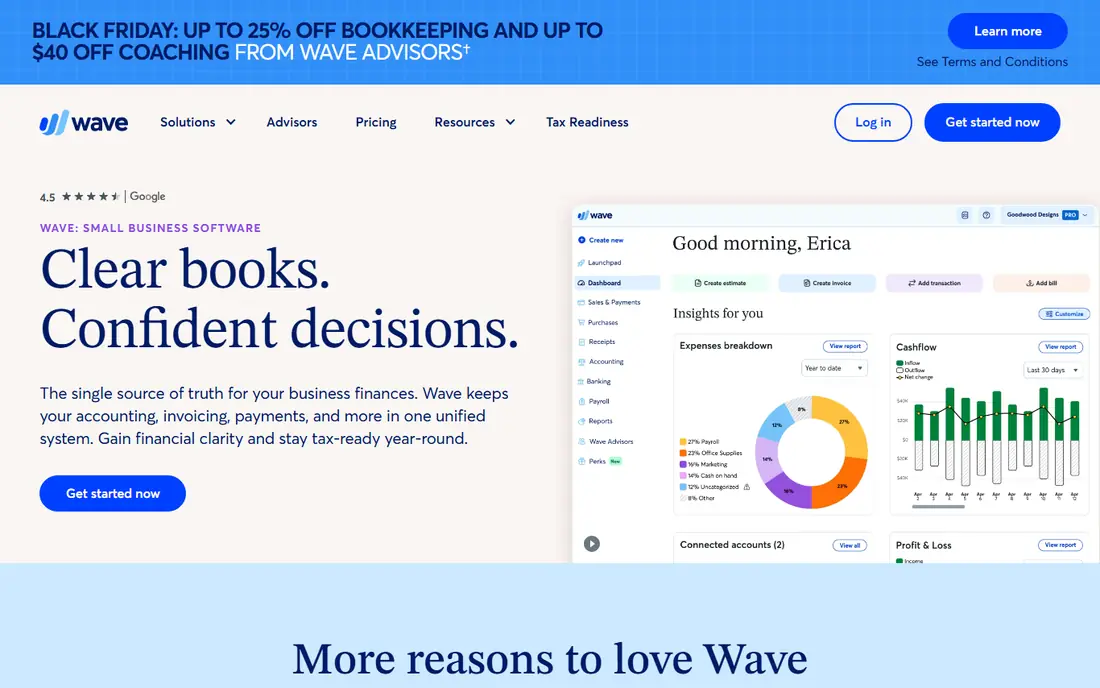
Wave suits budget starters who need real accounting without a subscription. Its free tier covers invoicing, accounting, bank connections and receipt scanning, with a simple dashboard that shows income, expenses and profit at a glance. That free depth makes Wave the best starting point for a new freelancer testing self-employment.
The catch is paid extras. Payroll, faster payment processing and some premium features cost extra, and support is lighter than paid rivals. Wave fits a new freelancer with simple needs, who can upgrade to FreshBooks or QuickBooks when the business grows more complex.
- Free invoicing and accounting
- Bank connections and receipt scanning
- Simple profit and loss views
- Paid features needed for payroll and faster payments
- Support is lighter than paid rivals
Xero
Ideal for: Clean double-entry accounting
Xero suits self-employed workers who want proper double-entry accounting from day one. Its bank feeds, reconciliations and chart of accounts give an accountant a clean set of books, while invoicing, expenses and reporting cover daily needs. That accounting rigour helps at tax time and when applying for loans or mortgages.
The weakness is invoice polish. Xero invoicing works well, but it feels less beautiful and client-friendly than FreshBooks, and tier limits on invoices and bills apply on lower plans. Xero fits a freelancer who values clean books and accountant collaboration over invoice design.
- Clean double-entry accounting
- Strong bank feeds and reconciliations
- Accountant-friendly sharing
- Invoicing feels less polished than FreshBooks
- Pricing is subscription based with tier limits
Keeper
Ideal for: Tax and deduction help
Keeper suits freelancers whose main pain is tax, not invoicing. It scans bank and card transactions for tax deductions, flags likely write-offs, and helps estimate quarterly taxes, which saves a freelancer from missing deductions or facing a surprise tax bill. That tax focus sets Keeper apart from general accounting tools.
The limit is scope. Keeper is a tax tool, not a full invoicing and accounting system, so most users pair it with FreshBooks, Wave or QuickBooks for invoices. Keeper fits a freelancer who already invoices elsewhere and wants tax confidence without hiring a bookkeeper.
- Automatic expense scanning for tax deductions
- Freelancer-focused tax tools
- Quarterly estimate help
- Not a full accounting system, so invoicing needs another tool
- Pricing is subscription based
Hurdlr
Ideal for: Automatic expense tracking
Hurdlr suits freelancers who drive, travel or juggle many small expenses. Its automatic mileage tracking, expense capture and income tracking reduce the shoebox of receipts, while tax estimates help freelancers plan quarterly payments. A free tier covers basic tracking, with a paid Pro plan adding advanced features.
The weakness is full accounting. Hurdlr invoicing and reporting are thinner than FreshBooks or Xero, so a freelancer with complex invoicing may need a second tool. Hurdlr fits a gig worker, driver or field freelancer who needs expense and mileage tracking first.
- Automatic mileage and expense tracking
- Freelancer tax estimates
- Free tier for basic tracking
- Invoicing and full accounting depth trail FreshBooks
- Premium features need a paid plan
FreeAgent
Ideal for: UK-friendly freelancer accounting
FreeAgent suits UK freelancers, contractors and small businesses. Its invoicing, expense, time tracking and tax timeline features align with UK self-assessment and company filing needs, with accountant sharing that makes year-end smoother. That UK focus gives it an edge for British users over US-centric tools.
The limit is geography. FreeAgent US features are thinner, so US freelancers should prefer FreshBooks, QuickBooks or Wave. For a UK sole trader or limited company director, FreeAgent is one of the most complete freelancer accounting tools available.
- Strong UK freelancer and contractor features
- Invoicing, expenses and tax timelines
- Accountant sharing
- US features are thinner than UK features
- Pricing is subscription based
Zoho Books
Ideal for: Budget full-featured accounting
Zoho Books suits budget-conscious freelancers who want full accounting without a high subscription. Its free tier covers invoicing, expenses, bank feeds and reporting for small volumes, while paid tiers add multi-user access, advanced workflows and integrations with the wider Zoho ecosystem for CRM, projects and inventory.
The weakness is polish. Zoho Books interface feels busier than FreshBooks, and new users may need time to find the simplest workflows. For a freelancer who wants full features at a low price and likes the Zoho ecosystem, Zoho Books is excellent value.
- Full-featured accounting with a free tier
- Invoicing, expenses and reporting
- Zoho ecosystem integrations
- Interface feels busier than FreshBooks
- Advanced features sit on paid tiers
How we picked these
We compared invoicing, expense capture, mileage, tax estimates, bank feeds and pricing for tools still operating in October 2026. We kept invoicing-led, accounting-led and tax-led tools in the list, since self-employed needs vary by work type. We did not file taxes with these tools, and we did not repeat vendor claims about deduction savings as measured facts.
What to check before you buy
This is not tax advice, and self-employed tax rules vary by country, state, income type and business structure. Start by separating business and personal money: use a dedicated business account and card, connect bank feeds to your accounting tool, and categorise transactions weekly rather than at year end. That habit alone prevents most tax-time panic.
Next, check invoicing and payment fit. Confirm the tool supports your invoice style, late fees, recurring invoices and the payment methods your clients actually use, and test a full invoice-to-payment flow before switching. A tool that cannot take card or bank payments easily will slow cash flow, no matter how good its reports look.
Finally, plan for quarterly taxes and records. Estimate quarterly payments from your profit, not from hope, keep receipts and mileage logs in the app, and share books with an accountant before year end. A tax tool such as Keeper or Hurdlr can help, but it does not replace professional advice for complex income, multi-state work or company structures.
Frequently asked questions
What is the best accounting software for self employed workers?
FreshBooks is our pick for most self-employed workers because of easy invoicing, expenses and time tracking. QuickBooks suits growing businesses, Wave suits free starters, and Keeper or Hurdlr suit freelancers who need tax and expense help.
Is there free accounting software for self employed workers?
Yes. Wave offers free invoicing and accounting, Zoho Books offers a free tier for small volumes, and Hurdlr offers a free tier for expense tracking. Free tiers suit simple needs, while growing businesses usually need paid plans for advanced features.
Do I need accounting software if I am a sole proprietor?
Yes, in most cases, since clean records make tax filing, quarterly estimates, loan applications and client disputes far easier. A simple tool such as Wave or FreshBooks takes minutes a week and prevents a painful year-end reconstruction from bank statements.
What is the difference between FreshBooks and QuickBooks?
FreshBooks leads on easy, client-friendly invoicing for freelancers, while QuickBooks leads on ecosystem depth, payroll, inventory and accountant access for growing businesses. Choose FreshBooks for invoice simplicity, and QuickBooks for growth room and accounting depth.
Should I hire an accountant if I use accounting software?
Software organises records, but an accountant adds tax planning, entity advice and year-end review that software cannot replace. Many freelancers use software daily and an accountant quarterly or yearly, which balances cost with professional oversight.