Best AI art tools in 2026: 8 Compared

- 1
 MidjourneyArtistic imagesVisit
- 2
 DALL-EChatGPT usersVisit
- 3
 Adobe FireflyCommercial teamsVisit
- 4
 Stable DiffusionOpen and local useVisit
- 5
 Leonardo AIGame and concept artVisit
- Midjourney is our pick for striking, artistic images, especially when style matters more than exact prompt control.
- Adobe Firefly suits commercial teams, since it is trained on licensed content and integrates with Adobe apps.
- Leonardo AI is best for game and concept art, with fine-tuned models and canvas tools.
- Ideogram stands out for text inside images, which many generators still struggle with.
Quick comparison
| Product | Ideal for | Price from | Free version | |
|---|---|---|---|---|
| Midjourney | Artistic images | See website | No | Visit |
| DALL-E | ChatGPT users | See website | No | Visit |
| Adobe Firefly | Commercial teams | See website | Yes | Visit |
| Stable Diffusion | Open and local use | See website | No | Visit |
| Leonardo AI | Game and concept art | See website | Yes | Visit |
 Ideogram | Text in images | See website | Yes | Visit |
 Canva AI | Social and marketing design | Free | Yes | Visit |
 Flux | High-quality realism | See website | No | Visit |
The best ai art tools
We compared official feature pages, pricing pages, app store listings, privacy policies and public reviews to build this list, focusing on products that fit the topic closely and are still available in October 2026.
Midjourney
Ideal for: Artistic images

For buyers who want a clear fit, Midjourney is aimed at artists and creators. Midjourney is known for striking, artistic images with strong style control. Creators use it for concept art, posters and mood imagery. In practice, that means the product earns its place by doing one job well for that audience, rather than trying to cover every possible use case at once. We compared its official feature page, pricing and public reviews against the other options here, and its best-for label reflects where it looked strongest, not where its marketing claims are loudest.
The trade-off is worth naming plainly. Its Discord-based workflow feels unusual, and new users need a paid plan. On price, the starting point listed above is not published clearly, so check the vendor site, and the free plan entry is No. If that combination fits your budget and your main use case, Midjourney is a sensible shortlist choice. If the catch above is a deal breaker, move to another entry in this list whose strength matches your priority instead.
- Striking artistic style
- Active community
- Style controls
- Discord-based workflow
- No free tier for new users
DALL-E
Ideal for: ChatGPT users

If that use case sounds familiar, DALL-E is aimed at ChatGPT users. DALL-E, via ChatGPT, turns conversational prompts into images with editing tools. Its prompt understanding suits users who describe images in plain language. In practice, that means the product earns its place by doing one job well for that audience, rather than trying to cover every possible use case at once. We compared its official feature page, pricing and public reviews against the other options here, and its best-for label reflects where it looked strongest, not where its marketing claims are loudest.
On the other side of that strength, Usage limits apply by plan, and its style can feel generic without careful prompts. On price, the starting point listed above is not published clearly, so check the vendor site, and the free plan entry is No. If that combination fits your budget and your main use case, DALL-E is a sensible shortlist choice. If the catch above is a deal breaker, move to another entry in this list whose strength matches your priority instead.
- Integrated with ChatGPT
- Prompt understanding
- Editing
- Usage limits by plan
- Style can feel generic
Adobe Firefly
Ideal for: Commercial teams
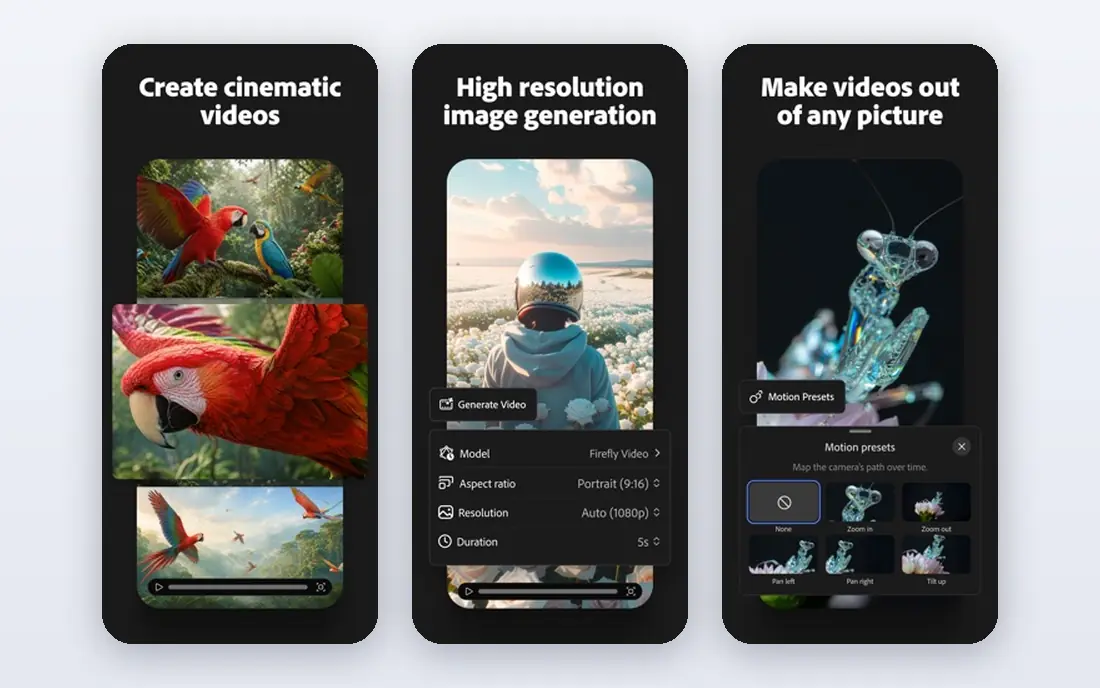
Among the options here, Adobe Firefly is aimed at commercial teams. Adobe Firefly is trained on licensed content and integrates with Photoshop and Express. Commercial teams value its clearer rights position for client work. In practice, that means the product earns its place by doing one job well for that audience, rather than trying to cover every possible use case at once. We compared its official feature page, pricing and public reviews against the other options here, and its best-for label reflects where it looked strongest, not where its marketing claims are loudest.
Before you commit, weigh this part. Generative credits limit monthly use, and its style range is narrower than Midjourney. On price, the starting point listed above is not published clearly, so check the vendor site, and the free plan entry is Yes. If that combination fits your budget and your main use case, Adobe Firefly is a sensible shortlist choice. If the catch above is a deal breaker, move to another entry in this list whose strength matches your priority instead.
- Licensed training data
- Adobe integration
- Commercial use
- Generative credits limit use
- Style range is narrower
Stable Diffusion
Ideal for: Open and local use
For a team or household weighing this choice, Stable Diffusion is aimed at technical users. Stable Diffusion is an open model family that can be run locally or through hosted services. Technical users can choose community models for specific styles. In practice, that means the product earns its place by doing one job well for that audience, rather than trying to cover every possible use case at once. We compared its official feature page, pricing and public reviews against the other options here, and its best-for label reflects where it looked strongest, not where its marketing claims are loudest.
The honest catch comes next. It needs technical setup, and quality varies by model and settings. On price, the starting point listed above is not published clearly, so check the vendor site, and the free plan entry is No. If that combination fits your budget and your main use case, Stable Diffusion is a sensible shortlist choice. If the catch above is a deal breaker, move to another entry in this list whose strength matches your priority instead.
- Open models
- Local running
- Many community models
- Needs technical setup
- Quality varies by model
Leonardo AI
Ideal for: Game and concept art
When the main need is the one above, Leonardo AI is aimed at game artists. Leonardo AI offers fine-tuned models and canvas tools for game and concept art. Game artists can iterate on characters, environments and assets quickly. In practice, that means the product earns its place by doing one job well for that audience, rather than trying to cover every possible use case at once. We compared its official feature page, pricing and public reviews against the other options here, and its best-for label reflects where it looked strongest, not where its marketing claims are loudest.
Pricing and limits deserve a second look. Free credits limit use, and the interface can feel busy. On price, the starting point listed above is not published clearly, so check the vendor site, and the free plan entry is Yes. If that combination fits your budget and your main use case, Leonardo AI is a sensible shortlist choice. If the catch above is a deal breaker, move to another entry in this list whose strength matches your priority instead.
- Fine-tuned models
- Canvas tools
- Game art focus
- Free credits limit use
- Interface is busy
Ideogram
Ideal for: Text in images
For readers who put this factor first, Ideogram is aimed at marketers needing text. Ideogram stands out for rendering text inside images more reliably than many rivals. Marketers can create posters, social graphics and logos with readable words. In practice, that means the product earns its place by doing one job well for that audience, rather than trying to cover every possible use case at once. We compared its official feature page, pricing and public reviews against the other options here, and its best-for label reflects where it looked strongest, not where its marketing claims are loudest.
A smaller drawback can still matter. The free tier limits generations, and its style range is still growing. On price, the starting point listed above is not published clearly, so check the vendor site, and the free plan entry is Yes. If that combination fits your budget and your main use case, Ideogram is a sensible shortlist choice. If the catch above is a deal breaker, move to another entry in this list whose strength matches your priority instead.
- Better text rendering
- Posters and logos
- Simple workflow
- Free tier limits
- Style range is growing
Canva AI
Ideal for: Social and marketing design
In a crowded field, Canva AI is aimed at small marketing teams. Canva AI puts image generation inside a design tool with templates and sharing. Small marketing teams can generate an image and place it in a post without leaving Canva. In practice, that means the product earns its place by doing one job well for that audience, rather than trying to cover every possible use case at once. We compared its official feature page, pricing and public reviews against the other options here, and its best-for label reflects where it looked strongest, not where its marketing claims are loudest.
What to check before paying is simple. It offers less control than specialist tools, and full use needs Pro. On price, the starting point listed above is free, and the free plan entry is Yes. If that combination fits your budget and your main use case, Canva AI is a sensible shortlist choice. If the catch above is a deal breaker, move to another entry in this list whose strength matches your priority instead.
- AI images inside Canva design
- Templates
- Easy sharing
- Less control than specialist tools
- Pro for full use
Flux
Ideal for: High-quality realism
For a first purchase in this category, Flux is aimed at developers and creators. Flux, from Black Forest Labs, is known for strong realism and prompt following. Developers and creators use it through APIs and hosted services. In practice, that means the product earns its place by doing one job well for that audience, rather than trying to cover every possible use case at once. We compared its official feature page, pricing and public reviews against the other options here, and its best-for label reflects where it looked strongest, not where its marketing claims are loudest.
The limit to keep in mind is this. Its ecosystem is newer than Midjourney, and pricing varies by host. On price, the starting point listed above is not published clearly, so check the vendor site, and the free plan entry is No. If that combination fits your budget and your main use case, Flux is a sensible shortlist choice. If the catch above is a deal breaker, move to another entry in this list whose strength matches your priority instead.
- Strong realism
- Prompt following
- API and models
- Newer ecosystem
- Pricing varies by host
How we picked these
We compared official feature pages, pricing pages, app store listings, privacy policies and public reviews for each product, and we kept only products that are still available in October 2026 and that fit the topic closely. Where a vendor did not publish a clear starting price on its own site, we wrote See website rather than guessing. Prices can change, so check the vendor page linked in each product block before you buy.
Getting AI art you can actually use
Read the commercial licence before you publish, since rights vary by plan and tool. Test text rendering if your image needs words, since many tools garble text. For consistent characters or styles, look for reference image and style tools, rather than hoping a prompt repeats. Finally, keep the original prompt and seed when a tool offers them, so you can recreate or vary a good result. For client work, disclose AI use where contracts or platform rules require it.
Frequently asked questions
What is the best AI art tool?
Midjourney leads on artistic quality, Adobe Firefly suits commercial teams, Leonardo AI suits game art, and Ideogram suits text in images. DALL-E suits ChatGPT users.
Can I use AI art commercially?
It depends on the tool and plan. Adobe Firefly and paid Midjourney plans allow commercial use, but read the current licence for each tool before publishing.
Which AI art tool is best for text in images?
Ideogram is known for better text rendering than many rivals, though results still vary. Test your exact words at the size you will publish.
Is Stable Diffusion free?
Stable Diffusion models are open and can be run locally for free, though hosted services and compute may cost. Running locally needs a capable computer.
Do AI art tools replace designers?
They speed up ideation and drafts, but designers still matter for brand, layout and final polish. AI art is a tool for designers, not a full replacement.