Best AI Calendar App in 2026: 8 Apps Compared

- Reclaim and Clockwise suit teams and busy professionals, with Reclaim leaning to habit and focus time and Clockwise to meeting optimization.
- Motion and Sunsama suit daily planning, with Motion leaning to auto-scheduling and Sunsama to guided daily planning.
- Calendly suits booking and scheduling links, which is a different job from auto-planning your own calendar.
- Trevor AI, Akiflow, and BeforeSunset suit users who want tasks and calendar in one place, with different strengths in planning and focus.
Quick comparison
| Product | Ideal for | Price from | Free version | |
|---|---|---|---|---|
 Reclaim | Auto habit and focus time | See website | Yes | Visit |
 Motion | Auto task scheduling | See website | Yes | Visit |
 Clockwise | Team meeting optimization | See website | Yes | Visit |
 Calendly | Scheduling links | See website | Yes | Visit |
 Trevor AI | AI daily planning | See website | Yes | Visit |
 Sunsama | Guided daily planning | See website | Yes | Visit |
 Akiflow | Tasks and calendar inbox | See website | Yes | Visit |
 BeforeSunset | AI day planning | See website | Yes | Visit |
The best ai calendar app
We compared official feature pages, pricing pages, and app listings to find AI calendar tools that genuinely automate scheduling, protect focus time, or plan a day, rather than apps that only display a calendar.
Reclaim
Ideal for: Auto habit and focus time
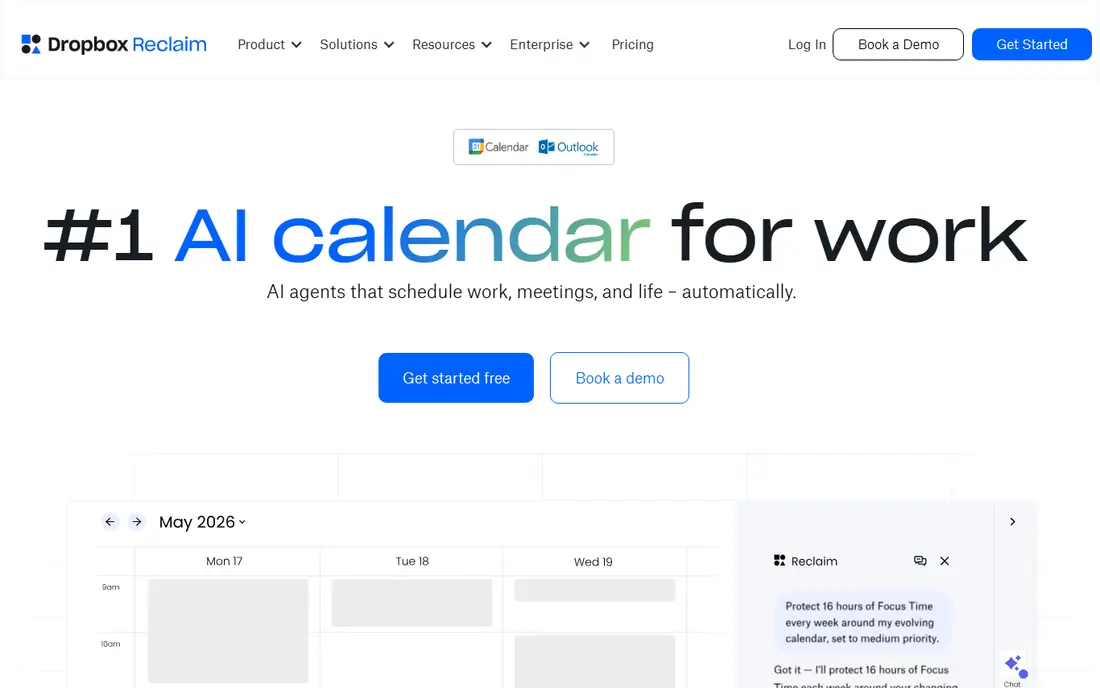
Reclaim automatically finds time for habits, focus work, breaks, and one-to-ones around your meetings, then moves those blocks when meetings change. That auto-rescheduling is its main strength, since a fixed focus block often gets lost when a busy week shifts. You can set priorities for habits such as exercise, lunch, and deep work, and Reclaim defends them against lower-priority meetings.
The app focuses on Google Calendar, so Outlook users get less value, and full features need a paid plan. Still, for professionals whose calendars fill up fast, Reclaim is our pick for protecting time that matters.
- Auto-schedules habits, focus, and breaks
- Protects focus time
- Google Calendar sync
- Google Calendar focus
- Full features need a paid plan
Motion
Ideal for: Auto task scheduling
Motion turns tasks and projects into calendar blocks automatically, scheduling work by deadline, priority, and available time. That auto-planning suits people with many tasks and shifting priorities, since the plan updates when a task runs over or a meeting moves. Project and team tools let managers see workloads and deadlines in one place.
The price is higher than a simple planner, and full setup takes time to get right. Still, for users who want their calendar to plan itself from a task list, Motion is our pick for auto-scheduling power.
- Auto-schedules tasks into calendar
- Project and team tools
- Daily plan view
- Price is higher than simple planners
- Learning curve for full setup
Clockwise
Ideal for: Team meeting optimization
Clockwise optimizes team calendars by moving flexible meetings to create longer focus blocks, using team preferences and working hours. That team focus sets it apart from solo planners, since it improves focus time across a whole group, not just one person. Analytics show how much focus time a team actually gets, which helps managers protect it.
It works best for teams on Google Calendar, and solo users get less value from its optimization. Still, for teams drowning in fragmented meetings, Clockwise is our pick for reclaiming focus time together.
- Optimizes meeting times for focus
- Team analytics
- Flexible meeting options
- Best for teams on Google Calendar
- Solo users get less value
Calendly
Ideal for: Scheduling links
Calendly is not an auto-planner, but it is the standard tool for letting others book time with you through a link. You set availability, meeting types, and buffers, and invitees pick a slot that fits. Team features support round-robin and collective scheduling, and integrations cover calendars, video calls, and CRMs.
AI features are lighter here than in Motion or Reclaim, since Calendly solves booking, not daily planning. Still, for anyone who schedules many external meetings, Calendly is our pick for booking links, used alongside a planner app if needed.
- Easy booking links
- Team scheduling
- Integrations with calendars and video tools
- Booking only, not auto-planning
- AI features are lighter than rivals
Trevor AI
Ideal for: AI daily planning
Trevor AI suggests a daily plan from your tasks and calendar, with time blocking tools that let you drag tasks into open slots. That AI suggestion layer helps users who stare at a task list each morning unsure where to start. The combined task and calendar view keeps planning in one place, rather than switching between apps.
It is a smaller app with fewer integrations than Motion or Reclaim, and full features need a paid plan. Still, for solo users who want AI help planning each day, Trevor AI is a solid, focused choice.
- AI suggests a daily plan
- Task and calendar in one view
- Time blocking tools
- Smaller app with fewer integrations
- Full features need a paid plan
Sunsama
Ideal for: Guided daily planning
Sunsama guides you through a daily planning ritual, helping you pick tasks, estimate time, and place them on your calendar for the day. That guided ritual suits users who like a mindful start to the day, rather than an auto-generated plan they did not choose. The calm design keeps the focus on a realistic day, not an overloaded list.
Pricing is higher than simple planners, and long-term free use is limited in some versions, so check the current trial terms. Still, for users who value a deliberate daily ritual, Sunsama is our pick for guided planning.
- Guided daily planning ritual
- Task and calendar in one place
- Calm design
- No free plan for long-term use in some versions
- Price is higher than simple apps
Akiflow
Ideal for: Tasks and calendar inbox
Akiflow pulls tasks from many tools into one inbox, then lets you plan them onto your calendar with fast keyboard shortcuts. That inbox approach suits power users who collect tasks from email, Slack, and other apps and need one place to triage them. Time blocking and calendar integration keep the plan visible alongside meetings.
The shortcut-heavy workflow has a learning curve, and full features need a paid plan. Still, for users drowning in tasks from many sources, Akiflow is our pick for a fast, unified planning inbox.
- Universal inbox for tasks
- Fast keyboard shortcuts
- Calendar and task planning
- Learning curve for shortcuts
- Full features need a paid plan
BeforeSunset
Ideal for: AI day planning
BeforeSunset uses AI to help plan your day, breaking large tasks into smaller steps and suggesting a schedule that fits your calendar. Analytics show how you spend time, and focus tools help you stay on task once the plan is set. That combination suits users who want AI help with both planning and execution.
It is a newer app with fewer integrations than Motion or Reclaim, and full features need a paid plan. Still, for AI-assisted day planning with task breakdown, BeforeSunset is a promising choice, especially for solo users and small teams.
- AI helps plan the day
- Task breakdown
- Analytics and focus tools
- Newer app with fewer integrations
- Full features need a paid plan
How we picked these
We compared official feature pages, pricing pages, and app listings for AI calendar tools live in October 2026. We favored tools that automate a real scheduling job, whether auto-planning, focus protection, or booking, rather than plain calendar displays. We left out apps with no AI scheduling feature or no usable free tier or trial.
What to check before you choose
Start with your main scheduling pain. If meetings eat your focus time, pick Reclaim or Clockwise. If tasks pile up unplanned, pick Motion, Trevor AI, or BeforeSunset. If others book your time, pick Calendly. If you like a daily ritual, pick Sunsama or Akiflow.
Next, check calendar compatibility. Most AI planners here focus on Google Calendar, with Outlook support varying, so confirm your calendar works before paying. Test the free tier for a week with real meetings and tasks, not just a demo.
Finally, keep the plan realistic. An auto-planner that fills every hour will fail on a busy day, so leave buffers for overruns and breaks. Review the plan each morning and adjust priorities, rather than letting the AI plan run unchecked.
Before you commit to one option, spend a short trial period with your top two choices from this list. Use each one for a real task from your own work or daily routine, not just a demo, and note where you get stuck, what feels slow, and which features you actually open twice. Check the official pricing page again at that point, since free plans and paid tiers change, and confirm that the plan you need covers the users, projects, or devices you will use. Read the privacy and support pages too, especially for tools that hold personal or work data, and confirm how to export your work if you later switch. A tool that fits your routine in a two-week trial is a far better choice than a more powerful option you avoid opening, so let daily use, not a feature list alone, decide your final pick for best ai calendar app.
Frequently asked questions
What is the best AI calendar app overall?
Reclaim is our pick for protecting focus and habit time, while Motion is our pick for auto-scheduling tasks. Clockwise suits teams, Calendly suits booking, and Sunsama suits guided daily planning. Pick by your main scheduling pain.
Is there a free AI calendar app?
Yes, Reclaim, Motion, Clockwise, Calendly, Trevor AI, Akiflow, and BeforeSunset all have free tiers or trials, though full features need paid plans. Sunsama's long-term free use is more limited, so check its current trial terms before committing.
Which AI calendar app is best for focus time?
Reclaim and Clockwise suit focus time best, with Reclaim defending personal focus and habits and Clockwise optimizing team focus blocks. Both work best on Google Calendar, so check compatibility first.
Does Motion replace a calendar app?
No, Motion works with your calendar, auto-scheduling tasks into it, rather than replacing Google Calendar or Outlook. You still need a calendar for meetings, while Motion adds task planning on top.
Can AI calendar apps work with Outlook?
Some do, but most AI planners here focus on Google Calendar first, with Outlook support varying by app and plan. Check each app's integration page for your calendar before paying, since this changes over time.
How do I pick between the free and paid plans in this list?
Start with the free plan or trial for any best ai calendar app option that offers one, and use it for at least two weeks on real tasks. Upgrade only when you hit a clear limit, such as a missing feature, a user cap, or a storage limit, rather than paying on day one for features you may never use. Compare the paid tier against the next option in this list as well, since a different tool's free plan may already cover what the first tool charges for.