6 Best AI Code Completion Tools for 2026

- 1
 JetBrains AIDevelopers who work in JetBrains IDEs every dayVisit
- 2
 Sourcegraph CodyOrganizations with large codebases spread across repositoriesVisit
- 3
 SupermavenIndividual developers who want a quick free assistantVisit
- 4
 GitHub CopilotDevelopers who want solid completions in the editor they already useVisit
- 5
 CursorDevelopers who want an AI-native editor with agent workflowsVisit
- This list starts with JetBrains AI, which is built for developers who work in JetBrains IDEs every day.
- Augment Code fits large engineering organizations running agent workflows.
- Free plans exist at 5 of 6 tools (JetBrains AI, Sourcegraph Cody, Supermaven, GitHub Copilot, Cursor).
- A fair warning about GitHub Copilot: agent and chat usage draws on a monthly AI credit allowance.
Direct answer
Start with JetBrains AI if you need developers who work in JetBrains IDEs every day. Sourcegraph Cody fits organizations with large codebases spread across repositories; Supermaven fits individual developers who want a quick free assistant. All 6 tools are compared below on price, free plan and limits.
Quick comparison
| Product | Ideal for | Price from | Free version | |
|---|---|---|---|---|
| JetBrains AI | Developers who work in JetBrains IDEs every day | See website | Yes | Visit |
| Sourcegraph Cody | Organizations with large codebases spread across repositories | See website | Yes | Visit |
| Supermaven | Individual developers who want a quick free assistant | $10 a month | Yes | Visit |
| GitHub Copilot | Developers who want solid completions in the editor they already use | $10 per user/month | Yes | Visit |
| Cursor | Developers who want an AI-native editor with agent workflows | $20 per user/month | Yes | Visit |
 Augment Code | Large engineering organizations running agent workflows | $20 per user/month | Free trial | Visit |
The 6 tools in detail
This Ainotely guide covers 6 AI code completion tools. Each profile lists a starting price, free plan details, strengths and drawbacks, so you can drop poor fits quickly.
JetBrains AI
Ideal for: Developers who work in JetBrains IDEs every day
JetBrains AI works best for developers who work in JetBrains IDEs every day. JetBrains AI lives inside the IDEs that JetBrains users already trust, which removes the friction of switching editors.
What works well: other JetBrains IDEs.
Teams can also bring their own provider keys or use JetBrains-managed access billed at public API rates. In daily use, check the current Air pricing before budgeting, and confirm which level contains the IDE features your team actually uses. JetBrains AI shows no starting price here, so confirm the cost on the vendor site. JetBrains AI includes a free tier.
- Bring-your-own-key choice
- Deep integration with IntelliJ, PyCharm
- The page now presents the product as JetBrains Air, so older JetBrains AI pricing pages may be out of date
Sourcegraph Cody
Ideal for: Organizations with large codebases spread across repositories
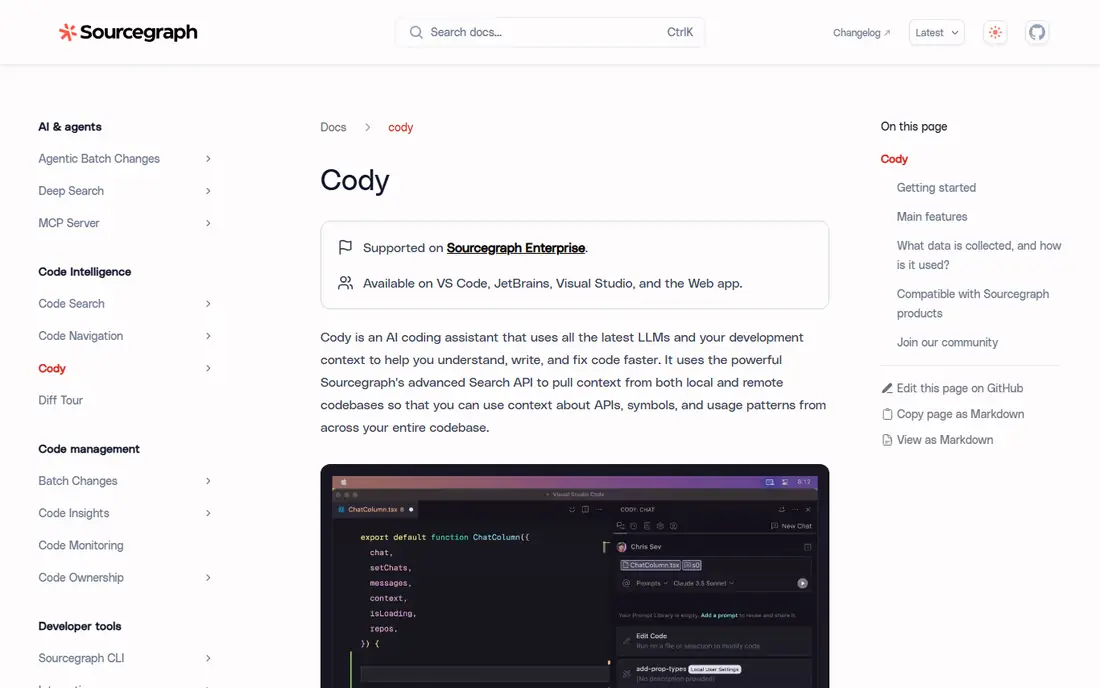
For organizations with large codebases spread across repositories, Sourcegraph Cody is a natural candidate. Its chat, auto-edit, and prompt features cover the usual assistant tasks.
Where Sourcegraph Cody stands out: Works with GitHub, GitLab.
Watch-outs: not for solo use. The primary drawback is transparency. Check the vendor site for Sourcegraph Cody pricing; none is listed in this comparison. Sourcegraph Cody has a free plan.
- VS Code, JetBrains
- Chat, auto-edit
- Best value displays up at team scale
Supermaven
Ideal for: Individual developers who want a quick free assistant
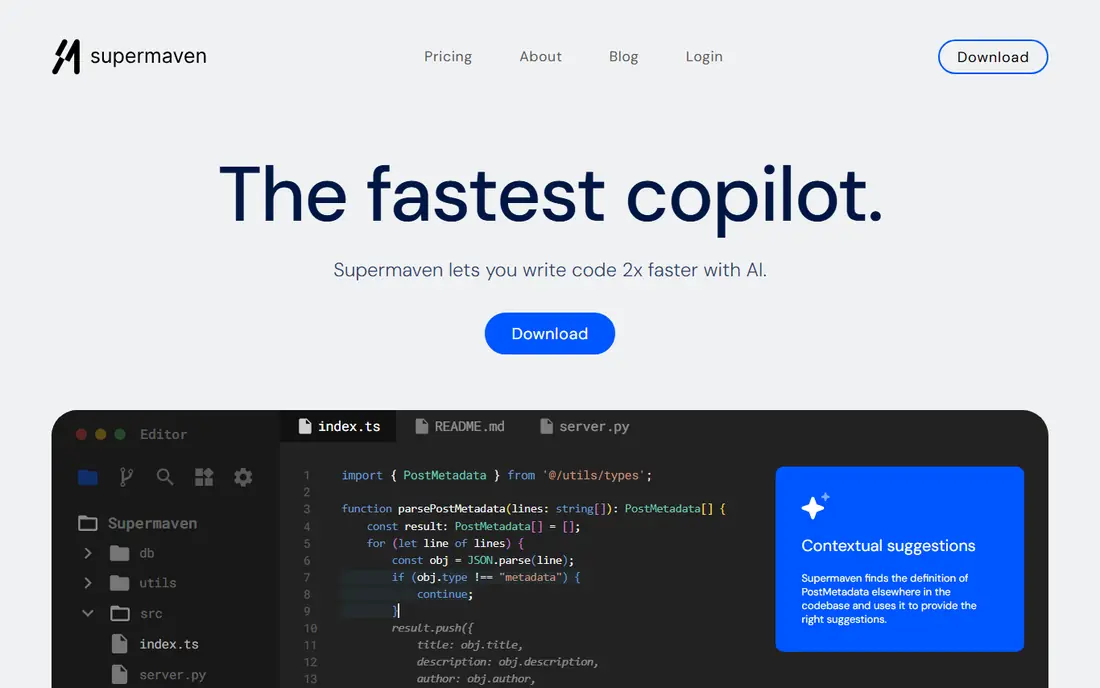
Supermaven targets individual developers who want a quick free assistant. Supermaven pitches itself on speed, and its homepage backs that claim with latency figures that beat bigger rivals. For an individual developer, the free level is genuinely handy: quick suggestions, large codebase support, and a 7-day data retention limit.
Limits to weigh: Smaller company than GitHub or JetBrains.
It is one of the few free plans that does not feel like a demo. Pro at $10 a month layers on a 1 million token context window, the largest model, and $5 a month in chat credits. More specifically, the weakness is scale. Supermaven cost at the entry level: $10 per month. Supermaven offers a free plan.
- Free level with quick suggestions
- Works in VS Code, JetBrains, Neovim
- Chat credits on Pro are capped at $5 a month
GitHub Copilot
Ideal for: Developers who want solid completions in the editor they already use
In short, GitHub Copilot is for developers who want solid completions in the editor they already use. The free level hands individual developers 2,000 completions a month, which is enough to judge whether the suggestions match your style before paying.
That credit model is the primary thing to watch. The starting price for GitHub Copilot: $10 per user/month. A free plan is available with GitHub Copilot.
What to check first: Agent and chat usage draws on a monthly AI credit allowance.
- Gemini choices
- Works in VS Code, JetBrains
- Enterprise controls sit on higher levels
Cursor
Ideal for: Developers who want an AI-native editor with agent workflows
Cursor makes the most sense for developers who want an AI-native editor with agent workflows. Rather than suggesting one line at a time, its agent can plan a change, edit multiple files, run checks, and report back for review. If your team already lives in VS Code and wants to keep its setup, that switch deserves a trial first.
Downsides: The free Hobby plan limits agent and tab usage.
For everyday use, at $20 per user a month for Pro, it costs double the Copilot seat. The free Hobby plan is limited enough that serious users will hit its caps. Also, developers who spend their days on refactors and feature work tend to feel the difference rapidly. Cursor also asks you to switch editors, which is a larger change than adding a plugin to VS Code. What you pay to start with Cursor: $20 per user/month. You can start on Cursor without paying.
- Agent mode that runs tasks in parallel
- Model choice across OpenAI, Anthropic, Gemini, others
- Pro plan costs twice the Copilot seat
Augment Code
Ideal for: Large engineering organizations running agent workflows
Augment Code is a good fit for large engineering organizations running agent workflows. Its pitch is a software factory: agents deal with the repetitive middle of development, from ticket to pull request, whereas engineers hold the quality gates.
The homepage now leads with Cosmos, its agent orchestration system, so buyers should confirm whether they are buying the coding assistant, the platform, or both. Also, shared organization knowledge means agents learn conventions across teams rather than starting fresh on each project. What you pay to start with Augment Code: $20 per user/month. As for free access: Free trial.
Trade-offs to know: Priced and packaged for teams, not solo developers.
- Solid enterprise positioning
- Made for organizational scale with shared context
- The homepage now leads with its Cosmos orchestration product
What went into this list
The comparison looks at four things: starting price, free access, how well the feature set matches AI code completion tools, and the main limit of each tool. Where a vendor does not publish a price, the entry says quote. Where a price depends on seats or billing term, the entry says so. The ranking is editorial: typical fit first, then clear pricing, then free access. If your needs are unusual, read the profiles rather than relying on position.
Pre-purchase checklist
- Confirm the entry price on the vendor page. For JetBrains AI and Sourcegraph Cody that means a quote rather than a fixed price.
- Look at free plan limits closely: JetBrains AI, Sourcegraph Cody, Supermaven and others have one, and the caps decide whether it is usable for real work.
- Use real work to test the free trial from Augment Code, rather than a demo project.
- Read the limits listed for JetBrains AI first: the page now presents the product as JetBrains Air, so older JetBrains AI pricing pages may be out of date.
- Ask whether Augment Code integrates with your current software, and whether that comes standard or as an add-on.
- Confirm the exact GitHub Copilot plan that includes your must-have features.
Frequently asked questions
How much should a small team budget per developer?
Add a buffer for agent credit overages if your team uses agent mode heavily, and check whether annual billing lowers the seat price.
Which options for AI code completion tools have a free plan?
On this list, JetBrains AI, Sourcegraph Cody, Supermaven, GitHub Copilot and Cursor include a free plan. Caps on seats, usage or features are common, so test the free plan against your real workload. One other tool offers a trial instead.
Will AI code completion replace developers?
No. These tools suggest code and automate routine tasks, but developers still review, test, and own the result. The most solid results come from pairing suggestions with code review and automatic tests.
What is the cheapest option for AI code completion tools in this list?
On published monthly entry prices, Supermaven is the lowest here at $10 per month. Entry price is only part of the cost, because seats, add-ons and billing terms can change the total.
Do these tools publish their prices?
Not all of them. JetBrains AI and Sourcegraph Cody publish no starting price, so expect a quote request for those. The rest, Supermaven included, show a starting price, though seats and billing terms still change the final cost.
How are the tools for AI code completion tools ordered?
JetBrains AI sits first and Augment Code last because the order follows typical fit for AI code completion tools, then price clarity and free access. It is a judgement call, so read each profile for fit and limits.