Best AI Coding Tools in 2026: 8 Tools Compared

- 1
 GitHub CopilotGitHub-centred teams and everyday codingVisit
- 2
 CursorAI-native editor for agent codingVisit
- 3
 Claude CodeTerminal-first agentic codingVisit
- 4
 WindsurfAgentic coding with simple quota billingVisit
- 5
 TabninePrivacy-first coding for regulated teamsVisit
- Our pick for most people is GitHub Copilot, because it balances price, features and ease of use for the widest group of readers.
- Free plans are real here, but the limits matter: check what Cursor and Claude Code actually include before you commit.
- Prices in this guide come from vendor pricing pages and current comparisons checked in October 2026, and they can change, so confirm the plan on the vendor site before you buy.
- The best choice depends on your budget, your experience level and how much support you want, not on which brand is most famous.
Quick comparison
| Product | Ideal for | Price from | Free version | |
|---|---|---|---|---|
| GitHub Copilot | GitHub-centred teams and everyday coding | $10 per month | Yes | Visit |
| Cursor | AI-native editor for agent coding | $20 per month | Yes | Visit |
| Claude Code | Terminal-first agentic coding | $20 per month | No | Visit |
| Windsurf | Agentic coding with simple quota billing | $20 per month | Yes | Visit |
| Tabnine | Privacy-first coding for regulated teams | $39 per user per month | No | Visit |
 JetBrains AI | IntelliJ and PyCharm users | $10 per month | Yes | Visit |
 Zed AI | Fast native editor with AI predictions | $10 per month | Yes | Visit |
 Continue | Open model choice with no lock-in | Free | Yes | Visit |
The best AI Coding Tools in 2026
We compared official feature pages, pricing pages, app store listings, privacy policies and public reviews to build this list for best ai coding tools. Every option below exists and works today, and each one earns its place for a different kind of reader.
GitHub Copilot
Ideal for: GitHub-centred teams and everyday coding

Here is the short version. Copilot is the default for GitHub teams, with completions that stay included and agent features that turn issues into pull requests. It fits readers who want github-centred teams and everyday coding, and its published feature set matches that promise rather than trying to cover every possible use case at once. When we weighed it against the rest of this list, the balance of price, scope and support stood out for that group. The price picture is $10 per month, with a free plan status of yes. The credit system for agent work needs budgeting, so heavy agent users should watch the meter and set limits. Before you sign up, check the current plan limits on the official site, because caps on users, usage or features are where most buyers get surprised after the first month.
- Completions and chat in VS Code and JetBrains
- Agent mode
- Issue-to-PR flow
- Usage-based credits for agent and chat
- Free tier is limited
Cursor
Ideal for: AI-native editor for agent coding
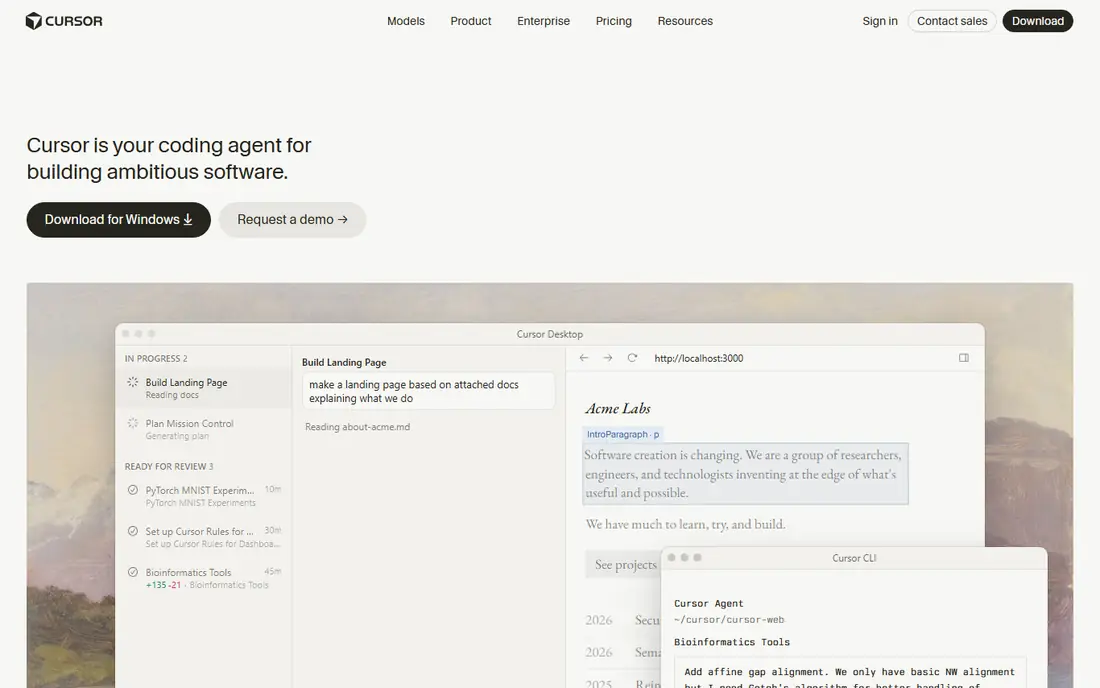
Start here if you want the safe default. Cursor suits developers who want an editor built around agents, with multi-file edits and background tasks. It fits readers who want ai-native editor for agent coding, and its published feature set matches that promise rather than trying to cover every possible use case at once. When we weighed it against the rest of this list, the balance of price, scope and support stood out for that group. The price picture is $20 per month, with a free plan status of yes. The credit model takes reading, and heavy agent users may need Pro+ or Ultra, so trial it on real work first. Before you sign up, check the current plan limits on the official site, because caps on users, usage or features are where most buyers get surprised after the first month.
- Full AI editor
- Multi-file agent edits
- Background agents
- Multi-model choice
- Credit pools for own and third-party models
- Price climbs for heavy agent use
Claude Code
Ideal for: Terminal-first agentic coding

This one suits a specific kind of reader. Claude Code suits large refactors and terminal-native developers, with deep reasoning across a codebase. It fits readers who want terminal-first agentic coding, and its published feature set matches that promise rather than trying to cover every possible use case at once. When we weighed it against the rest of this list, the balance of price, scope and support stood out for that group. The price picture is $20 per month, with a free plan status of no. Editor-first developers may prefer Cursor or Copilot, since Claude Code lives mainly in the terminal. Before you sign up, check the current plan limits on the official site, because caps on users, usage or features are where most buyers get surprised after the first month.
- Terminal agent
- Large context for refactors
- Parallel subagents
- IDE support
- No free tier beyond Claude free limits
- Terminal-first style is not for everyone
Windsurf
Ideal for: Agentic coding with simple quota billing
Consider this if the top picks do not fit. Windsurf suits developers who want agentic coding with a planning workflow that maps steps before editing. It fits readers who want agentic coding with simple quota billing, and its published feature set matches that promise rather than trying to cover every possible use case at once. When we weighed it against the rest of this list, the balance of price, scope and support stood out for that group. The price picture is $20 per month, with a free plan status of yes. The price rise means budget buyers should compare Copilot and Cursor before committing. Before you sign up, check the current plan limits on the official site, because caps on users, usage or features are where most buyers get surprised after the first month.
- Cascade workflow planning
- Agent edits
- Unlimited tab completions on paid plans
- Price rose in 2026
- Team pricing needs checking
Tabnine
Ideal for: Privacy-first coding for regulated teams
A strong option for a narrower need. Tabnine suits regulated teams that need private or air-gapped deployment. It fits readers who want privacy-first coding for regulated teams, and its published feature set matches that promise rather than trying to cover every possible use case at once. When we weighed it against the rest of this list, the balance of price, scope and support stood out for that group. The price picture is $39 per user per month, with a free plan status of no. The price and lack of a free tier put it out of reach for solo developers, who should start with Copilot free. Before you sign up, check the current plan limits on the official site, because caps on users, usage or features are where most buyers get surprised after the first month.
- Private deployment options
- Air-gapped support
- Code review and agents
- High price
- No free tier
- Smaller model choice than rivals
JetBrains AI
Ideal for: IntelliJ and PyCharm users
Worth a close look before you decide. JetBrains AI suits developers already living in IntelliJ, PyCharm or other JetBrains IDEs. It fits readers who want intellij and pycharm users, and its published feature set matches that promise rather than trying to cover every possible use case at once. When we weighed it against the rest of this list, the balance of price, scope and support stood out for that group. The price picture is $10 per month, with a free plan status of yes. VS Code users should choose Copilot or Cursor instead, since JetBrains AI value is tied to its IDEs. Before you sign up, check the current plan limits on the official site, because caps on users, usage or features are where most buyers get surprised after the first month.
- Native AI in JetBrains IDEs
- Junie agent
- Code completion and chat
- Best value only inside JetBrains
- Free tier is limited
Zed AI
Ideal for: Fast native editor with AI predictions
This belongs on the shortlist for a reason. Zed suits developers who value speed and a native editor over a heavy Electron IDE. It fits readers who want fast native editor with ai predictions, and its published feature set matches that promise rather than trying to cover every possible use case at once. When we weighed it against the rest of this list, the balance of price, scope and support stood out for that group. The price picture is $10 per month, with a free plan status of yes. The smaller extension ecosystem means some workflows need workarounds, so check your stack first. Before you sign up, check the current plan limits on the official site, because caps on users, usage or features are where most buyers get surprised after the first month.
- Native fast editor
- AI edit predictions
- Multiplayer editing
- Bring-your-own-key option
- Smaller ecosystem than VS Code
- AI features are newer
Continue
Ideal for: Open model choice with no lock-in
Do not overlook this one. Continue suits developers who want model choice and no lock-in, with an open-source agent that runs in familiar editors. It fits readers who want open model choice with no lock-in, and its published feature set matches that promise rather than trying to cover every possible use case at once. When we weighed it against the rest of this list, the balance of price, scope and support stood out for that group. The price picture is free, with a free plan status of yes. The setup and model billing need more work than a bundled subscription, so it suits developers comfortable configuring tools. Before you sign up, check the current plan limits on the official site, because caps on users, usage or features are where most buyers get surprised after the first month.
- Open-source agent
- Any model provider
- Works in VS Code and JetBrains
- You pay your model provider
- Setup needs more configuration
How we picked these
We started from official feature pages and pricing pages, then checked app store listings, privacy policies and public reviews to confirm each product still works and still fits the topic. Products that could not be verified, or that only partly matched the topic, were left out, even when they were well known. We favoured a mix of established leaders and strong smaller options, and we weighted price transparency, a usable free tier or trial, and honest limits more heavily than marketing claims. No product on this list paid for its place, and our pick for most people is the one we would suggest to a friend with ordinary needs and an ordinary budget.
How to choose an AI coding tool without a surprise credit bill
Start with your editor, because a tool that lives where you already code beats a better tool in an editor you dislike. Next, check the billing model: flat subscriptions, credit pools and pay-per-token models produce very different bills for heavy agent use. Then check model choice, since some tools lock you to one model family while others let you pick per task. Also check privacy and training policies, especially for proprietary code, and check whether completions, chat and agent work draw from the same credit pool. Finally, trial two tools on the same real task, and measure accepted suggestions and time saved, not just demo speed. Also check team features if you buy for a group, including admin controls, usage reporting and security reviews. Set credit budgets and alerts from day one, because agent work can burn credits fast on a large refactor. The best AI coding tool is the one that fits your editor, your budget and your privacy needs, not the one with the most models.
Frequently asked questions
What are the best AI coding tools?
GitHub Copilot leads for GitHub teams and value, Cursor leads for AI-native agent editing, Claude Code leads for terminal refactors, and Windsurf leads for planned agentic workflows.
Is GitHub Copilot free?
Yes, Copilot offers a free tier with limited completions and chat, while Pro costs 10 dollars a month with unlimited completions and 1,500 AI credits. Business costs 19 dollars per seat.
Is Cursor better than Copilot?
Cursor offers deeper agentic multi-file editing in its own editor, while Copilot offers broader integration and a lower price. Developers who want agent-first work prefer Cursor, while GitHub teams prefer Copilot.
How much does Cursor cost?
Cursor Pro costs 20 dollars a month, Pro+ 60 dollars, Ultra 200 dollars, and Teams 40 dollars per user. A free Hobby tier offers limited agent and tab features.
Do AI coding tools replace developers?
No, AI tools speed up completions, boilerplate and refactors, but developers still design, review, test and own the code. Output needs checking, since AI code can contain bugs and security flaws.