Top 7 AI Content Detection Tools for 2026, Compared

- 1
 Winston AIScanned and paper submissionsVisit
- 2
 CopyleaksEnterprise and LMS screeningVisit
- 3
 Originality.aiPublishers and content teamsVisit
- 4
 SaplingSupport teams and sentence checksVisit
- 5
 QuillBot AI DetectorQuillBot usersVisit
- Top of the list is Winston AI, which targets scanned and paper submissions.
- Turnitin fits universities and schools.
- Only 3 of the 7 tools have a free plan (Sapling, QuillBot AI Detector, GPTZero), so check the caps.
- Check the limits for Copyleaks before you commit: pricing varies by plan and credits.
- The lowest published monthly entry price here is $14.95 per month, from Originality.ai.
Direct answer
Winston AI comes first here, mainly for scanned and paper submissions. Look at Copyleaks for enterprise and LMS screening, and at Originality.ai for publishers and content teams. All 7 tools are compared below on price, free plan and limits.
Quick comparison
| Product | Ideal for | Price from | Free version | |
|---|---|---|---|---|
| Winston AI | Scanned and paper submissions | $18 a month | Free trial | Visit |
| Copyleaks | Enterprise and LMS screening | $16.99 a month | Free trial | Visit |
| Originality.ai | Publishers and content teams | $14.95 a month | No | Visit |
| Sapling | Support teams and sentence checks | $25 a month | Yes | Visit |
| QuillBot AI Detector | QuillBot users | $19.95 a month | Yes | Visit |
 GPTZero | Teachers and individuals | $14.99 a month | Yes | Visit |
 Turnitin | Universities and schools | See website | No | Visit |
AI Content Detection Tools, one by one
Short on time? The summary and table above give the quick view of 7 AI content detection tools, and the profiles that follow give the detail behind each entry.
Winston AI
Ideal for: Scanned and paper submissions
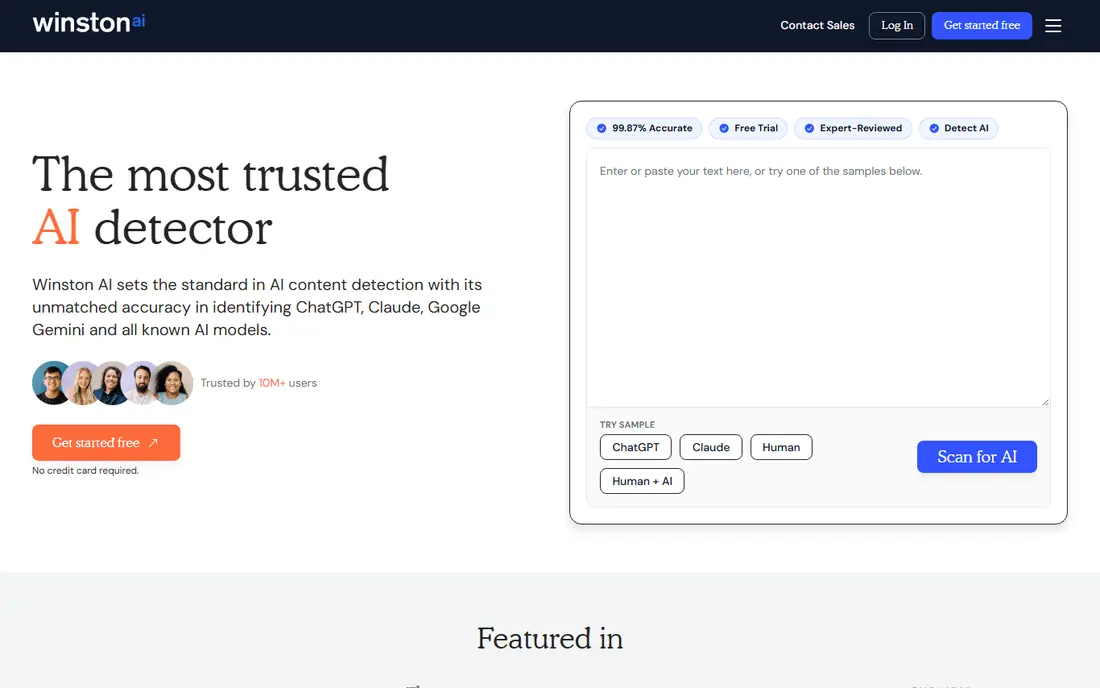
Think of Winston AI for scanned and paper submissions. Winston AI is handy when submissions arrive as scans or photos, not just typed text. For pure typed essays, GPTZero free level may be enough.
Limits to weigh: Smaller ecosystem than GPTZero.
Worth adding: essential begins at $18 a month, with higher levels for more credits and features. Its ecosystem is smaller than GPTZero or Turnitin, with fewer LMS links. Starting cost for Winston AI: $18 per month. As for free access: Free trial.
- Deals with scanned documents
- Clear credit plans
- Credit limits on lower plans
Copyleaks
Ideal for: Enterprise and LMS screening

Pick Copyleaks if this describes you: enterprise and LMS screening. Multilingual support is a plus for institutions with diverse student bodies. On top of that, check the current credit math before you buy.
Limits to weigh: Pricing varies by plan and credits.
Copyleaks offers AI detection plus plagiarism screening for enterprises, schools, and API users. Worth adding: for an organization that needs API screening or LMS links, Copyleaks is a solid alternative to Turnitin. Price to start with Copyleaks: $16.99 per month. On free options: Free trial.
- LMS integration
- Multilingual support
- Entry plan limits are tight
Originality.ai
Ideal for: Publishers and content teams
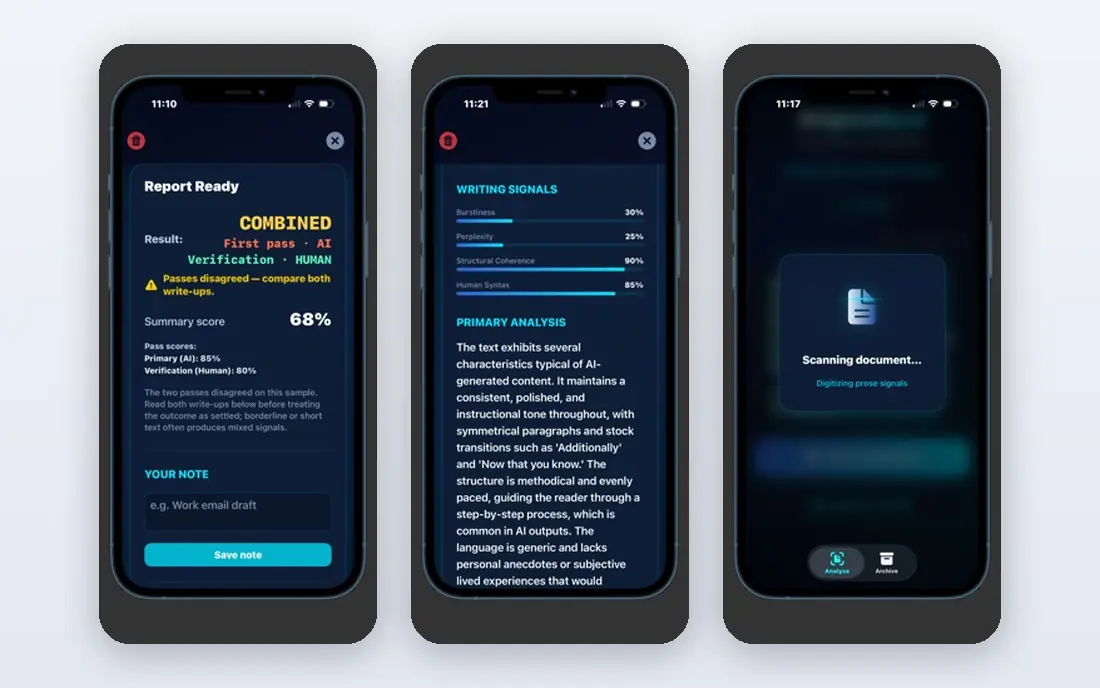
Where Originality.ai fits: publishers and content teams. It merges AI detection with plagiarism checking, and its credit system, with 100 words per credit, lets teams buy only what they need.
Where it is weaker: No lasting free plan.
The downside is the lack of a free level for continuing use, though a restricted free tool exists for AI scans. On cost, Originality.ai starts like this: $14.95 per month. Originality.ai has no free plan.
- Team tools
- Credit-based adaptability
- Credit math takes a moment to learn
Sapling
Ideal for: Support teams and sentence checks
Sapling makes the most sense for support teams and sentence checks. Sapling started as a writing assistant, and its AI detector provides free sentence-level checks that support teams use to screen messages and drafts. The interface is straightforward, which helps non-technical users.
In practice, Sapling is less of a dedicated academic detector than GPTZero or Turnitin, and its Pro price is high for casual use. Try the free level first to see if its sentence detail matches your needs. What you pay to start with Sapling: $25 per month. A free plan is available with Sapling.
Limits to weigh: Detection is not its only focus.
- CRM and support integrations
- Free sentence-level checks
- Higher Pro price than rivals
QuillBot AI Detector
Ideal for: QuillBot users
QuillBot AI Detector is built with QuillBot users in mind. QuillBot AI Detector is a convenient add-on for the millions who already use QuillBot for paraphrasing and grammar. In daily use, if you do not, pick a dedicated tool instead.
Also, if you already pay for QuillBot, use its detector as a second check. Worth adding: reports are straightforward and simple to share. Price to start with QuillBot AI Detector: $19.95 per month. QuillBot AI Detector offers a free plan.
Where it falls short: Accuracy is mid-range.
- Handy if you already use QuillBot
- Free fast checks
- Full access needs Premium
GPTZero
Ideal for: Teachers and individuals
Pick GPTZero if this describes you: teachers and individuals. GPTZero, built by a Princeton student in 2023, is now a full system with sentence highlighting, plagiarism checking on higher plans, and a writing replay that displays how a document was composed in supported editors. The limits matter.
Where it falls short: Accuracy drops on paraphrased text.
Use it as a screening aid, not a verdict, and always read the flagged passages yourself before you act. On top of that, the free plan includes 10,000 words a month, which deals with a handful of essays, and Essential opens at $14.99 a month. Starting cost for GPTZero: $14.99 per month. GPTZero has a free plan.
- Sentence-level highlighting
- Writing replay feature
- Higher levels needed for plagiarism checks
Turnitin
Ideal for: Universities and schools
Turnitin is designed for universities and schools. Turnitin is the institutional standard. Its AI detection sits inside the plagiarism and feedback workflow that universities already use, with LMS integration and an audit trail for academic integrity cases.
Limits to weigh: Pricing is not public.
Also, individuals cannot buy Turnitin straight, and pricing is negotiated per institution, with some reports putting it at a handful of dollars per student a year. Worth adding: for a school that needs consistent policy, that integration is the point. No starting price is listed for Turnitin here; confirm pricing on the vendor site. Turnitin has no permanent free option.
- Plagiarism plus AI detection
- Institutional audit trail
- No individual purchase
Worth knowing about AI content detection tools
Never treat a score as proof. In schools, follow your institution policy and provide the writer a chance to respond. On top of that, a widely cited Stanford study found that multiple widely used detectors misclassified more than half of TOEFL essays by non-native English speakers as AI-generated, whereas seldom flagging US student essays.
Those findings do not make detectors useless, but they do mean any high-stakes use needs caution, second checks, and a fair process.
How the list was put together
For each of the 7 tools we noted price, free plan or trial, fit for AI content detection tools and the main limit, using vendor pages and documentation. Treat prices as a snapshot: vendors change plans often, so check the vendor site for the figure that applies today. Position on the page reflects fit for a typical buyer first, with price clarity and free access breaking ties. Treat it as a guide, not a ruling.
Before you commit
- Get a written quote from Turnitin; the list shows no starting price for them.
- Read the fine print on the free plans from Sapling, QuillBot AI Detector and GPTZero; seat, project and feature caps differ.
- Use real work to test the free trial from Winston AI and Copyleaks, rather than a demo project.
- Before choosing Winston AI, weigh its main limit: smaller ecosystem than GPTZero.
- Compare total cost, not headline price: for GPTZero, add extra seats, add-ons and any usage-based charges.
- Confirm minimum seats and billing terms with Copyleaks before you commit to an annual plan.
Frequently asked questions
Can I try these options before paying?
Often, yes. Sapling, QuillBot AI Detector and GPTZero have a free plan and Winston AI and Copyleaks offer a free trial. Use your own data and a real task during the test, and check what the free tier or trial limits before you rely on it.
How are the tools for AI content detection tools ordered?
Winston AI sits first and Turnitin last because the order follows typical fit for AI content detection tools, then price clarity and free access. It is a judgement call, so read each profile for fit and limits.
Are AI detectors accurate?
Detectors are handy for screening, but not steady as proof on their own. False positives are a real risk, notably for non-native English writing, so pair any score with human review.
What is the best AI content detection tool?
For most readers this guide would start with Winston AI, built for scanned and paper submissions. Copyleaks is the alternative for enterprise and LMS screening, and Originality.ai for publishers and content teams. The right answer depends on budget and workflow.
Should teachers use AI detectors for grading?
Detectors can help flag work for review, but they should not decide a grade or a misconduct case alone. In practice, a detector score without human review risks unfair outcomes, particularly for non-native English writers.
Which options for AI content detection tools have a free plan?
On this list, Sapling, QuillBot AI Detector and GPTZero include a free plan. Caps on seats, usage or features are common, so test the free plan against your real workload. Several others offer a trial instead.