Best AI Detection Tools in 2026: 8 Options Compared

- No AI detector is fully reliable, and all of them produce false positives, especially on short or edited text.
- Originality.ai and GPTZero are the most widely used detectors, with per-scan and subscription pricing.
- Copyleaks and Turnitin suit schools and publishers that need plagiarism and AI checks together.
- Always combine a detector score with human review, since a score alone does not prove authorship.
Quick comparison
| Product | Ideal for | Price from | Free version | |
|---|---|---|---|---|
 Originality.ai | Publishers and content teams | See website | No | Visit |
 GPTZero | Educators and individual checks | See website | Yes | Visit |
 Copyleaks | Schools and businesses, combined checks | See website | Yes | Visit |
 Turnitin | Universities and schools | See website | No | Visit |
 ZeroGPT | Quick free checks | See website | Yes | Visit |
 Winston AI | Plagiarism plus AI detection | See website | Free trial | Visit |
 Scribbr AI Detector | Students checking academic work | See website | Yes | Visit |
 QuillBot AI Detector | Quick checks alongside paraphrasing | See website | Yes | Visit |
The best ai detection tools
We compared AI detectors on accuracy claims, language support, pricing and how they handle false positives. Our pick for most users is Originality.ai or GPTZero, but no detector should be used as the only evidence for an academic or hiring decision.
Originality.ai
Ideal for: Publishers and content teams
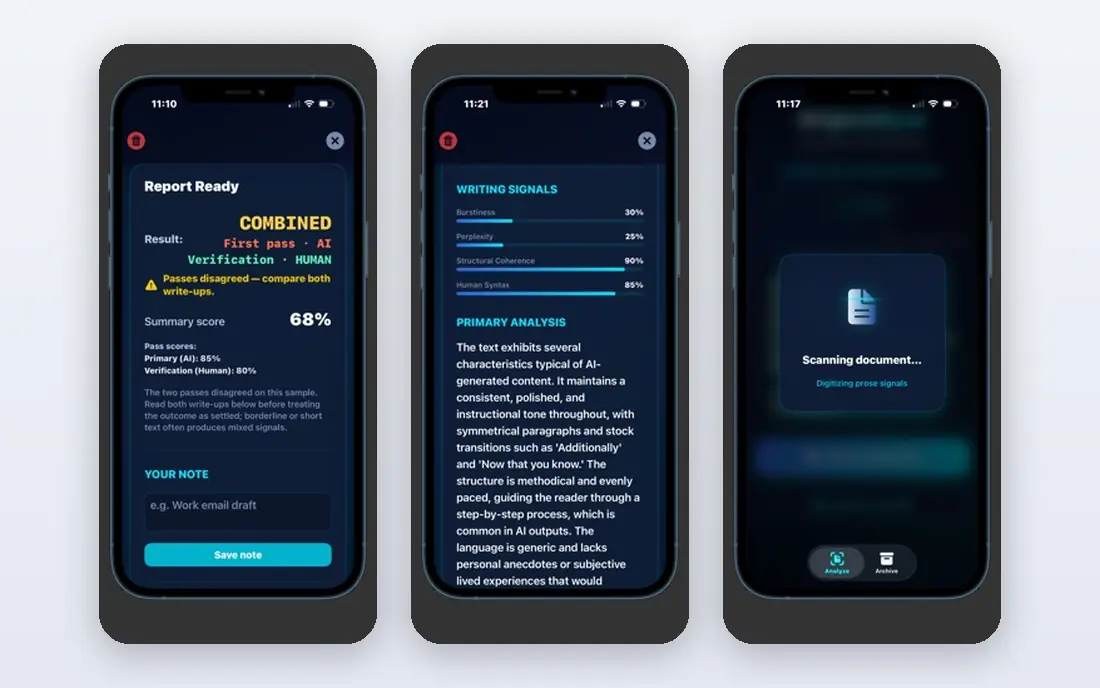
Our first look at Originality.ai starts with who it serves best. It is the detector most content teams reach for first. Originality.ai is built around publishing, with AI and plagiarism checks plus readability in one report.
The catch is cost: there is no free tier for full checks, so volume matters. It fits publishers, agencies and editors checking client work. Check the current pricing page before you commit, since plans in this category change often, and use the free plan or trial to confirm the fit with your own work.
Before you pay for Originality.ai, run one real task through it, such as a full document, a full trip plan or a full project, and judge it on that result rather than on the marketing page.
- Built for publishing workflows
- Checks AI, plagiarism and readability
- Team features
- No free plan for full checks
- Per-scan costs add up at volume
GPTZero
Ideal for: Educators and individual checks

For many readers, GPTZero will be the most practical choice on this list. It is the best-known detector for education. GPTZero highlights sentences it flags and explains its reasoning in plain terms, which helps reviewers.
The catch is the same as every detector: short or edited text is less reliable. It fits teachers, students checking their own work, and individual users. Check the current pricing page before you commit, since plans in this category change often, and use the free plan or trial to confirm the fit with your own work.
A useful test for GPTZero is to try the exact workflow you will repeat weekly, then check how long it takes and whether the output needs heavy fixing before it is usable.
- Free tier for occasional checks
- Sentence-level highlighting
- Educator-friendly reports
- Accuracy limits on short text
- Paid plans needed for larger documents
Copyleaks
Ideal for: Schools and businesses, combined checks

Next up is Copyleaks, which takes a different approach to the same job. It is the combined check for institutions. Copyleaks pairs AI detection with a mature plagiarism engine, which suits schools and platforms.
The catch is that casual users may find it more tool than they need. It fits schools, publishers and platforms that need both checks. Check the current pricing page before you commit, since plans in this category change often, and use the free plan or trial to confirm the fit with your own work.
When you trial Copyleaks, note what is missing as well as what works, since the missing piece often decides whether a tool survives past the first month.
- Combines AI detection with plagiarism checking
- Supports many languages
- API for platforms
- Full features are paid
- Interface suits institutions more than casual users
Turnitin
Ideal for: Universities and schools
Turnitin earns its place here for a specific kind of user. It is the institutional standard in education. Turnitin integrates with learning management systems and is already familiar to many schools.
The catch is access: individuals cannot simply buy a personal plan. It fits universities and schools buying at institutional level. Check the current pricing page before you commit, since plans in this category change often, and use the free plan or trial to confirm the fit with your own work.
We would also check support and documentation for Turnitin during the trial, since a tool you cannot get help with becomes expensive in staff time even when the subscription looks cheap.
- Trusted in education
- Integrates with learning systems
- Combines originality and AI reports
- Sold to institutions, not individuals
- Pricing is not public
ZeroGPT
Ideal for: Quick free checks
If the options so far have not fit, ZeroGPT is worth a closer look. It is the quick free check before you pay for a deeper one. ZeroGPT gives a fast verdict on short passages without signup friction.
The catch is depth: it is a starting signal, not a full report. It fits casual users checking a paragraph or short post. Check the current pricing page before you commit, since plans in this category change often, and use the free plan or trial to confirm the fit with your own work.
Before you pay for ZeroGPT, run one real task through it, such as a full document, a full trip plan or a full project, and judge it on that result rather than on the marketing page.
- Free checks for short text
- Simple interface
- Fast results
- Free limits are tight
- Less depth than paid detectors
Winston AI
Ideal for: Plagiarism plus AI detection
Winston AI is the option we point to when a reader has a clear priority in mind. It is a solid all-in-one checker for writers and educators. Winston AI reports AI likelihood, plagiarism and readability together, which gives reviewers more context.
The catch is that it is less widely adopted than GPTZero or Originality. It fits writers and small teams who want one report for several checks. Check the current pricing page before you commit, since plans in this category change often, and use the free plan or trial to confirm the fit with your own work.
A useful test for Winston AI is to try the exact workflow you will repeat weekly, then check how long it takes and whether the output needs heavy fixing before it is usable.
- Combines AI and plagiarism checks
- Readability and grammar reports
- Clear scoring
- Smaller user base than leaders
- Paid plans for regular use
Scribbr AI Detector
Ideal for: Students checking academic work
Another strong contender is Scribbr AI Detector, and it stands out for one clear reason. It is the student-friendly free option. Scribbr offers a free AI detector alongside its editing and citation tools for academic writers.
The catch is that free checks are limited and no detector is definitive. It fits students who want a quick check before submitting work. Check the current pricing page before you commit, since plans in this category change often, and use the free plan or trial to confirm the fit with your own work.
When you trial Scribbr AI Detector, note what is missing as well as what works, since the missing piece often decides whether a tool survives past the first month.
- Free detector aimed at students
- Academic focus
- Part of a wider editing service
- Free version has limits
- Accuracy shares the limits of all detectors
QuillBot AI Detector
Ideal for: Quick checks alongside paraphrasing
We round out the list with QuillBot AI Detector, which fills a gap the others leave open. It is the handy add-on for QuillBot users. QuillBot pairs its AI detector with paraphrasing and grammar tools writers already use.
The catch is depth: dedicated detectors give fuller reports. It fits writers who already use QuillBot and want a quick check. Check the current pricing page before you commit, since plans in this category change often, and use the free plan or trial to confirm the fit with your own work.
We would also check support and documentation for QuillBot AI Detector during the trial, since a tool you cannot get help with becomes expensive in staff time even when the subscription looks cheap.
- Free AI detection alongside paraphrasing tools
- Simple reports
- Useful for writers already using QuillBot
- Detection depth below Originality
- Free limits apply
How we picked these
We compared official feature pages, pricing pages, app store listings, privacy policies and public reviews for each product, and kept only products that exist, work today and truly fit the topic. We favoured clear pricing, a usable free plan or trial, and honest limits over long feature lists. Where a price could not be verified on the vendor site, we wrote See website rather than guessing.
We did not claim hands-on testing we did not do. Instead, we weighed what each vendor documents, what reviewers report in practice, and where each product falls short, so the trade-offs below are stated plainly.
How to use an AI detector fairly
Check longer passages rather than single paragraphs, since short text is the least reliable input. Compare results across two tools, read the flagged passages yourself, and never treat a score as proof without other evidence, especially for students or job applicants.
Frequently asked questions
What is the best AI detection tool?
Originality.ai suits publishers and content teams, while GPTZero suits educators and individual checks. Copyleaks and Turnitin suit institutions that need combined plagiarism and AI detection.
Are AI detectors accurate?
They are useful as a signal but not as proof. Accuracy drops on short text, heavily edited text and non-native English writing, and false positives are a known problem.
Can AI detectors be fooled?
Yes, paraphrasing, editing and mixing human and AI text all reduce detection scores. That is why detectors work best alongside human judgement, not instead of it.
Is there a free AI detection tool?
GPTZero, ZeroGPT and Copyleaks offer free checks with limits, which suit occasional use. Regular or high-volume checking usually needs a paid plan.
Should teachers rely on AI detectors?
Detectors can flag text for review, but schools should pair them with drafts, process evidence and conversations with students before drawing conclusions.