Best AI Dubbing Tools in 2026: 8 Tools Compared

- ElevenLabs is our pick for most people who want a dub that keeps the original speaker's voice, with Dubbing Studio included from its $6 per month Starter plan.
- HeyGen and Rask AI are the strongest choices when lip sync matters, but Rask only includes lip sync from its $99 Creator Pro plan.
- Kapwing is the cheapest way to dub inside a full video editor, with 50 dubbing minutes a month on its $16 Pro plan.
- Four of the eight tools have a free plan and the other four have a short trial, but free output usually carries a watermark or tight limits.
- Cloning a voice without permission is a legal and platform-policy problem, so get written consent before you dub anyone but yourself.
Quick comparison
| Product | Ideal for | Price from | Free version | |
|---|---|---|---|---|
 ElevenLabs | dubs that keep the original speaker's voice | $6 per month | Yes | Visit |
 HeyGen | lip-synced translation of talking-head video | $29 per month | Yes | Visit |
 Rask AI | creators who translate into many languages | $39 per month | Free trial | Visit |
 Vozo | lower-cost dubbing with cloning and lip sync | $29 per month | Free trial | Visit |
 Kapwing | dubbing inside a full video editor | $16 per month | Yes | Visit |
 Maestra | teams that need subtitles, dubbing and live captions | $39 per month | Free trial | Visit |
 Wavel AI | light, low-cost dubbing projects | $25 per month | Yes | Visit |
 Dubverse | creators working in Indian languages | $18 per month | Free trial | Visit |
The best AI dubbing tools
AI dubbing software transcribes your video, translates the script and speaks it back in another language, often in a clone of the original voice. The eight tools below cover that job at different price points, and we flag the voice-cloning rules that apply to each.
ElevenLabs
Ideal for: dubs that keep the original speaker's voice

ElevenLabs is where we would start. Its dubbing page says the model works from the original audio instead of a transcript, so tone, emotion and timing carry over, and each dub uses a clone of the original speaker. Source audio, source text and target text are all accepted, and you can upload a file or paste a URL.
On price, the pricing page lists Dubbing Studio from the Starter plan (listed at $6 per month, with a first-month promotion). The free plan has 10,000 credits a month but does not list dubbing. The catch is that dubbing spends credits from the same pool as voice generation, so a long video can use a large share of a small plan. Check the credit cost per minute on the pricing page before you commit.
Consent is the best-documented part. The ElevenLabs use policy prohibits cloning a living person's voice without their explicit and informed consent or other valid authorization, and bars voice recordings of anyone under 18 for cloning.
- Clones each speaker's voice automatically
- Supports 90+ languages and accents
- Clear written policy on voice consent
- Dubbing is not on the free plan
- Dubbing draws from the same credit pool as everything else
HeyGen
Ideal for: lip-synced translation of talking-head video
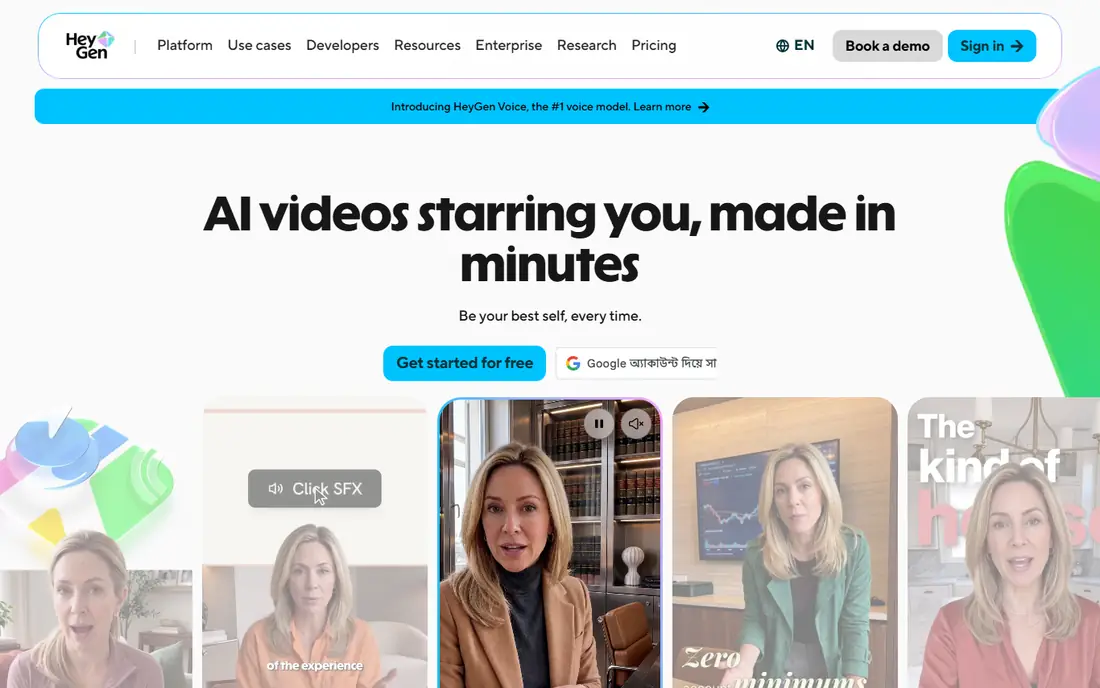
HeyGen is built around presenter-style video, and translation is a headline feature. Its translate page lists 175+ languages and dialects, voice cloning that keeps the original tone, and an Edit and Review step so you can check the translated script before it renders. Up to ten languages can be produced at once.
The free plan gives three videos a month, each up to one minute, with a watermark and limited trial access to lip-sync translation. The Creator plan is listed at $29 per month ($24 per month billed annually) and allows videos up to 30 minutes. HeyGen's translate page does not describe consent rules for voice or likeness cloning, and its privacy policy only addresses consent for avatar creation, so ask the team directly before you translate footage of other people.
- Translation into 175+ languages and dialects
- Lip sync that matches translated speech to the speaker's face
- Script review before the final render
- Translation is one feature inside a larger avatar platform
- Free plan is limited to three watermarked videos a month
Rask AI
Ideal for: creators who translate into many languages

Rask AI offers one of the widest language lists in this group, and its homepage adds editing controls such as a translation dictionary, translation prompting, script adjustment and timestamp control. It also has a YouTube video translator and an API.
The free trial gives 3 minutes with voice cloning in 32 languages. The Creator plan is $39 per month for 25 minutes a month. Lip sync and multi-speaker lip sync appear on Creator Pro ($99 per month, 100 minutes), and the pricing page says enhanced lip sync uses 3 minutes for each minute of video while it is in beta. Rask lists "synthetic voices with usage rights" for enterprises, but its homepage does not explain how consent is checked before a voice is cloned.
- Dubbing in 135+ languages
- Multi-speaker detection
- Translation dictionary and script controls
- Lip sync starts at the $99 Creator Pro plan
- The trial is only 3 minutes
Vozo
Ideal for: lower-cost dubbing with cloning and lip sync
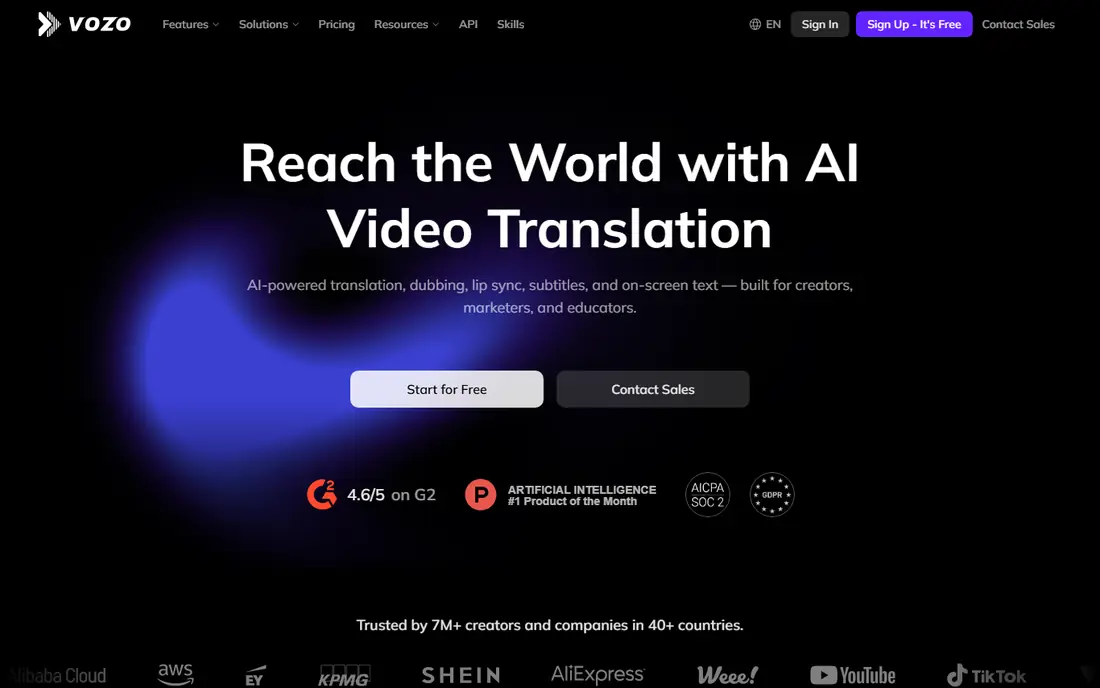
Vozo is a smaller name, but its plan page is easy to compare. The Creator plan is $29 per month with 150 points, which the page converts to roughly 50 dubbing minutes or 15 lip-sync minutes. Studio is $99 per month for roughly 200 dubbing minutes.
The free trial gives 20 points (about 6 dubbing minutes) and allows videos up to 20 minutes. Creator raises the video limit to 60 minutes. The pricing page shows odd $0 figures on its two highest tiers, which looks like a display error, so confirm those with the company. As with most tools here, you are responsible for having permission to clone any voice you upload.
- Translate and dub across 111 source and 165 target languages
- Lip sync on paid plans
- Clear minute estimates per plan
- Allowances are counted in points, so you need the minute estimates
- Pricing page shows odd $0 figures on its top tiers
Kapwing
Ideal for: dubbing inside a full video editor
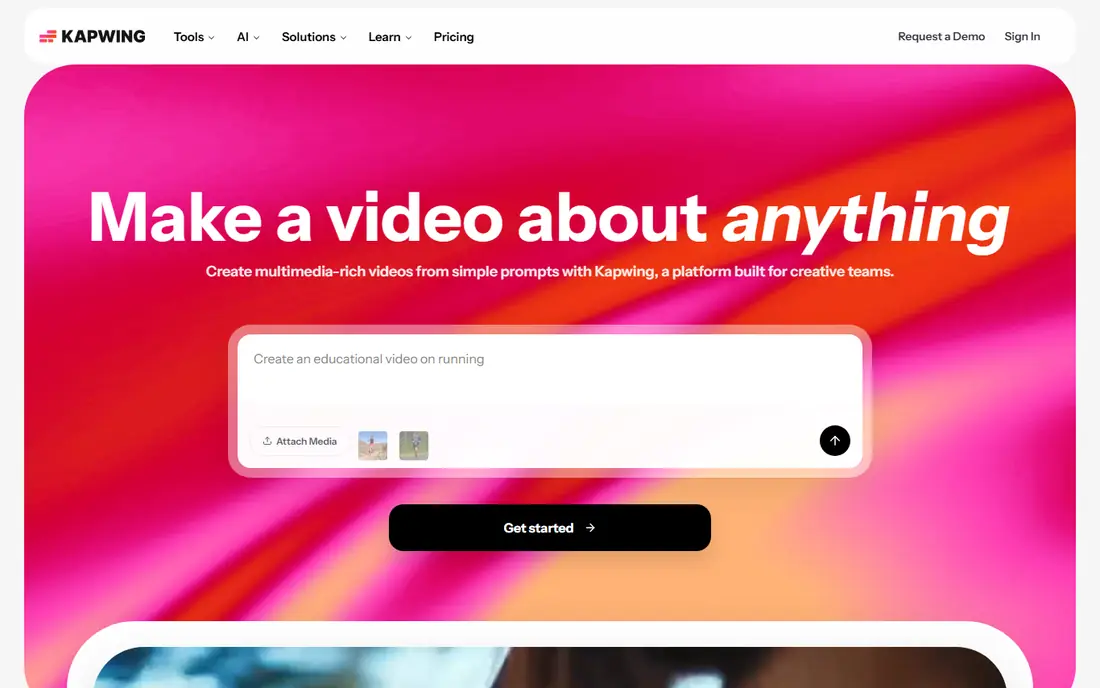
Kapwing suits people who already edit video in a browser and want dubbing in the same place. Its dubbing page lists 40+ languages (the FAQ says 49), multi-speaker detection, and controls such as Translation Rules for brand names and Pronunciation Rules for hard words. A timing toggle adjusts speech speed to fit the video.
The Pro plan is $16 per month with up to 50 dubbing minutes. Business is $50 per month with up to 200 minutes and custom voice clones. Free exports are limited to 4 minutes at 720p with a watermark, and the free plan lists no dubbing allowance, so treat it as a way to try the editor. If you only need a quick dub with a stock voice, Pro is good value.
- Dubbing and editing in one browser tool
- Translation rules for brand terms
- Handles videos up to 6 hours
- Voice clones and lip sync are Business features
- Free exports are watermarked
Maestra
Ideal for: teams that need subtitles, dubbing and live captions

Maestra is more of a localization suite than a single-purpose dubber. The pricing page lists voiceover into another language from the Basic plan ($39 per month, 120 minutes), with Premium at $79 and Business at $159. On Premium and above you choose between voiceover minutes and pro voices with voice cloning, so the allowances are alternatives, not stacked.
Lip sync can be added at $2 per minute on Business. Maestra also sells real-time translation and captions for meetings and events, which matters if you do more than dub files. The homepage mentions a no-card free trial covering transcription, subtitling, dubbing and cloning, though it does not state the trial length.
- Dubbing in 125+ languages
- Subtitles, transcription and real-time tools on the same account
- Lip sync available as an add-on
- Dubbing starts at $39 per month
- Voiceover and pro-voice minutes share one allowance
Wavel AI
Ideal for: light, low-cost dubbing projects
Wavel AI covers dubbing and subtitles for 40+ languages. The Basic plan is $25 per month for 30 minutes of AI dubbing, Pro is $40 per month for 100 minutes, and Scale is $100 per month for 330 minutes. The pricing page notes that dubbing minutes come from the same credits as its other tools, at 3 credits per minute.
The free plan gives 15 one-time credits and a 7-day look at the tools, but with watermarks, one clone per user, and no downloads or editing. That makes it a preview, not a way to finish a project. It is a reasonable choice for occasional work, less so if you dub every week.
- 40+ languages for dubbing and subtitles
- A free plan with 15 one-time credits
- Clear dubbing minutes per paid plan
- The free plan blocks downloads and editing
- Dubbing minutes share credits with other tools
Dubverse
Ideal for: creators working in Indian languages
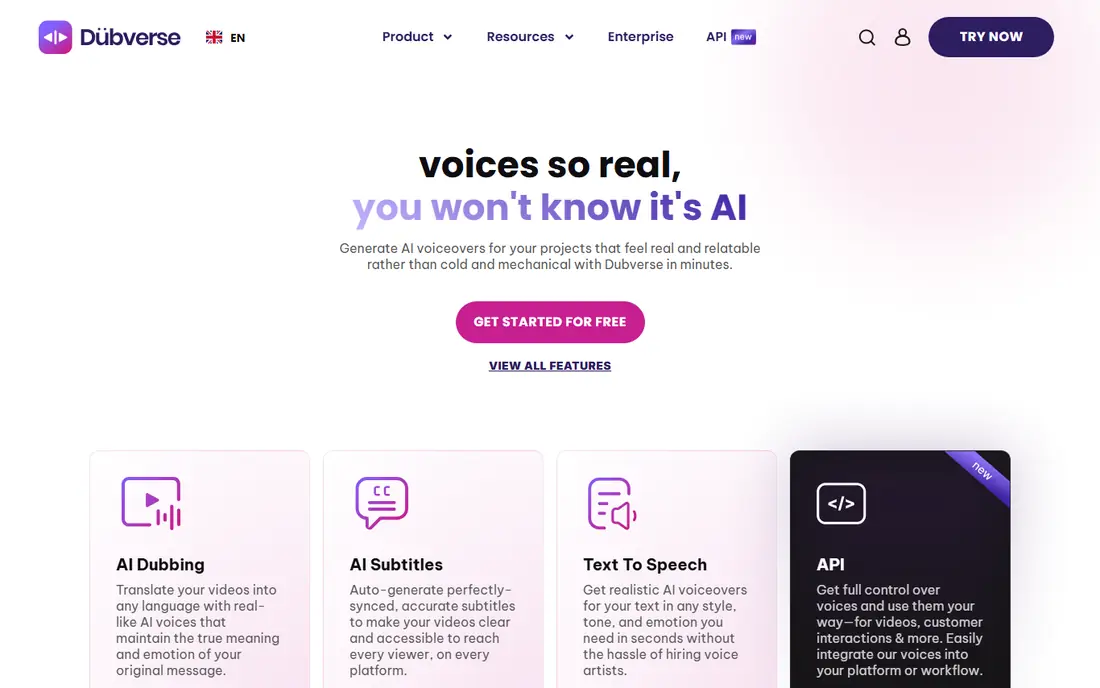
Dubverse is aimed at creators, businesses and developers, and its homepage highlights Indian and global languages, including mixed scripts like Hinglish. It lists 200+ voices and offers custom voice cloning for a branded voice.
The Pro plan is $18 per month ($9 per month billed yearly) for 50 credits, and dubbing uses 4 credits per minute, so you get about 12.5 minutes. Supreme is $30 per month and adds voice cloning. There is a 2-day free trial with no card required. The homepage says its voices are so realistic that you will not know they are AI, which is marketing, so listen to samples in your own language first.
- Strong focus on Indian and mixed-language scripts such as Hinglish
- Custom voice cloning on the Supreme plan
- Low entry price
- Only about 12.5 dubbing minutes a month on the entry plan
- No permanent free plan
How we picked these
We did not run our own side-by-side dubbing tests. We compared each vendor's official pricing page, product pages and published policies, then cross-checked languages, plan limits and free options. We kept tools that offer true video dubbing (not only text-to-speech), publish clear plans, and have a working official site today. Prices are US dollars from the vendor pages we read on 24 October 2026, and some vendors run promotions, so confirm the total at checkout.
Buying guide: how to choose and stay on the right side of consent
Match the tool to the job
If you dub a talking-head video and care about mouth movement, look at HeyGen, Rask AI or Vozo. If you mostly dub screen recordings, tutorials or podcasts, lip sync adds little and a cheaper plan is enough. If you edit as well, Kapwing keeps everything in one place.
Check how minutes are counted
Vendors count usage in minutes, credits or points, and the conversion is rarely obvious. ElevenLabs and Wavel pull dubbing from a shared credit pool. Maestra splits voiceover and cloned-voice minutes. Work out your monthly video length first, then compare plans on cost per finished minute.
Get consent before you clone a voice
Cloning your own voice is simple. Cloning anyone else's needs permission. ElevenLabs states in its use policy that you may not clone a living person's voice without explicit and informed consent or other valid authorization. Some US states also protect voice as part of a person's identity: Tennessee's ELVIS Act, in force since 1 July 2024, added voice to its right-of-publicity law and creates liability for knowing, unauthorized use.
In practice, that means getting written permission from guests, hosts and voice actors, saying what languages and channels the dub will run in, and keeping the record. Do not clone recordings of children, and do not use a dubbed voice to suggest that a real person said something they did not. Tell your audience when a dub is AI-generated. This is general information, not legal advice, so ask a lawyer if you plan to dub other people's voices commercially.
Always review the script
Machine translation still mishandles names, jokes, numbers and industry terms. Use the glossary or dictionary features that Rask AI and Kapwing offer, and have a fluent speaker listen to the first dub before you publish.
Frequently asked questions
What's the best AI dubbing tool?
For most people we would start with ElevenLabs because it keeps the original voice and is documented clearly. HeyGen is the better fit if lip sync on presenter video is the priority, and Kapwing is the cheapest paid route inside an editor. The best choice depends on your languages, video length and budget.
What is AI dubbing software and how does it work?
It transcribes the speech in your video, translates the script, generates speech in the target language and lines it up with the original timing. Many tools also clone the speaker's voice, and some adjust lip movement. You should still review the translated script before publishing.
Is it legal to clone a voice for dubbing?
Cloning your own voice is generally fine. Cloning someone else's without permission can breach platform rules and, depending on the state, right-of-publicity laws such as Tennessee's ELVIS Act. Get written consent from every speaker and keep it on file. This is not legal advice.
Can I use AI dubbing for free?
Partly. HeyGen, Kapwing and Wavel AI have free plans, and Rask AI, Vozo, Maestra and Dubverse offer trials. Expect watermarks, short videos or tiny allowances. ElevenLabs lists dubbing only from its paid Starter plan.
Do I need lip sync?
Only if viewers see the speaker's face for long stretches. For voice-over style videos, screen recordings and podcasts, a clean audio dub is enough, and lip sync is usually an upgrade that costs more minutes.
Sources
- https://elevenlabs.io/pricing
- https://elevenlabs.io/dubbing
- https://elevenlabs.io/use-policy
- https://www.heygen.com/pricing
- https://www.heygen.com/translate
- https://www.heygen.com/policy
- https://www.rask.ai/pricing
- https://www.rask.ai/
- https://www.vozo.ai/pricing
- https://www.kapwing.com/pricing
- https://www.kapwing.com/ai/dubbing
- https://maestra.ai/pricing
- https://maestra.ai/
- https://wavel.ai/pricing
- https://www.dubverse.ai/pricing
- https://www.dubverse.ai/
- https://manatt.com/insights/newsletters/client-alert/tennessees-elvis-act-expands-publicity-rights-for