Best ai home design app in 2026: 8 Options Compared

- 1
 Planner 5Dfloor plans plus 3D room designVisit
- 2
 Homestylerfree realistic 3D rendersVisit
- 3
 RoomGPTfast photo restyles of one roomVisit
- 4
 Interior AIhigh-volume virtual stagingVisit
- 5
 HomeDesigns AIall-round room and exterior redesignsVisit
- Planner 5D is the best free starting point when you want floor plans as well as room restyles.
- RoomGPT and Interior AI are the fastest photo restylers, but they work with credits or subscriptions rather than true free plans.
- Homestyler stands out for free realistic renders, while REimagineHome suits agents staging listings.
- AI renders change furniture and finishes freely, so always check measurements before ordering anything.
Quick comparison
| Product | Ideal for | Price from | Free version | |
|---|---|---|---|---|
| Planner 5D | floor plans plus 3D room design | Free | Yes | Visit |
| Homestyler | free realistic 3D renders | See website | Yes | Visit |
| RoomGPT | fast photo restyles of one room | $9 for 30 credits | Free trial (1 free design) | Visit |
| Interior AI | high-volume virtual staging | $49 per month | No | Visit |
| HomeDesigns AI | all-round room and exterior redesigns | See website | Free trial | Visit |
 REimagineHome | budget virtual staging for listings | See website | Yes | Visit |
 Collov AI | virtual staging for brokerages and agents | See website | Free trial | Visit |
 Remodel AI | first-time AI redesign users | $29 per month | Yes | Visit |
The best ai home design apps
Here is our shortlist for best ai home design app, ordered from the most broadly useful picks to the more specialised ones. Every entry below is a real product you can sign up for or buy today, with pricing taken from the vendor site or app store listing where we could verify it.
Planner 5D
Ideal for: floor plans plus 3D room design

This one is aimed at floor plans plus 3D room design. Planner 5D lets you draw a floor plan, furnish it in 3D and walk through the result, which makes it more useful for a real renovation than a photo filter alone. The free plan covers the core planning tools, and Premium at $59.99 a year adds the full catalogue and higher quality renders.
The trade-off is that quick photo restyles are not its main strength, so if you only want to see a new style on an existing room photo, a dedicated restyle app is faster. For planning a layout change, though, it is the most complete free option here.
- 2D and 3D planning in one app
- Large item catalogue
- Works on web and mobile
- AI renders are limited on the free plan
- Best results need the paid tier
Homestyler
Ideal for: free realistic 3D renders
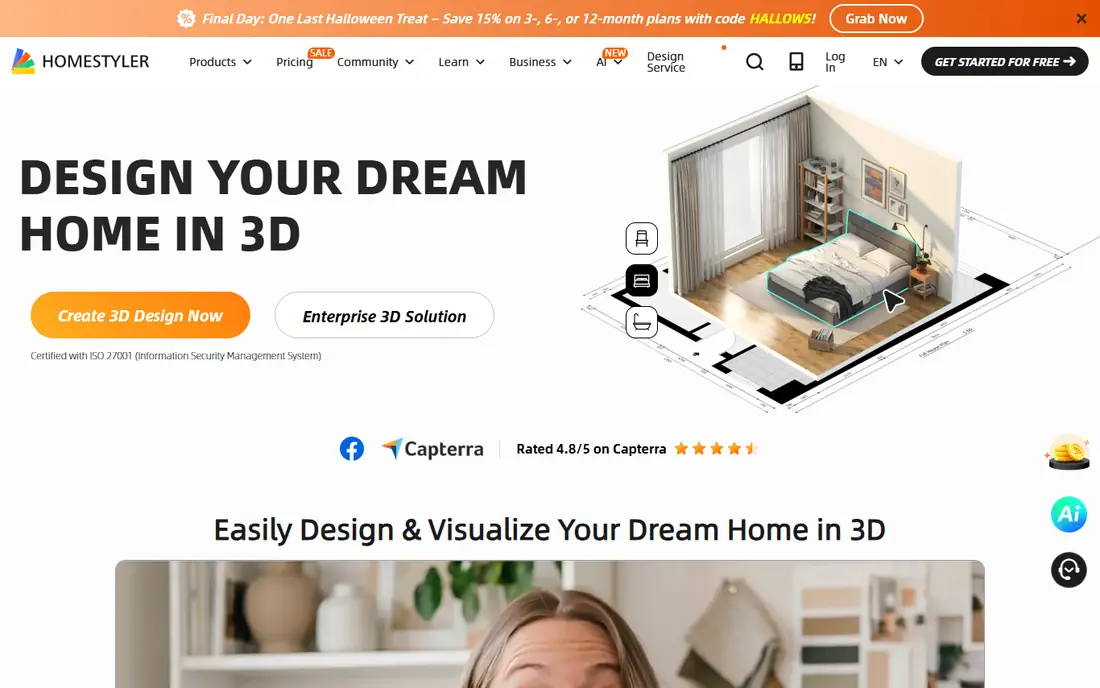
Think of Homestyler as the pick for free realistic 3D renders. Homestyler pairs a 3D planner with AI restyling and is known for realistic renders on its free tier, which is why it suits renters testing ideas before spending anything. You can plan a room, restyle it and view it in 3D without a subscription.
Paid plans add higher resolution output and extra tools, and the free renders are capped in quality. If you are choosing paint or furniture, confirm colours in person, since renders can flatter a shade.
- Realistic renders without paying first
- 3D room planner
- Large furniture library
- Higher resolution renders sit behind paid plans
- Some features need the mobile app
RoomGPT
Ideal for: fast photo restyles of one room

For fast photo restyles of one room, RoomGPT deserves a close look. RoomGPT is the simplest tool on this list: upload a room photo, pick a style, and get a redesigned version in under a minute. The $9 pack of 30 credits suits a one-room refresh or a quick test of several styles on the same space.
It does not plan layouts or measure rooms, and heavy users will burn through credits faster than a subscription would cost. Treat it as a fast idea machine, not a renovation planner.
- Very fast restyles from a single photo
- Simple to use
- No design skill needed
- Credit-based pricing adds up with many rooms
- No floor planning tools
Interior AI
Ideal for: high-volume virtual staging
This is the option we would point high-volume virtual staging toward first. Interior AI is one of the longest-running AI restyle tools, with modes for redesign, restyle, virtual staging and sketch-to-render. Its layout-keeping mode is useful when you like your room shape and only want new furniture and finishes.
The $49 monthly price makes it a poor fit for one room, and there is no free tier to test it first. It earns its keep for agents and designers staging many rooms a month.
- Fast renders with a layout-keeping mode
- Virtual staging for empty rooms
- Many styles
- No free plan
- Monthly price is high for a single room project
HomeDesigns AI
Ideal for: all-round room and exterior redesigns
HomeDesigns AI earns its place here for all-round room and exterior redesigns. HomeDesigns AI covers interiors, exteriors and gardens in one account with a wide range of styles, which suits homeowners planning more than one space. The interface stays simple: upload a photo, choose a style and compare versions side by side.
Because its published prices differ between pages, we list it as See website and suggest confirming the plan before checkout. As with every restyle tool, check that doors, windows and fixed features survived the render before you plan around it.
- Wide style range covering interiors, exteriors and gardens
- Fast renders
- Simple interface
- Pricing varies between sources, so check the site before paying
- Renders can alter room structure
REimagineHome
Ideal for: budget virtual staging for listings
If your shortlist is built around budget virtual staging for listings, start with REimagineHome. REimagineHome gives you a handful of free designs at full quality, which is enough to stage one listing or test a style before paying. Its virtual staging mode fills empty rooms convincingly, and the furnishing options help buyers picture a lived-in space.
Volume staging needs a paid plan, and the most photogenic styles are not always the most practical for a home you actually live in. For agents, though, the free start and quick turnaround are a strong combination.
- Free designs to start
- Virtual staging and furnishing modes
- Fast turnaround
- Paid plans are needed for volume work
- Some styles suit listings better than lived-in rooms
Collov AI
Ideal for: virtual staging for brokerages and agents
Among the options here, Collov AI speaks most directly to virtual staging for brokerages and agents. Collov AI is built for real estate staging first, with tools that furnish empty rooms and restyle occupied ones in a consistent, listing-ready look. Brokerages like the repeatable style across many properties, which keeps a portfolio looking coherent.
It is not a renovation planner, so homeowners wanting floor plans or measurements should pair it with Planner 5D. For staging volume, its focused toolset is a plus rather than a limit.
- Staging-focused tools
- Consistent results across listings
- Commercial use on paid plans
- Less useful for full renovation planning
- Pricing is credit or plan based
Remodel AI
Ideal for: first-time AI redesign users
For readers focused on first-time AI redesign users, Remodel AI is a strong match. Remodel AI offers a genuinely usable free tier with full-quality designs across interiors, exteriors, virtual staging and landscaping, which makes it a good first test of AI design. You can try several styles on the same room without entering card details.
The free designs run out quickly, and the $29 Pro plan is the next step for anyone redesigning a whole home. Start free, keep the styles you like, and only pay when you have a project worth staging properly.
- Free tier with full-quality designs
- Covers interiors, exteriors and landscaping
- No card needed to start
- Free tier is limited to a few designs
- Paid plans are needed for regular use
How we picked these
We compared official feature pages, pricing pages, app store listings, privacy policies and public reviews for each product on this list, and we kept only products that exist and work today and that truly fit the topic. Where a price had changed between sources or we could not verify it on the vendor site, we wrote See website rather than print a number we could not stand behind. We also weighed who each product is really for, not just how long its feature list runs. A product with a smaller set of features can be the better buy when it matches your workflow, your budget and the size of your team, and we say so plainly in each write-up. We also checked what each product costs over a full year, not just the headline monthly price, since annual billing, seat minimums and add-on fees can change the real total by a wide margin. Free plans were judged against their limits too: a free tier that caps the exact feature you need most is not really free for your use case, and we say so in the write-up when that is the case. Where prices differed between the vendor site and review listings, we trusted the vendor site, and where we could not confirm a figure on the vendor site at all, we wrote See website rather than repeat a number from a third party. That caution is deliberate, because a wrong price is worse than no price when you are building a budget.
Photo restyle or floor plan: pick the right kind of tool
Photo restylers and floor planners solve different problems, and mixing them up is the main reason people feel let down. A restyler shows you a look in seconds but does not measure anything, while a planner takes longer and gives you dimensions you can hand to a contractor. If you are choosing furniture, start with a restyler. If you are moving walls or planning a kitchen, start with a planner.
Whichever you choose, treat every render as a sketch, not a specification. AI tools can move a window, shrink a sofa or invent a light fitting, so measure your room and check the real product dimensions before ordering. Use the render to agree a direction with a partner or contractor, then confirm the details in the real world.
Finally, before you commit to one of the options above, run it on a real task from your own work rather than a polished demo project. Use the free tier or trial for a full week, invite the people who will actually use it every day, and test the one workflow you cannot live without, whether that is exporting your data, inviting a teammate, sharing a result with a client or getting help when something breaks. Note how long each step takes and where you get stuck, since those friction points are what you will live with for months. The product that handles your real task with the least friction is the right one, even if another option looks stronger on a feature comparison page.
Frequently asked questions
What is the best AI home design app?
Planner 5D is the best all-round free starting point because it combines floor plans with 3D design. For a fast photo restyle, RoomGPT or Interior AI are quicker, while Homestyler gives strong free renders.
Is there a free AI home design app?
Yes. Planner 5D, Homestyler and Remodel AI all have free tiers, and REimagineHome offers free designs to start. Free tiers usually cap render quality or the number of designs, so expect to pay for a whole-home project.
Can AI design my room from a photo?
Yes, restyle apps like RoomGPT, Interior AI and HomeDesigns AI redesign a room photo in a chosen style within about a minute. They change furniture and finishes freely, so they are best for ideas rather than exact measurements.
Do AI home design apps work for real estate staging?
Yes, Interior AI, REimagineHome and Collov AI all offer virtual staging modes that furnish empty rooms for listings. Agents usually need a paid plan for volume, but the free tiers are enough to test one listing.