6 AI Image Inpainting Tools Ranked for 2026

- 1
 TouchRetouchRemoving objects from photos on a phone, on the spotVisit
- 2
 Canva Magic EraserRemoving objects from photos inside designsVisit
- 3
 Adobe Photoshop Generative FillProfessional retouching, compositing, and prompt based generative fillVisit
- 4
 Fotor AI InpaintingBudget all-in-one editing with object removal, generation, and design toolsVisit
- 5
 PicWishEcommerce sellers and product photosVisit
- Number one here is TouchRetouch, a fit for removing objects from photos on a phone, on the spot.
- A free plan is available from 3 of the 6 tools: Canva Magic Eraser, Fotor AI Inpainting, PicWish.
- Luminar Neo GenErase is the one to check for photographers who want a one-time license rather than a monthly subscription.
- Canva Magic Eraser comes with a trade-off: Canva has raised Pro prices more than once, and heavy AI use draws on a shared monthly credit pool that does not roll over.
Direct answer
For removing objects from photos on a phone, on the spot, TouchRetouch is where this list starts. If your case is different, Canva Magic Eraser suits removing objects from photos inside designs, social posts, and marketing material and Adobe Photoshop Generative Fill suits professional retouching, compositing, and prompt based generative fill.
Quick comparison
| Product | Ideal for | Price from | Free version | |
|---|---|---|---|---|
| TouchRetouch | Removing objects from photos on a phone, on the spot | 9.99 dollars a year, lowest yearly in-app purchase | Free trial (3 days) | Visit |
| Canva Magic Eraser | Removing objects from photos inside designs | 18 dollars a month, or 144 dollars a year | Yes | Visit |
| Adobe Photoshop Generative Fill | Professional retouching, compositing, and prompt based generative fill | 22.99 dollars a month, annual plan billed per month | Free trial (7 days) | Visit |
| Fotor AI Inpainting | Budget all-in-one editing with object removal, generation, and design tools | 3.99 dollars a month, billed yearly | Yes | Visit |
| PicWish | Ecommerce sellers and product photos | 9.99 dollars per month, or 4.99 dollars a month billed yearly | Yes | Visit |
 Luminar Neo GenErase | Photographers who want a one-time license rather than a monthly | 129 dollars one-time, Desktop license | Free trial | Visit |
AI Image Inpainting Tools profiles
Ainotely put together this guide to AI image Inpainting tools for readers who want a clear shortlist without reading every vendor page. It compares 6 tools on starting price, free plans, who each one suits and where each one falls short.
TouchRetouch
Ideal for: Removing objects from photos on a phone, on the spot
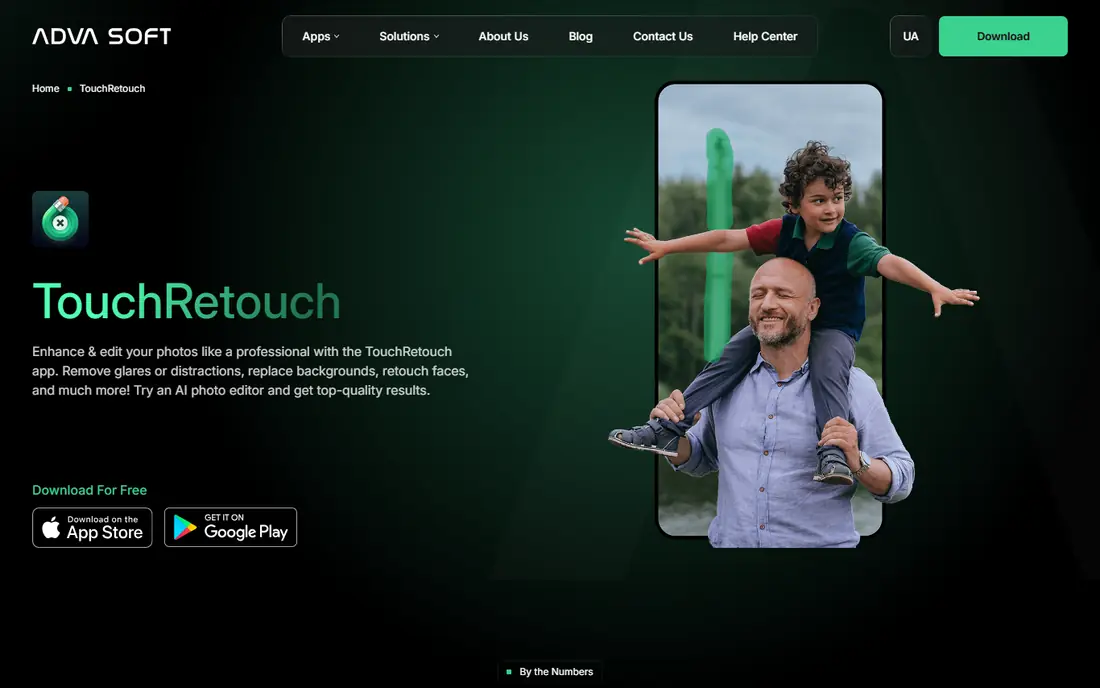
TouchRetouch is designed for removing objects from photos on a phone, on the spot. TouchRetouch is the most widely used mobile object remover, made by ADVA Soft, with a new version released in October 2026.
The core workflow is straightforward: tap an object or draw a line over a power line. The app removes it and fills the background. Price to start with TouchRetouch: 9.99 dollars per year, lowest yearly in-app purchase. On free options: Free trial (3 days).
Trade-offs to know: It is mobile only with no desktop version.
- Aimed at one-handed phone editing
- Works on iOS and Android
- Features once sold as a one-time purchase now need a subscription to export
Canva Magic Eraser
Ideal for: Removing objects from photos inside designs
Canva Magic Eraser is aimed squarely at removing objects from photos inside designs, social posts, and marketing material. Pro also contains Magic Edit, which lets you brush an area and describe a replacement with a text prompt, and Magic Expand, which extends an image beyond its frame.
Starting cost for Canva Magic Eraser: 18 dollars per month, or 144 dollars per year. Canva Magic Eraser has a free plan.
Where it falls short: heavy AI use draws on a shared monthly credit pool that does not roll over.
- Magic Eraser sits inside a full design product
- Pro layers on Magic Edit and Magic Expand
- Canva has raised Pro prices more than once
Adobe Photoshop Generative Fill
Ideal for: Professional retouching, compositing, and prompt based generative fill
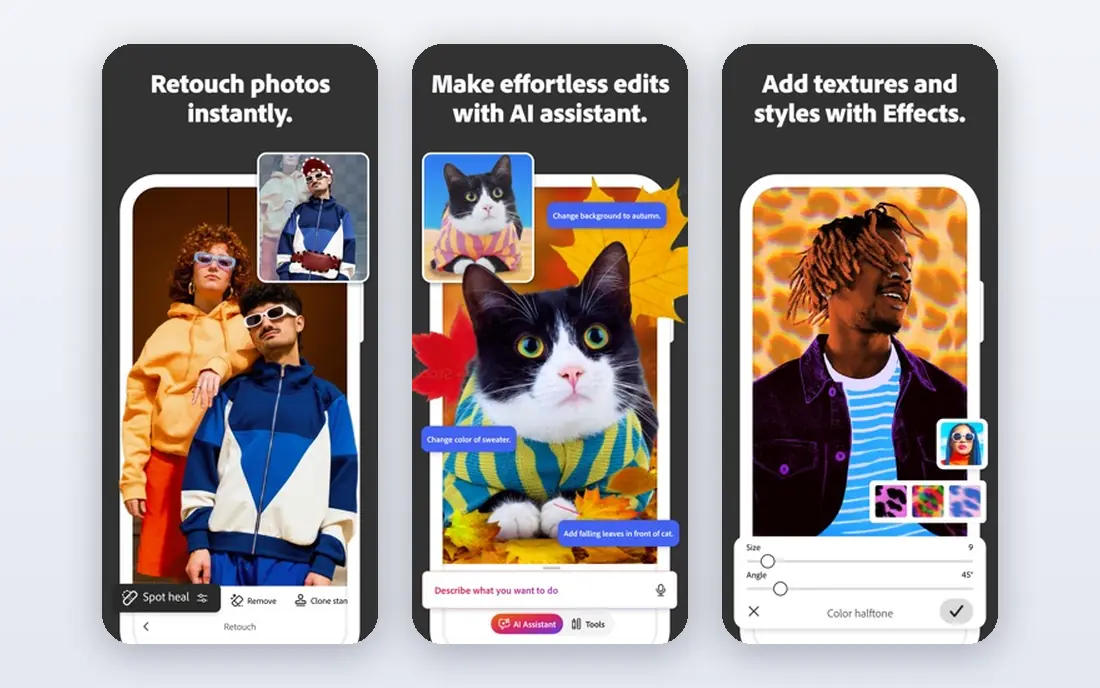
Where Adobe Photoshop Generative Fill fits: professional retouching, compositing, and prompt based generative fill. Photoshop remains the standard for serious photo work, and Generative Fill is the most capable inpainting feature in this guide.
What you pay to start with Adobe Photoshop Generative Fill: 22.99 dollars per month, annual plan billed monthly. Free options: Free trial (7 days).
What to check first: partner model fills can cost up to 40 credits each.
- Generative Expand for outpainting
- Precise selections and layers
- The single-app plan comes with only 25 generative credits per month
Fotor AI Inpainting
Ideal for: Budget all-in-one editing with object removal, generation, and design tools
Fotor AI Inpainting serves budget all-in-one editing with object removal, generation, and design tools. The Basic plan is free and bundles restricted credits for AI features, which is enough to test the eraser before paying.
It sits inside a bigger suite that also includes background removal, AI generation, enhancement, and upscaling. Fotor AI Inpainting pricing: 3.99 dollars per month, billed annually. Fotor AI Inpainting includes a free tier.
- A large set of AI tools beyond inpainting, web, desktop
- Very low entry price
- AI features run on a monthly credit allowance, with only 100 credits per month on Pro
PicWish
Ideal for: Ecommerce sellers and product photos
PicWish targets ecommerce sellers and product photos that require quick object and watermark removal. PicWish is an AI photo editing product aimed at ecommerce sellers, creators, and marketers who process numerous product photos. Its watermark remover and object removal tools use inpainting to strip logos, text, and stray objects from images, then fill the area cleanly.
It also includes background removal, photo enhancement, upscaling, and AI generated product backgrounds. So a seller can clean and finish a listing photo in one place. In practice, the Pro plan costs 9.99 dollars per month, or 59.99 dollars per year, and comes with 350 credits per month plus 50 HD downloads a day. The free plan lets you test the tools, but downloads are restricted to non-HD resolution. PicWish starts at: 9.99 dollars per month, or 4.99 dollars per month billed annually. You can start on PicWish without paying.
Drawbacks to consider: Free downloads are restricted to non-HD resolution with a watermark on some outputs.
- Quick batch friendly workflow for product photos, with background removal, enhancement
- Upscaling in one account
- Costs rise with volume
Luminar Neo GenErase
Ideal for: Photographers who want a one-time license rather than a monthly
Luminar Neo GenErase is built with photographers who want a one-time license rather than a monthly subscription in mind. The central appeal is the one-time license, which fits photographers who dislike subscriptions.
the main limit is important: the generative tools are included for only one year from purchase, and after that they need Luminar Prime, a yearly renewal that costs 33 dollars per year for the Desktop license. Entry price for Luminar Neo GenErase: 129 dollars one-time, Desktop license. Free plan details: Free trial.
- One-time purchase with no monthly bill for the core editor
- GenErase works in a handful of clicks
- GenErase and the other generative tools stop after one year except when you renew Luminar Prime, which costs from 33 dollars per year
AI Image Inpainting Tools pricing explained
AI inpainting tools cost between free and about 22.99 dollars per month in 2026, with one desktop editor sold as a one-time license rather than a subscription. Beyond that, Clipdrop Pro and Canva Pro sit at 15 and 18 dollars per month. Adobe Photoshop costs 22.99 dollars per month on an annual plan billed monthly.
Its generative features also draw on a monthly credit allowance.
AI Image Inpainting Tools: the basics
AI image inpainting fills a selected part of an image with content generated to match the rest of the photo. You brush over an unwanted object, a person, a watermark, or a damaged area. The tool rebuilds that region with matching texture, light, and color.
In practice, the result should look as if the object was never there. More specifically, some tools only remove and fill, while others let you type a text prompt to describe what should appear in the selected area. That prompt based approach is called generative fill.
It can add a new object, change a background, or extend the edges of a photo, which is known as outpainting.
How these tools were picked
Selection started from tools commonly considered for AI image Inpainting tools, then narrowed to 6 that have clear pricing information or a clear quote process. Where a vendor does not publish a price, the entry says quote. Where a price depends on seats or billing term, the entry says so. Order on the page follows fit for the typical buyer first, then price transparency and free access. Your own requirements should decide the final pick.
Questions to settle before buying
- Confirm the entry price on the vendor page for TouchRetouch and the others: seat counts and billing terms change the total.
- Look at free plan limits closely: Canva Magic Eraser, Fotor AI Inpainting and PicWish have one, and the caps decide whether it is usable for real work.
- Take the trial from TouchRetouch, Adobe Photoshop Generative Fill and Luminar Neo GenErase and push a live task through it before you pay.
- Before choosing TouchRetouch, weigh its main limit: it is mobile only with no desktop version, and features once sold as a one-time purchase now need a subscription to export.
- Test the integrations you rely on with Canva Magic Eraser before committing; some connectors sit on upper tiers.
- Get the contract term, renewal terms and any onboarding fees from PicWish in writing.
Frequently asked questions
Can I try these options before paying?
Often, yes. Canva Magic Eraser, Fotor AI Inpainting and PicWish have a free plan and TouchRetouch, Adobe Photoshop Generative Fill and Luminar Neo GenErase offer a free trial. Use your own data and a real task during the test, and check what the free tier or trial limits before you rely on it.
What is the difference between inpainting and generative fill?
Inpainting is the general term for filling a selected area of an image with matching content. It typically means removing an object and rebuilding the background.
How are the tools for AI image Inpainting tools ordered?
TouchRetouch sits first and Luminar Neo GenErase last because the order follows typical fit for AI image Inpainting tools, then price clarity and free access. It is a judgement call, so read each profile for fit and limits.
Which options for AI image Inpainting tools have a free plan?
Canva Magic Eraser, Fotor AI Inpainting and PicWish offer a free plan in this list. Free plans usually cap users, projects or features, so check the limits on the vendor page. Several others offer a trial instead.
Can AI inpainting remove people from photos?
Yes, most inpainting tools can remove people from photos by filling the area where the person stood with background that matches the surroundings.
Do these tools publish their prices?
Yes. Every tool from TouchRetouch to Luminar Neo GenErase shows a starting price, though seats, add-ons and billing terms still change the final cost.