Best AI Mode SEO Tracking Tools in 2026: 8 Tools Compared

- Google AI Mode traffic appears in Search Console under the Web search type, so start with first-party data before buying a tool.
- Semrush, Ahrefs and SE Ranking add AI Mode tracking to traditional SEO suites, which suits teams already on those platforms.
- Profound, Peec AI and Otterly.ai track AI Mode as part of wider AI visibility, with prompt allowances driving cost.
- AI Mode answers vary by query and user context, so track citation trends and competitor mentions over weeks.
Quick comparison
| Product | Ideal for | Price from | Free version | |
|---|---|---|---|---|
 Google Search Console | Free first-party AI Mode and Overview data | Free | Yes | Visit |
 Semrush | AI Mode tracking inside an SEO suite | $139 per month | Yes | Visit |
 Ahrefs | AI Mode tracking through Brand Radar | $129 per month | Yes | Visit |
 Profound | Enterprise AI Mode and multi-engine tracking | $99 per month | No | Visit |
 Peec AI | Agency AI Mode tracking across engines | See website | Free trial | Visit |
 Otterly.ai | Budget AI Mode tracking for small teams | $29 per month | No | Visit |
 SE Ranking | AI Mode plus SEO in one suite | $129 per month | Free trial | Visit |
 BrightEdge | Enterprise AI Mode tracking for large brands | See website | No | Visit |
The best AI Mode SEO tracking tools
We compared official feature pages, pricing pages, app store listings, privacy policies and public reviews to build this list of 8 options for best ai mode seo tracking tools. Prices were checked in October 2026 and can change, so confirm the current price on the vendor site before you buy. Our pick for most people is the first option that fits your budget and workflow, not necessarily the most expensive tool on the list. Read the quick comparison first to narrow the field, then read the full write-ups for the two or three options that fit your needs best.
Google Search Console
Ideal for: Free first-party AI Mode and Overview data
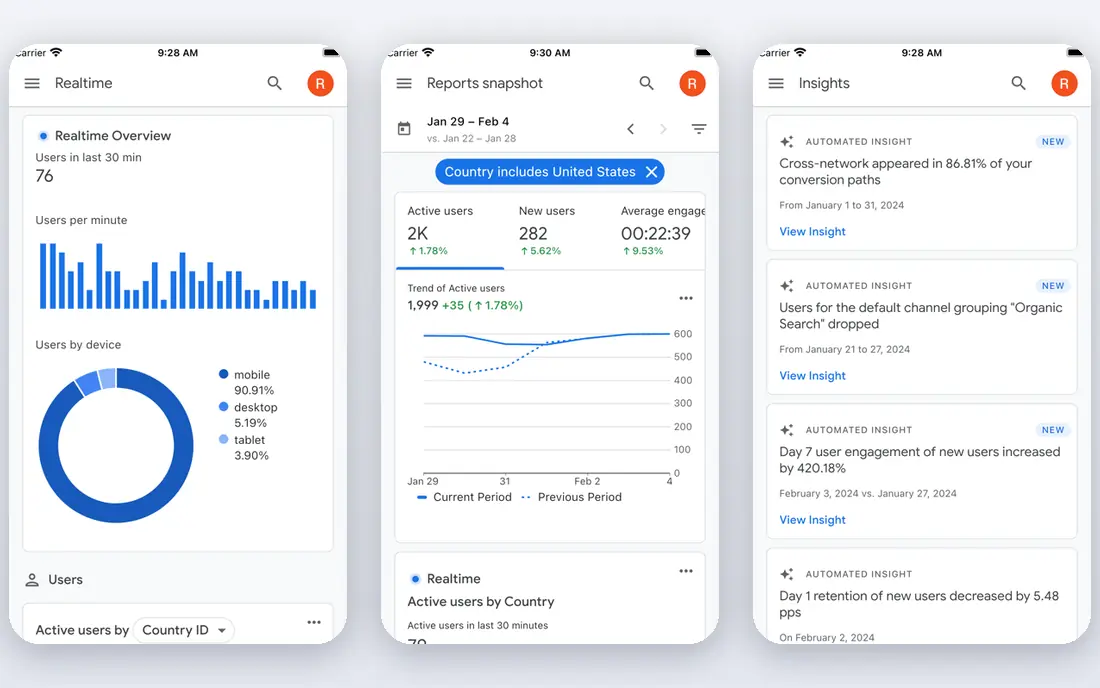
Google Search Console is the free baseline for AI Mode tracking, reporting AI Mode and AI Overview traffic inside the Web search type, plus a generative AI impressions view. Because the data comes from Google itself, it is the most reliable measure of your own traffic. Every SEO team should start here.
It shows only your own site, with no competitor citations or answer-level detail, and data is time-lagged. Paid trackers add the competitor and citation view. For first-party AI Mode data, Search Console is essential and free.
- Free
- First-party clicks and impressions
- AI Mode traffic in Web search type
- No competitor data
- Data is sampled and time-lagged
- No citation detail
Semrush
Ideal for: AI Mode tracking inside an SEO suite

Semrush covers AI Mode and AI Overviews in its AI visibility plans, alongside keyword, position and backlink data. That lets teams connect AI visibility to the content and authority work that drives it. Sensor data also tracks search volatility around AI changes.
AI features sit on higher tiers, and the interface is dense for new users. Entry pricing is also high for small sites. For Semrush teams, AI Mode tracking is a natural extension.
- AI Mode and Overviews in AI visibility plans
- Keyword and position data
- Sensor for volatility
- AI features need higher tiers
- Interface is dense
- Entry price is high
Ahrefs
Ideal for: AI Mode tracking through Brand Radar
Ahrefs Brand Radar tracks AI Mode and AI Overviews alongside ChatGPT, Perplexity, Gemini and Copilot, paired with the deepest backlink index. That suits teams linking AI visibility to authority. Rank tracking, audits and content tools round out the suite.
Brand Radar is an add-on from $199 a month, so total cost rises, and credit usage needs monitoring. For Ahrefs users, it is the direct AI Mode upgrade.
- Brand Radar covers AI Mode and Overviews
- Deep backlink data
- Rank tracking
- AI visibility is an add-on
- Credits need monitoring
- Setup takes learning
Profound
Ideal for: Enterprise AI Mode and multi-engine tracking
Profound tracks AI Mode on higher tiers, with prompt-level citation analytics and crawler data that explain how AI systems use site content. For large brands, that depth supports technical and content fixes across engines, not just Google. Enterprise coverage is broad.
Starter covers ChatGPT only, so AI Mode tracking needs Growth or enterprise pricing. That makes Profound premium. For enterprise AI Mode tracking, the analytics depth justifies the cost.
- AI Mode on higher tiers
- Deep prompt and citation analytics
- Crawler data
- Starter is ChatGPT only
- Growth needed for wider engines
- Enterprise pricing is high
Peec AI
Ideal for: Agency AI Mode tracking across engines
Peec AI includes AI Mode among its six engines, with a split between retrieval and citation that shows whether an engine found a page and cited it. Multi-country reporting suits agencies, and unlimited seats help client reporting. For agency AI Mode tracking, it is flexible.
Engines beyond the included three are add-ons, so full coverage costs more than the starter headline, and pricing is in euros. For agencies, Peec AI remains a strong specialist.
- AI Mode among six engines
- Citation versus retrieval split
- Multi-country reporting
- Engines are add-ons on lower tiers
- Pricing in euros
- Full coverage costs more
Otterly.ai
Ideal for: Budget AI Mode tracking for small teams
Otterly.ai includes AI Mode and AI Overviews in its AI visibility tracking at the lowest specialist entry price, with a GEO audit for page readiness. That makes it the easiest first AI Mode tracker for small teams that cannot justify $100-plus tools.
Lite prompt limits are small, and some engines need add-ons. Reporting is also simpler than enterprise tools. For budget AI Mode tracking, Otterly.ai is a smart start.
- AI Mode and Overviews included
- GEO audit
- Lowest specialist entry price
- Lite prompt limits are small
- Some engines are add-ons
- Reporting is simpler
SE Ranking
Ideal for: AI Mode plus SEO in one suite
SE Ranking combines AI Mode and Overview tracking with rank tracking, audits and competitor data in one platform. API access on every plan suits agencies building custom reports. For consolidated SEO and AI Mode tracking, it is good value.
AI visibility sits on higher tiers, and index depth lags Semrush and Ahrefs. The interface also takes learning. For agencies consolidating tools, SE Ranking is a practical pick.
- AI Mode and Overviews in AI visibility
- Rank tracking and audit
- API on every plan
- AI features sit on higher tiers
- Index depth lags leaders
- Interface takes learning
BrightEdge
Ideal for: Enterprise AI Mode tracking for large brands
BrightEdge offers enterprise AI visibility, including AI Mode and Overview measurement, with large-scale reporting for global brands. Its SEO platform depth suits firms already using BrightEdge for enterprise search. For Fortune-scale brands, the scale and support fit.
Pricing is quote only, with enterprise contracts, so small teams cannot simply sign up. It is also overkill for a single site. For large brands needing enterprise AI Mode tracking, BrightEdge is a credible suite.
- Enterprise AI visibility
- AI Mode and Overview measurement
- Large-scale reporting
- Quote-only pricing
- Enterprise contracts
- Overkill for small sites
How we picked these
We started from the topic and shortlisted products that exist and work today, then checked each vendor homepage, pricing page and free tier. We compared feature pages, app store listings, privacy policies and public reviews, and we dropped any product whose homepage could not be verified or whose price could not be checked. Where a price was unclear or varied by region, we wrote See website rather than guessing a number. That rule kept the list honest, even where a neat price would have made the comparison table look tidier.
We also weighed fit over fame. A well-known product stayed on the list only if it truly fits the topic, and smaller tools earned a place when they served a clear use case better. No product here was tested hands-on for this article, and no vendor paid for placement.
Price and free-tier details matter most when plans change often, so we favoured products with clear published pricing and a trial or free tier where one exists. If a vendor changed a plan after our check, the vendor site is the correct source, and the ranking here still reflects fit, not just price. That check takes extra time, but it prevents a shortlist built on outdated pricing or a product that no longer exists.
Choosing an AI Mode tracker by first-party data and prompt coverage
Start with Google Search Console, which reports AI Mode and AI Overview traffic inside the Web search type, and add a separate generative AI impressions view where available. Then pick a paid tracker for citation detail: check whether it separates AI Mode from AI Overviews, because the two surfaces behave differently. Track the same prompts in both surfaces to see where visibility gaps sit.
Before you pay, run a trial on a real task from your own work, not a demo file. Check export formats, mobile access and support hours, because those details decide whether a tool survives daily use. Also check renewal terms and cancellation steps, since a cheap first year can become an expensive second year if renewal jumps. Finally, ask who will own setup and training, because a tool nobody is responsible for tends to fall out of use within a few months. Keep a short note on why you picked the winner, so a future review can judge it against the same criteria instead of starting from scratch.
A useful final test is to imagine the tool in six months, when the first excitement has faded and the work is routine. If the daily steps are still quick, the cost is still clear, and the support route is still obvious, the choice is likely sound. If any of those three answers is unclear, use the trial period to get a clear answer before committing to an annual plan.
Frequently asked questions
What is Google AI Mode?
AI Mode is a Google Search experience that gives AI-generated answers with citations, alongside traditional results. It differs from AI Overviews, which appear above standard results, and both affect visibility.
Does Search Console track AI Mode traffic?
Yes. Google reports AI Mode and AI Overview traffic inside the Web search type of the Performance report, with a separate generative AI impressions view rolled out in 2026. Use that first-party data as the baseline.
Which tools track Google AI Mode specifically?
Semrush, Ahrefs Brand Radar, SE Ranking and specialist trackers such as Profound, Peec AI and Otterly.ai include AI Mode or AI Overviews in their AI visibility features. Check engine lists per plan, because coverage varies.
How is AI Mode tracking different from rank tracking?
Rank tracking shows blue-link positions, while AI Mode tracking shows whether an AI answer cites your site, which competitors are cited, and how often your brand appears in answers. Both views are needed for 2026 SEO.