How to Pick AI Native Itsm Platforms: 7 Tools Compared

- 1
 Jira Service ManagementAtlassian and developer-led teamsVisit
- 2
 Eesel AIAI layer over an existing help deskVisit
- 3
 SysAidAutonomous ticket handlingVisit
- 4
 AtomicworkModern AI-first service deskVisit
- 5
 ServiceNowLarge enterprise service operationsVisit
- Jira Service Management is the opening pick, best for Atlassian and developer-led teams.
- What to know about Eesel AI first: not a full ITSM product.
- Starting prices begin at $19 per agent per month with Freshservice.
- Siit suits chat-based requests in Slack and Teams.
- Jira Service Management is the only tool of the 7 with a free plan.
Direct answer
Jira Service Management leads the list, best for Atlassian and developer-led teams. Eesel AI is better for AI layer over an existing help desk, and SysAid is better for autonomous ticket handling. Details, prices and limits for the rest of the 7 tools are below.
Quick comparison
| Product | Ideal for | Price from | Free version | |
|---|---|---|---|---|
| Jira Service Management | Atlassian and developer-led teams | $20 per agent a month | Yes | Visit |
| Eesel AI | AI layer over an existing help desk | See website | Free trial | Visit |
| SysAid | Autonomous ticket handling | $89 per agent per month | Free trial | Visit |
| Atomicwork | Modern AI-first service desk | See website | No | Visit |
| ServiceNow | Large enterprise service operations | See website | No | Visit |
 Freshservice | Quick mid-market ITSM setup | $19 per agent per month | Free trial | Visit |
 Siit | Chat-based requests in Slack and Teams | $23 a month | Free trial | Visit |
7 AI native itsm platforms in detail
This Ainotely guide covers 7 AI native itsm platforms. Each profile lists a starting price, free plan details, strengths and drawbacks, so you can drop poor fits quickly.
Jira Service Management
Ideal for: Atlassian and developer-led teams

Jira Service Management is a good fit for Atlassian and developer-led teams. Jira Service Management makes most sense when development work already lives in Jira. For developer-led IT teams, though, the shared workflow is a genuine daily benefit.
Downsides: Best value inside Atlassian.
More specifically, teams that do not use Jira Software or Confluence may find another product more straightforward. The most solid AI and incident features need higher levels. For everyday use, AI features help with summaries, classification, and virtual agent answers, which cuts time on repeat requests. Service requests can link straight to software issues, and Confluence knowledge articles sit close to the agent workflow. Outside Atlassian, the advantage narrows. On cost, Jira Service Management starts like this: $20 per agent per month. You can start on Jira Service Management without paying.
- Incident and on-call tools
- Native Jira and Confluence links
- AI depth varies by plan
Eesel AI
Ideal for: AI layer over an existing help desk
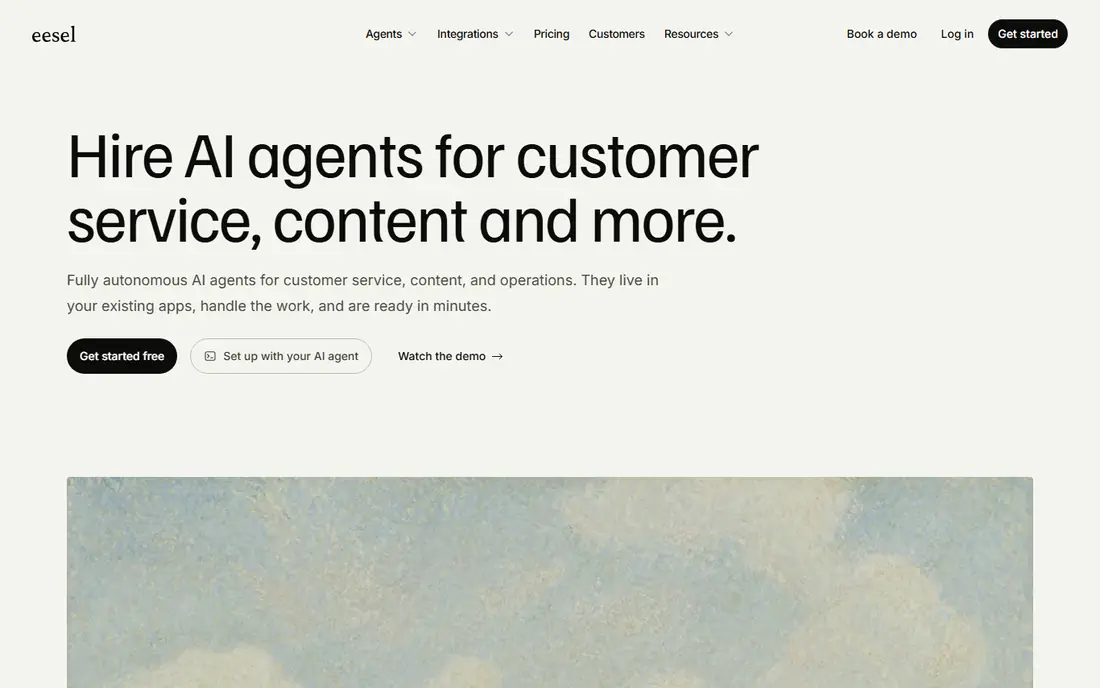
Think of Eesel AI for AI layer over an existing help desk. For a team that needs a new ITSM foundation, choose a full product instead.
Worth adding: setup is faster than a full system change, and pricing is presented around interactions in some plans. More specifically, for a team with a working help desk that needs better AI answers rapidly, that is a feature, not a flaw. Check the vendor site for Eesel AI pricing; none is listed in this comparison. Free access: Free trial.
Points against: Depth relies on the tools it links to.
- Quick setup
- Layers on AI without replacing your help desk
- Not a full ITSM system
SysAid
Ideal for: Autonomous ticket handling

SysAid is designed for autonomous ticket handling. SysAid has moved from a traditional service desk toward autonomous handling, with AI agents that can resolve routine requests and take actions with audit trails. That focus on doing work, not only answering questions, is what sets it apart from chat-only tools.
Asset management and service workflows sit in the same product, which helps smaller IT teams avoid additional tools. For a mid-market team that wants measurable autonomous resolution, SysAid is a solid contender. On cost, SysAid starts like this: $89 per agent per month. As for free access: Free trial.
Downsides: Per-agent cost brings up for small teams.
- Built-in asset and service tools
- Clear agent pricing
- Some admin screens feel dated
Atomicwork
Ideal for: Modern AI-first service desk
Atomicwork makes the most sense for modern AI-first service desk. Atomicwork is one of the clearest examples of an AI-first service desk. It is designed around agents that classify requests, gather context, and carry tasks forward, instead of treating AI as a help article search box.
Worth adding: public pricing is not published in a straightforward level list, so budgeting needs a sales conversation. Its integration and marketplace depth also trails the largest systems. As for the details, if your team values a modern experience over a huge catalogue of extras, Atomicwork is worth a demo. Check the vendor site for Atomicwork pricing; none is listed in this comparison. Atomicwork has no free tier.
Trade-offs to know: Newer system with a smaller ecosystem than legacy rivals.
- Modern employee portal
- Wide integrations
- No public starting price
ServiceNow
Ideal for: Large enterprise service operations
ServiceNow makes the most sense for large enterprise service operations. ServiceNow is the right shortlist entry when scale, control, and multi-department automation matter more than a quick, low-cost start.
Pricing for ServiceNow is not stated here, so ask the vendor for current figures. No free plan comes with ServiceNow.
Honest limits: No public pricing.
- AI agents and orchestration
- Deep enterprise controls
- Implementation can be long and expensive
Freshservice
Ideal for: Quick mid-market ITSM setup
Freshservice targets quick mid-market ITSM setup. For an expanding company that wants speed, Freshservice is hard to beat. Teams can get ticketing, asset management, a knowledge base, and automation running without a long implementation project.
The trade-off is tiering. The $19 starting plan spans core ITSM, but the more capable AI features and advanced controls need higher plans, with published levels reaching $119 per agent a month for Enterprise. Freshservice cost at the entry level: $19 per agent per month. Free access: Free trial.
Points against: Advanced AI features sit on higher plans.
- Clean interface for agents and employees
- Fast setup
- Less depth for very large enterprises
Siit
Ideal for: Chat-based requests in Slack and Teams
Siit is aimed squarely at chat-based requests in Slack and Teams. Siit changes where service work happens. Rather than asking employees to open a portal, it deals with requests inside Slack or Microsoft Teams, with AI triage routing them to the right workflow.
Limits to weigh: Less suited to complicated enterprise ITSM.
In daily use, admin-only pricing, beginning at $23 a month for Essentials, means requesters do not consume premium seats, which can keep costs down as headcount grows. For everyday use, the limit is scope. Siit is very good for access, onboarding, equipment, and other cross-department requests, but it is not a full replacement for a large enterprise ITSM suite with deep asset and change controls. What you pay to start with Siit: $23 per month. As for free access: Free trial.
- Requests handled inside chat
- AI triage and routing
- Portal-based teams may not need chat-first design
How we chose
Selection started from tools commonly considered for AI native itsm platforms, then narrowed to 7 that have clear pricing information or a clear quote process. Where a vendor does not publish a price, the entry says quote. Where a price depends on seats or billing term, the entry says so. The order reflects how well each tool fits the most common buying scenario for AI native itsm platforms, then price clarity, then free plan access. It is a starting point, not a verdict.
Before you commit
- Confirm the entry price on the vendor page. For Eesel AI, Atomicwork and ServiceNow that means a quote rather than a fixed price.
- Test the free plan from Jira Service Management against your real workload before relying on it.
- Use real work to test the free trial from Eesel AI, SysAid, Freshservice and Siit, rather than a demo project.
- Before choosing Jira Service Management, weigh its main limit: best value inside Atlassian.
- Ask whether ServiceNow integrates with your current software, and whether that comes standard or as an add-on.
- Check whether the features you need in Siit sit on the entry plan or only on higher tiers.
Frequently asked questions
Which AI native itsm platforms have a free plan?
Jira Service Management is the only tool in this list with a free plan. Free plans usually cap users, projects or features, so check the limits on the vendor page. Several others offer a trial instead.
Do these tools publish their prices?
Not all of them. Eesel AI, Atomicwork and ServiceNow publish no starting price, so expect a quote request for those. The rest, Jira Service Management included, show a starting price, though seats and billing terms still change the final cost.
Is a free plan enough for ITSM?
A restricted free plan can work for a very small team with straightforward tickets, but AI features, asset management, and automation are normally premium. Beyond that, use a free plan to test the interface, then trial a premium plan with real tickets before committing.
Do AI ITSM tools replace IT agents?
No. They cut repeat work and accelerate triage, but complicated incidents, access approvals, and sensitive changes still need human judgement. In practice, the best setups use AI for routine work and keep clear escalation paths for anything unusual or high risk.
How are the AI native itsm platforms ordered?
Jira Service Management sits first and Siit last because the order follows typical fit for AI native itsm platforms, then price clarity and free access. It is a judgement call, so read each profile for fit and limits.
Should we switch products just for AI?
If your current help desk works and your team is happy, an AI layer may deliver most of the benefit with far less disruption. Switch when your current product cannot automate your primary request types, link to key systems, or offer the audit trail you need.