Best AI Room Design Apps in 2026: 8 Options Compared

- 1
 Planner 5DDetailed 3D room planningVisit
- 2
 Homestyler3D design with shopping linksVisit
- 3
 RoomstylerFree browser-based 3D planningVisit
- 4
 REimagineHomeFast AI photo restylingVisit
- 5
 Interior AIQuick interior redesign ideasVisit
- Planner 5D and Homestyler suit detailed 3D planning with furniture catalogs.
- Interior AI and REimagineHome suit fast photo restyling for inspiration.
- Roomstyler suits free 3D planning in a browser.
- Check image rights and furniture availability, since AI renders can show items you cannot buy.
Quick comparison
| Product | Ideal for | Price from | Free version | |
|---|---|---|---|---|
| Planner 5D | Detailed 3D room planning | Free | Yes | Visit |
| Homestyler | 3D design with shopping links | Free | Yes | Visit |
| Roomstyler | Free browser-based 3D planning | Free | Yes | Visit |
| REimagineHome | Fast AI photo restyling | See website | Free trial | Visit |
| Interior AI | Quick interior redesign ideas | See website | Free trial | Visit |
 Spacely AI | AI design for professionals and homeowners | See website | Free trial | Visit |
 DecorMatters | Community design ideas and shopping | Free | Yes | Visit |
 Havenly | Human designer help plus AI tools | See website | No | Visit |
The best best ai room design apps
AI room design apps turn a photo of a room into styled ideas, furniture suggestions and 3D plans. We compared photo-to-design quality, style options, 3D planning, furniture shopping links and free tiers, and we favored apps that produce usable ideas rather than pretty images you cannot buy or build.
In this guide, we list eight best ai room design apps options and explain who each one suits best, what it costs to start, and where it falls short. We kept the list focused on products that are widely available in the United States and that a reader can actually sign up for today, rather than filling the list with niche tools that are hard to buy or that have stopped updating their product. Prices and free tiers are shown as we found them in October 2026, and we note where a price needs a check on the vendor site because it varies by plan, team size or region.
Planner 5D
Ideal for: Detailed 3D room planning

Planner 5D lets you draw floor plans in 2D, furnish them in 3D and view the result in augmented reality on mobile. Its catalog covers furniture, decor and finishes, which helps renters and homeowners test layouts before buying anything.
The free tier covers basic planning, while the full catalog and HD renders need a subscription. For detailed planning rather than quick inspiration, Planner 5D is our pick for most users.
- 2D and 3D planning
- Large catalog
- AR view on mobile
- Full catalog needs a subscription
- Learning curve for detailed plans
Homestyler
Ideal for: 3D design with shopping links
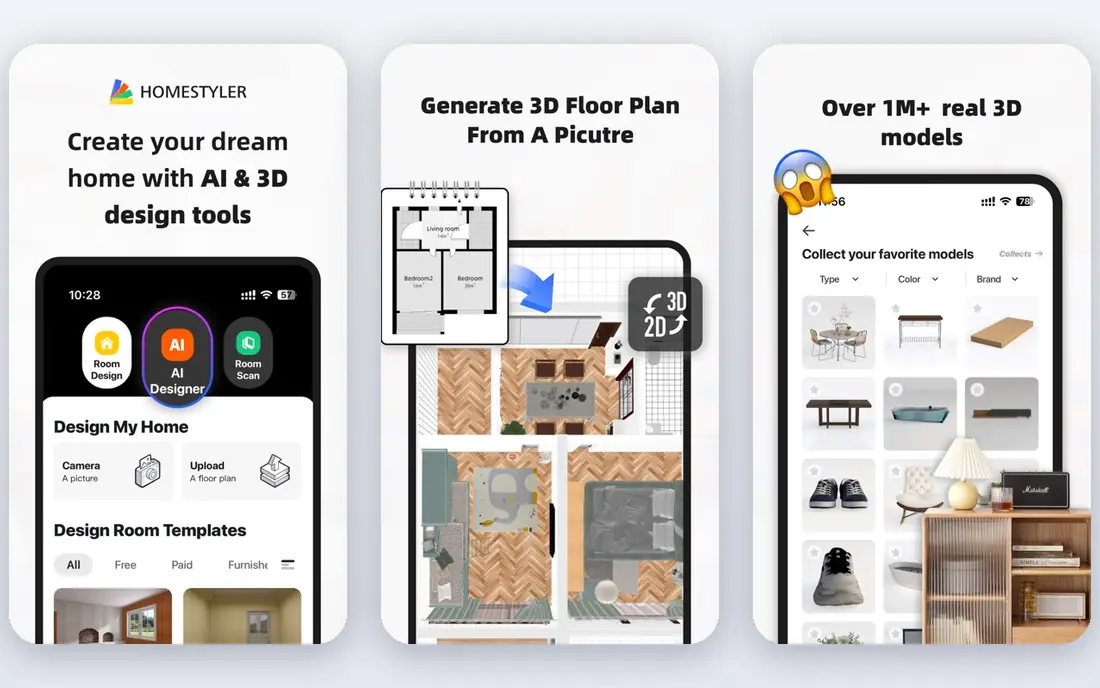
Homestyler combines 3D floor planning with AI photo design and furniture links, so a styled idea can lead to real products. It suits homeowners who want to move from inspiration to a shopping list without hiring a designer.
Advanced renders and catalog depth need paid plans, and AI results vary by photo quality. For a balance of planning and inspiration, Homestyler is a strong all-round choice.
- 3D planning
- Photo design
- Furniture shopping links
- Advanced features need paid plans
- Render quality varies
Roomstyler
Ideal for: Free browser-based 3D planning

Roomstyler offers a free browser-based 3D planner with room templates, furniture and community designs to learn from. It suits users who want to plan a layout on a computer without installing an app or paying first.
The interface feels older than Planner 5D, and AI photo restyling is not its strength. For free, straightforward 3D planning, Roomstyler remains a useful starting point.
- Free 3D planner in browser
- Community designs
- Furniture catalog
- No AI photo restyling depth
- Interface feels older
REimagineHome
Ideal for: Fast AI photo restyling
REimagineHome restyles a room photo in many design styles within minutes, covering living rooms, bedrooms, kitchens and exteriors. It suits homeowners and agents who want quick visual ideas before committing to a renovation direction.
Pricing is credit-based, so frequent restyling adds up, and AI renders can include unrealistic furniture or layouts. Use REimagineHome for inspiration and direction, then verify dimensions and products before buying.
- Photo-to-design in many styles
- Fast renders
- Room types covered
- Credits-based pricing
- Results need human judgment
Interior AI
Ideal for: Quick interior redesign ideas
Interior AI uploads a room photo and returns redesigned versions in styles from modern to farmhouse to minimalist, with a simple flow that needs no design skill. It suits renters and buyers who want to see a room differently before decorating.
Renders are inspiration, not a shopping list, and furniture shown may not match real products. Treat Interior AI as a brainstorming tool, then use Planner 5D or Homestyler to plan a version you can actually build.
- Many styles
- Fast photo renders
- Simple upload flow
- Credit limits
- Furniture in renders may not be purchasable
Spacely AI
Ideal for: AI design for professionals and homeowners
Spacely AI offers photo restyling for homeowners, agents and designers, with style options and fast turnaround. It suits professionals who need quick staging visuals for listings or client presentations.
Credit-based pricing means heavy use costs more, and result quality depends on photo lighting and angle. For professional staging visuals, Spacely AI is worth testing alongside REimagineHome.
- Photo restyling
- Style options
- Professional use cases
- Credit-based pricing
- Quality varies by photo
DecorMatters
Ideal for: Community design ideas and shopping
DecorMatters combines a design community with room ideas, mood boards and shopping links, which helps users who want human inspiration alongside AI tools. It suits renters and first-time decorators looking for affordable ideas.
AI restyling is lighter than dedicated tools like Interior AI, and the experience is app-first. For community ideas and product discovery, DecorMatters complements a planner like Planner 5D well.
- Design community
- Room ideas
- Shopping links
- AI features are lighter than rivals
- App-first experience
Havenly
Ideal for: Human designer help plus AI tools
Havenly pairs users with human interior designers who create personalized plans, mood boards and shopping lists, supported by online tools. It suits homeowners who want a professional plan for a real room, not just AI images.
Designer packages are paid, so Havenly costs more than free AI apps. For a room you plan to renovate properly, human review catches scale, lighting and budget issues that AI renders often miss.
- Professional designer packages
- Personalized plans
- Shopping lists
- Designer packages are paid
- Less DIY than pure AI apps
How we picked these
We compared official feature pages, pricing pages, app store listings, privacy policies and public reviews for each option, and we checked that each product is still available and working in October 2026. We favored products that fit the topic directly, publish clear pricing or a clear free tier, and explain how they handle data and support. We left out products that looked discontinued, that did not match the topic, or whose official homepage we could not verify. Prices change often, so check the vendor page linked in each block before you pay.
We also paid attention to the details that decide daily satisfaction, not just headline features. That meant checking how a free plan actually limits use, whether a paid plan is priced per user, per device or per account, and what happens when you add team members or exceed a limit. Where a vendor only publishes quote-based pricing, we say so rather than guessing a number, and where a first-year discount differs from a renewal price, we flag that difference in the product write-up so the second year does not come as a surprise.
How to use AI room design without an unrealistic plan
Start with a good photo. Take the photo in daylight, from a corner that shows the whole room, and remove clutter first. AI tools work far better with clear, well-lit photos than with dark or angled shots.
Separate inspiration from a plan. Use AI restyling to choose a direction, then rebuild the winning idea in Planner 5D or Homestyler with real dimensions and furniture sizes. Measure walls, doors and windows before ordering anything.
Check budget and availability early. Note which items in a render are real products, which are generic, and what each costs. A beautiful render that needs custom furniture or a structural change is a mood board, not a project plan.
Before you commit, run a short trial with the work you actually do, not with demo data. Set up one real project, booking, routine or workflow, invite the people who will use the tool every day, and check support response time when you hit a question. A product that feels good in a sales demo can still fail on a busy day, so a trial that mirrors real use is the most reliable test. If two options feel close after that trial, choose the one with clearer pricing, simpler cancellation and better support, since those factors matter long after the novelty of a new tool fades. Keep a note of the trial end date, the renewal price and the cancellation steps, so a decision made in a hurry does not turn into a subscription you forgot to review. That small record, kept in the same place as your other subscription dates, makes the yearly renewal check a five-minute job rather than a surprise bill.
Frequently asked questions
What is the best AI room design app?
Planner 5D is best for detailed 3D planning, Homestyler is best for planning plus shopping, and Interior AI is best for fast photo inspiration. Use two tools together for inspiration plus a buildable plan.
What is the best free interior design app?
Planner 5D, Homestyler, Roomstyler and DecorMatters all offer free tiers for planning or ideas. Roomstyler is the simplest free 3D planner, while Planner 5D offers the deepest free planning.
Can AI design my room from a photo?
Yes, tools like Interior AI, REimagineHome and Spacely AI restyle a room photo in different styles. Results are inspiration, so verify dimensions, furniture sizes and product availability before buying.
Are AI room designs realistic?
AI renders can look realistic but may include furniture that does not fit, lighting that cannot be achieved, or products that do not exist. Treat renders as direction, then plan the real room with measurements.
Do I need a designer if I use an AI app?
Not for simple refreshes, where AI apps and planners are enough. For renovations, structural changes or a full home plan, a human designer like Havenly can catch scale, lighting and budget issues AI tools miss.