How to Pick AI Software for Creating Videos: 8 Tools Compared

- 1
 Lumen5Marketing teams repurposing content at scaleVisit
- 2
 KapwingAll-in-one browser editing with AI assistsVisit
- 3
 PictoryTurning scripts and blog posts into finished videosVisit
- 4
 ColossyanTraining videos with several AI presenters in conversationVisit
- 5
 SynthesiaCorporate training and onboarding videos with AI presentersVisit
- Lumen5 is the opening pick, best for marketing teams repurposing content at scale.
- Descript fits editing video by editing its transcript.
- A free plan is offered by 6 of the 8 tools, including Lumen5, Kapwing, Synthesia and Runway.
- One limit worth knowing about Colossyan: no free level, trial only.
Direct answer
Lumen5 leads the list, best for marketing teams repurposing content at scale. If your case is different, Kapwing suits all-in-one browser editing with AI assists and Pictory suits turning scripts and blog posts into finished videos. The other 5 tools in the list cover narrower or pricier cases.
Quick comparison
| Product | Ideal for | Price from | Free version | |
|---|---|---|---|---|
| Lumen5 | Marketing teams repurposing content at scale | See website | Yes | Visit |
| Kapwing | All-in-one browser editing with AI assists | See website | Yes | Visit |
| Pictory | Turning scripts and blog posts into finished videos | $25/month (Starter) | Free trial | Visit |
| Colossyan | Training videos with several AI presenters in conversation | See website | Free trial | Visit |
| Synthesia | Corporate training and onboarding videos with AI presenters | $89/month (Creator) | Yes | Visit |
 Runway | Generating original footage from text prompts | $15/month (Standard) | Yes | Visit |
 HeyGen | Quick avatar videos without the enterprise price tag | $29/month (Creator, or $24/month billed yearly) | Yes | Visit |
 Descript | Editing video by editing its transcript | $16/month (premium plans start here) | Yes | Visit |
Our 8 AI software for creating videos
Ainotely compared 8 AI software for creating videos. The goal is a practical shortlist: published prices, free plan facts, best-fit use cases and honest limits for every entry.
Lumen5
Ideal for: Marketing teams repurposing content at scale

Lumen5 was built for marketing teams repurposing content at scale. Lumen5 has been turning blog posts into videos longer than most competitors have existed, and it displays in the workflow. The template aesthetic is recognizable once you have seen a handful of Lumen5 videos.
The free plan is genuinely usable for experimenting with the format. Worth adding: the downsides are price opacity and sameness. For everyday use, brand kits lock in your fonts, colors and logo so every video a junior marketer produces still looks like your company made it. No starting price is listed for Lumen5 here; confirm pricing on the vendor site. Free access exists with Lumen5.
Watch-outs: Costs more than simpler rivals for similar output.
- Brand kits keep every video on-style
- Purpose-built for content repurposing
- Template look is recognizable
Kapwing
Ideal for: All-in-one browser editing with AI assists
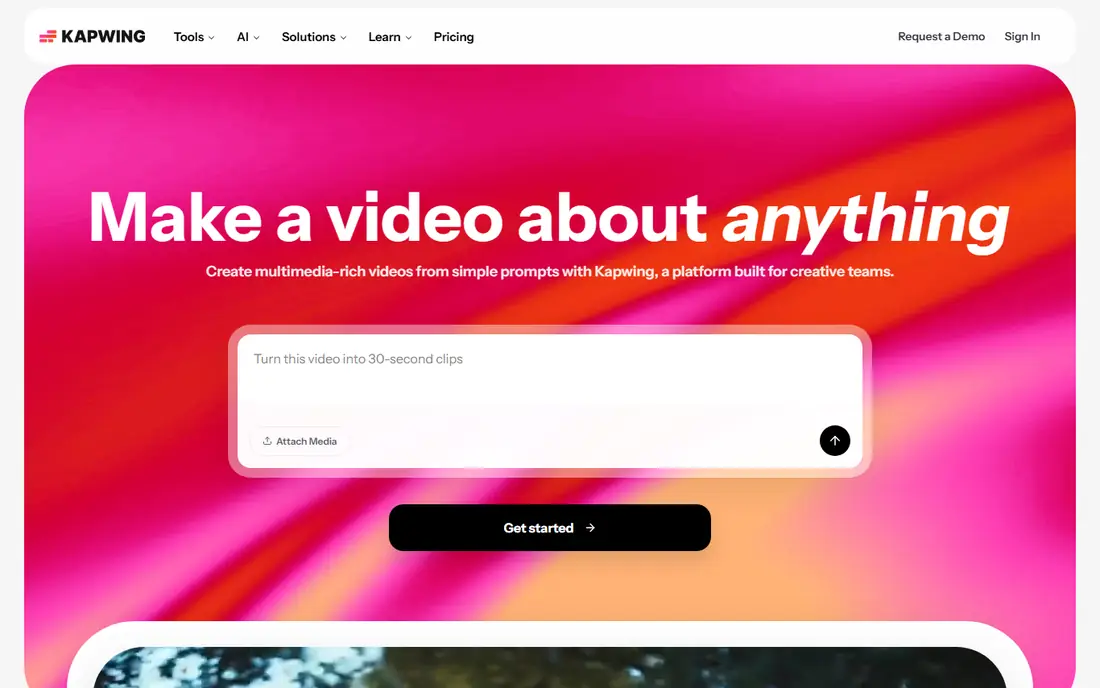
Think of Kapwing for all-in-one browser editing with AI assists. Teams can comment and edit the same project simultaneously, which remote content teams love.
As for the details, very long or 4K timelines can get sluggish in a browser tab. Kapwing shows no starting price here, so confirm the cost on the vendor site. A free plan is available with Kapwing.
Drawbacks to consider: Long 4K projects can strain browser performance.
- Full editor in the browser
- AI tools for captions
- AI generation less deep than dedicated tools
Pictory
Ideal for: Turning scripts and blog posts into finished videos

Pictory is aimed squarely at turning scripts and blog posts into finished videos. Pictory answers a different question from the avatar tools: what if you already have the words and just need the video? Beyond that, stock footage is stock footage, and viewers can tell when a "custom" video is assembled from the same clips everyone else uses.
Watch-outs: No AI presenters.
Also, Pictory is a repurposing machine, very good for content marketers turning a blog archive into YouTube and social inventory, less suited to anyone who needs a distinctive visual brand. As for the details, there are no AI presenters, so talking-head content is out. What you pay to start with Pictory: $25/month. On free options: Free trial.
- Script-to-video in minutes
- Low $25 entry price
- Visuals lean on stock footage that can feel generic
Colossyan
Ideal for: Training videos with several AI presenters in conversation
Think of Colossyan for training videos with several AI presenters in conversation. Colossyan's signature trick is conversation: two AI presenters in side view who take turns delivering a dialogue, which makes compliance scenarios and sales training feel less like a lecture. From a buyer's view, auto-translation converts a finished video into dozens of languages whereas keeping the same presenters, and the templates are built around workplace learning scenarios.
Points against: Pricing needs contacting sales on higher levels; No free level, trial only.
It is a narrower product than Synthesia. For everyday use, if you need a single presenter or marketing content, the larger systems provide you more. This comparison lists no price for Colossyan; ask the vendor. As for free access: Free trial. Reasons to shortlist it: Automatic translation into dozens of languages.
- Straightforward scenario-based templates
- Side-view avatars that talk to each other
- Avatar realism trails Synthesia
Synthesia
Ideal for: Corporate training and onboarding videos with AI presenters
Pick Synthesia if this describes you: corporate training and onboarding videos with AI presenters. Picture this: your HR team needs forty onboarding videos in six languages, and hiring a film crew is out of the question. That is the exact job Synthesia was designed for.
Main advantages: Brand kits.
Honest limits: Creator level is expensive for solo creators.
For training, compliance and internal comms at firms with real volume, though, Synthesia is the reference product everyone else is measured against. On top of that, the main limit is cost and creative ceiling. Worth adding: the lip sync and gestures are the most convincing in this category. The 140-plus language support means one script becomes a global training library in an afternoon. Price to start with Synthesia: $89/month. Synthesia has a free plan.
- SSO and team workspaces on premium levels
- 140+ languages and accents
- Restricted camera and scene creativity
Runway
Ideal for: Generating original footage from text prompts
Runway was built for generating original footage from text prompts. Runway is the only product here that builds video instead of assembling it. Its Gen-4 model turns text prompts or still images into moving footage, and tools like inpainting let you erase objects from real video or restyle scenes.
Also, at $15 per month for the Standard level it is remarkably low-cost for what the technology does. The free level provides you enough credits to learn whether generative video suits your workflow. In daily use, set expectations honestly. AI-generated footage still has the occasional six-fingered hand or melting background, and getting a usable ten-second clip frequently takes three or four generations. The starting price for Runway: $15/month. Free access exists with Runway.
The main drawbacks: Long clips burn credits quick.
- Inpainting and motion brush for editing real footage
- True generative video (Gen-4) from text and images
- Outputs need curation and commonly multiple attempts
HeyGen
Ideal for: Quick avatar videos without the enterprise price tag
Choose HeyGen for quick avatar videos without the enterprise price tag. Generation times are short enough that you can iterate on a script three or four times in one sitting, which matters when a founder keeps rewriting the voiceover. In daily use, HeyGen does roughly what Synthesia does at a third of the entry price, and it does it quick.
In practice, the Creator plan at $29 per month ($24 on annual billing) buys you an avatar presenter, voice cloning, auto-translate dubbing and templates for product explainers and social clips. A few features feel rushed at launch. But for a small marketing team that needs talking-head videos weekly without an $89 subscription, HeyGen is the pragmatic pick. Its free credits let you test avatar quality before paying. From a buyer's view, where HeyGen displays its challenger status is polish and limits. HeyGen cost at the entry level: $29/month. You can start on HeyGen without paying.
Trade-offs to know: Support response times vary.
- Fast generation turnaround
- Avatar quality close to Synthesia
- Monthly credit caps limit output
Descript
Ideal for: Editing video by editing its transcript
Descript is built with editing video by editing its transcript in mind. Studio Sound removes room echo, and one click strips every "um" and "uh." premium plans start at $16 per month, and the free plan includes short projects. For everyday use, complicated motion graphics and color grading still belong in Premiere or DaVinci.
Trade-offs to know: it edits footage you offer; Ramp-up time for the transcript workflow.
But for talking-head YouTube videos, course lessons and podcast video, the transcript workflow cuts editing time so dramatically that numerous creators never go back. Worth adding: Descript will not conjure a presenter or B-roll from a prompt. On top of that, the limitation is right in the strength: you need source footage. Starting cost for Descript: $16/month. Descript offers a free plan.
- Overdub produces an AI clone of your voice
- Filler-word removal and Studio Sound
- Heavy effects work still needs a traditional editor
What went into this list
Each tool was reviewed on what its vendor publishes: price, plan limits, core features and stated drawbacks. We did not run hands-on tests. Where a vendor does not publish a price, the entry says quote. Where a price depends on seats or billing term, the entry says so. Order on the page follows fit for the typical buyer first, then price transparency and free access. Your own requirements should decide the final pick.
A buyer's checklist
- Confirm the entry price on the vendor page. For Lumen5, Kapwing and Colossyan that means a quote rather than a fixed price.
- Look at free plan limits closely: Lumen5, Kapwing, Synthesia and others have one, and the caps decide whether it is usable for real work.
- Use real work to test the free trial from Pictory and Colossyan, rather than a demo project.
- Before choosing Lumen5, weigh its main limit: pricing hidden behind signup.
- Map your must-have features to a specific Pictory plan before you compare prices.
- Test how quickly Synthesia answers a pre-sales question; it hints at how support will feel later.
Frequently asked questions
What is the cheapest option for AI software for creating videos in this list?
On published monthly entry prices, Runway is the lowest here at $15/month. Entry price is only part of the cost, because seats, add-ons and billing terms can change the total.
Can AI avatars replace hiring actors?
For training, onboarding and internal updates, typically yes: the quality is decent enough and the cost difference is enormous. For advertising and brand storytelling, most viewers still sense the artificiality, and a real human performs better.
Which options for AI software for creating videos have a free plan?
6 of the 8 tools have a free plan, including Lumen5, Kapwing, Synthesia and Runway. Free plans usually cap users, projects or features, so check the limits on the vendor page. Several others offer a trial instead.
What is the difference between credits and minutes?
Minutes measure finished video length; credits are the vendor's internal currency where different actions cost different amounts (an avatar minute might cost more than a voiceover minute). Always translate the plan into finished minutes a month for your use case before comparing prices across tools.
How much does AI video software cost a month?
Entry levels run $15 to $30 per month (Runway $15, Pictory $25, HeyGen $29); mid levels with more minutes run $60 to $90 (Synthesia Creator $89). Every tool supplies a free level or trial, but free output is watermarked or restricted.
Is Lumen5 the right pick for everyone comparing AI software for creating videos?
No single tool suits every team. Lumen5 comes first because it fits marketing teams repurposing content at scale, while Kapwing suits all-in-one browser editing with AI assists and Pictory suits turning scripts and blog posts into finished videos. Match the tool to your own size, budget and workflow before deciding.