8 Best AI SQL Query Software Tools

- 1
 Text2SQL.aiSolo analysts who want fast text-to-SQL draftsVisit
- 2
 AI2SQLBeginners and small teams on a budgetVisit
- 3
 SQLAI.aiIndividuals who want six SQL helpers in one placeVisit
- 4
 Vanna AITeams that need governed natural-language accessVisit
- 5
 Chat2DBDevelopers who want a full database client with AIVisit
- AI2SQL and SQLAI.ai are the cheapest starting points, at $9 and $4 a month, with free access for light use.
- Vanna AI fits teams that need governed access to one warehouse, at $50 a month for Explorer.
- BlazeSQL and AskYourDatabase cost more, but they add dashboards, reporting, and chatbot features that simple generators do not offer.
- Every tool here still needs a human to review the SQL before it runs against production data.
Quick comparison
| Product | Ideal for | Price from | Free version | |
|---|---|---|---|---|
| Text2SQL.ai | Solo analysts who want fast text-to-SQL drafts | $20 per user/month (billed annually) | Free trial (7 days) | Visit |
| AI2SQL | Beginners and small teams on a budget | $9 per user/month ($7 per month billed annually) | Yes | Visit |
| SQLAI.ai | Individuals who want six SQL helpers in one place | $4 per user/month (billed annually) | Free trial (7 days) | Visit |
| Vanna AI | Teams that need governed natural-language access | $50 per month | Yes | Visit |
| Chat2DB | Developers who want a full database client with AI | $19.80 per user/month (billed annually) | Yes | Visit |
 BlazeSQL | Teams that want an AI data analyst with dashboards | $150 per user/month | Free trial (14 days) | Visit |
 AskYourDatabase | Analysts who want desktop analysis plus a website chatbot | $49 per seat/month | Yes | Visit |
 SeekTable | Small teams that need shared pivot reports and Ask Data | $25 per user/month (billed annually) | Yes | Visit |
The best AI SQL query software
Text2SQL.ai
Ideal for: Solo analysts who want fast text-to-SQL drafts
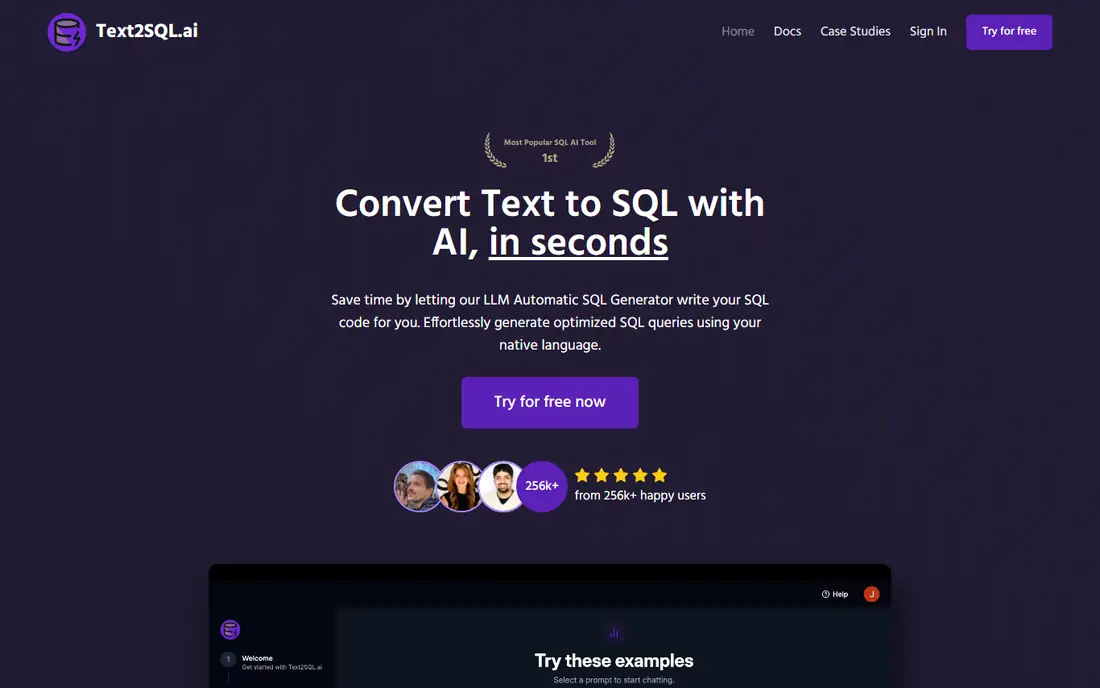
Text2SQL.ai turns plain-language questions into SQL, and it also explains, fixes, and optimizes queries you already have. You can add your database schema so the generated SQL matches your real tables and columns. The tool supports more than 12 database types, including MySQL, PostgreSQL, SQL Server, Oracle, Snowflake, and BigQuery, so one subscription can cover a mixed stack.
The Pro plan includes unlimited messages, API access, and the desktop client for Windows, macOS, and Linux. The desktop version is the interesting part for careful teams, because your database credentials stay on your laptop and only schema names go to the AI provider. Team costs $40 a month billed annually for three members, and Enterprise is custom priced.
- Unlimited messages on Pro
- Desktop app keeps database credentials on your machine
- No standalone monthly price is shown, so month-to-month cost is unclear
- API access on Pro caps at 100 requests a month
AI2SQL
Ideal for: Beginners and small teams on a budget
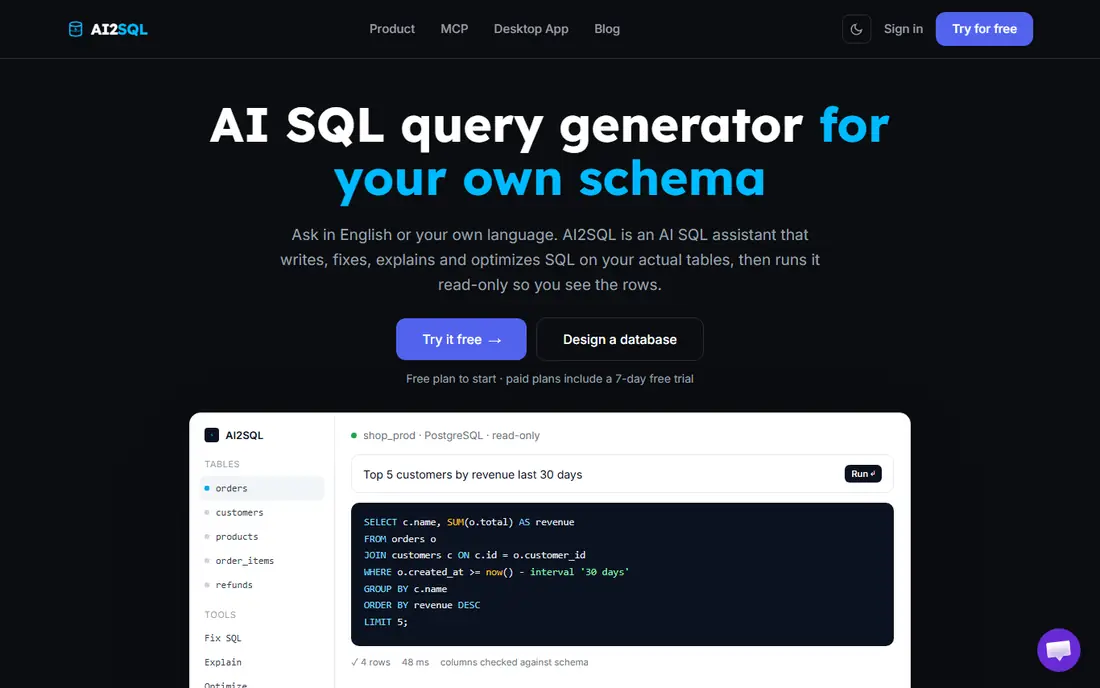
AI2SQL is a focused generator that writes, explains, and fixes SQL from plain English, and it keeps the workflow simple enough for people who do not write SQL every day. Start costs $9 a month, or $84 a year, and includes 100 SQL queries a month, basic generation, explanations, and syntax fixes. The free plan gives 3 queries a day on a demo database, which is enough to test whether the output style suits your work before you enter card details.
The Pro plan costs $19 a month, or $168 a year, and removes the query cap while adding an advanced model, query optimization, live read-only queries, API keys, and the desktop app. It also lets you connect your own PostgreSQL, MySQL, or SQL Server database. The Team plan costs $39 a month, or $348 a year, for 5 users, and adds a shared workspace, data masking for AI agents, and one activity log for the whole team.
- Free plan gives 3 queries a day on a demo database
- MCP server links Claude, ChatGPT, Cursor, and VS Code
- Start plan covers 100 queries a month and MySQL and PostgreSQL only
- A card is required for the 7-day trial
SQLAI.ai
Ideal for: Individuals who want six SQL helpers in one place
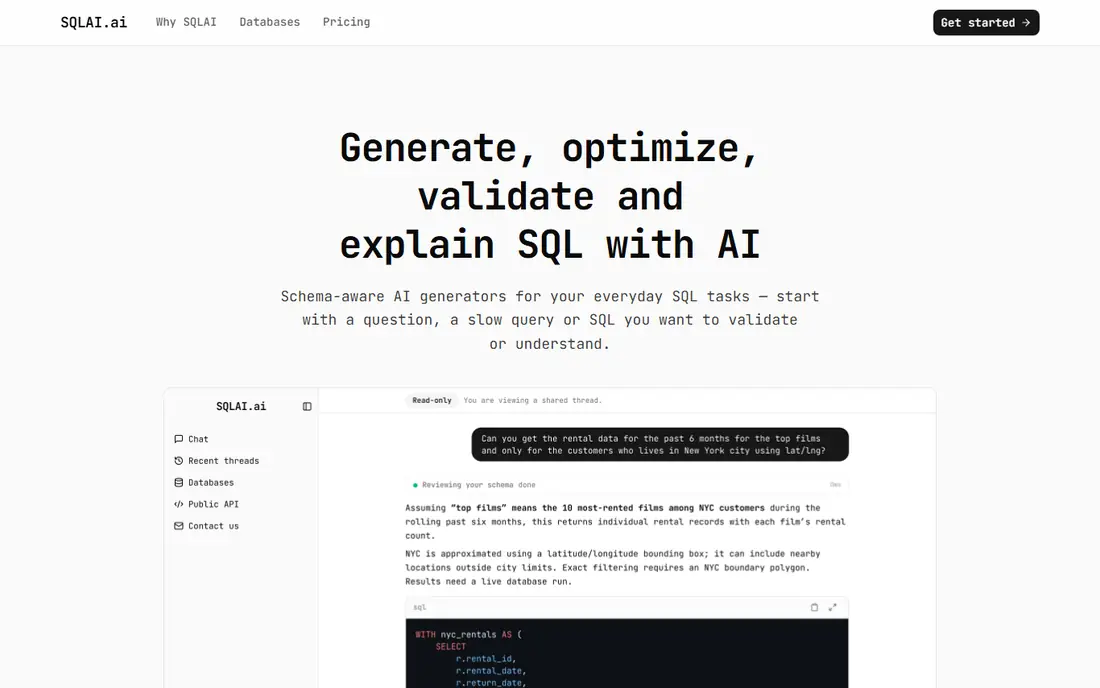
SQLAI.ai is a set of six focused generators rather than a single chat box, and that split is useful when your work varies from day to day. Text-to-SQL turns a plain-language question into a query, the optimizer suggests rewrites and index ideas for slow queries, the validator finds syntax errors, the explainer breaks a query into plain-language steps, and the formatter and converter keep style consistent and move queries between dialects. You can import a schema as DDL, JSON, or CSV, or start with no schema at all.
The Hobby plan costs $4 a month billed annually, or $5 month to month, for 50 queries a month. Starter costs $6 a month billed annually for 200 queries, Explorer costs $10 a month billed annually for 1,000 queries, and Pro costs $20 a month billed annually for 3,000 queries. Live database connections cover PostgreSQL, MySQL, SQL Server, Oracle, and MongoDB, while the other 31 engines work through an imported schema. New customers get a 7-day free trial. The main limit to watch is the credit math, because the optimizer and validator each consume 2 credits per run, so 50 listed queries do not equal 50 optimization runs.
- Six generators cover generation, optimization, validation, explanation, formatting, and conversion
- Supports 36 database engines
- Hobby caps at 50 queries a month
- Optimizer and validator use 2 credits per run
Vanna AI
Ideal for: Teams that need governed natural-language access
Vanna AI is an open-source SQL agent that lets business users ask questions in plain language and get answers backed by real SQL, while each user only sees the data their access rights allow. That governance angle is the reason to pick it over a simple generator. Vanna 2.0 adds multi-turn agents with access controls, plus admin features for audit logs and agent memory.
The open-source core is free to self-host with a pip install, and the free hosted tier covers 5 questions a day. Explorer costs $50 a month for teams of 2 to 3 people, with 20 questions a day, admin features, API access, and same-day email support. The Team plan costs $500 a month with 300 questions a day, setup support, and same-day live support. Enterprise is custom priced with unlimited questions, on-premise deployment, SAML single sign-on, and an admin API. Annual subscriptions receive a 20 percent discount. Vanna connects to PostgreSQL, MySQL, Snowflake, BigQuery, SQLite, and other stores, and pairs with models from Anthropic, OpenAI, Gemini, or Ollama.
- Open-source core you can self-host
- Per-user access controls in Vanna 2.0
- Explorer caps at 20 questions a day
- Team jumps to $500 a month
Chat2DB
Ideal for: Developers who want a full database client with AI
Chat2DB is a database client first and an AI SQL tool second, which suits developers who already live inside a client all day. It covers database management, SQL editing, data import and export, visual reporting, and migration, with text-to-SQL built in. The Community edition is free and open source for relational databases, and it supports more than 50 database types in the Local plans, including MySQL, PostgreSQL, Redis, and MongoDB.
Professional adds hosted AI tools, unlimited database types and instances, visual reporting, a full SQL command line, and migration and backup tools. The vendor lists Pro at $19.80 a user a month on annual billing, or $39.80 month to month, with a 30-day free trial that asks for no card details. The Team plan adds collaboration, team management, and fine-grained permissions, while Enterprise adds single sign-on, private deployment, model fine tuning, and a dedicated success manager. The Local plans are one-time licenses instead, at $99, $199, and $399 a user, for offline use with AI available once the device is online.
- Free Community edition covers relational databases
- 30-day Pro trial needs no card
- Full AI features need the Pro plan
- Community edition has no team controls
BlazeSQL
Ideal for: Teams that want an AI data analyst with dashboards
BlazeSQL is an AI data analyst that connects to your SQL database, turns plain-English questions into working SQL, runs the queries, and builds charts and dashboards from the results. It also fixes errors and keeps a knowledge base for business rules. The desktop version connects to your database privately, and the tool supports more than 12 databases.
The Pro plan costs $150 a month for one user and includes the AI data analyst, graphs and dashboards, the desktop app, and the knowledge base, with unlimited requests. The Advanced plan costs $250 a month and adds AI-generated reporting emails, an analytics AI that can run Python, public and embeddable dashboards, and priority support. Team plans start at $400 a month for 3 users, with $50 per extra user, and Team Advanced costs $800 a month for 3 users, with $75 per extra user, adding API and MCP access and white labeling. Enterprise is custom priced with single sign-on, unlimited access groups, and self-hosted storage for query results. There is no permanent free tier, only a 14-day free trial.
- Unlimited AI requests on every plan
- Desktop app keeps the database connection private
- No permanent free tier
- Individual Pro is costly for a single user
AskYourDatabase
Ideal for: Analysts who want desktop analysis plus a website chatbot
AskYourDatabase splits into two products that serve different jobs, and that split is worth understanding before you buy. The Desktop app is for analysts and internal teams who connect a database, ask follow-up questions, inspect the SQL, and visualize results on their own machine. The Website Chatbot lets customers ask questions about their own records, with row-level access control through session API keys.
Desktop Ultimate costs $49 per seat per month and includes unlimited Claude Sonnet 5, Claude Haiku 4.5, and GPT-4.1 access. The download page lists a free quota on a small model with no card required, so you can test the flow before you subscribe. Chatbot Scale costs $149 a month with 1,000 questions and up to 6 chatbots, while Established costs $329 a month with 1,500 questions and unlimited chatbots. Extra chatbot questions cost $0.15 each. Supported engines include ClickHouse, PostgreSQL, MySQL, Microsoft SQL Server, Oracle, MongoDB, Snowflake, and BigQuery.
- Desktop app keeps database credentials on your machine
- Chatbot plans add dashboards and branding
- The $49 Desktop Ultimate rate is a promotional price
- Chatbot questions beyond the allowance cost $0.15 each
SeekTable
Ideal for: Small teams that need shared pivot reports and Ask Data
SeekTable is a self-service business intelligence tool for exploring tabular data and building live pivot tables, charts, and flat reports, with natural-language Ask Data, semantic search, report analysis, and an MCP server for AI agents. It connects to SQL databases, MongoDB, Elasticsearch, and CSV or TSV files, and reports export to PDF, Excel, CSV, or HTML, or publish to the web. That reporting depth is the difference from the pure generators in this list.
The free account covers generic reporting for individual use, with a 50-call daily API limit and a rule that email delivery and API access stop after 90 days without a login. Team sharing costs $25 a month per team billed annually, or $299 a year, and only the creator needs the subscription, while up to 50 viewers join free. Advanced publishing and embedding costs $25 a month per user billed annually, and raises the API limit to 500 calls a day with parameterized exports, secure links, and embed tokens. A managed dedicated server starts at $250 a month billed annually, and each feature can be tested with a 14-day free trial that needs no card.
- Free account covers core reporting
- One creator subscription covers up to 50 free viewers
- Cloud pivot tables can error above 1,000,000 cells
- API calls cap at 50 a day on the free account
How we chose
We compared vendor pricing pages, product documentation, and feature lists on 13 November 2026, and we did not claim hands-on testing. Prices in this guide come from the vendor pricing page for each tool, read on that date, except where the page text did not expose a figure and the number comes from a source that cites the vendor page directly. We favored tools that show the SQL for review and state their limits in public, such as query caps, database coverage, and trial terms. We dropped three suggested tools: Seek AI, because its homepage did not load and it has no current public price after the IBM acquisition; Outerbase, because its hosted cloud service ended in October 2025; and DataGPT, because its homepage did not resolve and no public pricing could be confirmed. SQLAI.ai, AskYourDatabase, and SeekTable replace them, and each one has a live homepage and a public pricing page. Prices change often, so confirm the current figure on the vendor page before you subscribe.
What to check before you buy
Check how the tool treats your data before you connect anything real. Some tools send only schema names to the model, some run queries from a desktop app, and some process questions in the cloud. Ask whether the vendor trains models on your queries or schema, and read the data handling page rather than the marketing copy. Use a read-only database account with narrow permissions for every trial, and test with a copy of your data when you can.
Check the billing unit, because the headline number rarely tells the full story. Some tools charge per user, some per team, some per question, and some cap monthly queries, so work out the monthly total for your real headcount and volume. A $4 plan with a 50-query cap can cost more in practice than a $20 plan with 3,000 queries if your team asks questions all day. Confirm whether the quoted rate needs annual billing, whether a trial needs a card, and what happens to your saved queries and reports if you cancel.
| Team size and budget | Pick | Monthly cost | | Solo, under $10 a month | SQLAI.ai Hobby | $4 billed annually, 50 queries a month | | Solo, under $10 a month | AI2SQL Start | $9, or $7 billed annually, 100 queries a month | | 2 to 3 people, under $60 a month | Vanna AI Explorer | $50, 20 questions a day | | Small team sharing reports | SeekTable Team sharing | $25 per team billed annually, 50 free viewers | | Analyst plus website chatbot | AskYourDatabase Desktop Ultimate | $49 per seat | | Team that needs dashboards and analyst chat | BlazeSQL Team | $400 for 3 users, $50 per extra user |
Frequently asked questions
What is AI SQL query software?
AI SQL query software turns a plain-language question into a SQL query, then shows the SQL so you can review it before it runs. Most tools also explain queries, fix syntax errors, and optimize slow queries. The best tools connect to your real schema, support your database dialect, and keep a clear record of what was asked and what ran.
Can AI SQL tools replace a data analyst?
No, they remove the typing, not the judgment. A generated query can join the wrong tables, filter the wrong dates, or return a plausible but wrong total, and only a person who knows the data can catch that. Use these tools to draft queries fast, then review the SQL and test it against a known answer.
How much does AI SQL query software cost?
Entry prices in this guide run from $4 a month for SQLAI.ai Hobby to $150 a month for BlazeSQL Pro, with most single-user plans between $9 and $50 a month. Team plans cost more, and several tools cap monthly questions or queries, so the cheapest headline price is not always the cheapest for a busy team. Free plans and trials exist for most tools here, except BlazeSQL, which offers only a 14-day trial.
Is my database data sent to the vendor?
It depends on the tool, so read the vendor data handling page before you connect a production database. Some tools send only schema names to the model, some keep credentials on your machine in a desktop app, and some process questions in the cloud. Use a read-only account with narrow permissions for trials, and avoid connecting tables that hold customer details until you know the data flow.
Which tool is best for a small team?
For a small team on a tight budget, AI2SQL Team at $39 a month for 5 users is the cheapest team option here, while Vanna AI Explorer at $50 a month fits 2 to 3 people who need governed access. If the team shares reports rather than queries, SeekTable Team sharing at $25 a month per team covers up to 50 viewers. Pick the billing unit that matches how your team actually works, not the lowest headline price.