7 Best AI Teacher Tools for Lesson Planning Options for 2026

- 1
 CuripodTeachers who want live, interactive lessons with student responsesVisit
- 2
 KhanmigoUS teachers who want free, curriculum linked AI helpVisit
- 3
 DiffitTeachers who require the same lesson at multiple reading levelsVisit
- 4
 MagicSchoolTeachers who want one toolkit for plans, rubrics, and feedbackVisit
- 5
 Eduaide.aiTeachers who want pedagogy details in the draft, not just an outlineVisit
- Number one here is Curipod, a fit for teachers who want live, interactive lessons with student responses.
- What to know about MagicSchool first: the size of the library can feel busy at first.
- 7 of the 7 tools have a free plan, including Curipod, Khanmigo, Diffit and MagicSchool.
- Education Copilot is the one to check for teachers who require clean, print ready lesson documents fast.
- The cheapest monthly starting price in the list is $8.33 per user/month, offered by MagicSchool.
Direct answer
Curipod is the first pick on this list for teachers who want live, interactive lessons with student responses. For a different need, Khanmigo covers US teachers who want free, curriculum linked AI help and Diffit covers teachers who require the same lesson at multiple reading levels. The other 4 tools in the list cover narrower or pricier cases.
Quick comparison
| Product | Ideal for | Price from | Free version | |
|---|---|---|---|---|
| Curipod | Teachers who want live, interactive lessons with student responses | See website | Yes | Visit |
| Khanmigo | US teachers who want free, curriculum linked AI help | See website | Yes | Visit |
| Diffit | Teachers who require the same lesson at multiple reading levels | $14.99 per user/month | Yes | Visit |
| MagicSchool | Teachers who want one toolkit for plans, rubrics, and feedback | $8.33 per user/month (billed yearly) | Yes | Visit |
| Eduaide.ai | Teachers who want pedagogy details in the draft, not just an outline | See website | Yes | Visit |
 Brisk Teaching | Teachers who grade and plan inside Google Docs and Slides | See website | Yes | Visit |
 Education Copilot | Teachers who require clean, print ready lesson documents quick | See website | Yes | Visit |
7 options for AI teacher tools for lesson planning in detail
Choosing AI teacher tools for lesson planning usually comes down to price, fit and limits. This Ainotely guide sets 7 tools side by side on those three points, with the facts kept short and checkable.
Curipod
Ideal for: Teachers who want live, interactive lessons with student responses
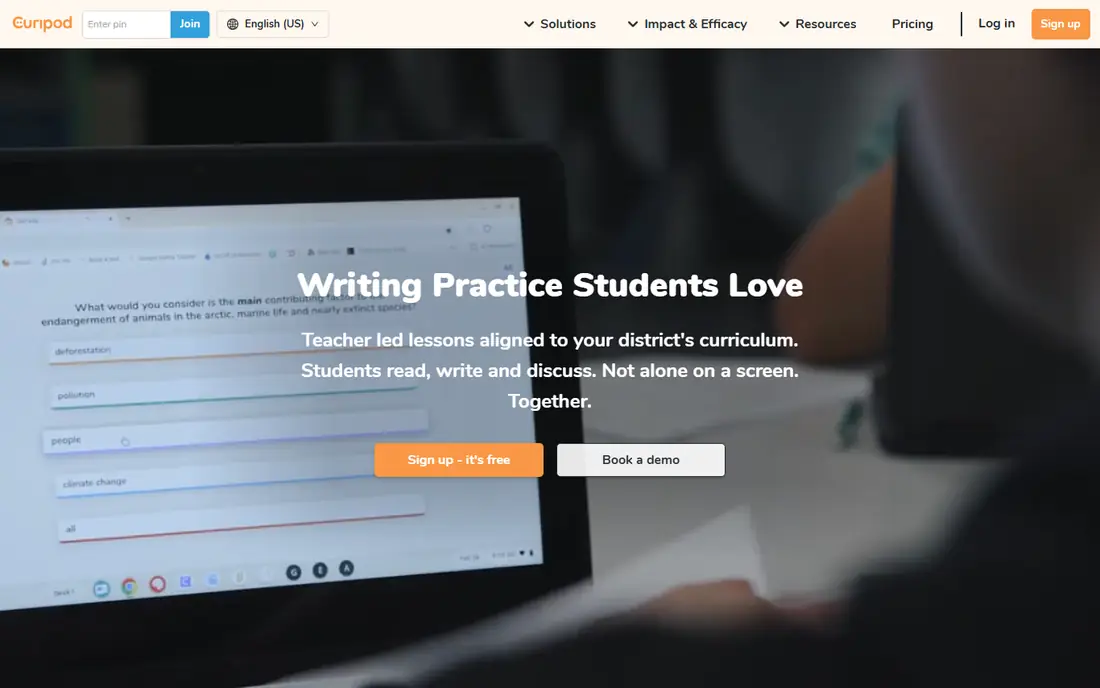
Curipod was built for teachers who want live, interactive lessons with student responses. Trial it with one class first, and ask how student data is handled, how long responses are stored, and what happens when a student joins late. Students write, vote, and respond as the lesson moves, and the teacher can see responses in live.
That live loop helps a teacher spot confusion early, instead of waiting for homework to reveal it. It also hands quieter students a written route into discussion. A lesson that relies on every student having a charged device and a stable connection will fail on a bad wifi day, so teachers need a paper fallback. Check the vendor site for Curipod pricing; none is listed in this comparison. Free access exists with Curipod.
Where it is weaker: District pricing is custom, so budgeting takes a sales conversation.
- Students respond on their own devices during the lesson
- Writing prompts, feedback
- Needs devices and steady connectivity in class
Khanmigo
Ideal for: US teachers who want free, curriculum linked AI help
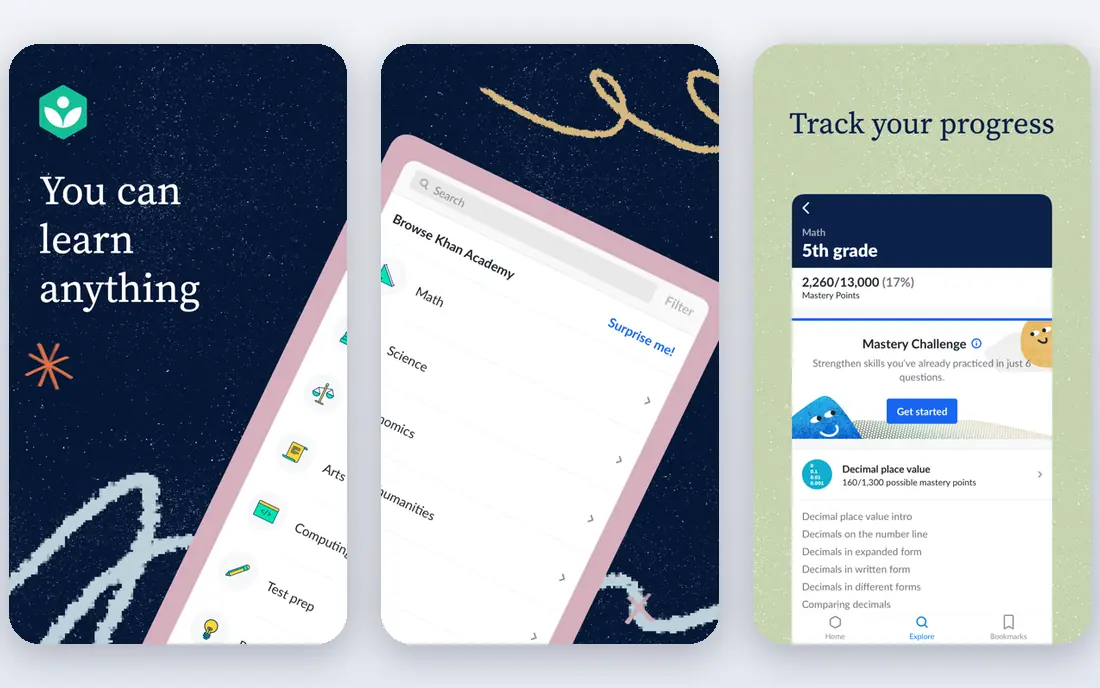
Choose Khanmigo for US teachers who want free, curriculum linked AI help. Its tutoring style is also distinct: it tends to ask guiding questions rather than handing over a finished answer, which suits teachers who want students to work through a problem. In practice, the limit is breadth.
Think of it as a solid classroom companion tied to Khan Academy, not as a replacement for a planning platform. Where it does not, the free price still makes it worth a trial, but the planning workflow may need another tool beside it. Khanmigo does not show a starting price in this comparison, so check the vendor site for current pricing. Free access exists with Khanmigo.
Trade-offs to know: Planning features are narrower than a dedicated planning suite.
- Free for US teachers
- Socratic style tutoring that guides instead of giving answers
- Best value relies on using Khan Academy material already
Diffit
Ideal for: Teachers who require the same lesson at multiple reading levels
Diffit serves teachers who require the same lesson at multiple reading levels. Diffit solves one classroom problem very well: a single class seldom reads at a single level. Also, at $14.99 a month, or $149.99 a year, it is a focused purchase, and schools should test it with real class texts before buying seats for everyone.
More specifically, a teacher can take a passage or a topic and produce versions suited to different readers, plus questions and vocabulary support. That makes it a practical choice for inclusion classrooms, intervention groups, and classes with many different reading capacity. The limit is that leveling is not the same as teaching. Diffit starts at: $14.99 per user/month. A free plan is available with Diffit.
Honest limits: premium plan is priced per teacher, which brings up for an entire department.
- Quick leveled reading passages
- Handy for adapting existing source material
- Output still needs review for accuracy and tone
MagicSchool
Ideal for: Teachers who want one toolkit for plans, rubrics, and feedback
Where MagicSchool fits: teachers who want one toolkit for plans, rubrics, and feedback. Schools that require admin dashboards, rostering, and a signed data agreement should price Enterprise separately, since those controls are not part of an individual plan. From a buyer's view, outputs still need a teacher to check facts, reading level, and fit with the class in front of them.
For everyday use, a teacher can move from a lesson plan to a rubric, then to a quiz, then to feedback prompts, without opening a separate product for each step. That breadth matters on a busy school day, when the time saved comes from staying in one workflow instead of from any single generation being perfect. Entry price for MagicSchool: $8.33 per user/month. A free plan is available with MagicSchool.
Downsides: District controls for example single sign-on sit on the Enterprise plan.
- More than 80 teacher tools in one account
- Student tools with teacher controls
- The size of the library can feel busy at first
Eduaide.ai
Ideal for: Teachers who want pedagogy details in the draft, not just an outline
Where Eduaide.ai fits: teachers who want pedagogy details in the draft, not just an outline. Its generators ask for more instructional detail, and the results commonly contain scaffolding, questioning, and assessment ideas that a plain chatbot prompt would miss.
Where it falls short: Free generation allowance is restricted.
For departments, the value case relies on how numerous teachers will use it weekly, not on how numerous resource types appear on the feature page. Eduaide is priced for individuals and schools, so check the current Pro and school rates on its pricing page. No starting price is listed for Eduaide.ai here; confirm pricing on the vendor site. A free plan is available with Eduaide.ai.
- Low annual cost for individual teachers in past listings
- Attention to depth of knowledge and instructional frameworks
- Interface rewards teachers who already know what kind of activity they want
Brisk Teaching
Ideal for: Teachers who grade and plan inside Google Docs and Slides
In short, Brisk Teaching is for teachers who grade and plan inside Google Docs and Slides. For schools that run on Google Classroom, that small change in workflow can matter more than a longer feature list. A teacher can open a document, apply a rubric, and produce targeted feedback without copying text into another tab.
Brisk Teaching takes a different route from MagicSchool. Rather than asking teachers to learn a new system, it meets them where student work already lives. This comparison lists no price for Brisk Teaching; ask the vendor. Brisk Teaching has a free plan.
Trade-offs to know: Some advanced features sit behind premium or district plans.
- Works as a Chrome extension inside familiar documents
- Low ramp-up time for Google Workspace schools
- Less handy outside Google Workspace
Education Copilot
Ideal for: Teachers who require clean, print ready lesson documents quick
Pick Education Copilot if this describes you: teachers who require clean, print ready lesson documents quick. Provide it a grade, subject, and standard, and it returns a structured plan that reads like something a teacher could actually hand to a colleague or a substitute. That print ready quality matters in schools where paper still travels between classrooms, and where a plan needs to be filed or shared without additional formatting.
From a buyer's view, there is less here for live lessons, student interaction, and district administration than in MagicSchool or Curipod. That is fine if the buyer is an individual teacher who primarily needs quicker first drafts. From a buyer's view, the trade-off is depth of ecosystem. Pricing for Education Copilot is not stated here, so ask the vendor for current figures. A free plan is available with Education Copilot.
Drawbacks to consider: Smaller ecosystem than bigger products.
- Standards aligned drafts rapidly
- Produces structured
- Fewer student facing features and integrations
How these tools were picked
Ainotely looked at what each vendor publishes: pricing, plan limits, feature coverage for AI teacher tools for lesson planning and stated drawbacks. No hands-on testing is claimed. Figures are shown as the vendors publish them. Billing terms, seat minimums and add-ons can change the real cost. Position on the page reflects fit for a typical buyer first, with price clarity and free access breaking ties. Treat it as a guide, not a ruling.
What to confirm before you sign up
- Get a written quote from Curipod, Khanmigo, Eduaide.ai and others; the list shows no starting price for them.
- Look at free plan limits closely: Curipod, Khanmigo, Diffit and others have one, and the caps decide whether it is usable for real work.
- Before choosing Curipod, weigh its main limit: needs devices and steady connectivity in class.
- Confirm the exact Curipod plan that includes your must-have features.
- Add up seats, add-ons and usage charges for Education Copilot before comparing it with cheaper entries.
Frequently asked questions
What is the cheapest option for AI teacher tools for lesson planning in this list?
On published monthly entry prices, MagicSchool is the lowest here at $8.33 per user/month. Entry price is only part of the cost, because seats, add-ons and billing terms can change the total.
Can AI lesson plans align to state standards?
Plenty of tools claim standards alignment, but the quality varies by subject and state. Always check the standard cited in the draft against your district curriculum guide, and treat the AI output as a draft to verify instead of a finished, approved plan.
How are the tools for AI teacher tools for lesson planning ordered?
Curipod sits first and Education Copilot last because the order follows typical fit for AI teacher tools for lesson planning, then price clarity and free access. It is a judgement call, so read each profile for fit and limits.
Can I try these tools before paying?
Often, yes. Curipod, Khanmigo, Diffit and others have a free plan. Use your own data and a real task during the test, and check what the free tier or trial limits before you rely on it.
Are these tools free for teachers?
Free plans normally carry generation or feature limits, so regular users frequently need a premium individual plan or a school license to work without interruption.
What is the best AI teacher tool for lesson planning overall?
Start with Curipod if you need teachers who want live, interactive lessons with student responses. Khanmigo is the better match for US teachers who want free, curriculum linked AI help, and Diffit for teachers who require the same lesson at multiple reading levels. The best choice depends on budget, team size and workflow.