Shortlist: 6 Best AI Text Effects App for Designers for 2026

- 1
 Adobe FireflyAI text effects in AdobeVisit
- 2
 RunwayCinematic motion on titlesVisit
- 3
 IdeogramAccurate text renderingVisit
- 4
 Adobe ExpressThemed text effectsVisit
- 5
 RecraftVector text designsVisit
- Adobe Firefly takes the first slot, best suited to AI text effects in Adobe.
- Adobe Firefly has the lowest monthly starting price in this list: $9.99 per month.
- For logo and poster typography, Kittl is worth a look.
- Adobe Firefly comes with a trade-off: starting price $9.99 per month.
Direct answer
Adobe Firefly leads the list, best for AI text effects in Adobe. Alternatives: Runway for cinematic motion on titles, and Ideogram for accurate text rendering. All 6 tools are compared below on price, free plan and limits.
Quick comparison
| Product | Ideal for | Price from | Free version | |
|---|---|---|---|---|
| Adobe Firefly | AI text effects in Adobe | $9.99 a month | Yes | Visit |
| Runway | Cinematic motion on titles | $12 per user/month | Yes | Visit |
| Ideogram | Accurate text rendering | See website | Yes | Visit |
| Adobe Express | Themed text effects | $9.99 per month | Yes | Visit |
| Recraft | Vector text designs | See website | Yes | Visit |
 Kittl | Logo and poster typography | See website | Yes | Visit |
AI Text Effects App for Designers compared in detail
Choosing AI text effects app for designers usually comes down to price, fit and limits. This Ainotely guide sets 6 tools side by side on those three points, with the facts kept short and checkable.
Adobe Firefly
Ideal for: AI text effects in Adobe
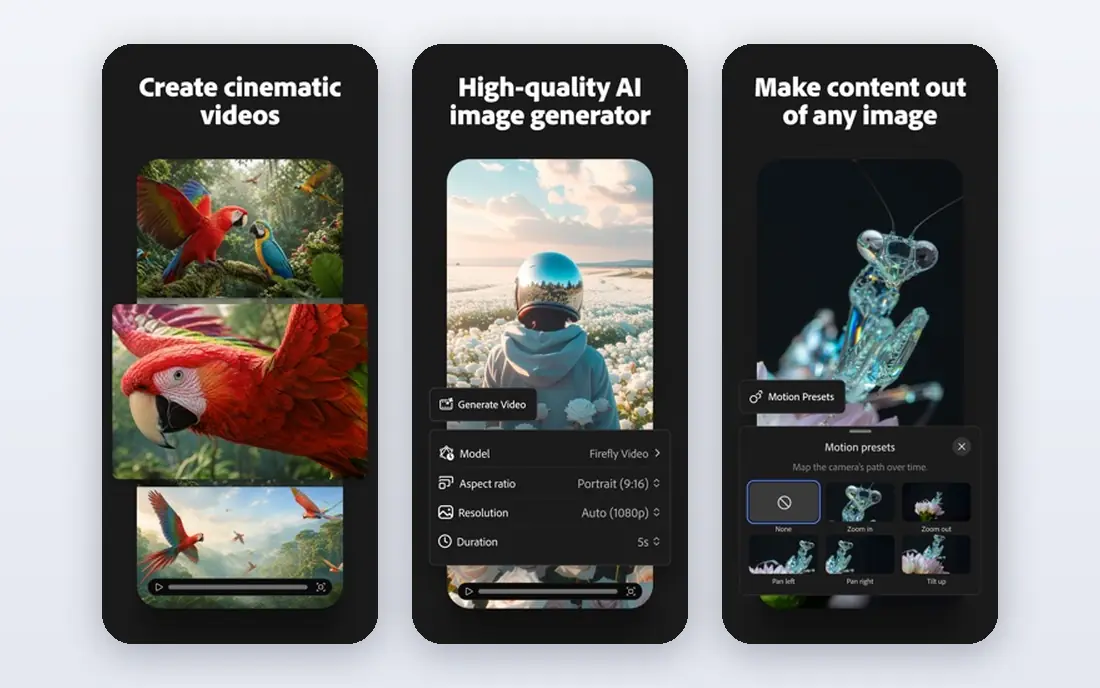
Adobe Firefly is designed for AI text effects in Adobe. Adobe Firefly is an AI-powered creation tool offering text effects, text-to-image generation, text-to-video, sound effects and more, aimed at creators and design teams moving from idea to final product.
In daily use, starting price is $9.99 per month, with Firefly Pro at higher tiers adding more credits and external models. The starting price for Adobe Firefly: $9.99 per month. A free plan is available with Adobe Firefly.
Honest limits: Needs an Adobe account.
- Text-to-image and text-to-video in one AI tool
- Adobe integration
- Firefly Pro costs more
Runway
Ideal for: Cinematic motion on titles

Where Runway fits: cinematic motion on titles. Its Gen-4 video system produces short videos from image and text prompts.
The Standard plan costs $12 per user a month billed yearly, with 625 monthly credits. In practice, when prompting, instruct it not to change the spelling, since AI video tools can alter letters. Starting cost for Runway: $12 per user/month. Runway includes a free tier.
Where it shines: Gen-4 video system.
Where it falls short: Not a typography tool.
- A decent match for finished title images
- Cinematic motion
- AI video can change spelling, so make the title first
Ideogram
Ideal for: Accurate text rendering
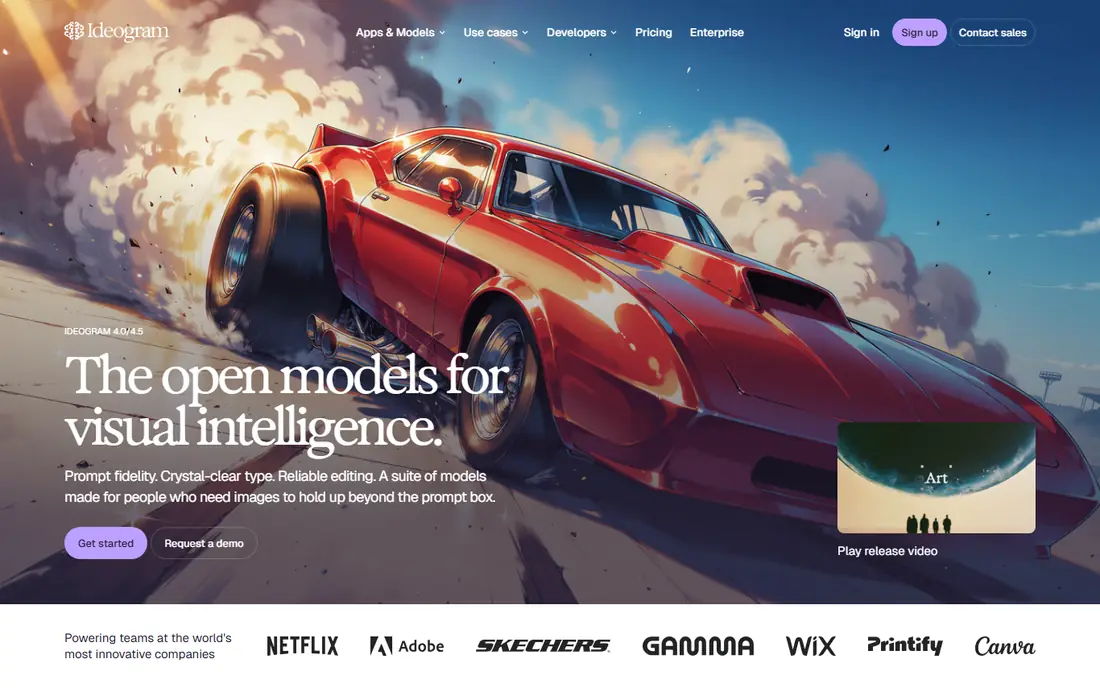
Choose Ideogram for accurate text rendering. Ideogram is widely considered the most solid tool for accurate text rendering.
Where it is weaker: Editing needs another tool.
That accuracy makes it best for logos, quote graphics and marketing posters with readable text. On top of that, the free level limits weekly credits with a slower queue, so heavy users need a premium plan. Ideogram does not show a starting price in this comparison, so check the vendor site for current pricing. A free plan is available with Ideogram.
- Most solid text accuracy among AI generators
- Dedicated typography module
- Free level limits weekly credits with a slower queue
Adobe Express
Ideal for: Themed text effects
Adobe Express was built for themed text effects. Adobe Express turns plain text into themed effects like neon, chrome or shadowed lettering, in a browser-based editor that links to the wider Adobe ecosystem. It comes with AI templates, text-to-image generation and brand kit management.
Watch-outs: Less vector control than Illustrator.
Best features of Adobe Express: Adobe ecosystem integration. The free level includes entry-level use, whereas Premium costs $9.99 per month, with some sources listing $11.99, so confirm current pricing. In daily use, for designers already in the Adobe ecosystem, Express is the fastest route to refined text effects. Price to start with Adobe Express: $9.99 per month. Free access exists with Adobe Express.
- Chrome and shadowed lettering
- Browser-based
- Premium costs $9.99 per month
Recraft
Ideal for: Vector text designs
For vector text designs, Recraft is a natural candidate. Recraft stands out since it can create text designs as true vector output rather than flat raster images.
That matters when a design must scale, like a logo that appears on a business card and a billboard, since vectors stay sharp at any size and remain editable after generation. As for the details, for designers who need scalable, editable text designs, Recraft is the only tool here with native vector output. No starting price is listed for Recraft here; confirm pricing on the vendor site. Recraft offers a free plan.
Reasons to shortlist it: True vector output.
Watch-outs: Interface is less familiar than Canva.
- Editable after generation
- Scales to print and billboard size
- Free level limits apply
Kittl
Ideal for: Logo and poster typography
In short, Kittl is for logo and poster typography. For logo and poster typography where the designer controls every letter, Kittl is a solid, focused tool.
It pairs well with Runway for animated titles. Worth adding: Kittl is a design tool with capable typography features for logos, posters and apparel graphics, offering vintage and modern text styles, warping and layering in a browser-based editor. Kittl shows no starting price here, so confirm the cost on the vendor site. You can start on Kittl without paying.
Drawbacks to consider: Less AI generation than Ideogram.
- Vintage and modern text styles
- Browser-based editor
- Pricing varies by plan
How we built this list
Pricing pages, product documentation and feature lists were the main sources, and every entry carries at least one honest drawback. Plan names, prices and limits change often. Treat the figures here as a starting point and verify them with the vendor. The ranking is editorial: typical fit first, then clear pricing, then free access. If your needs are unusual, read the profiles rather than relying on position.
Things to verify first
- Get a written quote from Ideogram, Recraft and Kittl; the list shows no starting price for them.
- Check what the free option really includes: Adobe Firefly, Runway, Ideogram and others offer a free plan, and usage caps differ.
- Before choosing Adobe Firefly, weigh its main limit: starting price $9.99 per month.
- Ask Runway which support channels and response times come with the plan you would buy.
- Ask Ideogram about contract length, onboarding fees and user minimums before you sign.
Frequently asked questions
Can I try these tools before paying?
Often, yes. Adobe Firefly, Runway, Ideogram and others have a free plan. Use your own data and a real task during the test, and check what the free tier or trial limits before you rely on it.
What is the cheapest option for AI text effects app for designers in this list?
On published monthly entry prices, Adobe Firefly is the lowest here at $9.99 per month. Entry price is only part of the cost, because seats, add-ons and billing terms can change the total.
How are the tools for AI text effects app for designers ordered?
The order follows typical fit for AI text effects app for designers, with Adobe Firefly first and Kittl last, then price clarity and free access. It is editorial judgement, not a score, so another team could rank the tools differently.
Should I use vector or raster for text designs?
Use vector for logos, print and anything that must scale, since vectors stay sharp at any size and remain editable. Recraft creates true vector output, whereas most AI image tools produce raster images that blur when enlarged.
Do these tools publish their prices?
Not all of them. Ideogram, Recraft and Kittl publish no starting price, so expect a quote request for those. The rest, Adobe Firefly included, show a starting price, though seats and billing terms still change the final cost.
What is the best AI text effects app for designers?
Adobe Firefly comes first here and is built for AI text effects in Adobe. Buyers with other needs may prefer Runway (for cinematic motion on titles) or Ideogram (for accurate text rendering). Compare costs and limits first.