Best AI Tools for Legal or Financial PDFs in 2026: 8 Tools Compared

- ChatPDF and PDF.ai suit quick questions on any PDF, with chat-style answers and source citations.
- Humata and Unriddle suit research and long documents, with summaries and deeper analysis tools.
- AskYourPDF and ChatDOC suit teams that want shared document chat and organized libraries.
- Casetext and Lumin PDF suit legal and professional work, with Casetext leaning to legal research and Lumin to editing and signing.
Quick comparison
| Product | Ideal for | Price from | Free version | |
|---|---|---|---|---|
 ChatPDF | Chat with any PDF | See website | Yes | Visit |
 Humata | Research document analysis | See website | Yes | Visit |
 AskYourPDF | Shared document chat | See website | Yes | Visit |
 PDF.ai | Fast PDF chat | See website | Yes | Visit |
 Unriddle | Research summaries | See website | Yes | Visit |
 ChatDOC | Team document chat | See website | Yes | Visit |
 Casetext | Legal research AI | See website | No | Visit |
 Lumin PDF | Edit and sign PDFs | See website | Yes | Visit |
The best ai tools for legal or financial pdfs
We compared official feature pages, pricing pages, and app listings to find AI PDF tools that handle long legal and financial documents, cite sources, and respect privacy in October 2026. This is general information only, not legal or financial advice. AI answers can contain errors, so verify important clauses, figures, and obligations against the original document and a qualified professional before acting.
ChatPDF
Ideal for: Chat with any PDF

ChatPDF lets you upload a PDF and ask questions in plain language, with answers that cite the pages they come from. That citation habit matters for legal and financial work, since you can check an answer against the source rather than trusting it blindly. Summaries help you grasp a long contract or report quickly, while follow-up questions dig into specific clauses.
Free limits apply to pages and questions per day, and accuracy can vary on complex tables or scanned documents. Still, for quick, cited answers on a single PDF, ChatPDF is our pick for ease of use.
- Easy chat with any PDF
- Source citations
- Summaries and questions
- Free limits on pages and questions
- Accuracy varies on complex documents
Humata
Ideal for: Research document analysis
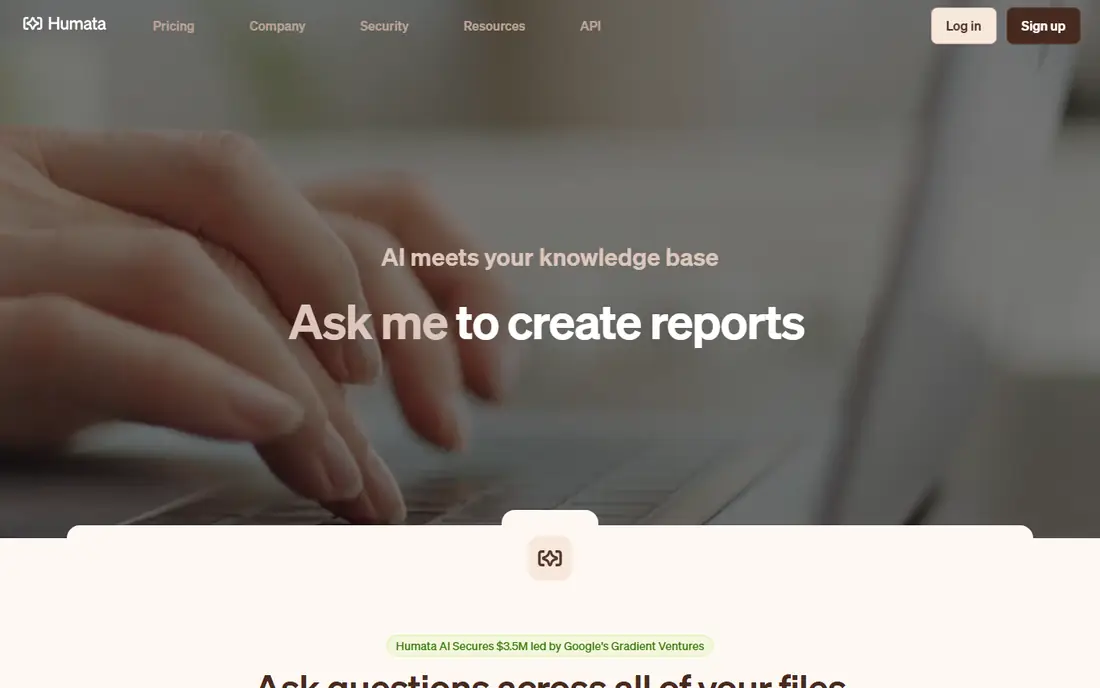
Humata is built for research, with tools that summarize long documents, highlight key points, and answer questions with citations. That depth suits lawyers, analysts, and researchers who work with many PDFs and need to compare clauses or figures across documents. The interface supports organizing documents into collections for ongoing work.
Full features need a paid plan, and the interface feels more research-oriented than casual. Still, for deep analysis of legal and financial PDFs, Humata is our pick for serious research work.
- Summaries and deep analysis
- Handles long documents
- Highlights and citations
- Full features need a paid plan
- Interface suits researchers more than casual users
AskYourPDF
Ideal for: Shared document chat

AskYourPDF lets you chat with PDFs and organize them into a library, with shareable links that let teams discuss the same document. That sharing suits firms where several people need to review a contract or a financial statement together. Questions can target specific sections, and summaries give a quick overview before detailed review.
Accuracy varies on scanned or poorly formatted PDFs, and full features need a paid plan. Still, for team document chat with a shared library, AskYourPDF is a solid choice.
- Chat with PDFs
- Document library
- Shareable links for team use
- Accuracy varies on scanned PDFs
- Full features need a paid plan
PDF.ai
Ideal for: Fast PDF chat
PDF.ai offers fast, clean chat with PDFs, with summaries and citations that help you verify answers quickly. The interface is simple, so you can upload a document and start asking questions without learning a complex system. That speed suits users who need a quick answer on a contract clause or a financial figure.
Free limits apply to documents and questions, and research tools are fewer than Humata's. Still, for fast, simple PDF chat, PDF.ai is our pick for a clean, quick experience.
- Fast chat with PDFs
- Clean interface
- Summaries and citations
- Free limits apply
- Fewer research tools than Humata
Unriddle
Ideal for: Research summaries
Unriddle is built for research, with summaries, a graph view that links ideas across documents, and writing help for reports based on your sources. That structure suits analysts and lawyers who need to synthesize many legal or financial PDFs into a coherent brief. You can ask questions across a library, not just one document at a time.
The research focus may feel heavy for users who only need quick chat on a single PDF. Full features also need a paid plan. Still, for multi-document research and synthesis, Unriddle is our pick.
- Research-focused summaries
- Graph view of ideas
- Writing help
- Research focus may not suit simple PDF chat
- Full features need a paid plan
ChatDOC
Ideal for: Team document chat
ChatDOC lets you chat with single documents or collections, with team sharing that suits firms reviewing the same set of contracts or reports. Table and figure handling helps with financial PDFs, where numbers in tables matter as much as text. That focus on structured data sets ChatDOC apart from simpler chat tools.
Full features need a paid plan, and accuracy can vary on complex tables or scanned pages. Still, for team chat across document collections, especially financial ones, ChatDOC is our pick.
- Chat with document collections
- Team sharing
- Table and figure handling
- Full features need a paid plan
- Accuracy varies on complex tables
Casetext
Ideal for: Legal research AI
Casetext, now part of Thomson Reuters, offers legal research with an AI assistant that searches cases, statutes, and documents, and helps draft legal work. That legal focus makes it far more useful for lawyers than a general PDF chat tool, since it understands legal sources and citation norms. CoCounsel, its AI assistant, can review documents and summarize legal issues.
There is no free plan, and the price is higher than general PDF tools, with a focus on legal professionals only. Still, for legal teams that need research plus document AI, Casetext is our pick for professional legal work.
- Legal research with AI assistant
- Case and statute search
- Drafting help
- No free plan
- Legal focus only
- Price is higher than PDF chat tools
Lumin PDF
Ideal for: Edit and sign PDFs
Lumin PDF covers the practical side of legal and financial PDFs: editing, annotating, signing, and sharing documents in the cloud. Teams can comment on a contract, request signatures, and track versions without printing or scanning. That workflow matters for firms that handle many signed documents each week.
AI chat features are lighter here than in ChatPDF or Humata, so Lumin suits editing and signing more than deep analysis. Full features also need a paid plan. Still, for a complete PDF workflow with editing and signing, Lumin PDF is our pick.
- Edit, annotate, and sign PDFs
- Cloud storage
- Team collaboration
- AI chat is lighter than specialist tools
- Full features need a paid plan
How we picked these
We compared official feature pages, pricing pages, and app listings for AI PDF tools live in October 2026. We favored tools that cite sources, handle long documents, and offer privacy controls, since legal and financial work demands verification. We left out generic chatbots with no PDF upload and tools with no usable free tier or trial, except Casetext for professional legal use.
What to check before you choose
Start with privacy. Legal and financial PDFs often contain sensitive data, so check whether a tool trains on your uploads, how long it stores them, and whether it offers business or enterprise privacy terms. For confidential work, prefer tools with clear data controls and delete uploads when done.
Next, verify every important answer. AI tools can misread clauses, figures, and dates, especially in scanned or complex documents. Always check an answer against the cited page and the original PDF before relying on it for a decision.
Finally, match the tool to the job. Quick questions suit ChatPDF or PDF.ai, research suits Humata or Unriddle, team review suits AskYourPDF or ChatDOC, and legal research suits Casetext. Editing and signing suit Lumin PDF alongside a chat tool.
Before you commit to one option, spend a short trial period with your top two choices from this list. Use each one for a real task from your own work or daily routine, not just a demo, and note where you get stuck, what feels slow, and which features you actually open twice. Check the official pricing page again at that point, since free plans and paid tiers change, and confirm that the plan you need covers the users, projects, or devices you will use. Read the privacy and support pages too, especially for tools that hold personal or work data, and confirm how to export your work if you later switch. A tool that fits your routine in a two-week trial is a far better choice than a more powerful option you avoid opening, so let daily use, not a feature list alone, decide your final pick for best ai tools for legal or financial pdfs.
Frequently asked questions
What is the best AI tool for legal PDFs overall?
ChatPDF is our pick for quick, cited questions, while Humata is our pick for deep research. Casetext suits professional legal research, and Lumin PDF suits editing and signing. Most firms need a chat tool plus an editing tool.
Can AI tools read financial PDFs accurately?
They can summarize and answer questions well on clean, text-based PDFs, but accuracy varies on scanned pages and complex tables. Always verify figures against the original document, especially for decisions involving money or obligations.
Is it safe to upload legal documents to AI PDF tools?
It depends on the tool's privacy terms. Check data retention, training use, and enterprise options before uploading confidential documents. For highly sensitive work, use tools with business privacy terms and delete uploads when finished.
Do AI PDF tools replace lawyers or accountants?
No, they speed up reading and summarizing, but they do not replace professional judgment. AI can miss nuances, misread clauses, and hallucinate details, so have a qualified professional review important decisions.
Which tool is best for chatting with many PDFs at once?
Humata, Unriddle, and ChatDOC all support collections or libraries, letting you ask questions across many documents. ChatPDF and PDF.ai suit single-document chat best. Choose a collection tool if you compare contracts or reports regularly.
How do I pick between the free and paid plans in this list?
Start with the free plan or trial for any best ai tools for legal or financial pdfs option that offers one, and use it for at least two weeks on real tasks. Upgrade only when you hit a clear limit, such as a missing feature, a user cap, or a storage limit, rather than paying on day one for features you may never use. Compare the paid tier against the next option in this list as well, since a different tool's free plan may already cover what the first tool charges for.