AI Tools for Lesson Planning: 6 Options Side by Side (2026)

- 1
 Eduaide.AIPedagogy first lesson designVisit
- 2
 Brisk TeachingPlanning and feedback inside Google DocsVisit
- 3
 DiffitLeveled readings for mixed capacity classesVisit
- 4
 MagicSchool AIOne toolkit for plans, rubrics and feedbackVisit
- 5
 Gemini in ClassroomSchools already on Google WorkspaceVisit
- Eduaide.AI takes the first slot, best suited to Pedagogy first lesson design.
- Check the limits for Eduaide.AI before you commit: smaller user base and fewer integrations than MagicSchool, free level limits run out rapidly in a planning heavy week, less suited to live lesson delivery, interface rewards teachers who think in frameworks.
- 6 of the 6 tools have a free plan, including Eduaide.AI, Brisk Teaching, Diffit and MagicSchool AI.
- Education Copilot fits fast standards aligned drafts.
- MagicSchool AI has the lowest monthly starting price in this list: $8.33 per month billed annually.
Direct answer
Start with Eduaide.AI if you need Pedagogy first lesson design. If your case is different, Brisk Teaching suits planning and feedback inside Google Docs and Diffit suits leveled readings for mixed capacity classes. The other 3 tools in the list cover narrower or pricier cases.
Quick comparison
| Product | Ideal for | Price from | Free version | |
|---|---|---|---|---|
| Eduaide.AI | Pedagogy first lesson design | $49.99 a year | Yes | Visit |
| Brisk Teaching | Planning and feedback inside Google Docs | $99.99 a year | Yes | Visit |
| Diffit | Leveled readings for mixed capacity classes | $14.99 per month | Yes | Visit |
| MagicSchool AI | One toolkit for plans, rubrics and feedback | $8.33 a month billed annually | Yes | Visit |
| Gemini in Classroom | Schools already on Google Workspace | Free | Yes | Visit |
 Education Copilot | Quick standards aligned drafts | See website | Yes | Visit |
The 6 tools in detail
Ainotely compared 6 tools for AI tools for lesson planning. The goal is a practical shortlist: published prices, free plan facts, best-fit use cases and honest limits for every entry.
Eduaide.AI
Ideal for: Pedagogy first lesson design
Choose Eduaide.AI for Pedagogy first lesson design. Teachers who find chatbot output glib tend to prefer this structure.
Eduaide.AI takes pedagogy seriously. Its generators are organised around instructional design choices, so the output reads like a plan a mentor would approve: objectives, sequencing, checks for understanding, differentiation. Eduaide.AI cost at the entry level: $49.99 per year. You can start on Eduaide.AI without paying.
Drawbacks to consider: less suited to live lesson delivery; free level limits run out rapidly in a planning heavy week.
Where Eduaide.AI stands out: Pro costs 49.99 dollars per year; assessment and differentiation tools.
- Built around teaching frameworks instead of raw generation
- Free level lets around 15 generations per month for testing
- Interface rewards teachers who think in frameworks
Brisk Teaching
Ideal for: Planning and feedback inside Google Docs
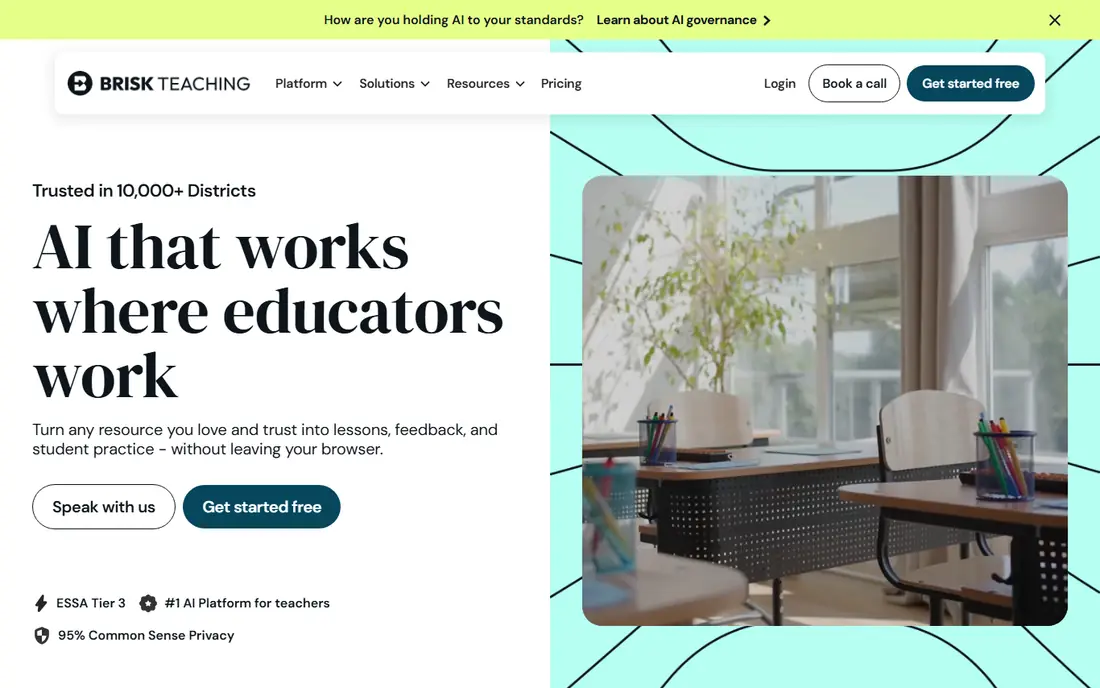
Brisk Teaching is a good fit for planning and feedback inside Google Docs. Brisk Teaching opens from a straightforward observation: teachers plan and mark inside Google Docs, so the AI should live there too. Its extension turns an article on your screen into a lesson resource, builds a quiz from a Slides deck, or drafts feedback on a student document without a copy and paste round trip.
On top of that, for lesson planning specifically, Brisk is a drafting accelerator instead of a planning system. It is at its best generating the materials around a plan: the reading, the questions, the differentiated version for the student who needs shorter sentences. Price to start with Brisk Teaching: $99.99 per year. You can start on Brisk Teaching without paying.
Drawbacks to consider: heavy users will want the premium Pro level; Made for the Google ecosystem, so Microsoft based schools get less from it.
- Feedback and differentiation tools act on real student documents
- Produces plans
- School and district features sit behind institutional plans
Diffit
Ideal for: Leveled readings for mixed capacity classes
Choose Diffit for leveled readings for mixed capacity classes. Diffit does the job every teacher describes as their Sunday evening sinkhole: the same content at three reading levels.
Watch-outs: 14.99 dollars per month is a real cost for a single purpose tool; Does one job, so it sits beside a planner instead of replacing one.
Also, Diffit is not a lesson planner, and it does not pretend to be. The starting price for Diffit: $14.99 per month. Free access exists with Diffit. Where it shines: article or video into readings at multiple reading levels.
- Saves hours on the differentiation work teachers do most frequently
- Creates questions and vocabulary support matched to each level
- Levelled text still needs a teacher check for accuracy and tone
MagicSchool AI
Ideal for: One toolkit for plans, rubrics and feedback
MagicSchool AI works best for one toolkit for plans, rubrics and feedback. A teacher can draft a lesson plan, build the rubric, create the quiz and write feedback language without opening four tabs. The free tier carries the full tool list with usage limits, which is why it spread through staffrooms so quick.
Also, the limit is depth in any single area. As for the details, MagicSchool is the hub most teachers build around, then add a specialist where their week actually hurts. Also, for leveled readings, Diffit below is better; for feedback inside Google Docs, Brisk is quicker. Entry price for MagicSchool AI: $8.33 per month billed annually. MagicSchool AI includes a free tier.
What to check first: district rollouts still rely on your school signing the privacy paperwork; Breadth means some individual tools are shallower than a specialist.
Where MagicSchool AI stands out: IEP support and feedback tools in one place.
- Free level is ample enough for real weekly use
- Student facing tools sit behind teacher controls
- Premium Plus level needed for heavier use and additional features
Gemini in Classroom
Ideal for: Schools already on Google Workspace
Gemini in Classroom works best for schools already on Google Workspace. Gemini in Classroom reset the baseline for this entire category: Google made its education AI features free in every Workspace for Education edition, so for a Google district the first question is why pay for anything else. It drafts lesson content, builds rubrics and summarises material inside Classroom and Docs.
The main drawbacks: planning output quality varies by subject; depth trails dedicated tools like MagicSchool on teacher specific workflows.
Gemini is a capable general assistant sitting in the right place, which for plenty of teachers is enough. From a buyer's view, if you are Google based, start here and add Diffit or MagicSchool only where you feel a real gap. For everyday use, if your school is a Microsoft or mixed environment, Gemini is not available to you in this form. The premium tools above are your list. In practice, dedicated tools organise dozens of teacher specific generators, remember your classes, and structure output around planning formats. Starting cost for Gemini in Classroom: Free. Gemini in Classroom offers a free plan.
- Drafts lessons
- Rubrics and materials inside the tools teachers already open
- Only helps schools committed to Google Workspace
Education Copilot
Ideal for: Quick standards aligned drafts
Education Copilot is aimed squarely at fast standards aligned drafts. Education Copilot is the fast draft choice. Also, the trade is polish.
Points against: with third parties reporting around 9 dollars per month; output is a draft that needs more shaping than Eduaide or MagicSchool.
Upsides: free level available to test the workflow.
Its drafts are serviceable starting points that require a teacher's judgement on sequence, difficulty and fit, more so than the output of MagicSchool or Eduaide. For a teacher including an unfamiliar topic or building a plan from a blank page at 9pm, that speed is the entire appeal. Pricing for Education Copilot is not stated here, so ask the vendor for current figures. You can start on Education Copilot without paying.
- Simple interface with almost no ramp-up time
- Geared toward individual teachers instead of district IT
- Fewer published details on privacy and district agreements
How these tools were picked
Ainotely looked at what each vendor publishes: pricing, plan limits, feature coverage for AI tools for lesson planning and stated drawbacks. No hands-on testing is claimed. Figures are shown as the vendors publish them. Billing terms, seat minimums and add-ons can change the real cost. Order on the page follows fit for the typical buyer first, then price transparency and free access. Your own requirements should decide the final pick.
Questions to settle before buying
- Get a written quote from Education Copilot; the list shows no starting price for them.
- Read the fine print on the free plans from Eduaide.AI, Brisk Teaching, Diffit and others; seat, project and feature caps differ.
- Read the limits listed for Eduaide.AI first: smaller user base and fewer integrations than MagicSchool, free level limits run out rapidly in a planning heavy week, less suited to live lesson delivery, interface rewards teachers who think in frameworks.
- Test the integrations you rely on with MagicSchool AI before committing; some connectors sit on upper tiers.
- Check whether the features you need in Eduaide.AI sit on the entry plan or only on higher tiers.
Frequently asked questions
Do these tools publish their prices?
Not all of them. Education Copilot publishes no starting price, so expect a quote request for it. The rest, Eduaide.AI included, show a starting price, though seats and billing terms still change the final cost.
Do these tools follow my state standards?
Most let you select a standard or paste one in, and multiple produce to typical frameworks. Coverage and accuracy vary, and tools can cite a standard loosely, so check the alignment yourself before the plan goes in front of students or an observer.
How are the tools for AI tools for lesson planning ordered?
The order follows typical fit for AI tools for lesson planning, with Eduaide.AI first and Education Copilot last, then price clarity and free access. It is editorial judgement, not a score, so another team could rank the tools differently.
Can I try these tools before paying?
Often, yes. Eduaide.AI, Brisk Teaching, Diffit and others have a free plan. Use your own data and a real task during the test, and check what the free tier or trial limits before you rely on it.
What is the cheapest option for AI tools for lesson planning in this list?
On published monthly entry prices, MagicSchool AI is the lowest here at $8.33 per month billed annually. Entry price is only part of the cost, because seats, add-ons and billing terms can change the total.
Are AI lesson plans decent enough to teach from straight?
They are solid first drafts, but they can contain factual errors, wrong reading levels and activities that do not fit your class or timetable. A teacher should read and adjust every plan before teaching from it.