Our first pick is MyCase, best for businesses wanting cases and billing together. iManage fits managing legal knowledge and documents; Litify fits businesses scaling legal operations with AI. Listed starting prices: MyCase from $50 per user per month. Details, prices and limits for the rest of the 5 tools are below.
If you are comparing AI tools for matter management, this page covers 5 tools in one place: what each is best for, what it costs to start, whether it has a free plan, and the main limit to know about.
Key takeaways
MyCase takes the first slot, best suited to businesses wanting cases and billing together.
One limit worth knowing about iManage: knowledge focus instead of case administration.
Smokeball fits small businesses needing automatic time tracking.
A permanent free plan is missing from all 5 tools, MyCase and Smokeball included; plan for a trial or a premium start.
MyCase is the lowest-priced starter here at $50 per user per month.
Best for: Businesses wanting cases and billing together
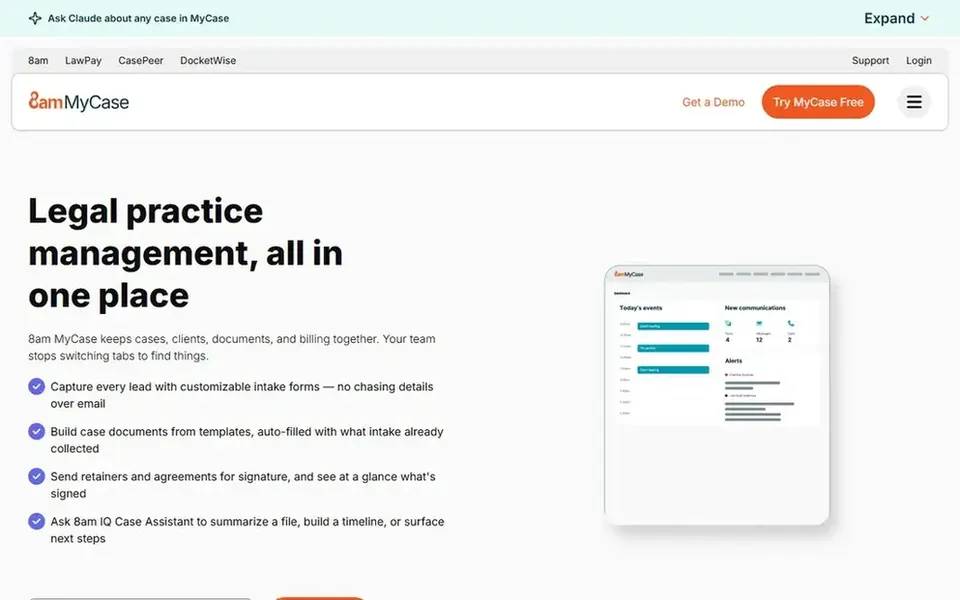
MyCase is built with businesses wanting cases and billing together in mind. Pick MyCase when consolidating cases and payments matters more than specialized AI capability. Beyond that, MyCase is legal practice management software built to run a profitable firm, not just handle cases, with cases, clients, billing, and payments in one place.
Watch-outs: Less emphasis on advanced AI workflows.
Very large organizations with layered matter structures may also outgrow it. As for the details, the product centers on practice management instead of deep AI analysis, so businesses needing advanced document review or litigation intelligence should look elsewhere. The starting price for MyCase: $50 per user per month. As for free access: Free trial.
iManage is a good fit for managing legal knowledge and documents. The product also performs best when content practices are consistent, so disorganized repositories limit its value.
Honest limits: Knowledge focus instead of case administration.
iManage does not show a starting price in this comparison, so check the vendor site for current pricing. Free access: Not stated.
Best for: Businesses scaling legal operations with AI
Litify works best for firms scaling legal operations with AI. Litify describes an all-in-one legal software system where native AI workflows manage complicated legal work so a firm or legal department can scale.
Beyond that, smaller practices with restricted administrative resources may prefer a more straightforward tool. Litify shows no starting price here, so confirm the cost on the vendor site. Free options: Not stated.
Limits to weigh: Geared toward teams ready to scale.
Filevine was built for AI-driven legal matter workflows. Consider other choices if you mainly need billing or payments instead of AI-assisted matter work.
Filevine shows no starting price here, so confirm the cost on the vendor site. Free plan details: Free trial.
Limits to weigh: AI features may need setup and training.
Best for: Small businesses needing automatic time tracking
Smokeball makes the most sense for small businesses needing automatic time tracking. Smokeball is legal practice management software that emphasizes productivity through automatic time tracking, document automation, and trust and billing tools. Teams that handle matters end to end in a single system, from intake through billing, are the natural audience for this system.
Where it falls short: Positioned toward smaller practices.
For everyday use, if your priority is litigation data analysis instead of daily matter administration, a specialist tool is the better direction. The tool is framed around practice management for smaller businesses, so bigger legal departments with complicated multi-team structures may need broader systems. Pricing for Smokeball is not stated here, so ask the vendor for current figures. Free access: Not stated.
Get a written quote from iManage, Litify, Filevine and Smokeball; the list shows no starting price for them.
Take the trial from MyCase and Filevine and push a live task through it before you pay.
Read the limits listed for MyCase first: less emphasis on advanced AI workflows.
List the apps you already depend on and check that iManage supports each one on the plan you would buy.
Add up seats, add-ons and usage charges for MyCase before comparing it with cheaper entries.
How we picked
The comparison looks at four things: starting price, free access, how well the feature set matches AI tools for matter management, and the main limit of each tool. Plan names, prices and limits change often. Treat the figures here as a starting point and verify them with the vendor. We ordered the tools by general fit, then by how clearly pricing is shown, then by free access. A buyer with unusual needs may reorder them.
Every price and plan detail on this page comes from the vendors’ own websites. We did not run hands-on tests unless the text says so, and we do not publish star ratings or review scores. See how we score and our disclosure.
Keep your shortlist in one place
Paste prices, trial dates and notes from this guide into Ainotely, our AI note app. It files them into a topic and pulls out tasks like “cancel trial by Friday”. Free 7-day trial, no card needed.
What should a law firm look for in AI matter management software?
Start with the workflow you run most, like intake, document handling, timekeeping or billing, and check whether the tool addresses it straight. From a buyer's view, then confirm how AI features are configured and what training your team will need.
How does document and knowledge management fit into matter management?
Solid document organization makes AI features more handy since the underlying content is consistent. Businesses with scattered files should address organization before expecting AI to deliver steady results.
Do these tools publish their prices?
Not all of them. iManage, Litify, Filevine and Smokeball publish no starting price, so expect a quote request for those. The rest, MyCase included, show a starting price, though seats and billing terms still change the final cost.
Can smaller businesses use these AI tools effectively?
Smaller teams should weigh setup effort against the time saved, since AI features normally need configuration and consistent use. Starting with the workflow that consumes the most manual time is a sensible approach.
Can I try these tools before paying?
Often, yes. MyCase and Filevine offer a free trial. Use your own data and a real task during the test, and check what the free tier or trial limits before you rely on it.
Does any tool for AI tools for matter management here have a free plan?
No tool in this list, MyCase and Smokeball included, has a permanent free plan. MyCase, Filevine offer a trial. Trials and quotes are the usual route, so plan a short evaluation period.