Best AI Tools for Teachers in 2026: 8 Tools Compared

- 1
 MagicSchool AIBroad lesson planning and classroom toolsVisit
- 2
 Brisk TeachingFeedback and differentiation inside Google DocsVisit
- 3
 KhanmigoStudent tutoring plus free teacher toolsVisit
- 4
 DiffitDifferentiated readings at many levelsVisit
- 5
 Eduaide.aiPedagogy-led planning and resource generationVisit
- MagicSchool AI offers the broadest teacher toolkit, with lesson plans, rubrics and feedback tools in one dashboard.
- Brisk Teaching wins on workflow, because it works inside Google Docs and Slides where teachers already write.
- Khanmigo is free for US teachers and adds student tutoring, which suits schools that want one safe student tool.
- Check student data rules before adopting any AI tool, including whether student work is used for model training.
Quick comparison
| Product | Ideal for | Price from | Free version | |
|---|---|---|---|---|
| MagicSchool AI | Broad lesson planning and classroom tools | $12.99 per month | Yes | Visit |
| Brisk Teaching | Feedback and differentiation inside Google Docs | See website | Yes | Visit |
| Khanmigo | Student tutoring plus free teacher tools | Free | Yes | Visit |
| Diffit | Differentiated readings at many levels | $14.99 per month | Yes | Visit |
| Eduaide.ai | Pedagogy-led planning and resource generation | See website | Yes | Visit |
 Curipod | Live interactive lessons with student responses | See website | Yes | Visit |
 Twee | English teachers needing quick classroom materials | See website | Yes | Visit |
 ChatGPT | General AI help for planning and drafting | $20 per month | Yes | Visit |
The best AI tools for teachers
We compared official feature pages, pricing pages, app store listings, privacy policies and public reviews to build this list of 8 options for best ai tools for teachers. Prices were checked in October 2026 and can change, so confirm the current price on the vendor site before you buy. Our pick for most people is the first option that fits your budget and workflow, not necessarily the most expensive tool on the list. Read the quick comparison first to narrow the field, then read the full write-ups for the two or three options that fit your needs best.
MagicSchool AI
Ideal for: Broad lesson planning and classroom tools
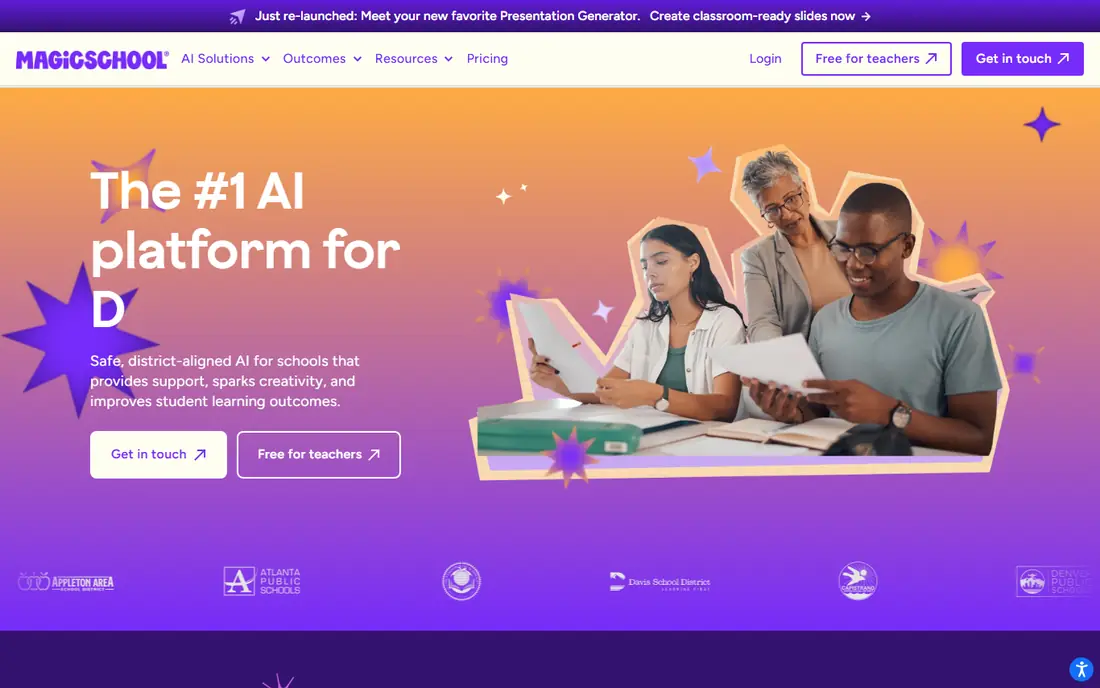
MagicSchool AI packs lesson plans, rubrics, IEP goal drafts, quizzes and report-card comments into one teacher dashboard. That breadth saves time because teachers do not need a different tool for each task. Student tools on paid plans also let classes use AI inside a teacher-controlled space.
The free tier has usage limits, and unlimited use needs the paid plan. AI output also needs review, since lesson drafts can miss local standards or reading levels. For breadth in one subscription, MagicSchool AI leads this list.
- 80+ teacher tools
- Lesson plans, rubrics and feedback
- Student tools included on paid plans
- Paid plan needed for unlimited use
- Output needs teacher review
- District pricing is separate
Brisk Teaching
Ideal for: Feedback and differentiation inside Google Docs

Brisk Teaching works where teachers already work: inside Google Docs, Slides, PDFs and YouTube. Highlight text and Brisk can level it, quiz it or give rubric-based feedback without copying content between tabs. That low friction is why teachers keep using it after the novelty fades.
It is Google-centered, so schools on other platforms get less value. The free tier also has daily limits, and full district controls need a district plan. For Google Workspace schools, Brisk is the easiest AI win.
- Chrome extension for Docs, Slides and PDFs
- Rubric feedback in place
- Leveled readings
- Google-focused
- Free tier has daily limits
- District features need a district plan
Khanmigo
Ideal for: Student tutoring plus free teacher tools

Khanmigo is Khan Academy's AI tutor, built to coach students with questions rather than hand over answers. That pedagogy matters, because it supports learning instead of shortcutting homework. For US teachers, the teacher tools are free, which removes the budget barrier for a whole class.
Student pricing varies by route, and tutoring depth is strongest in subjects with deep Khan Academy coverage. Setup also needs Khan Academy accounts and rostering. For safe, pedagogy-led tutoring, Khanmigo is a strong pick.
- Free for US teachers
- Socratic tutoring that coaches rather than giving answers
- Khan Academy content
- Student access pricing varies
- Tutoring is strongest in math
- Needs Khan Academy setup
Diffit
Ideal for: Differentiated readings at many levels
Diffit turns a topic, text or video into readings at different levels, with questions and vocabulary support. That helps teachers serve mixed-ability classes and multilingual learners without rewriting the same lesson five times. Speed is the selling point: a leveled set appears in about a minute.
AI-leveled text still needs a teacher check for errors and reading-level fit, and Diffit is narrower than MagicSchool. It does one job very well, which is differentiation, rather than covering all planning. For that job, it is excellent.
- Leveled readings in under a minute
- Adapted resources for multilingual learners
- Export options
- Individual premium pricing is the main route
- Output needs checking for accuracy
- Limited planning breadth
Eduaide.ai
Ideal for: Pedagogy-led planning and resource generation
Eduaide.ai appeals to teachers who plan from pedagogy, not just prompts. It offers many resource types, supports frameworks and depth-of-knowledge levels, and produces structured materials rather than generic text. That structure helps new teachers learn planning as they use it.
The free tier is limited, and the interface is less polished than MagicSchool or Brisk. Pricing also needs checking on the vendor site, since school plans vary. For pedagogy-minded planners, Eduaide.ai is worth a trial.
- 75+ resource types
- Frameworks and depth-of-knowledge support
- School plans available
- Free tier is limited
- Interface is less polished than rivals
- Pricing needs checking
Curipod
Ideal for: Live interactive lessons with student responses
Curipod builds interactive lessons where students write and respond on devices, with AI feedback during the lesson. That live loop suits writing practice and discussion, because teachers see misconceptions while there is still time to fix them. Engagement is higher than a static slide deck.
It needs student devices and works best in live lessons, so it does not suit every subject or timetable. School pricing is also custom, which slows a solo purchase. For interactive classroom lessons, Curipod is a distinct and useful tool.
- Interactive lessons with live student writing
- Real-time AI feedback
- Engagement tools
- School pricing is custom
- Needs student devices
- Live format suits some lessons better than others
Twee
Ideal for: English teachers needing quick classroom materials
Twee is built for English language teachers, with tools for readings, listening, speaking and vocabulary activities. That focus means its outputs fit language lessons better than a general chatbot, and exports to PDF, Forms and Docs save formatting time. For EFL and ESL teachers, it is a time saver.
Its subject focus is also its limit: teachers of other subjects get little value. The basic plan also caps monthly runs. For English teaching, Twee earns its place; for general planning, pick MagicSchool instead.
- Tools built for English teaching
- Reading, listening and speaking activities
- Export to forms and docs
- Narrow subject focus
- Basic plan limits runs
- Less suited to other subjects
ChatGPT
Ideal for: General AI help for planning and drafting
ChatGPT is the general-purpose option, useful for drafting lesson ideas, rewriting instructions at different reading levels, and creating quiz questions. Its study mode and broad knowledge make it flexible, and most teachers already know how to prompt it. For quick drafting, it is fast.
It is not built for schools, so data controls, student safety and district agreements need a school plan and careful setup. Output also needs review for accuracy and age fit. Use ChatGPT as a drafting assistant, with teacher judgment as the final check.
- Strong general drafting
- Study mode and quizzes
- Huge prompt community
- Not built for schools
- Data controls need a school plan
- Output needs careful review
How we picked these
We started from the topic and shortlisted products that exist and work today, then checked each vendor homepage, pricing page and free tier. We compared feature pages, app store listings, privacy policies and public reviews, and we dropped any product whose homepage could not be verified or whose price could not be checked. Where a price was unclear or varied by region, we wrote See website rather than guessing a number. That rule kept the list honest, even where a neat price would have made the comparison table look tidier.
We also weighed fit over fame. A well-known product stayed on the list only if it truly fits the topic, and smaller tools earned a place when they served a clear use case better. No product here was tested hands-on for this article, and no vendor paid for placement.
Price and free-tier details matter most when plans change often, so we favoured products with clear published pricing and a trial or free tier where one exists. If a vendor changed a plan after our check, the vendor site is the correct source, and the ranking here still reflects fit, not just price. That check takes extra time, but it prevents a shortlist built on outdated pricing or a product that no longer exists.
Choosing AI tools for teachers without creating extra work
Pick tools that fit the workflow teachers already use. A tool that needs a new login, a new tab and copy-paste for every task will be abandoned, however good its output is. Check district data agreements, test output on a real lesson, and keep AI drafts as starting points that teachers review and adapt.
Before you pay, run a trial on a real task from your own work, not a demo file. Check export formats, mobile access and support hours, because those details decide whether a tool survives daily use. Also check renewal terms and cancellation steps, since a cheap first year can become an expensive second year if renewal jumps. Finally, ask who will own setup and training, because a tool nobody is responsible for tends to fall out of use within a few months. Keep a short note on why you picked the winner, so a future review can judge it against the same criteria instead of starting from scratch.
A useful final test is to imagine the tool in six months, when the first excitement has faded and the work is routine. If the daily steps are still quick, the cost is still clear, and the support route is still obvious, the choice is likely sound. If any of those three answers is unclear, use the trial period to get a clear answer before committing to an annual plan.
Frequently asked questions
What is the best free AI tool for teachers?
MagicSchool AI and Brisk Teaching both offer free tiers that cover common planning and feedback tasks. Khanmigo is free for US teachers and adds student-facing tutoring.
Can AI tools grade student work?
AI tools can draft feedback and suggest rubric scores, but teachers should review every judgment before it reaches a student. Use AI for first drafts and patterns, not final grades.
Are AI tools safe for student data?
Safety depends on the vendor agreement, not the marketing page. Check FERPA and COPPA alignment, data retention, and whether student inputs are used for training, and get district approval where required.
Which AI tool is best for lesson planning?
MagicSchool AI is the broadest lesson planning toolkit, while Eduaide.ai suits teachers who want pedagogy-led templates. Brisk Teaching suits teachers who plan inside Google Docs.