7 Strong AI Tools for Workforce Planning Choices in 2026

- ChartHop is the opening pick, best for mid-sized teams needing org design and headcount plans.
- No starting price is shown for any of the 7 tools, ChartHop and Workday Adaptive Planning included, so plan time for sales calls.
- ChartHop, Workday Adaptive Planning and the 5 others all need a premium plan or a trial, since no free plan is listed.
- Workday Adaptive Planning suits Workday customers planning headcount and cost.
Direct answer
ChartHop is the first pick on this list for mid-sized teams needing org design and headcount plans. For a different need, Crunchr covers HR analysts needing workforce analytics and Visier covers large employers needing people analytics and forecasts. Details, prices and limits for the rest of the 7 tools are below.
Quick comparison
| Product | Ideal for | Price from | Free version | |
|---|---|---|---|---|
 ChartHop | Mid-sized teams needing org design and headcount plans | See website | Free trial | Visit |
 Crunchr | HR analysts needing workforce analytics | See website | No | Visit |
 Visier | Large employers needing people analytics and forecasts | See website | No | Visit |
 Planful | Mid-market planning with finance controls | See website | No | Visit |
 Anaplan | Finance-led workforce and scenario planning | See website | No | Visit |
 Orgvue | Large org design and workforce modelling | See website | No | Visit |
 Workday Adaptive Planning | Workday customers planning headcount and cost | See website | No | Visit |
AI Tools for Workforce Planning profiles
Choosing AI tools for workforce planning usually comes down to price, fit and limits. This Ainotely guide sets 7 tools side by side on those three points, with the facts kept short and checkable.
ChartHop
Ideal for: Mid-sized teams needing org design and headcount plans
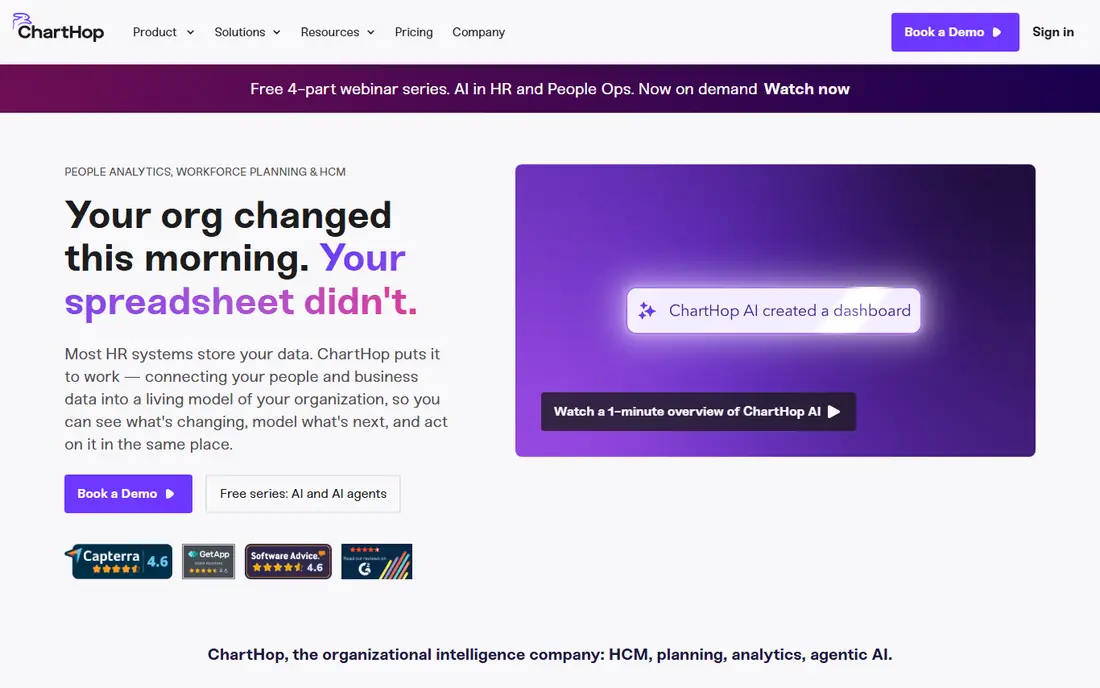
ChartHop serves mid-size teams needing org design and headcount plans. ChartHop begins from a different place than most planning tools: the org chart. It links HR data into one visual map of teams, roles, managers, and open positions, and planning happens on that same map.
Where it is weaker: Implementation fees can apply on bigger plans.
In practice, pricing is modular, with an entry-level level and premium modules for planning, compensation, and performance, and some published summaries put the first core module at a per-employee monthly rate with a minimum annual contract. That structure can keep the entry cost down, but it also means the full planning setup costs more than the entry-level price recommends. It is less suited to a buyer who needs deep predictive modelling across tens of thousands of employees. This comparison lists no price for ChartHop; ask the vendor. Free access: Free trial.
- Modular pricing for smaller starts
- Visual org charts linked to live people data
- Advanced analytics are thinner than Visier
Crunchr
Ideal for: HR analysts needing workforce analytics
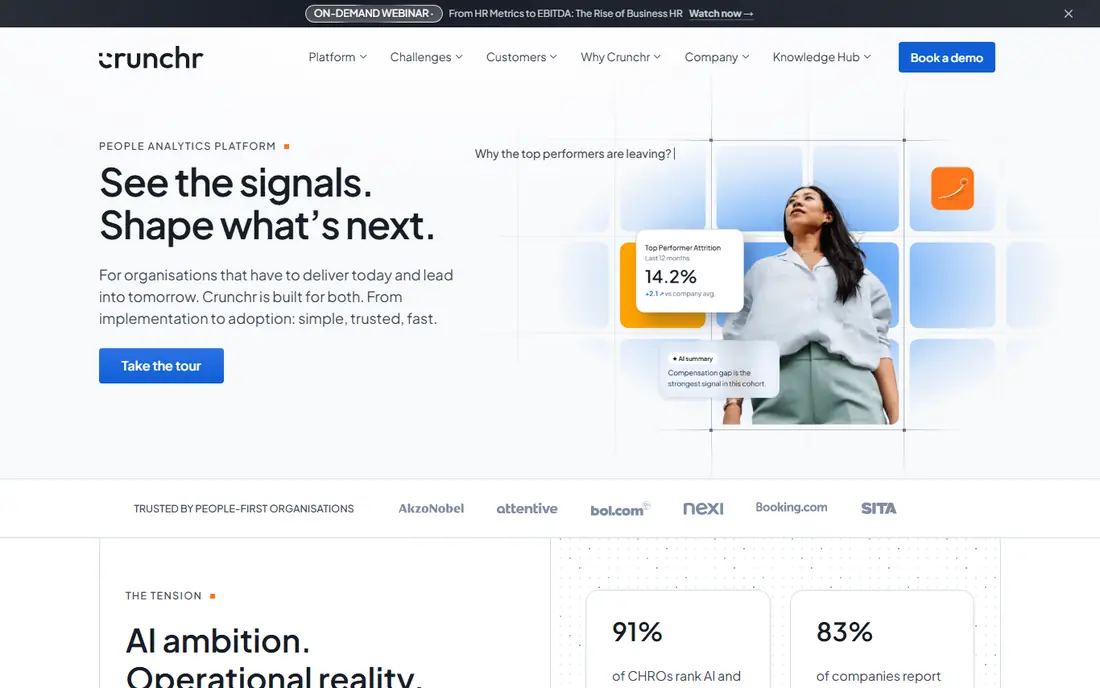
Crunchr makes the most sense for HR analysts needing workforce analytics. Crunchr is a workforce analytics system aimed at HR analysts who require to answer in-depth questions without building dashboards from scratch.
Where it shines: Attrition predictions and diversity views.
If your primary need is a straightforward headcount forecast for finance, a planning product may serve you better than an analytics-first tool. Pricing is not published, so buyers need a quote, and the community and template library are smaller than those of Visier or Workday. Crunchr does not show a starting price in this comparison, so check the vendor site for current pricing. No free plan comes with Crunchr.
Where it is weaker: Contact-sales pricing.
- Flexible analysis without heavy coding
- Not just executives
- Smaller user community than bigger rivals
Visier
Ideal for: Large employers needing people analytics and forecasts
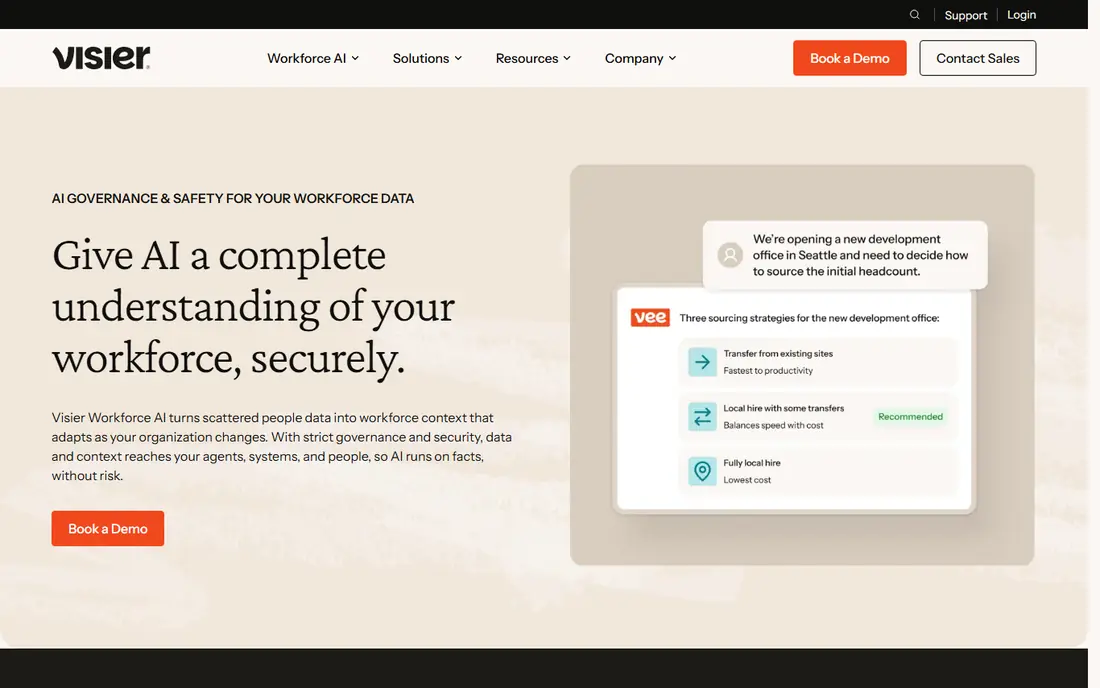
Visier was built for large employers needing people analytics and forecasts. Its AI assistant, Vee, lets managers ask questions in plain language and get a chart or summary back, which helps when a leader needs a number for a meeting and does not want to wait for an analyst. The planning side lets teams model future headcount and the total cost of that workforce, then compare the plan with actual hiring and attrition as the year goes on.
That comparison matters, because a plan that no one checks after approval is just a spreadsheet with better formatting. In daily use, Visier is priced for mid-sized to large employers, implementation takes real data work. A small company with a straightforward headcount plan will not get value from its depth. From a buyer's view, the honest catch is cost and scale. Visier shows no starting price here, so confirm the cost on the vendor site. Visier does not include a free plan.
Honest limits: Enterprise pricing and contract size.
- Prebuilt people analytics models
- Attrition and promotion predictions
- Less handy for very small teams
Planful
Ideal for: Mid-market planning with finance controls
Planful is built with mid-market planning with finance controls in mind. Planful is geared toward finance teams in mid-market and bigger firms that require workforce costs inside the budget, not beside it. In daily use, a team that only plans headcount once per year in a small spreadsheet may find Planful more formal than it needs.
Honest limits: Heavier setup than a straightforward headcount tool.
Also, ask for a demo using your own chart of accounts and job levels, not a generic sample. So you can see how much mapping work the first cycle will need. More specifically, the downside is the same as with other finance planning products: setup takes time. The tool rewards firms that commit to a structured planning cycle. In practice, planners can model hires, departures, merit raises, and contractor costs, then roll those numbers into department budgets and consolidated reports. Planful shows no starting price here, so confirm the cost on the vendor site. Planful has no free tier.
- Structured approval workflows
- Consolidation and reporting in one system
- No public pricing
Anaplan
Ideal for: Finance-led workforce and scenario planning
Anaplan is built with finance-led workforce and scenario planning in mind. Finance teams build a model that links hiring plans to salary, benefits, and department budgets. So a change in headcount displays up in the financial forecast at once.
The main drawbacks: Implementation can be long and expensive.
PlanIQ layers on forecasting to that model, which helps teams test what happens if hiring slips by a quarter or attrition rises in one region. For a public company or a large employer with many cost centres, that link between people and money is the central reason to choose Anaplan. The trade-off is effort. Plenty of buyers work with Anaplan or a certified partner for the first build, and that brings time and cost on top of the licence. If your CFO needs a defensible, auditable plan that finance and HR both sign, it earns its place on the shortlist. Check the vendor site for Anaplan pricing; none is listed in this comparison. Anaplan has no free tier.
- Capable version control and audit trail
- Connected finance and workforce models
- Needs trained model builders
Orgvue
Ideal for: Large org design and workforce modelling
Orgvue makes the most sense for large org design and workforce modelling. Pricing is custom, the buyer is normally a large employer, and the value comes from complicated design work instead of daily headcount tracking. Orgvue is for firms dealing with restructuring, mergers, or large workforce changes.
What to check first: Enterprise focus and custom pricing.
It models the organisation as data, so leaders can test a new structure, see reporting spans, layers, and costs, and compare choices before announcing anything. That modelling depth is hard to reproduce in a spreadsheet once headcount passes a handful of thousand, notably across countries and business units. More specifically, Orgvue is not a starter tool. No starting price is listed for Orgvue here; confirm pricing on the vendor site. No free plan comes with Orgvue.
Where it shines: Capable handling of large.
- Complicated structures
- Org design and workforce modelling in one view
- Overkill for small teams
Workday Adaptive Planning
Ideal for: Workday customers planning headcount and cost
Workday Adaptive Planning was built for Workday customers planning headcount and cost. In practice, managers can build scenarios, such as a hiring freeze in one division or quicker growth in another, and see the cost effect without rebuilding the model each time.
Where it is weaker: Custom pricing with no public starting price.
For everyday use, headcount, compensation, and hiring assumptions can feed straight from Workday records, which cuts down on manual exports and version confusion. Check the vendor site for Workday Adaptive Planning pricing; none is listed in this comparison. Workday Adaptive Planning has no free plan.
- Familiar interface for Workday users
- Close fit with Workday HCM and finance data
- Best value only inside the Workday system
Selection criteria
We compared the tools on published pricing, free plan or trial availability, feature coverage for AI tools for workforce planning, and the limits each vendor documents. Figures are shown as the vendors publish them. Billing terms, seat minimums and add-ons can change the real cost. The sequence is a judgement call: typical use case first, then pricing transparency, then free access. Use the profiles to check fit.
Things to verify first
- Ask each vendor, from ChartHop to Workday Adaptive Planning, for a written quote; none of them publishes a starting price.
- Take the trial from ChartHop and push a live task through it before you pay.
- Read the limits listed for ChartHop first: advanced analytics are thinner than Visier.
- Make sure Anaplan lets you export your data in a format another tool can read.
- Ask the daily users to test Workday Adaptive Planning on a live task before you roll it out to everyone.
Frequently asked questions
Does any tool for AI tools for workforce planning here have a free plan?
No tool in this list, ChartHop and Workday Adaptive Planning included, has a permanent free plan. ChartHop offer a trial. Trials and quotes are the usual route, so plan a short evaluation period.
Is ChartHop the right pick for everyone comparing AI tools for workforce planning?
No single tool suits every team. ChartHop comes first because it fits mid-size teams needing org design and headcount plans, while Crunchr suits HR analysts needing workforce analytics and Visier suits large employers needing people analytics and forecasts. Match the tool to your own size, budget and workflow before deciding.
Can I try these tools before paying?
Often, yes. ChartHop offers a free trial. Use your own data and a real task during the test, and check what the free tier or trial limits before you rely on it.
Do small firms need AI workforce planning tools?
These tools earn their cost when headcount, locations, or hiring volume make manual planning slow or error-prone, or when finance needs a costed plan it can audit.
How are the tools for AI tools for workforce planning ordered?
ChartHop sits first and Workday Adaptive Planning last because the order follows typical fit for AI tools for workforce planning, then price clarity and free access. It is a judgement call, so read each profile for fit and limits.
How much does workforce planning software cost?
Smaller, modular tools may start at a low per-employee rate, but minimum contracts and add-on modules raise the total. Always ask for a full written quote before comparing prices.