ChatDOC is the first pick on this list for Summarizing long, complicated documents. Listed starting prices: AskYourPDF from $11.99 a month. Look at DocuAsk for building chatbots from past content, and at AskYourPDF for chatbots and AI form filling. Prices, free plans and limits for all 6 tools follow.
Short on time? The summary and table above give the quick view of 6 AI tools for working with PDFs, and the profiles that follow give the detail behind each entry.
Key takeaways
ChatDOC is the opening pick, best for Summarizing long, complicated documents.
Adobe Acrobat is the one to check for full PDF editing with AI assistance.
The main caution on AskYourPDF: mixed product scope beyond pure PDF reading.
AskYourPDF, Humata: these are the 2 tools out of 6 that offer a free plan.
ChatDOC serves Summarizing long, complicated documents. In daily use, the emphasis is on comprehension, so you can move from a full report to the passages that matter.
It does not replace a full editing and signing suite, so production tasks stay elsewhere. Choose ChatDOC when long, technical reading is the primary job. No starting price is listed for ChatDOC here; confirm pricing on the vendor site. Trial and free access: Not stated.
The main drawbacks: Large document sets may need additional organization.
For building chatbots from past content, DocuAsk is a natural candidate. Setup and content curation take effort before the bot is handy.
Limits to weigh: Less suited to one-off document analysis.
In daily use, DocuAsk automates chatbot creation so you can build assistants from your past content using its AI technology. The focus is on turning existing material into a reusable question-answering resource. DocuAsk shows no starting price here, so confirm the cost on the vendor site. Free plan details: Not stated.
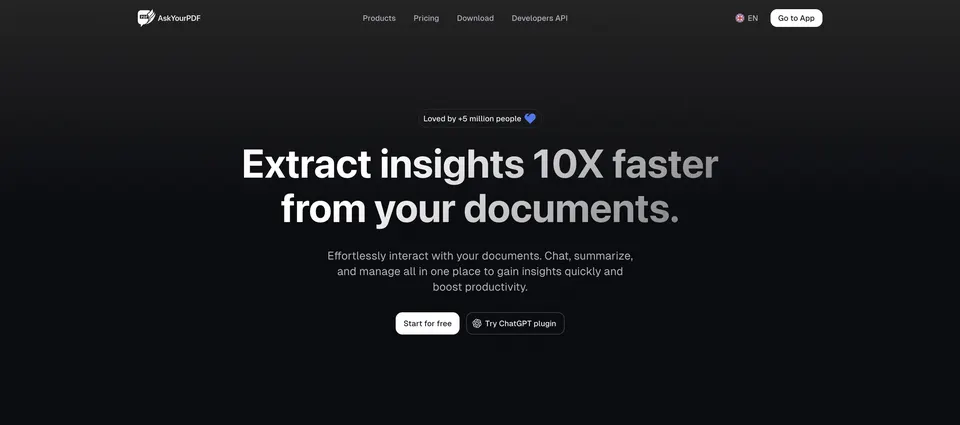
Choose AskYourPDF for chatbots and AI form filling. AskYourPDF merges PDF chat with an AI form filler and a website chatbot trained on your content. From a buyer's view, since it spans multiple products, the interface carries more than a single-purpose reader.
Honest limits: Mixed product scope beyond pure PDF reading.
If you only need summaries, a more straightforward chat tool is quicker. Choose AskYourPDF when form filling or a content-trained chatbot is part of the plan. AskYourPDF pricing: $11.99 per month. A free plan is available with AskYourPDF.
Pick PDF.ai if this describes you: API-driven parsing and extraction. PDF.ai lets you chat with a PDF to ask questions, get summaries and find answers.
It also gives you an API to parse documents, extract data and split PDFs in your own workflows. Check the vendor site for PDF.ai pricing; none is listed in this comparison. Trial and free access: Not stated.
Where it falls short: Chat features overlap with more straightforward tools.
Humata makes the most sense for turning documents into a knowledge base. Humata is an AI agent that turns your documents into a quick, intelligent knowledge base for instant analysis, insights and answers.
Limits to weigh: Less emphasis on editing or form workflows.
In daily use, for a single PDF, the collection-oriented approach can feel like more structure than needed. Choose Humata when your real problem is searching and reasoning across numerous documents instead of processing one. Pricing for Humata is not stated here, so ask the vendor for current figures. Humata includes a free tier.
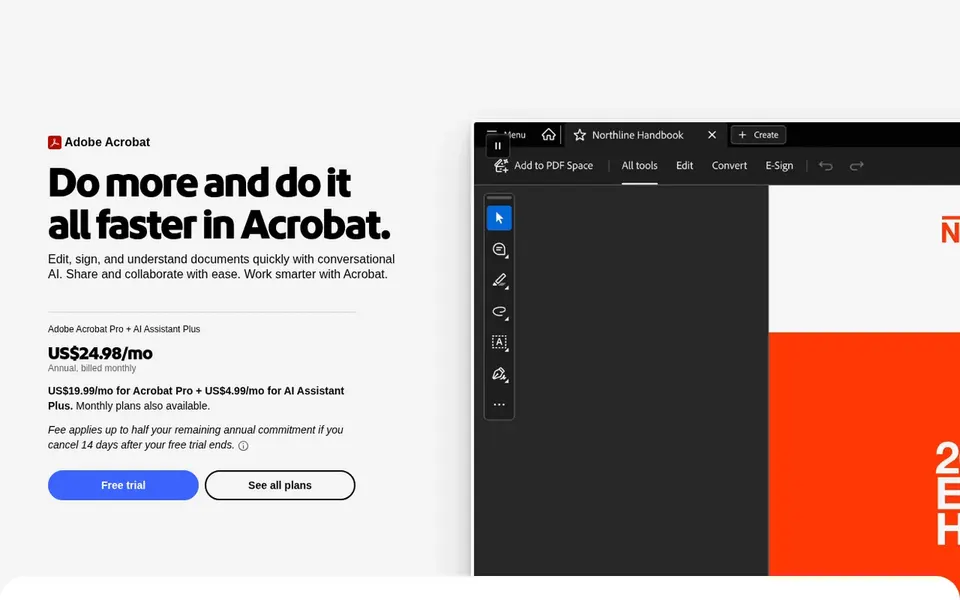
Adobe Acrobat is aimed squarely at full PDF editing with AI assistance. If you only have to ask questions of one document, a focused assistant may be enough.
The breadth of the toolkit means a ramp-up time, and more straightforward chat tools feel quicker for a single summary. Choose Acrobat when editing, signing and document management matter as much as the AI layer. This comparison lists no price for Adobe Acrobat; ask the vendor. Free options: Not stated.
Honest limits: Feature depth can feel heavy for straightforward reading.
Confirm the entry price on the vendor page. For ChatDOC, DocuAsk, PDF.ai and others that means a quote rather than a fixed price.
Read the fine print on the free plans from AskYourPDF and Humata; seat, project and feature caps differ.
Before choosing ChatDOC, weigh its main limit: concentrated on reading instead of editing.
Compare total cost, not headline price: for Humata, add extra seats, add-ons and any usage-based charges.
Ask ChatDOC how an export works before you move any records in; an easy exit lowers the risk.
How we picked
We compared the tools on published pricing, free plan or trial availability, feature coverage for AI tools for working with PDFs, and the limits each vendor documents. Where a price is missing, the vendor does not list one publicly or ties it to a quote. Always confirm before budgeting. The order reflects how well each tool fits the most common buying scenario for AI tools for working with PDFs, then price clarity, then free plan access. It is a starting point, not a verdict.
Every price and plan detail on this page comes from the vendors’ own websites. We did not run hands-on tests unless the text says so, and we do not publish star ratings or review scores. See how we score and our disclosure.
Keep your shortlist in one place
Paste prices, trial dates and notes from this guide into Ainotely, our AI note app. It files them into a topic and pulls out tasks like “cancel trial by Friday”. Free 7-day trial, no card needed.
What is the cheapest option for AI tools for working with PDFs in this list?
On published monthly entry prices, AskYourPDF is the lowest here at $11.99 per month. Entry price is only part of the cost, because seats, add-ons and billing terms can change the total. Each of the 6 options in this AI tools for working with PDFs guide has its own card above with the price, free plan and limits.
How are the AI tools for working with PDFs ordered?
The order follows typical fit for AI tools for working with PDFs, with ChatDOC first and Adobe Acrobat last, then price clarity and free access. It is editorial judgement, not a score, so another team could rank the tools differently.
Do these tools publish their prices?
Not all of them. ChatDOC, DocuAsk, PDF.ai and others publish no starting price, so expect a quote request for those. The rest, AskYourPDF included, show a starting price, though seats and billing terms still change the final cost.
When is an API better than a chat interface?
An API helps when document parsing or extraction must run inside your own product, pipeline or automation instead of in a browser tab. If you only read documents occasionally, a chat interface is more straightforward and quicker to adopt.
Are AI PDF tools right for confidential documents?
That relies on the vendor's data handling terms, which you should read before uploading anything sensitive. Some tools are aimed at individual reading, whereas others target team knowledge bases and may retain content.
Can AI tools edit PDFs or only read them?
Numerous AI PDF tools focus on reading, summarizing and answering questions about content. Full editing, signing and form workflows are normally handled by broader suites like Adobe Acrobat, whereas AskYourPDF flags AI form filling.