Comparing 7 AI Tools to Animate Static Images in 2026

- Number one here is Kling, a fit for realistic motion at a lower price.
- Free plans exist at 4 of 7 tools (Kling, Genmo, LeiaPix, Pika).
- For natural camera movement, Luma Dream Machine is worth a look.
- One limit worth knowing about Genmo: output quality varies by prompt.
Direct answer
Kling is the first pick on this list for realistic motion at a lower price. Genmo is the stronger choice for low-cost experimentation, while LeiaPix suits Gentle 3D depth from photos. All 7 tools are compared below on price, free plan and limits.
Quick comparison
| Product | Ideal for | Price from | Free version | |
|---|---|---|---|---|
 Kling | Realistic motion at a lower price | $10 a month | Yes | Visit |
 Genmo | Low-cost experimentation | See website | Yes | Visit |
 LeiaPix | Gentle 3D depth from photos | $4.99 a month | Yes | Visit |
 Kaiber | Music-led, stylised visuals | See website | Free trial | Visit |
 Runway | Controlled, editable video shots | $15 a month | Free trial | Visit |
 Pika | Short, effect-led social clips | $10 a month | Yes | Visit |
 Luma Dream Machine | Natural camera movement | $30 a month | No | Visit |
AI Tools to Animate Static Images compared in detail
Choosing AI tools to animate static images usually comes down to price, fit and limits. This Ainotely guide sets 7 tools side by side on those three points, with the facts kept short and checkable.
Kling
Ideal for: Realistic motion at a lower price
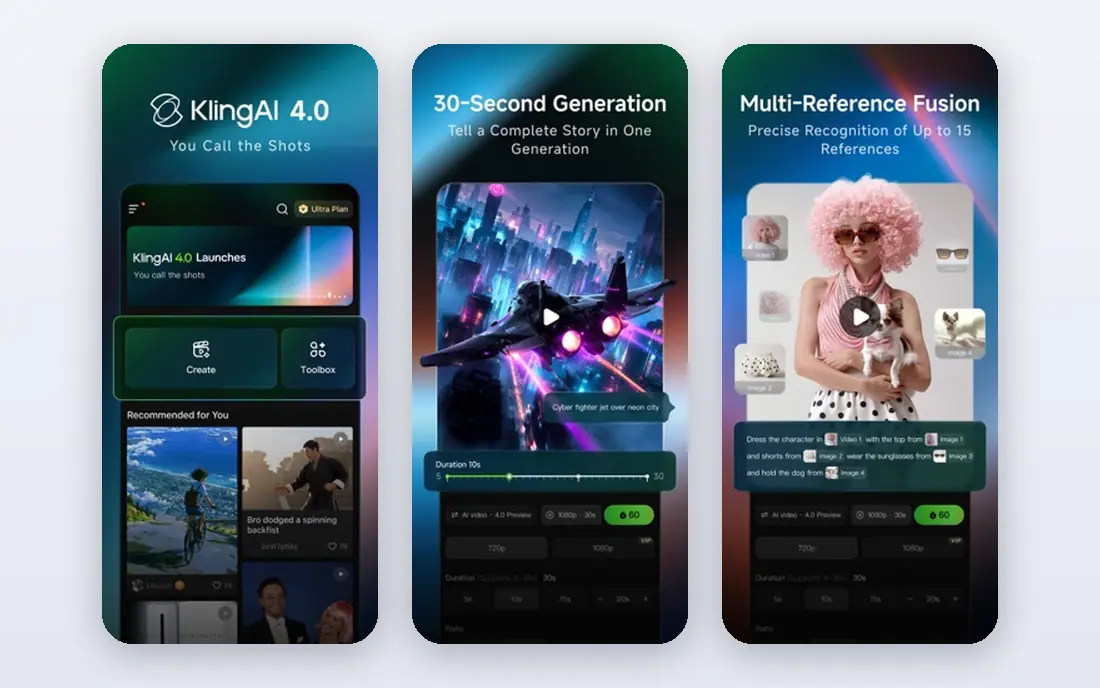
Kling was built for realistic motion at a lower price. It deals with everyday subjects, for example a product photo or a portrait, with motion that looks natural instead of jittery.
From a buyer's view, premium plans remove that friction and provide you more room to iterate. On top of that, free access is handy for learning the controls, but check the watermark and licence terms before you post a free clip for business use. What you pay to start with Kling: $10 per month. Free access exists with Kling.
Points against: Free exports can carry a watermark.
- First and last frame controls on supported plans
- Realistic movement for people and objects
- Generation time varies with demand
Genmo
Ideal for: Low-cost experimentation

Choose Genmo for low-cost experimentation. Genmo is a sensible place to learn what image animation can and cannot do. In daily use, for finished client work, compare the export quality with Kling or Runway on the same photo.
Limits to weigh: Output quality varies by prompt.
You can upload a photo, try different prompts, and build a sense of how much direction a model needs. That practice saves money later, since you will waste fewer premium credits on vague prompts. Genmo does not show a starting price in this comparison, so check the vendor site for current pricing. A free plan is available with Genmo.
- Handy for drafts and storyboards
- Straightforward image-to-video workflow
- Higher resolution and volume need a premium plan
LeiaPix
Ideal for: Gentle 3D depth from photos

Pick LeiaPix if this describes you: Gentle 3D depth from photos. LeiaPix does one job well. It brings depth to a flat photo and lets you export a short animation with a moving viewpoint, which works nicely for social posts, listings, and slides.
From a buyer's view, do not expect it to change the scene or make a person walk across a room. On top of that, for a fast depth effect, LeiaPix is hard to beat on price and simplicity. LeiaPix pricing: $4.99 per month. LeiaPix offers a free plan.
Watch-outs: Free exports are watermarked and non-commercial.
- Decent depth effect for portraits and property photos
- Low starting price
- Movement is restricted compared to full video generators
Kaiber
Ideal for: Music-led, stylised visuals
Kaiber was built for music-led, stylised visuals. Kaiber appeals to creators who want a look, not just motion. From a buyer's view, use the trial to see whether the style matches your project before you commit.
Honest limits: Stylised output may not suit realistic product work.
Main advantages: Well suited to music videos and mood-led clips.
A still image can become a dreamlike or painterly sequence that suits a song or a brand mood, which is a different goal from a realistic product clip. That strength is also its limit. Kaiber shows no starting price here, so confirm the cost on the vendor site. Free options: Free trial.
- Audio ideas
- Distinct artistic styles
- Pricing is not completely clear without signing in
Runway
Ideal for: Controlled, editable video shots
Pick Runway if this describes you: controlled, editable video shots. The main limit is the credit system.
Points against: Credit use can be hard to predict.
Where it shines: Capable image-to-video control.
On top of that, you can start from a photo, guide the motion with a prompt, and then extend or restyle the shot without moving to another editor. If you only need occasional social clips, a less expensive tool may serve you just as well. The starting price for Runway: $15 per month. Free access: Free trial.
- Directed shots
- Editing tools in the same workspace
- Free credits are one-time only
Pika
Ideal for: Short, effect-led social clips
In short, Pika is for short, effect-led social clips. Pika is a solid fit for creators who post commonly and want fast results. From a buyer's view, the limit to watch is licensing.
For personal or test projects, the free access is a practical starting point. On top of that, effects and short motion styles can turn a flat product or portrait shot into something that stops a scroll, without a long setup process. Starting cost for Pika: $10 per month. Pika offers a free plan.
Honest limits: Clip length is restricted compared to some rivals.
- Fun effects for social posts
- Supports several stills on some workflows
- Commercial use needs a higher plan
Luma Dream Machine
Ideal for: Natural camera movement
Luma Dream Machine targets natural camera movement. Luma Dream Machine is the tool I would shortlist for product and travel photos where the camera move matters as much as the subject.
Worth adding: a slow push-in or a gentle orbit can make a still feel like part of a film. The output commonly holds together well across the clip. Starting cost for Luma Dream Machine: $30 per month. There is no free plan with Luma Dream Machine.
Where it falls short: No free plan listed.
- Capable handling of light and depth
- Keyframe controls on supported workflows
- Entry price is high for casual use
Pricing patterns for AI tools to animate static images
Start with one photo you actually plan to use, not a perfect demo image. Worth adding: next, read the export rules. Worth adding: check resolution, watermark, commercial licence, and whether credits expire at the end of the month.
Those details decide the real cost more than the headline monthly price.
Selection criteria
Ainotely looked at what each vendor publishes: pricing, plan limits, feature coverage for AI tools to animate static images and stated drawbacks. No hands-on testing is claimed. Figures are shown as the vendors publish them. Billing terms, seat minimums and add-ons can change the real cost. Position on the page reflects fit for a typical buyer first, with price clarity and free access breaking ties. Treat it as a guide, not a ruling.
Before you commit
- Get a written quote from Genmo and Kaiber; the list shows no starting price for them.
- Read the fine print on the free plans from Kling, Genmo, LeiaPix and Pika; seat, project and feature caps differ.
- Use real work to test the free trial from Kaiber and Runway, rather than a demo project.
- Before choosing Kling, weigh its main limit: free exports can carry a watermark.
- Make sure Luma Dream Machine lets you export your data in a format another tool can read.
- Involve the people who will use Genmo daily; a short pilot beats a long feature checklist.
Frequently asked questions
How long can an animated photo clip be?
Most tools in this list make short clips, commonly around five to ten seconds, and some let you extend a clip in steps.
Can I try these tools before paying?
Often, yes. Kling, Genmo, LeiaPix and Pika have a free plan and Kaiber and Runway offer a free trial. Use your own data and a real task during the test, and check what the free tier or trial limits before you rely on it.
Which options for AI tools to animate static images have a free plan?
On this list, Kling, Genmo, LeiaPix and Pika include a free plan. Caps on seats, usage or features are common, so test the free plan against your real workload. Several others offer a trial instead.
What is the cheapest option for AI tools to animate static images in this list?
On published monthly entry prices, LeiaPix is the lowest here at $4.99 per month. Entry price is only part of the cost, because seats, add-ons and billing terms can change the total.
How are the tools for AI tools to animate static images ordered?
The order follows typical fit for AI tools to animate static images, with Kling first and Luma Dream Machine last, then price clarity and free access. It is editorial judgement, not a score, so another team could rank the tools differently.
Is it safe to animate a photo of a real person?
Only with that person's permission, and never to build a misleading or harmful clip. For client work, use your own photos, licensed images, or a model release, and follow the product rules on likeness and disclosure.