Best AI Tools to Build a Website in 2026: 8 Tools Compared

- 1
 Wix AIAll-round small businessVisit
- 2
 Framer AIDesign-led startupsVisit
- 3
 Hostinger AIFast budget launchVisit
- 4
 Squarespace BlueprintDesign-led brandsVisit
- 5
 10WebWordPress AI buildsVisit
- Wix AI is our pick for most small businesses, with AI-generated site drafts plus a full editor for refining every page.
- Framer AI suits design-led sites and startups that want a polished, modern look with strong templates and AI drafting.
- Hostinger AI and Durable suit buyers who want the fastest possible launch, with a complete site draft in minutes.
- AI builders draft fast, but you still need to rewrite copy, check facts, add real photos and test mobile layout before publishing.
Quick comparison
| Product | Ideal for | Price from | Free version | |
|---|---|---|---|---|
| Wix AI | All-round small business | See website | No | Visit |
| Framer AI | Design-led startups | See website | No | Visit |
| Hostinger AI | Fast budget launch | See website | No | Visit |
| Squarespace Blueprint | Design-led brands | See website | No | Visit |
| 10Web | WordPress AI builds | See website | No | Visit |
 Durable | Fastest business launch | See website | No | Visit |
 Jimdo | Simple small sites | See website | No | Visit |
 Bookmark AiDA | Guided AI building | See website | No | Visit |
The best ai tools to build a website
AI website builders turn a short brief, such as business type, services and style, into a complete site draft with pages, copy and images. The best tools then let you edit that draft freely, rather than locking you into AI output. We compared generation quality, editing freedom, ecommerce, SEO tools and pricing.
Wix AI
Ideal for: All-round small business
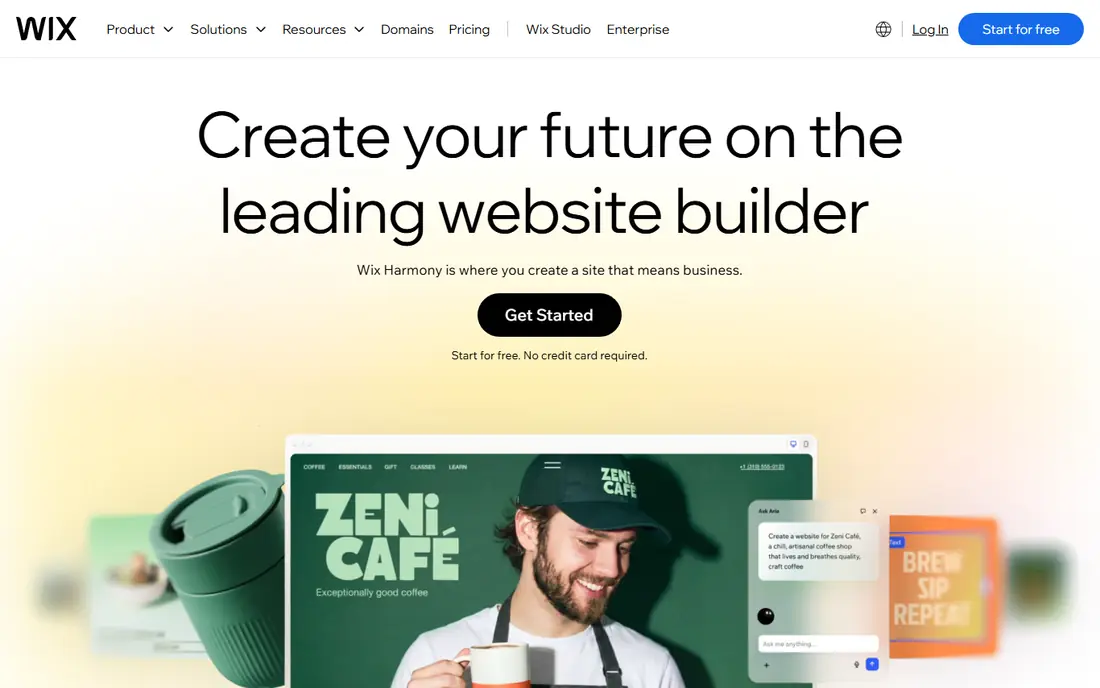
Wix AI suits most small businesses because it pairs AI generation with real editing power. Answer a few questions about your business, and Wix drafts a site with pages, copy and images, which you can then refine in the full editor, change layouts, add apps and connect payments. That combination beats builders that only offer an AI draft with limited editing.
The catch is copy quality. AI drafts are generic by nature, so rewrite headlines, services and about pages in your own words, replace stock images with real photos, and check every fact before publishing. Wix AI saves days of setup, but the final polish still needs a human.
- AI draft plus full editor control
- Huge template and app ecosystem
- Ecommerce, bookings and marketing tools
- AI copy needs rewriting for most businesses
- Higher tiers needed for full commerce features
Framer AI
Ideal for: Design-led startups
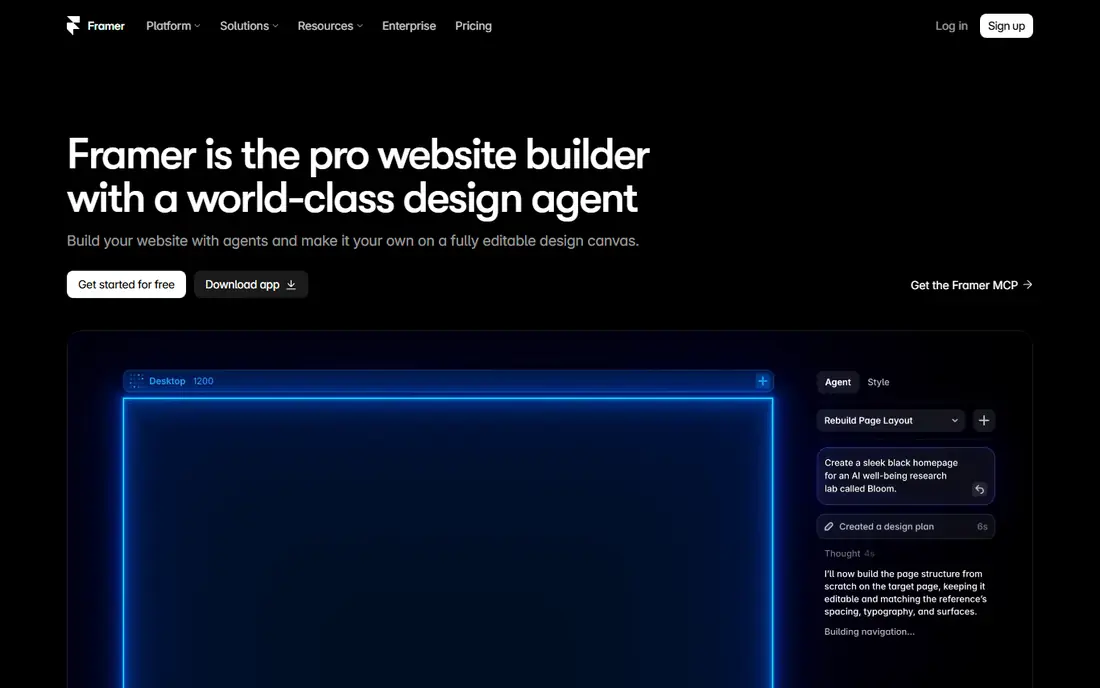
Framer AI suits startups and creators who care most about look and feel. Its AI drafts produce clean, modern pages with strong typography and layout, and its editor lets designers refine every detail without code. Templates cover portfolios, startups, SaaS and landing pages, so a design-led site can look professional from day one.
The weakness is simplicity. Framer editor is more powerful than Wix for designers, but beginners may find it less guided, and ecommerce features are thinner than Shopify or Wix commerce. Framer fits design-led sites where visual quality matters most, not complex stores.
- Polished, modern design output
- Strong templates
- AI drafting with free-form editing
- Learning curve is higher than Wix for beginners
- Ecommerce depth trails dedicated store builders
Hostinger AI
Ideal for: Fast budget launch

Hostinger AI suits budget buyers who want a site live this week. Its AI builder generates a complete site from a short brief, with hosting bundled at a low price, and its editor covers the basics for small business pages, blogs and simple stores. That low cost and speed make it a strong first website for a new business.
The limit is depth. Templates and design freedom are narrower than Wix or Framer, and advanced commerce or membership features may need another platform. Hostinger AI fits a simple brochure or starter store, not a complex custom site.
- Very fast AI site generation
- Low-cost hosting bundled
- Simple editor for small sites
- Design flexibility is narrower than Wix or Framer
- AI copy still needs editing
Squarespace Blueprint
Ideal for: Design-led brands
Squarespace Blueprint, the AI-guided setup inside Squarespace, suits brands that want a beautiful site with minimal fuss. It asks about your business and style, then builds a tailored draft with pages, sections and imagery that match Squarespace design standards. From there, you refine copy, swap images and add commerce or blogging features in a calm editor.
The catch is flexibility. Squarespace editing is more structured than Wix, so highly custom layouts take more work, and commerce depth trails Shopify for complex stores. For a portfolio, studio or lifestyle brand, Blueprint produces a site that looks considered without a designer.
- Beautiful AI-guided site drafts
- Strong templates
- Integrated commerce, blogging and marketing
- Editing is more structured than Wix
- Commerce depth trails Shopify
10Web
Ideal for: WordPress AI builds
10Web suits users who want WordPress power with AI speed. Its AI builder creates a WordPress site with hosting, speed optimisation and AI-generated pages, which you can then edit with WordPress tools and extend with WooCommerce for selling. That combination gives more long-term control than a closed builder.
The weakness is WordPress itself. Plugins, updates and security still need attention, so a buyer who wants zero maintenance may prefer Wix or Hostinger. 10Web fits WordPress users who want AI drafting without giving up WordPress ownership.
- AI builds on WordPress with hosting and optimisation
- Good fit for WordPress users
- Ecommerce through WooCommerce
- WordPress complexity remains under the AI layer
- Pricing and credits need careful reading
Durable
Ideal for: Fastest business launch
Durable suits service businesses that need a site, a contact flow and basic business tools in one afternoon. Its AI builder generates a complete business site in minutes, with sections for services, reviews and contact, plus built-in tools for customer management, invoicing and marketing. That all-in-one speed is its main selling point.
The limit is design. Durable sites look clean but less distinctive than Framer or Squarespace, and complex sites with many pages or custom features will outgrow it. For a plumber, salon, consultant or trades business that needs a credible site fast, Durable is the quickest credible option.
- Extremely fast AI site generation
- Built-in CRM, invoicing and marketing tools for small services
- Simple editing
- Design depth is limited
- Best for service businesses, less suited to complex sites
Jimdo
Ideal for: Simple small sites
Jimdo suits beginners who want a simple site without a learning curve. Its AI-guided setup asks a few questions, builds a starter site, and lets you edit text, images and pages in a straightforward editor. Low-cost plans and a free tier in past pricing made it easy to test, though current pricing should be confirmed on the vendor site.
The weakness is scale. Jimdo covers brochure sites and simple stores well, but advanced commerce, membership and marketing features trail larger builders. For a first site that must simply exist and look decent, Jimdo is enough, and it will not overwhelm a new owner.
- Simple AI-guided setup for small sites
- Low-cost plans
- Easy editing for beginners
- Feature depth trails Wix and Squarespace
- Design options are narrower
Bookmark AiDA
Ideal for: Guided AI building
Bookmark AiDA suits small businesses that want a guided AI assistant rather than a blank editor. Its assistant asks about goals, services and style, then builds a site draft you can refine in a simple editor, with hosting and basic business features included. That guidance helps owners who do not know where to start.
The limit is ecosystem. Bookmark has fewer templates, apps and integrations than Wix or Squarespace, so a business that needs a specific tool should confirm availability first. For a simple guided build, Bookmark AiDA is a friendly and affordable path.
- Guided AI assistant builds a site from goals and content
- Simple editor
- Good fit for small businesses
- Smaller ecosystem than Wix
- Design and commerce depth are limited
How we picked these
We compared AI generation quality, editing freedom, templates, ecommerce, SEO tools and pricing for AI website builders still operating in October 2026. We kept closed builders and WordPress-based options in the list, since ownership needs differ. We did not publish test sites on each platform, and we did not repeat vendor claims about launch speed as measured facts.
What to check before you buy
Start with editing freedom. An AI draft is only a starting point, so confirm you can change layouts, rewrite every word, replace images and add pages without paying for a higher tier or hiring a developer. Builders that lock AI output behind limited editing will frustrate you within a week.
Next, check ownership and portability. Confirm you can connect a custom domain, export content or at least keep your domain if you leave, and understand what happens to your site if you cancel. Closed builders trade portability for simplicity, while WordPress-based tools such as 10Web offer more exit freedom at the cost of maintenance.
Finally, test the site like a visitor. Check mobile layout, page speed, contact forms, booking or checkout flows, and search basics such as titles and descriptions. Rewrite AI copy in your own voice, replace generic images with real photos, and proofread every page, since AI drafts often invent services, hours or claims you never made.
Frequently asked questions
What is the best AI tool to build a website?
Wix AI is our pick for most small businesses because it pairs AI drafting with a full editor and commerce tools. Framer AI suits design-led sites, Hostinger AI and Durable suit fast budget launches, and 10Web suits WordPress users.
Can AI build a complete website by itself?
AI can draft a complete site structure, copy and imagery, but the draft still needs human editing. Rewrite copy, check facts, add real photos, test forms and checkout, and confirm legal pages before publishing, since AI drafts often include generic or invented details.
Is there a free AI website builder?
Some builders offer free tiers or trials, but full AI generation, custom domains and commerce features usually need a paid plan. Check the current free tier on the vendor site, and budget for a paid plan if you need a custom domain or an online store.
Do AI website builders help with SEO?
Yes, most builders include SEO basics such as page titles, descriptions, mobile layout and sitemaps, and some add AI help for meta text. SEO success still depends on real content, local details, reviews and links, not just on builder settings.
Can I sell products on an AI-built website?
Yes, on builders with commerce features such as Wix, Squarespace, Hostinger and 10Web with WooCommerce. Check transaction fees, payment options, shipping rules and product limits on your plan, since commerce depth varies widely between builders.