6 Best AI Translator Tool for Video Editing Options for 2026

- Number one here is VEED, a fit for editing and translation in one browser editor.
- For subtitle translation on pay as you go, Maestra is worth a look.
- Only 3 of the 6 tools have a free plan (VEED, HeyGen, Descript), so check the caps.
- The main caution on Wondershare Virbo: the vendor pricing page returned a 404 error.
Direct answer
For editing and translation in one browser editor, VEED is where this list starts. For a different need, Wondershare Virbo covers avatar video with one-click translation and Dubverse covers cheap dubbing into Indian and global languages. The remaining 3 options are covered below with prices and limits.
Quick comparison
| Product | Ideal for | Price from | Free version | |
|---|---|---|---|---|
 VEED | Editing and translation in one browser editor | 25 dollars per user per month | Yes | Visit |
 Wondershare Virbo | Avatar video with one-click translation | 19.90 dollars a month | Free trial | Visit |
 Dubverse | Cheap dubbing into Indian and global languages | 18 dollars a month | Free trial (2 days) | Visit |
 HeyGen | Most buyers wanting dubbing with lip sync | 29 dollars per month | Yes | Visit |
 Descript | Transcript editing with caption translation | 24 dollars per person a month | Yes | Visit |
 Maestra | Subtitle translation on pay as you go | 12 dollars per 60 credits | Free trial | Visit |
AI Translator Tool for Video Editing, one by one
Choosing AI translator tool for video editing usually comes down to price, fit and limits. This Ainotely guide sets 6 tools side by side on those three points, with the facts kept short and checkable.
VEED
Ideal for: Editing and translation in one browser editor

Where VEED fits: editing and translation in one browser editor. The Creator plan hands 500 AI credits per month and 1080p export without a watermark. Buy VEED when your videos still need cutting, captioning, and resizing plus translation.
Where it is weaker: Translation minutes do not roll over.
In daily use, Pro provides 2,500 AI credits per month and 4K export. Beyond that, the free plan exports with a watermark at 720p and caps exports at 10 minutes. VEED supplies dubbing in more than 50 languages, and its pricing FAQ explains that translation is minute-based: translating a 30-minute video into one language uses 30 minutes of your allowance, Per-seat pricing is the catch for teams. VEED cost at the entry level: 25 dollars per user per month. VEED has a free plan.
- Full browser editor with subtitles, dubbing
- Translation in one timeline
- Per-seat pricing multiplies the bill for teams
Wondershare Virbo
Ideal for: Avatar video with one-click translation

Wondershare Virbo is built with avatar video with one-click translation in mind. One credit handles about one minute of video.
Buy Virbo only when you also need avatar videos from a script. The starting price for Wondershare Virbo: 19.90 dollars per month. Free plan details: Free trial.
Limits to weigh: New signups were reported stopped on 30 June 2025.
- One-click video translation with AI avatar creation
- More than 350 AI avatars
- The vendor pricing page returned a 404 error
Dubverse
Ideal for: Cheap dubbing into Indian and global languages
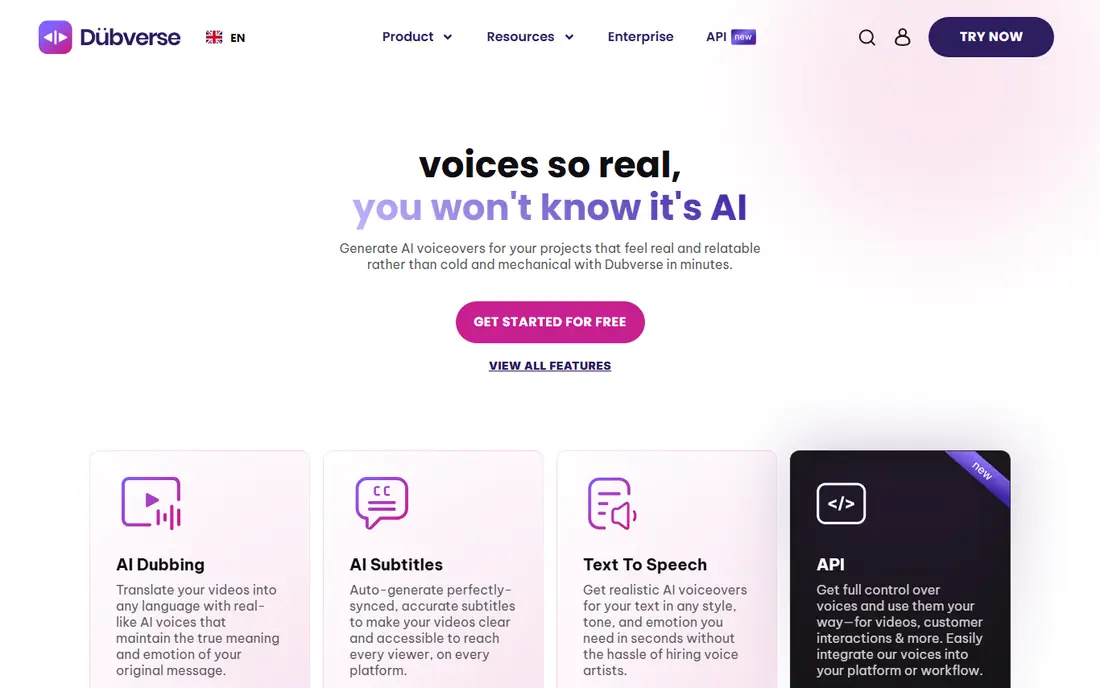
Dubverse works best for cheap dubbing into Indian and global languages. Dubverse is an AI dubbing and subtitling product with its most solid leads to South Asian languages, in 60 plus languages. Enterprise is custom priced and brings lip sync, multi-speaker support, and human review.
Credits work on a straightforward rate: dubbing costs 4 credits per minute, subtitling costs 1 credit per minute, and AI voice generation costs 2 credits per minute, so 50 credits include 12.5 dubbed minutes. Buy Dubverse when you dub short videos into Indian languages and your monthly volume stays under about 12 dubbed minutes. The starting price for Dubverse: 18 dollars per month. Free access: Free trial (2 days).
Where it falls short: Lip sync is Enterprise only.
- Cheapest monthly entry point here at 18 dollars per month
- No watermark on premium plans
- Only 50 credits per month on Pro
HeyGen
Ideal for: Most buyers wanting dubbing with lip sync
HeyGen serves most buyers wanting dubbing with lip sync. HeyGen covers the full dubbing job in one place. The Creator plan provides 600 credits per month, videos up to 30 minutes, 1080p export, voice cloning, and translation into 175 languages and dialects.
Pro opens at 49 dollars per month for 1,000 credits and brings 4K export and the capacity to edit and proofread translation scripts. The free plan provides three videos a month up to one minute each with a watermark. What you pay to start with HeyGen: 29 dollars per month. HeyGen has a free plan.
Downsides: Creator cannot buy additional credit packs.
- Voice cloning and lip sync on Creator
- 175 languages and dialects
- Credit burn varies by model
Descript
Ideal for: Transcript editing with caption translation
Pick Descript if this describes you: transcript editing with caption translation. Descript is a transcript-based editor, and that design makes it unusually well suited to translation work that needs careful script review. The free plan hands one media hour per month and watermarked 720p export.
What to check first: Hobbyist cannot buy top-ups.
As for the details, creator hands 30 media hours and 800 AI credits. Also, buy Descript when your workflow begins from a transcript and you have to review every translated word. On top of that, the Hobbyist plan provides 10 media hours per month, 400 AI credits per month, and 1080p export without a watermark. Descript pricing: 24 dollars per person per month. Descript has a free plan.
- Caption translation in 61 languages
- Studio Sound included
- Audio dubbing handles only 30 languages
Maestra
Ideal for: Subtitle translation on pay as you go
Maestra is built with subtitle translation on pay as you go in mind. Pay as you go buys 60 minutes of subtitles or 30 minutes of translated subtitles, with no subscription. From a buyer's view, buy Maestra when you need accurate translated subtitles in numerous formats without a monthly subscription.
As for the details, the free trial spans one minute, and you must register to export. Beyond that, business hands 1,800 subtitle minutes, or 900 translated minutes, plus DeepL translation. Also, premium provides 900 subtitle minutes, or 450 translated minutes, plus API access. Starting cost for Maestra: 12 dollars per 60 credits. As for free access: Free trial.
Watch-outs: Lip sync is a 2 dollars per minute add-on on Business.
- Subtitle translation in 125 plus languages
- Pay-as-you-go credits with no subscription
- No permanent free plan
Choosing AI translator tool for video editing: what matters
Check five things before you pay. For everyday use, fifth, export limits: confirm the maximum video length, the export resolution, and whether the free plan or trial brings a watermark.
AI Translator Tool for Video Editing cost breakdown
Take a 10-minute video translated into two languages, or 20 minutes of translated output. On Dubverse Pro at 18 dollars per month for 50 credits, dubbing costs 4 credits per minute, so 20 dubbed minutes need 80 credits and exceed the monthly allowance. Worth adding: now scale that to four such videos per month, or 80 minutes of translated output.
From a buyer's view, HeyGen Creator at 29 dollars per month still handles the work for most models within its 600 credits. Dubverse would need 320 credits against a 50-credit allowance. In daily use, the monthly price tells you almost nothing on its own.
Understanding AI translator tool for video editing
An AI translator tool for video editing turns a finished video into one or more other languages without re-recording it. Beyond that, Maestra is the right pick when the deliverable is a translated SRT or VTT file. Beyond that, decide first which output you need most: a dubbed voice, translated subtitles, or both.
Selection criteria
We compared the tools on published pricing, free plan or trial availability, feature coverage for AI translator tool for video editing, and the limits each vendor documents. Treat prices as a snapshot: vendors change plans often, so check the vendor site for the figure that applies today. The sequence is a judgement call: typical use case first, then pricing transparency, then free access. Use the profiles to check fit.
Pre-purchase checklist
- Check the current price for VEED, Maestra and the rest on each vendor page, since seats and billing terms change the total.
- Look at free plan limits closely: VEED, HeyGen and Descript have one, and the caps decide whether it is usable for real work.
- Take the trial from Wondershare Virbo, Dubverse and Maestra and push a live task through it before you pay.
- Before choosing VEED, weigh its main limit: translation minutes do not roll over.
- Price VEED for your actual team size; headline prices rarely include add-ons or overage.
- Look at the help docs and support options for Descript before you commit.
Frequently asked questions
Which options for AI translator tool for video editing have a free plan?
On this list, VEED, HeyGen and Descript include a free plan. Caps on seats, usage or features are common, so test the free plan against your real workload. Several others offer a trial instead.
Is VEED the right pick for everyone comparing AI translator tool for video editing?
No single tool suits every team. VEED comes first because it fits editing and translation in one browser editor, while Wondershare Virbo suits avatar video with one-click translation and Dubverse suits cheap dubbing into Indian and global languages. Match the tool to your own size, budget and workflow before deciding.
Do these tools publish their prices?
Yes. Every tool from VEED to Maestra shows a starting price, though seats, add-ons and billing terms still change the final cost.
Can I try these tools before paying?
Often, yes. VEED, HeyGen and Descript have a free plan and Wondershare Virbo, Dubverse and Maestra offer a free trial. Use your own data and a real task during the test, and check what the free tier or trial limits before you rely on it.