Comparing 7 AI Video Clipping Tools in 2026

- 1
 2short.aiYouTube creators who want the cheapest premium clipping planVisit
- 2
 KlapCreators and agencies who want to budget by finished clips insteadVisit
- 3
 OpusClipPodcasters and marketers who want ranked clipsVisit
- 4
 ChoppitySmall teams who want clipping, captioning and scheduling with a transcript editorVisit
- 5
 SendShortCreators who want clippingVisit
- This list starts with 2short.ai, which is built for YouTube creators who want the cheapest premium clipping plan.
- Vizard fits creators who process plenty of hours of video and want the lowest cost per source.
- The lowest published monthly entry price here is $9.90 per month, from 2short.ai.
- What to know about Klap first: entry-level caps each video at 45 minutes, so hour long episodes need Pro.
- A free plan is available from 5 of the 7 tools: 2short.ai, OpusClip, Choppity, Spikes Studio, Vizard.
Direct answer
This list puts 2short.ai first for YouTube creators who want the cheapest premium clipping plan. Look at Klap for creators and agencies who want to budget by finished clips rather than source, and at OpusClip for Podcasters and marketers who want ranked clips. All 7 tools are compared below on price, free plan and limits.
Quick comparison
| Product | Ideal for | Price from | Free version | |
|---|---|---|---|---|
| 2short.ai | YouTube creators who want the cheapest premium clipping plan | $9.90 a month (Lite) | Yes | Visit |
| Klap | Creators and agencies who want to budget by finished clips instead | $29 a month (Basic; $14 a month billed yearly) | No | Visit |
| OpusClip | Podcasters and marketers who want ranked clips | $15 per month (Starter; Pro is $29 a month, or $14.50 per month billed yearly) | Yes | Visit |
| Choppity | Small teams who want clipping, captioning and scheduling with a transcript editor | $24 per month (Starter; $16.80 per month billed annually) | Yes | Visit |
| SendShort | Creators who want clipping | $29 a month (Professional, the first plan that clips long videos; Starter is $19 a month but does not include it) | No | Visit |
 Spikes Studio | Streamers and podcasters who want AI B-roll | $32.99 a month (PRO+; $14.09 a month billed yearly) | Yes | Visit |
 Vizard | Creators who process numerous hours of video and want the lowest cost | $29 a month (Creator; $14.50 a month billed annually) | Yes | Visit |
Tool-by-tool breakdown
Ainotely put together this guide to AI video clipping tools for readers who want a clear shortlist without reading every vendor page. It compares 7 tools on starting price, free plans, who each one suits and where each one falls short.
2short.ai
Ideal for: YouTube creators who want the cheapest premium clipping plan

2short.ai targets YouTube creators who want the cheapest premium clipping plan. 2short.ai is the simplest tool in this list.
On cost, 2short.ai starts like this: $9.90 per month. You can start on 2short.ai without paying.
Downsides: The vendor page disagrees with itself on the free allowance: the plan card says 30 minutes and a banner says 15 minutes.
- Exports are 1080p with no watermark
- Lowest premium entry in this list at 9.90 dollars per month
- It only processes videos with captions, which in practice means YouTube videos
Klap
Ideal for: Creators and agencies who want to budget by finished clips instead
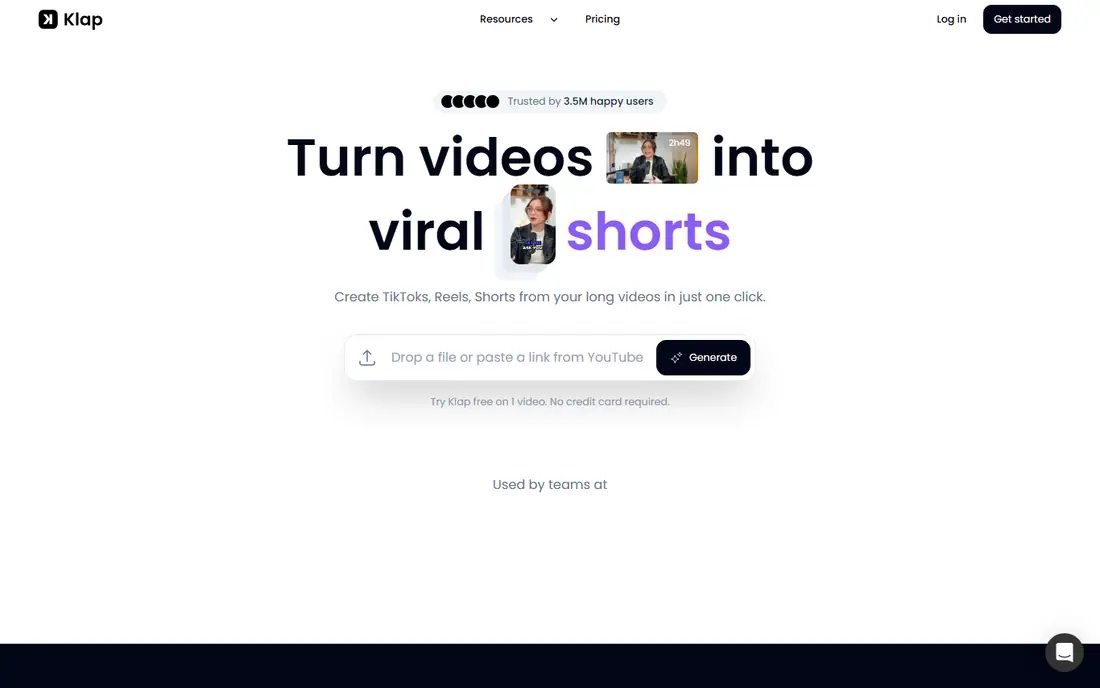
For creators and agencies who want to budget by finished clips rather than source minutes, Klap is a natural candidate. Klap takes long video from a YouTube link, a file upload or an URL from Vimeo, Twitch, Google Drive, Zoom, Loom or Riverside, then cuts vertical clips with auto captions, a virality score and speaker tracking reframing.
Limits to weigh: There is no native mobile app.
Starting cost for Klap: $29 per month. Klap has no permanent free option.
- Per clip pricing makes monthly output simple to plan
- Captions in 52 languages and AI dubbing in 29 languages
- Entry-level caps each video at 45 minutes, so hour long episodes need Pro
OpusClip
Ideal for: Podcasters and marketers who want ranked clips

For Podcasters and marketers who want ranked clips, captions and direct posting in one tool, OpusClip is a natural candidate. The editor trims by transcript and sets clip length from under a minute to 15 minutes.
Downsides: Credits are spent on source minutes, so long episodes burn through a plan quick.
The starting price for OpusClip: $15 per month. OpusClip includes a free tier.
- Captions
- Pro exports to Premiere Pro and DaVinci Resolve
- Starter exports only in 9:16 and has no social scheduler
Choppity
Ideal for: Small teams who want clipping, captioning and scheduling with a transcript editor
Choppity makes the most sense for small teams who want clipping, captioning and scheduling with a transcript editor. A keyword and topic search lets you clip specific moments rather than relying only on the AI picks.
Starter handles 3 hours per month, Creator handles 5 hours with bulk uploads and API access. Team handles 5 hours per seat with a shared workspace. Choppity cost at the entry level: $24 per month. Choppity offers a free plan.
Points against: premium plans handle only 3 to 5 hours of analysis per month, which is low for heavy posters.
- Bulk uploads and an API arrive on the Creator plan
- Yearly billing takes 30 percent off every premium plan
- The vendor pages disagree on whether free exports carry a watermark
SendShort
Ideal for: Creators who want clipping
Pick SendShort if this describes you: creators who want clipping, faceless videos and scheduling in one short form workflow. SendShort captions videos, cuts long ones into shorts and creates faceless videos from a text prompt, which makes it broader than a pure clipper.
Watch-outs: The 19 dollar Starter plan does not clip long videos, so the real entry price for this job is 29 dollars.
Long video to shorts is included from Professional, which handles 50 shorts per month of up to 3 minutes each, with auto B-roll, AI voice over, silence cutting and translation. SendShort cost at the entry level: $29 per month. SendShort has no free tier.
- Hook titles and scheduling
- Captions in more than 100 languages
- There is no free trial to test clip quality
Spikes Studio
Ideal for: Streamers and podcasters who want AI B-roll
Spikes Studio is built with streamers and podcasters who want AI B-roll, templates and a scheduler at a low yearly price in mind. Spikes Studio finds moments in long videos and turns them into captioned vertical clips, with templates, music and GIFs on the PRO+ plan. It supports captions in over 99 languages and takes uploads up to 10 GB.
Where it falls short: The pricing page does not state whether minutes mean source video or finished clips.
Reasons to shortlist it: animated captions; It manages Twitch VODs.
For everyday use, confirm how the annual charge is applied before you pay. The free Basic plan is thin and watermarked, so most buyers will need PRO+. Price to start with Spikes Studio: $32.99 per month. Spikes Studio includes a free tier.
- PRO+ contains AI B-roll
- Including very long videos
- Its help centre link returned a 404 in October 2026
Vizard
Ideal for: Creators who process numerous hours of video and want the lowest cost
Think of Vizard for creators who process numerous hours of video and want the lowest cost per source minute. Business at 39 dollars per month brings a shared workspace, a brand kit and 20 accounts.
The main drawbacks: The vendor pricing page renders prices with scripts; slower AI model on the upload screen can cost additional credits.
Reasons to shortlist it: Scheduling to 6 social accounts. On top of that, one credit includes one minute of uploaded video. Vizard pricing: $29 per month. A free plan is available with Vizard.
- Creator contains 600 source minutes per month
- Far more than rivals at the same price
- A second
Pricing patterns for AI video clipping tools
Take a creator who records four 60 minute episodes per month, or 240 minutes of source video, and posts 10 clips from each, or 40 clips per month. Vizard Creator at 29 dollars handles 600 minutes, or 14.50 dollars per month on yearly billing. In practice, Klap Basic at 29 dollars handles 100 clips but caps each video at 45 minutes.
As for the details, Spikes PRO+ includes 300 minutes at 32.99 dollars per month, or 14.09 dollars per month yearly. Choppity Starter at 24 dollars spans only 3 hours, so Creator at 32 dollars is needed.
Pricing patterns for AI video clipping tools
Check four things before you pay for any AI clipping tool. More specifically, first, confirm the billing unit and the allowance on the plan you will buy, because credits, minutes, hours and clips are not the same thing. For everyday use, second, check the free plan limits, since watermarks, 720p export caps and three day storage windows are common.
More specifically, third, check the longest video the plan accepts, since some entry plans cap uploads at 45 or 60 minutes.
Worth knowing about AI video clipping tools
A 60 minute podcast episode will normally yield 8 to 15 usable short clips, and a two hour episode can yield 20 to 40. Virality scoring returns fewer, more solid clips, whereas topic based cutting returns more clips that require manual review.
How the list was put together
The comparison looks at four things: starting price, free access, how well the feature set matches AI video clipping tools, and the main limit of each tool. Plan names, prices and limits change often. Treat the figures here as a starting point and verify them with the vendor. Position on the page reflects fit for a typical buyer first, with price clarity and free access breaking ties. Treat it as a guide, not a ruling.
Pre-purchase checklist
- Prices are a starting point; 2short.ai shows $9.90 per month to start, so verify what your seat count would cost.
- Check what the free option really includes: 2short.ai, OpusClip, Choppity and others offer a free plan, and usage caps differ.
- Read the limits listed for 2short.ai first: it only processes videos with captions, which in practice means YouTube videos.
- Get the contract term, renewal terms and any onboarding fees from 2short.ai in writing.
- Look at the help docs and support options for Spikes Studio before you commit.
Frequently asked questions
Do these tools publish their prices?
Yes. Every tool from 2short.ai to Vizard shows a starting price, though seats, add-ons and billing terms still change the final cost.
How are the tools for AI video clipping tools ordered?
The order follows typical fit for AI video clipping tools, with 2short.ai first and Vizard last, then price clarity and free access. It is editorial judgement, not a score, so another team could rank the tools differently.
Is 2short.ai the right pick for everyone comparing AI video clipping tools?
No single tool suits every team. 2short.ai comes first because it fits YouTube creators who want the cheapest premium clipping plan, while Klap suits creators and agencies who want to budget by finished clips instead of source minutes and OpusClip suits Podcasters and marketers who want ranked clips, captions and direct posting in one tool. Match the tool to your own size, budget and workflow before deciding.
Which options for AI video clipping tools have a free plan?
2short.ai, OpusClip, Choppity, Spikes Studio and Vizard offer a free plan in this list. Free plans usually cap users, projects or features, so check the limits on the vendor page.