6 Best AI Video Generation Tools from Image Options for 2026

- This list starts with Pika, which is built for effect driven short clips.
- 5 of 6 tools offer a free plan: Pika, PixVerse, Kling AI, Vidu, Runway.
- The lowest published monthly entry price here is $6.99 per month, from Kling AI.
- Runway fits all round generation and editing.
Direct answer
Our first pick is Pika, best for effect driven short clips. Look at PixVerse for short form social clips, and at Kling AI for long clips and characters. All 6 tools are compared below on price, free plan and limits.
Quick comparison
| Product | Ideal for | Price from | Free version | |
|---|---|---|---|---|
 Pika | Effect driven short clips | $8 a month | Yes | Visit |
 PixVerse | Short form social clips | $8 per month | Yes | Visit |
 Kling AI | Long clips and characters | $6.99 per month | Yes | Visit |
 Vidu | Characters and anime | $8 a month | Yes | Visit |
 Luma Dream Machine | Cinematic control and HDR | $30 a month | No | Visit |
 Runway | All round generation and editing | $12 a month | Yes | Visit |
Tool-by-tool breakdown
Choosing AI video generation tools from image usually comes down to price, fit and limits. This Ainotely guide sets 6 tools side by side on those three points, with the facts kept short and checkable.
Pika
Ideal for: Effect driven short clips
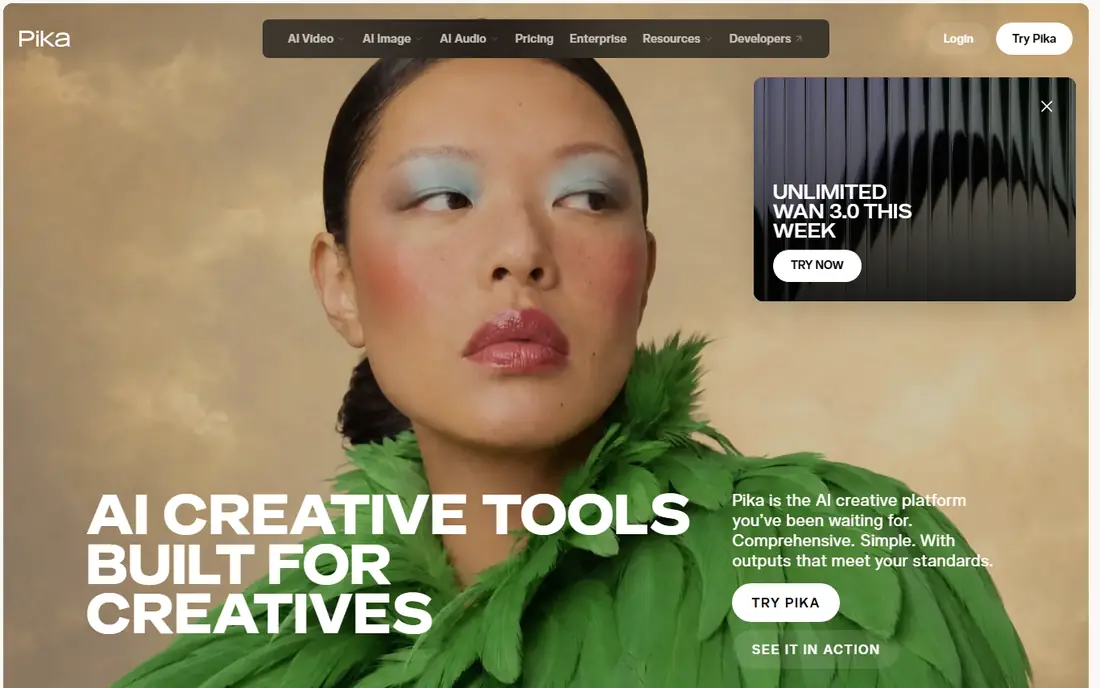
Where Pika fits: effect driven short clips. The Starter plan costs $8 a month billed annually with 900 credits, and effects like inflation, melting, and explosion make social clips that stand out in a feed.
Points against: Per clip cost varies by effect.
Price to start with Pika: $8 per month. Pika has a free plan.
- Starter plan from $8 per month billed annually
- Free packs with no watermark on any level
- No license below the Creator plan at $35 a month
PixVerse
Ideal for: Short form social clips
PixVerse is built with short form social clips in mind. For daily social drafts at a low cost, it is the most ample free level among premium tools here.
In daily use, PixVerse fits short form social content, with 30 free credits a day and a Standard plan from $8 a month billed annually. On cost, PixVerse starts like this: $8 per month. A free plan is available with PixVerse.
What to check first: Commercial terms need checking before publishing.
- Quick stylized social clips
- 30 free credits a day
- Free output is low resolution
Kling AI
Ideal for: Long clips and characters

Kling AI targets long clips and characters. The Standard plan costs $8.80 a month after a $6.99 first month, with 660 credits. A free trial package lets you test motion quality before paying.
Trade-offs to know: 1080p, 4K; Free credits are promotional.
As for the details, Kling 4.0, released in October 2026, improved long form generation further. Free credits are promotional instead of a monthly refill, and 1080p, 4K, and commercial use need a premium plan. Price to start with Kling AI: $6.99 per month. A free plan is available with Kling AI.
- Quick iteration
- Standard plan from $8.80 a month after a $6.99 first month
- Per clip cost is not printed
Vidu
Ideal for: Characters and anime
Choose Vidu for characters and anime. Trial and daily credits let you test before paying, and reference uploads help keep a character's look consistent across clips.
The free credit amount is not published, and commercial use needs a premium plan. The starting price for Vidu: $8 per month. You can start on Vidu without paying.
Downsides: Pricing varies by region.
- Trial and daily credits
- Capable character and anime animation
- Free credit amount is not published
Luma Dream Machine
Ideal for: Cinematic control and HDR
Pick Luma Dream Machine if this describes you: cinematic control and HDR. The Plus plan costs $30 a month, or $25 billed annually, with 10,000 credits, whereas Pro costs $90 and Ultra $300.
Also, Luma's credit system also reaches outside models, including Veo, Kling, and Seedance, so one account can compare models. For professional work where control and HDR matter, Luma justifies its price. Price to start with Luma Dream Machine: $30 per month. Luma Dream Machine has no free tier.
Where it falls short: Plus plan at $30 a month.
- 1080p and long clips for subscribers
- Outside models also available through credits
- No free plan on the pricing page
Runway
Ideal for: All round generation and editing
For all round generation and editing, Runway is a natural candidate. Credits go quick, and published conversions of credits into seconds of Gen-4.5 video disagree between sources, so spend the free credits on a representative prompt before committing.
Honest limits: Credits go quick on longer clips.
Runway cost at the entry level: $12 per month. Runway includes a free tier.
- 125 one-time credits to test
- Editing tools for extending and restyling clips
- Credit to seconds conversions vary
How these tools were picked
Ainotely used vendor pricing pages and product documentation as the base, then compared plans, free access and documented limits for 6 tools. Treat prices as a snapshot: vendors change plans often, so check the vendor site for the figure that applies today. The ranking is editorial: typical fit first, then clear pricing, then free access. If your needs are unusual, read the profiles rather than relying on position.
What to confirm before you sign up
- Check the vendor page for the current price: Kling AI starts at $6.99 per month here, and seats or billing terms can move it.
- Check what the free option really includes: Pika, PixVerse, Kling AI and others offer a free plan, and usage caps differ.
- Before choosing Pika, weigh its main limit: no license below the Creator plan at $35 a month.
- Verify that exporting from PixVerse is possible on your plan and covers all your records.
- Look at the help docs and support options for Kling AI before you commit.
Frequently asked questions
Which options for AI video generation tools from image have a free plan?
Pika, PixVerse, Kling AI, Vidu and Runway offer a free plan in this list. Free plans usually cap users, projects or features, so check the limits on the vendor page.
Do these tools publish their prices?
Yes. Every tool from Pika to Runway shows a starting price, though seats, add-ons and billing terms still change the final cost.
Can I try these tools before paying?
Often, yes. Pika, PixVerse, Kling AI and others have a free plan. Use your own data and a real task during the test, and check what the free tier or trial limits before you rely on it.
Do I need a powerful computer to use these tools?
Generation time relies on the vendor's servers and queue, not your hardware, though peak hours can slow free levels.
How are the tools for AI video generation tools from image ordered?
The order follows typical fit for AI video generation tools from image, with Pika first and Runway last, then price clarity and free access. It is editorial judgement, not a score, so another team could rank the tools differently.