7 Best AI Video Transcript Generation Tools

- Otter.ai and Notta give the lowest entry prices for regular meeting notes, at $8.33 and $8.17 per month on annual billing.
- Rev is the strongest choice when a transcript must be checked by a person, with human transcription from $1.99 per minute and AI minutes on subscription plans.
- Descript suits creators who want to edit video by editing the transcript, while Sonix suits file based transcription charged by the audio hour.
- Fireflies.ai and Happy Scribe cover team meetings and multilingual subtitles, with free starting options and clear per seat or per minute costs.
- Check the monthly minute cap, the per recording limit, the export formats, and the language list before you choose, because those limits decide the real cost.
Quick comparison
| Product | Ideal for | Price from | Free version | |
|---|---|---|---|---|
 Otter.ai | Live meeting notes and summaries | $8.33 per user/month (billed annually) | Yes | Visit |
 Rev | Human checked transcripts for important work | $29.99 per user/month | Yes | Visit |
 Descript | Editing video by editing the transcript | $16 per person/month (billed annually) | Yes | Visit |
 Sonix | File transcription charged by the audio hour | $10 per audio hour | Free trial (30 minutes) | Visit |
 Notta | Low cost meeting transcription for solo users | $8.17 per month (billed annually) | Yes | Visit |
 Fireflies.ai | Team meeting summaries and search | $10 per seat/month (billed annually) | Yes | Visit |
 Happy Scribe | Subtitles, translation, and human proofreading | $8.50 per month (billed annually) | Yes | Visit |
The best AI video transcript generation tools
Otter.ai
Ideal for: Live meeting notes and summaries
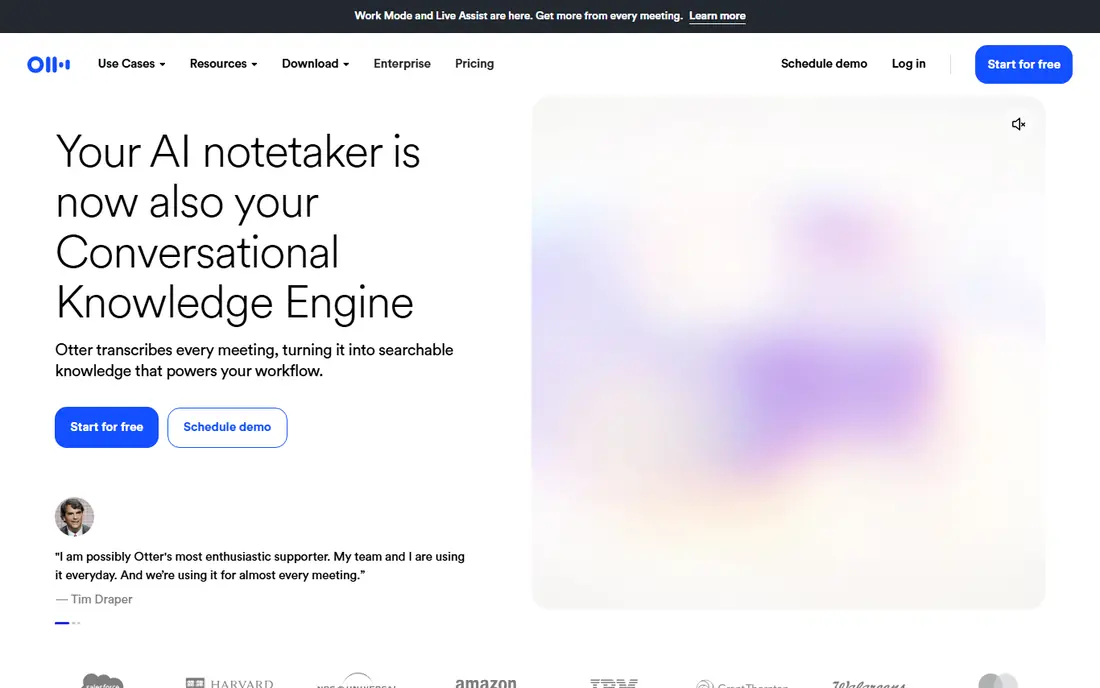
Otter.ai is built around live meetings. Its notetaker joins scheduled calls on Zoom, Google Meet, and Microsoft Teams, writes a transcript as people speak, and then produces a summary with decisions and action items. You can also record from a desktop or mobile app, import audio and video files, and search past conversations by keyword, speaker, or date. The chat feature lets you ask questions across your meeting history, which helps when you need a quote or a decision from a call weeks later.
The Basic plan is free and includes 300 transcription minutes a month, with a 30 minute cap per conversation and three file imports for the life of the account. Pro costs $8.33 per user a month on annual billing, or $16.99 a month on monthly billing, and raises the limit to 1,200 minutes a month with a 90 minute cap per conversation. Business costs $19.99 per user a month on annual billing and adds 6,000 imported minutes a month, a 4 hour cap per conversation, and team admin controls.
- Joins Zoom, Meet, and Teams calls on its own
- 300 free minutes a month on the Basic plan
- Free plan caps each conversation at 30 minutes
- Only six transcription languages are listed
Rev
Ideal for: Human checked transcripts for important work

Rev combines AI transcription with a human service, which makes it a good fit when the transcript will be quoted, filed, or used as evidence. The AI side transcribes uploaded audio and video, adds captions, and supports a document editor with citations for legal work. The human side is handled by trained transcriptionists, with delivery in 12 hours or less for standard orders and rush options for faster turnaround. Rev also offers legal formatted transcripts priced by the page.
The Free plan includes 45 AI transcription and caption minutes a month for one user, in English only. Essentials costs $29.99 per user a month and includes 5,000 AI minutes per user a month for up to three users, plus a discount on human services. Pro costs $59.99 per user a month and includes 10,000 AI minutes per user a month for up to five users, with 37 or more languages. Human transcription starts at $1.99 per minute, and AI transcription is also available at $0.25 per minute without a subscription.
- Human transcription with a 99 percent accuracy guarantee
- 45 free AI minutes a month
- Human transcription costs $1.99 per minute on top of the subscription
- The free plan covers English only
Descript
Ideal for: Editing video by editing the transcript

Descript is an audio and video editor that treats the transcript as the timeline. When you delete a sentence from the text, the matching clip is cut from the media. That approach suits podcasters, course creators, and marketing teams who revise spoken content often. The editor also creates dynamic captions, removes filler words, improves audio with Studio Sound, and records screens and remote guests. Transcription covers 25 languages, with speaker detection for eight or more speakers.
The Free plan costs $0 and includes 60 media minutes a month and 100 one time AI credits, with exports at 720p and a watermark. Hobbyist costs $16 per person a month on annual billing, or $24 a month on monthly billing, and includes 10 media hours a month, 400 AI credits a month, and watermark free 1080p export. Creator costs $24 per person a month on annual billing and raises the limits to 30 media hours and 800 AI credits, with 4K export. Business costs $50 per person a month on annual billing and adds 40 media hours, 1,500 AI credits, Brand Studio, and translation and dubbing in more than 30 languages.
- Text based editing cuts video when you delete words
- Includes captions, Studio Sound, and screen recording
- Free plan allows only 60 media minutes a month
- Exports on the free plan carry a watermark
Sonix
Ideal for: File transcription charged by the audio hour
Sonix is a file based transcription platform for interviews, lectures, research recordings, and video archives. You upload audio or video, and Sonix returns a timestamped transcript with speaker labels in an in browser editor. The editor supports search across transcripts, a custom dictionary, version history, and exports to DOCX, PDF, TXT, SRT, and VTT. Sonix also offers automated translation into 54 or more languages, automated subtitles, and an AI workspace for summaries and analysis across folders of transcripts.
Pricing is charged by the hour of uploaded audio or video, prorated to the second. The Pay As You Go plan costs $10 per audio hour, with 5 GB of storage and a single user workspace. Core costs $25 a month and includes 5 transcription hours a month plus 5 AI workspace hours. Advanced costs $50 a month with 20 transcription hours, and Pro costs $80 a month with 40 transcription hours. Extra hours on subscription plans cost $10 per hour. New accounts receive 30 free minutes with no card required.
- Transcription in 54 or more languages
- No subscription needed on the pay as you go plan
- No free plan beyond the 30 minute trial
- Translation and burn in subtitles draw on the same hours
Notta
Ideal for: Low cost meeting transcription for solo users
Notta records and transcribes meetings on Zoom, Google Meet, Microsoft Teams, and Webex, and it also transcribes uploaded audio and video files. The transcript includes speaker identification and timestamps, and the AI summary turns a long call into notes, action items, and follow up drafts. Notta syncs across web and mobile, supports a Chrome extension, and connects with calendars, Notion, Slack, and CRM tools such as Salesforce and HubSpot. That mix makes it useful for sales calls, interviews, lectures, and client meetings.
The Free plan costs $0 and includes 120 transcription minutes a month, with a 3 minute cap per conversation and 10 AI summaries a month. Pro costs $8.17 a month on annual billing, or $97.99 a year, and includes 1,800 transcription minutes a month, recordings up to 5 hours, 100 file uploads a month, and 100 AI summaries a month. Business costs $16.67 per seat a month on annual billing and adds unlimited transcription, team workspaces, usage reports, and advanced security controls. The free plan works as a trial, but the 3 minute cap means most real meetings need Pro.
- Pro includes 1,800 minutes a month for $8.17
- Supports 58 languages for transcription
- Free plan caps each recording at 3 minutes
- AI summary credits are limited on lower plans
Fireflies.ai
Ideal for: Team meeting summaries and search
Fireflies.ai records meetings, writes transcripts and summaries, and stores everything in a searchable library. Teams can search across calls, ask the AskFred assistant questions about past meetings, create clips as soundbites, and send action items to tools such as Asana, Jira, and Trello. The bot joins Zoom, Google Meet, and Microsoft Teams, and a Chrome extension records without a bot joining the call. Fireflies supports transcription in more than 100 languages and connects with Slack, Notion, HubSpot, and Salesforce.
The Free plan costs $0 and includes unlimited transcription with limited AI summaries, 400 minutes of storage per team, and 20 AI credits. Pro costs $10 per seat a month on annual billing, or $18 a month on monthly billing, and adds unlimited AI summaries, 8,000 minutes of storage per seat, video recording, and transcript downloads. Business costs $19 per seat a month on annual billing and adds unlimited storage, conversation intelligence, team analytics, and multi language mode. Enterprise costs $39 per seat a month on annual billing only and adds SSO, SCIM, audit logs, private storage, and a HIPAA ready option with a business associate agreement.
- Unlimited transcription on every plan
- Works across Zoom, Meet, Teams, and more than 240 apps
- Free plan storage is limited to 400 minutes per team
- Some AI features use a separate credit meter
Happy Scribe
Ideal for: Subtitles, translation, and human proofreading
Happy Scribe turns audio and video into transcripts, subtitles, and translations, with a strong focus on video publishing. The transcript editor supports speaker detection, timecodes, search and replace, version history, and exports in more than 15 formats, including SRT, VTT, STL, XML, and EDL. A meeting notetaker records Zoom, Google Meet, and Microsoft Teams calls, and the AI chat feature can answer questions about uploaded files. Human proofreading and professional subtitling are available as add ons for work that needs a person to check the text.
The Free plan costs $0 and includes unlimited meeting recordings up to 45 minutes each, with 10 free minutes for uploaded files and AI chat on 3 files a month. Basic costs $8.50 a month on annual billing, or $17 a month on monthly billing, and includes 120 AI minutes a month for uploaded files. Pro costs $19 a month on annual billing, or $29 a month on monthly billing, and includes 600 AI minutes a month and 3 user seats. Business costs $59 a month on annual billing and includes 6,000 AI minutes a month and 5 user seats. Extra credits cost $0.20 per minute on the subscription plans. Human proofreading starts from $2.00 per minute.
- AI transcription and subtitles in 150 or more languages
- Human proofreading from $2.00 per minute
- Free plan gives only 10 minutes of file transcription
- Plan credits reset each cycle and do not roll over
How we chose
We compared the vendor pricing pages and feature pages for each tool on 11 November 2026, and we checked that each official homepage loads and shows the product. We compared the starting price, the free plan or trial, the monthly minute allowance, the per recording limit, the number of languages, the export formats, and the meeting platforms each tool supports. Prices change often, so confirm the current price on the vendor pricing page before you buy. The Sources section lists the pricing page for each tool.
What to check before you buy
Start with your monthly volume. Count the hours of video and meetings you transcribe in a typical month, then match that number to the plan allowance. A plan with 300 minutes a month covers about five hours of calls, while a plan with 1,800 minutes covers 30 hours. If your volume varies, a per hour tool such as Sonix can cost less in quiet months than a seat subscription. Check the per recording limit too, because a 30 minute cap will cut a long interview short on a free plan.
Next, check the languages, the export formats, and the accuracy workflow. If you publish video, you need SRT or VTT captions and a transcript editor that keeps timecodes. If you quote interviews, you need a transcript you can search and edit, plus an export to DOCX or PDF. If the transcript will be used in court, in research, or in a client deliverable, a human review option such as the one Rev offers is worth the extra cost per minute. Also check where your data is stored, who can access it, and whether the vendor trains models on customer content.
Use this decision table to narrow the list by team size and budget.
| Team size and budget | Best starting pick | Monthly cost to plan for | | Solo user, under $10 a month | Notta Pro or Otter.ai Pro | $8.17 to $8.33 on annual billing | | Solo creator, under $20 a month | Descript Hobbyist or Happy Scribe Basic | $16 or $8.50 on annual billing | | Small team, 3 to 5 people | Fireflies.ai Pro | $10 per seat a month on annual billing | | Occasional files, no subscription | Sonix Pay As You Go | $10 per audio hour | | Important transcripts, human check | Rev Essentials plus human minutes | $29.99 a month plus $1.99 per human minute |
Finally, test the workflow with one real file before you commit. Upload a recording with more than one speaker and some background noise, check the speaker labels and timestamps, and export the transcript in the format you need. Check the cancellation terms and whether unused minutes roll over, since most plans in this list reset unused minutes each cycle.
Frequently asked questions
Which AI video transcript tool is best for meetings?
Otter.ai and Fireflies.ai are the strongest meeting picks in this list. Otter.ai joins calls on its own and writes live transcripts with summaries and action items, while Fireflies.ai stores every meeting in a searchable library with AI summaries. Both start with a free plan, and both charge about $8 to $10 per user a month on annual billing for their entry subscription plans.
How much does AI video transcription cost per month?
Entry subscription plans in this list cost from $8.17 to $29.99 a month on annual billing, depending on the tool and the minutes included. Per hour pricing is different: Sonix charges $10 per audio hour with no subscription, and Happy Scribe charges $0.20 per minute for extra credits. Human transcription costs more, with Rev charging $1.99 per minute for human checked transcripts.
Is there a free AI video transcript tool?
Yes, several tools in this list have a free plan. Otter.ai gives 300 minutes a month, Notta gives 120 minutes a month, Fireflies.ai gives unlimited transcription with limited summaries, and Descript gives 60 media minutes a month. The free plans carry limits, such as a short per recording cap or a watermark on exports, so they suit trials and light use rather than daily work.
Can AI transcripts handle multiple speakers?
Yes, most tools in this list detect speakers and label who said what, but the quality depends on the audio. Descript lists detection for eight or more speakers, and Otter.ai, Sonix, Notta, Fireflies.ai, and Happy Scribe all list speaker detection. Clear audio, separate microphones, and speakers who do not talk over each other give the best results. Always review the speaker labels before you publish or quote a transcript.
Which tool is best for subtitles and captions?
Happy Scribe is the strongest subtitle pick here, with AI transcription and subtitles in 150 or more languages and exports in more than 15 formats, including SRT, VTT, and STL. Descript is also strong for captions, since it creates dynamic captions inside the video editor. Sonix exports SRT and VTT subtitles too, and Rev offers human captions for work that must meet accessibility rules.
Do I need human transcription or is AI enough?
AI transcription is enough for notes, search, summaries, and rough drafts, where a small error does not cause harm. Human transcription is worth the cost when the transcript will be quoted, published, filed, or used as evidence, because a person can catch names, terms, and unclear audio that software may miss. Rev offers human transcription from $1.99 per minute, and Happy Scribe offers human proofreading from $2.00 per minute.