Best AI Workflow Automation Tool in 2026: 8 Tools Compared

- Our pick for most people is Zapier, because it balances price, features and ease of use for the widest group of readers.
- Free plans are real here, but the limits matter: check what Make and n8n actually include before you commit.
- Prices in this guide come from vendor pricing pages and current comparisons checked in October 2026, and they can change, so confirm the plan on the vendor site before you buy.
- The best choice depends on your budget, your experience level and how much support you want, not on which brand is most famous.
Quick comparison
| Product | Ideal for | Price from | Free version | |
|---|---|---|---|---|
 Zapier | No-code automation for non-technical teams | $19.99 per month | Yes | Visit |
 Make | Visual multi-step workflows at better value | $9 per month | Yes | Visit |
 n8n | Developer-friendly AI workflows and self-hosting | Free | Yes | Visit |
 UiPath | Enterprise RPA plus agentic AI | $25 per month | Yes | Visit |
 Microsoft Power Automate | Automation inside Microsoft 365 | $15 per user per month | Yes | Visit |
 Pipedream | Code-friendly workflow automation | Free | Yes | Visit |
 Activepieces | Free self-hosting with an open core | Free | Yes | Visit |
 Gumloop | AI-native data and web automation | $30 per month | Yes | Visit |
The best AI Workflow Automation Tool in 2026
We compared official feature pages, pricing pages, app store listings, privacy policies and public reviews to build this list for best ai workflow automation tool. Every option below exists and works today, and each one earns its place for a different kind of reader.
Zapier
Ideal for: No-code automation for non-technical teams

Here is the short version. Zapier is the fastest way from idea to working automation, with the largest app catalogue and AI help that builds workflows from plain language. It fits readers who want no-code automation for non-technical teams, and its published feature set matches that promise rather than trying to cover every possible use case at once. When we weighed it against the rest of this list, the balance of price, scope and support stood out for that group. The price picture is $19.99 per month, with a free plan status of yes. The per-task bill climbs fast on multi-step workflows, so high-volume teams should compare Make and n8n before committing. Before you sign up, check the current plan limits on the official site, because caps on users, usage or features are where most buyers get surprised after the first month.
- 8,000 plus app integrations
- AI Copilot and Agents
- Fastest onboarding
- Per-task pricing gets expensive at scale
- No self-hosting
Make
Ideal for: Visual multi-step workflows at better value

Start here if you want the safe default. Make gives semi-technical teams a visual canvas where each step, branch and error path is visible, at a price well below Zapier for the same volume. It fits readers who want visual multi-step workflows at better value, and its published feature set matches that promise rather than trying to cover every possible use case at once. When we weighed it against the rest of this list, the balance of price, scope and support stood out for that group. The price picture is $9 per month, with a free plan status of yes. The learning curve is steeper than Zapier, but the savings on multi-step flows usually repay that time within a month. Before you sign up, check the current plan limits on the official site, because caps on users, usage or features are where most buyers get surprised after the first month.
- Visual scenario builder
- Native AI steps
- Far cheaper than Zapier at volume
- Cloud only, no self-hosting
- Complex scenarios take time to learn
n8n
Ideal for: Developer-friendly AI workflows and self-hosting
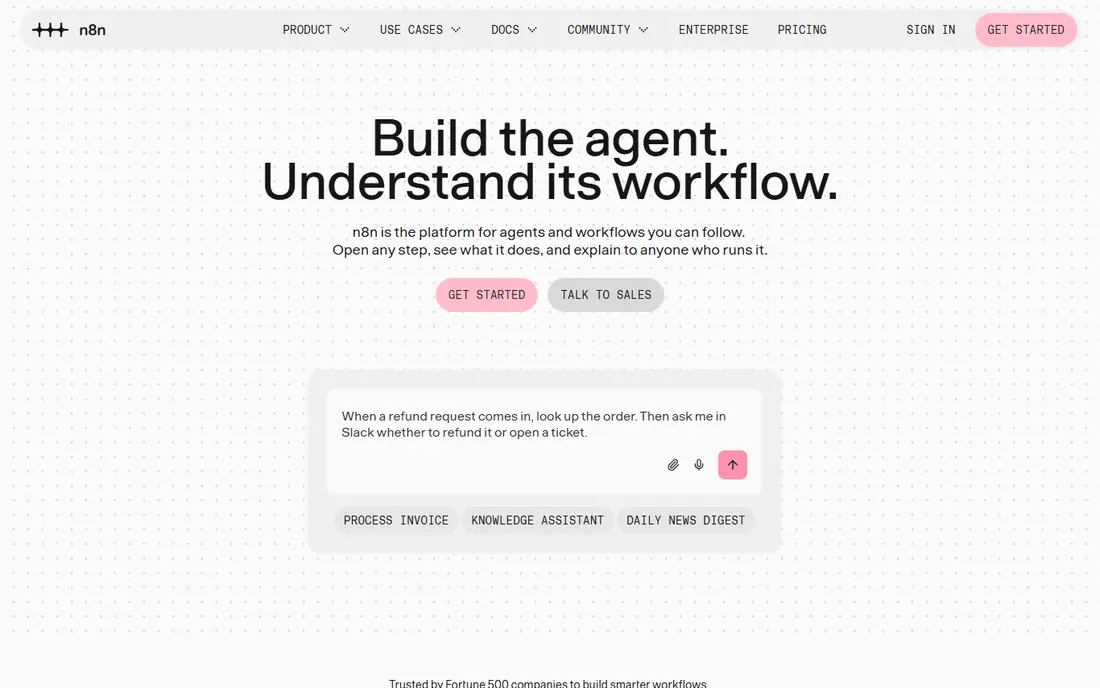
This one suits a specific kind of reader. n8n is the pick for technical teams and high-volume AI workflows, because self-hosting removes per-task fees and AI nodes cover agents and language models. It fits readers who want developer-friendly ai workflows and self-hosting, and its published feature set matches that promise rather than trying to cover every possible use case at once. When we weighed it against the rest of this list, the balance of price, scope and support stood out for that group. The price picture is free, with a free plan status of yes. Self-hosting means you own monitoring and updates, so teams without technical staff should choose the cloud plan or Make instead. Before you sign up, check the current plan limits on the official site, because caps on users, usage or features are where most buyers get surprised after the first month.
- Free self-hosted edition
- Native AI nodes
- Per-execution pricing
- Needs technical skill
- Cloud plans price in euros
- Support is community-heavy
UiPath
Ideal for: Enterprise RPA plus agentic AI
Consider this if the top picks do not fit. UiPath suits enterprises with legacy systems, where robots must drive desktop apps that have no API. It fits readers who want enterprise rpa plus agentic ai, and its published feature set matches that promise rather than trying to cover every possible use case at once. When we weighed it against the rest of this list, the balance of price, scope and support stood out for that group. The price picture is $25 per month, with a free plan status of yes. Simple teams will find it heavy and expensive, so use it only when RPA, not just app connections, is the job. Before you sign up, check the current plan limits on the official site, because caps on users, usage or features are where most buyers get surprised after the first month.
- Enterprise RPA depth
- Agentic AI features
- Broad system coverage
- Enterprise pricing climbs fast
- Overkill for simple app-to-app flows
Microsoft Power Automate
Ideal for: Automation inside Microsoft 365
A strong option for a narrower need. Power Automate is the obvious pick for Microsoft shops, because it connects Outlook, Teams, SharePoint and Excel without extra licences for many users. It fits readers who want automation inside microsoft 365, and its published feature set matches that promise rather than trying to cover every possible use case at once. When we weighed it against the rest of this list, the balance of price, scope and support stood out for that group. The price picture is $15 per user per month, with a free plan status of yes. Outside Microsoft it loses its edge, so mixed-stack teams should compare Zapier or Make first. Before you sign up, check the current plan limits on the official site, because caps on users, usage or features are where most buyers get surprised after the first month.
- Included with many Microsoft 365 plans
- Deep Office and Teams integration
- Best value only inside Microsoft
- Standalone price adds up per user
Pipedream
Ideal for: Code-friendly workflow automation
Worth a close look before you decide. Pipedream suits developers who want code inside workflows, with API-first design and quick iteration. It fits readers who want code-friendly workflow automation, and its published feature set matches that promise rather than trying to cover every possible use case at once. When we weighed it against the rest of this list, the balance of price, scope and support stood out for that group. The price picture is free, with a free plan status of yes. Non-technical teams will miss Zapier catalogue depth and templates, so choose it for developer-led automation. Before you sign up, check the current plan limits on the official site, because caps on users, usage or features are where most buyers get surprised after the first month.
- Code steps beside no-code steps
- Generous developer features
- API-first
- Smaller app catalogue than Zapier
- Credit pricing needs watching
Activepieces
Ideal for: Free self-hosting with an open core
This belongs on the shortlist for a reason. Activepieces gives small teams a free self-hosted option with a modern interface, which is rare at this price. It fits readers who want free self-hosting with an open core, and its published feature set matches that promise rather than trying to cover every possible use case at once. When we weighed it against the rest of this list, the balance of price, scope and support stood out for that group. The price picture is free, with a free plan status of yes. The ecosystem is smaller, so check that your key apps have solid pieces before you build on it. Before you sign up, check the current plan limits on the official site, because caps on users, usage or features are where most buyers get surprised after the first month.
- Open-source core
- Free self-hosting
- Cloud plans from low prices
- Smaller ecosystem than Zapier or Make
- Newer product with fewer templates
Gumloop
Ideal for: AI-native data and web automation
Do not overlook this one. Gumloop suits AI-heavy data work, such as scraping, enriching and summarising web data with language models. It fits readers who want ai-native data and web automation, and its published feature set matches that promise rather than trying to cover every possible use case at once. When we weighed it against the rest of this list, the balance of price, scope and support stood out for that group. The price picture is $30 per month, with a free plan status of yes. The catalogue is narrower than Zapier, so it fits AI data jobs better than general business automation. Before you sign up, check the current plan limits on the official site, because caps on users, usage or features are where most buyers get surprised after the first month.
- LLM-native workflows
- Web scraping and data tasks
- AI steps built in
- Higher entry price
- Newer vendor with a narrower catalogue
How we picked these
We started from official feature pages and pricing pages, then checked app store listings, privacy policies and public reviews to confirm each product still works and still fits the topic. Products that could not be verified, or that only partly matched the topic, were left out, even when they were well known. We favoured a mix of established leaders and strong smaller options, and we weighted price transparency, a usable free tier or trial, and honest limits more heavily than marketing claims. No product on this list paid for its place, and our pick for most people is the one we would suggest to a friend with ordinary needs and an ordinary budget.
How to choose an AI workflow tool without a surprise bill
Start with the billing unit, because it decides the real cost. Zapier bills per task, Make bills per operation, and n8n bills per execution, so the same five-step workflow costs very different amounts on each. Next, count your monthly runs honestly, including polling and retries, because a workflow that runs every fifteen minutes burns units even when nothing changes. Then check AI needs: simple app-to-app flows need no AI at all, while agent workflows need native AI nodes, memory and model choice. Finally, check who will maintain the workflows, because a tool only your developer understands becomes a risk when they leave. Also check error handling and logging, since a failed automation that drops data silently is worse than no automation. Trial the top two with a real workflow, measure the monthly unit cost at your real volume, and set alerts before you hit plan limits. The cheapest tool at ten runs a month is rarely the cheapest at ten thousand.
Frequently asked questions
What is the best AI workflow automation tool?
Zapier leads for non-technical teams, Make leads on value for visual workflows, and n8n leads for developers and high-volume AI work. Power Automate leads inside Microsoft 365.
Is Zapier or Make better?
Make is usually 5 to 10 times cheaper than Zapier at comparable volumes, thanks to per-operation pricing. Zapier wins on app catalogue size and onboarding speed for non-technical teams.
Is n8n free?
Yes, the n8n Community Edition is free to self-host, while cloud plans start near 20 euros a month. Self-hosting needs a server and maintenance, so factor that cost in.
What is the best free workflow automation tool?
Zapier offers 100 tasks a month free, Make offers 1,000 operations a month free, and n8n and Activepieces offer free self-hosting. The best free tier depends on your workflow size.
Do I need AI in my automation tool?
Only if workflows need judgement, such as classifying, summarising or deciding. Simple triggers and transfers work fine without AI, and adding AI to those flows only adds cost.