Comparing 7 AI Worksheet Software for Classrooms in 2026

- The list opens with MagicSchool AI, aimed at all-in-one teacher tools.
- Quizizz AI is the one to check for practice and formative checks.
- No starting price is shown for any of the 7 tools, MagicSchool AI and Quizizz AI included, so plan time for sales calls.
- One limit worth knowing about Twee: less depth for math and science worksheets.
Direct answer
For all-in-one teacher tools, MagicSchool AI is where this list starts. Curipod fits interactive classroom lessons; Twee fits language and ELA practice. The full list of 7 tools follows, with prices and free plan facts.
Quick comparison
| Product | Ideal for | Price from | Free version | |
|---|---|---|---|---|
 MagicSchool AI | All-in-one teacher tools | See website | Yes | Visit |
 Curipod | Interactive classroom lessons | See website | Yes | Visit |
 Twee | Language and ELA practice | See website | Yes | Visit |
 Diffit | Levelled reading and worksheets | See website | Yes | Visit |
 Edcafe AI | Slides, quizzes and worksheets | See website | Yes | Visit |
 Monsha | Worksheet and lesson generation | See website | Yes | Visit |
 Quizizz AI | Practice and formative checks | See website | Yes | Visit |
The 7 tools in detail
Choosing AI worksheet software for classrooms usually comes down to price, fit and limits. This Ainotely guide sets 7 tools side by side on those three points, with the facts kept short and checkable.
MagicSchool AI
Ideal for: All-in-one teacher tools

For all-in-one teacher tools, MagicSchool AI is a natural candidate. MagicSchool AI bundles dozens of teacher tools, including worksheet generators, alongside lesson planning, rubrics and communication helpers. Worth adding: a tool that does everything can tempt a teacher to accept first drafts without editing.
Where it is weaker: Free level limits apply.
As for the details, breadth is also the weakness. Pick two or three MagicSchool tools, learn their editing choices, and ignore the rest until you need them. MagicSchool AI does not show a starting price in this comparison, so check the vendor site for current pricing. MagicSchool AI offers a free plan.
- Worksheet
- School and district plans available
- Breadth can overwhelm new users
Curipod
Ideal for: Interactive classroom lessons
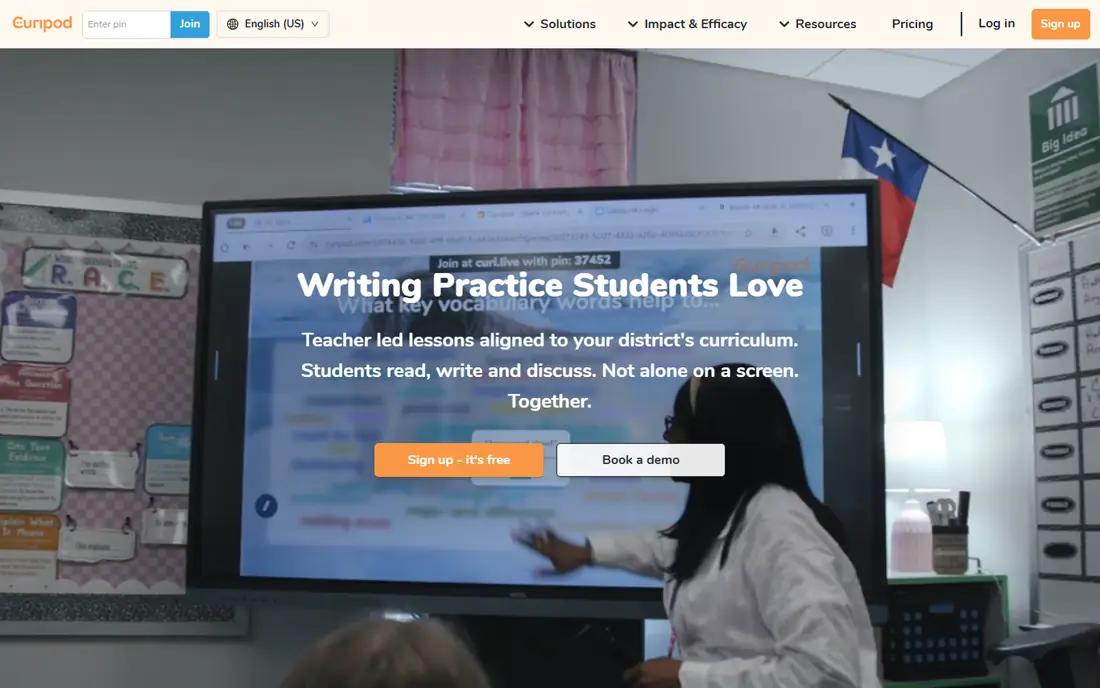
Where Curipod fits: interactive classroom lessons. Curipod is less about a printed sheet and more about an interactive lesson that comes with practice tasks. On top of that, if you chiefly need printable worksheets, Curipod may feel like additional machinery.
Students can respond to polls, draw, discuss and complete short activities in real time, and teachers see responses as they come in. That live feedback helps a teacher spot confusion before homework. No starting price is listed for Curipod here; confirm pricing on the vendor site. Curipod has a free plan.
Honest limits: Best with live class use.
- Student engagement tools
- Drawing and discussion
- More lesson product than worksheet maker
Twee
Ideal for: Language and ELA practice
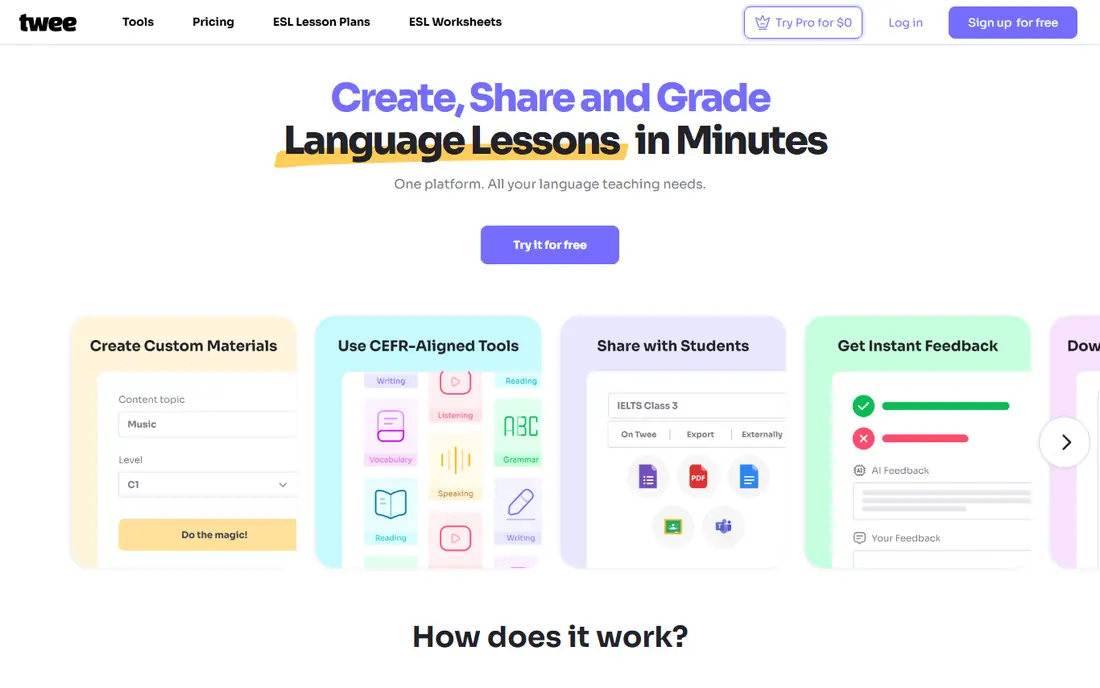
Where Twee fits: language and ELA practice. Twee concentrates on language learning and English practice, with tools that turn videos, texts and topics into questions, dialogues and vocabulary work.
Downsides: Less depth for math and science worksheets.
As for the details, always check generated language for natural phrasing and cultural accuracy. Twee shows no starting price here, so confirm the cost on the vendor site. Twee offers a free plan.
- Capable for English language practice
- Video and text based exercises
- Free plan is restricted
Diffit
Ideal for: Levelled reading and worksheets
Pick Diffit if this describes you: levelled reading and worksheets. The editing view makes it simple to fix wording before students see it.
Limits to weigh: Output still needs teacher review.
In daily use, Diffit is aimed at differentiation. Diffit does not show a starting price in this comparison, so check the vendor site for current pricing. Diffit has a free plan.
- Adapts texts to reading levels
- Builds questions and summaries
- Premium features sit behind a subscription
Edcafe AI
Ideal for: Slides, quizzes and worksheets
Edcafe AI makes the most sense for Slides, quizzes and worksheets. Edcafe AI aims at the full lesson set: a worksheet, a quiz and supporting slides from the same topic. That helps when a teacher needs a complete revision pack instead of a single sheet.
For an individual teacher trying AI worksheets, the free level is a low-risk way to test quality. Sharing and export choices keep the materials usable in print or in a classroom system. Edcafe AI shows no starting price here, so confirm the cost on the vendor site. You can start on Edcafe AI without paying.
The main drawbacks: Newer tool with a smaller track record.
- Clean sharing choices
- Creates worksheets alongside slides and quizzes
- Output needs careful checking
Monsha
Ideal for: Worksheet and lesson generation
Monsha makes the most sense for worksheet and lesson generation. Monsha concentrates on turning a topic or standard into classroom materials, including worksheets and lesson outlines. More specifically, the output is structured and simple to edit, which matters more than speed alone.
Also, math problems may need answer checking, and history passages may need source checks. When the draft is close, it saves time. In practice, treat Monsha as a draft maker, not a final publisher. Pricing for Monsha is not stated here, so ask the vendor for current figures. You can start on Monsha without paying.
Where it is weaker: Quality varies by subject.
- Quick worksheet creation from topics or standards
- Lesson plan support
- Restricted public pricing detail
Quizizz AI
Ideal for: Practice and formative checks
For practice and formative checks, Quizizz AI is a natural candidate. Quizizz is noted for interactive quizzes, and its AI tools can turn a topic or uploaded document into practice questions and formative checks. In practice, instant feedback helps students correct errors rapidly, and teachers can see which questions a class missed.
Trade-offs to know: Quiz format may not suit long written practice.
That makes it handy for revision and checks for understanding. It is not a replacement for extended written worksheets, since the format favors short answers and choices. In practice, together they handle most classroom practice needs. No starting price is listed for Quizizz AI here; confirm pricing on the vendor site. Quizizz AI includes a free tier.
- Large practice library
- AI generation from topics or documents
- School plans vary by district
What AI worksheet software for classrooms does
AI worksheets work best as drafts. More specifically, a five-minute review stops a lesson spent unteaching an error. More specifically, use one topic at two or three levels, but keep the core questions comparable so class discussion still works.
Worth adding: use school-approved accounts where possible, and check whether student work is used to train models.
How we compared the tools
Ainotely looked at what each vendor publishes: pricing, plan limits, feature coverage for AI worksheet software for classrooms and stated drawbacks. No hands-on testing is claimed. Prices and plan limits come from vendor pages and can change, so confirm them on the vendor site before you buy. The ranking is editorial: typical fit first, then clear pricing, then free access. If your needs are unusual, read the profiles rather than relying on position.
A buyer's checklist
- Request quotes from MagicSchool AI, Quizizz AI and the others; the list shows no fixed prices.
- Read the fine print on the free plans from MagicSchool AI, Curipod, Twee and others; seat, project and feature caps differ.
- Before choosing MagicSchool AI, weigh its main limit: breadth can overwhelm new users.
- Look at which plan of Quizizz AI unlocks the features you need; entry tiers are often cut down.
- Compare total cost, not headline price: for Curipod, add extra seats, add-ons and any usage-based charges.
Frequently asked questions
Is MagicSchool AI the right pick for everyone comparing AI worksheet software for classrooms?
No single tool suits every team. MagicSchool AI comes first because it fits all-in-one teacher tools, while Curipod suits interactive classroom lessons and Twee suits language and ELA practice. Match the tool to your own size, budget and workflow before deciding.
Can I try these tools before paying?
Often, yes. MagicSchool AI, Curipod, Twee and others have a free plan. Use your own data and a real task during the test, and check what the free tier or trial limits before you rely on it.
Do students need accounts to use AI worksheets?
Numerous tools let teachers print worksheets or share a link without student accounts. Interactive tools for example Curipod and Quizizz may need student access on a device.
Do these tools publish their prices?
No. None of the tools, from MagicSchool AI to Quizizz AI, shows a fixed starting price here, so budget time for quotes.
Which options for AI worksheet software for classrooms have a free plan?
On this list, 7 of 7 tools include a free plan, among them MagicSchool AI, Curipod, Twee and Diffit. Caps on seats, usage or features are common, so test the free plan against your real workload.
How do I check an AI worksheet for errors?
Read the passage and every answer, work any math yourself, and check dates and names against a trusted source. Ask whether questions match what you taught.