Best AI Writing Software for Research Papers in 2026: 8 Tools Compared

- Consensus and Elicit lead for finding and synthesising research, with different strengths in evidence handling.
- SciSpace suits readers who want explanations of dense papers in plain language.
- Paperpal and Jenni AI suit drafting and polishing, but neither replaces checking sources yourself.
- Always verify citations and claims against the original paper, since AI tools can misstate findings.
Quick comparison
| Product | Ideal for | Price from | Free version | |
|---|---|---|---|---|
 Consensus | Evidence-based literature answers | Free | Yes | Visit |
 Elicit | Structured literature synthesis | Free | Yes | Visit |
 SciSpace | Explaining papers in plain language | Free | Yes | Visit |
 Paperpal | Academic drafting and language polish | Free | Yes | Visit |
 Jenni AI | Drafting with citations | Free | Yes | Visit |
 QuillBot | Paraphrasing and grammar | Free | Yes | Visit |
 Grammarly | Grammar and clarity for academic text | Free | Yes | Visit |
 Trinka | Academic and technical writing polish | Free | Yes | Visit |
The best ai writing software for research papers
We compared research writing tools on literature search, citation handling, drafting help and academic integrity features. The key distinction is between tools that find and summarise papers and tools that help you write about them. Our pick for literature search is Consensus, with Elicit close behind for structured synthesis.
Consensus
Ideal for: Evidence-based literature answers

Consensus searches peer-reviewed research and returns answers tied to actual papers, with a consensus view showing where studies agree or disagree. That evidence-first design makes it useful for literature reviews and background sections. The free tier limits queries, and synthesis quality varies on niche topics, so check the cited papers before relying on a summary.
For most readers, the deciding question with Consensus is fit rather than raw feature count. Check the plan limits that matter to you, such as seats, usage caps and what happens when a trial ends, before you commit to a paid tier. If the free tier or trial covers your core task, use it for a full week of real work before paying, and keep an eye on renewal terms and cancellation steps. That short test usually tells you more than any feature list, and it keeps the choice grounded in how you actually work day to day.
- Searches peer-reviewed papers
- Consensus meter for findings
- Citations included
- Free tier limits queries
- Synthesis depth varies by topic
Elicit
Ideal for: Structured literature synthesis

Elicit turns a research question into a table of papers with extracted methods, results and details, which speeds up screening. Finding related papers and following a structured workflow helps systematic reviews. Credits limit free use, and extracted details must be verified against the original, since automated extraction can miss nuance.
For most readers, the deciding question with Elicit is fit rather than raw feature count. Check the plan limits that matter to you, such as seats, usage caps and what happens when a trial ends, before you commit to a paid tier. If the free tier or trial covers your core task, use it for a full week of real work before paying, and keep an eye on renewal terms and cancellation steps. That short test usually tells you more than any feature list, and it keeps the choice grounded in how you actually work day to day.
- Extracts data into tables
- Finds related papers
- Research workflows
- Free tier has credit limits
- Extraction needs verification
SciSpace
Ideal for: Explaining papers in plain language
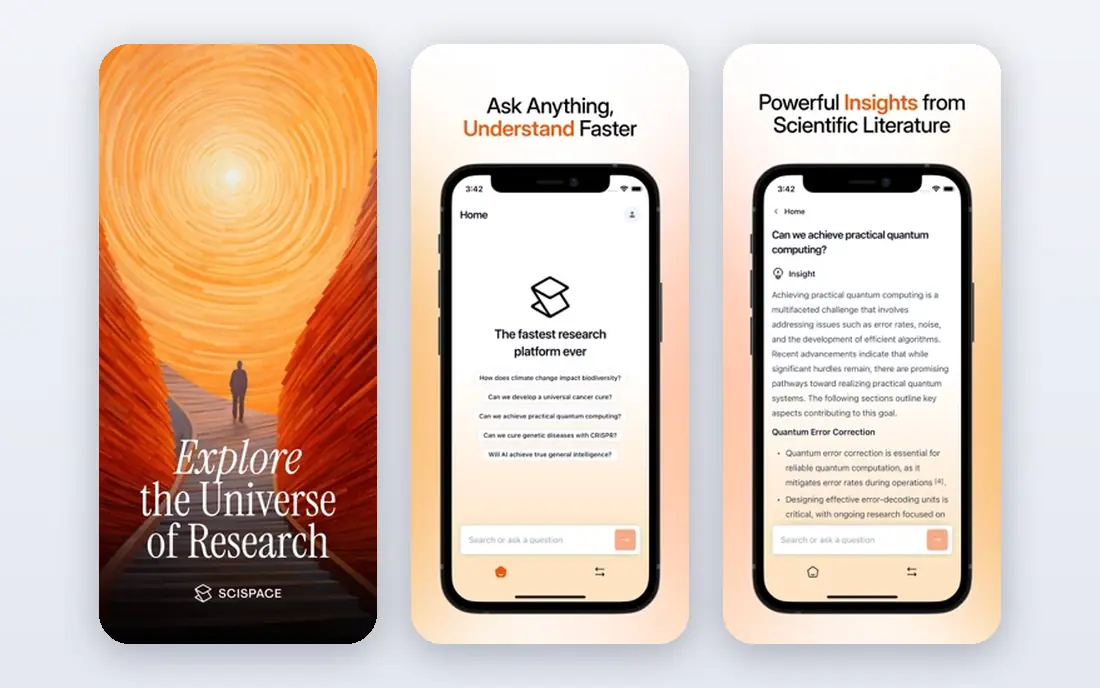
SciSpace helps readers get through dense papers by explaining sections in plain language and answering questions about the text. That makes it valuable for students facing unfamiliar methods or jargon. The free tier limits use, and chat answers should be checked against the paper, especially for numbers and claims.
For most readers, the deciding question with SciSpace is fit rather than raw feature count. Check the plan limits that matter to you, such as seats, usage caps and what happens when a trial ends, before you commit to a paid tier. If the free tier or trial covers your core task, use it for a full week of real work before paying, and keep an eye on renewal terms and cancellation steps. That short test usually tells you more than any feature list, and it keeps the choice grounded in how you actually work day to day.
- Plain-language explanations
- Paper chat
- Citation tools
- Free tier limits
- Chat answers need checking
Paperpal
Ideal for: Academic drafting and language polish
Paperpal focuses on the writing itself, offering academic language suggestions, grammar help and checks against journal requirements. Word integration keeps it inside a familiar workflow. It does not search literature, so pair it with Consensus or Elicit for the research stage, and review every suggested change for meaning.
For most readers, the deciding question with Paperpal is fit rather than raw feature count. Check the plan limits that matter to you, such as seats, usage caps and what happens when a trial ends, before you commit to a paid tier. If the free tier or trial covers your core task, use it for a full week of real work before paying, and keep an eye on renewal terms and cancellation steps. That short test usually tells you more than any feature list, and it keeps the choice grounded in how you actually work day to day.
- Academic language suggestions
- Journal checks
- Word integration
- Free tier limits suggestions
- Not a literature search tool
Jenni AI
Ideal for: Drafting with citations
Jenni AI helps you draft with citations in hand, suggesting text as you write and linking claims to sources you add. That workflow suits writers who already have their papers gathered and need help turning notes into prose. Free word limits are tight for long papers, and every citation must be checked, since the tool cannot guarantee a claim matches its source.
For most readers, the deciding question with Jenni AI is fit rather than raw feature count. Check the plan limits that matter to you, such as seats, usage caps and what happens when a trial ends, before you commit to a paid tier. If the free tier or trial covers your core task, use it for a full week of real work before paying, and keep an eye on renewal terms and cancellation steps. That short test usually tells you more than any feature list, and it keeps the choice grounded in how you actually work day to day.
- Citation support while drafting
- Autocomplete for academic text
- Source library
- Free tier limits words
- Citation accuracy needs checking
QuillBot
Ideal for: Paraphrasing and grammar
QuillBot is best known for paraphrasing and grammar checking, plus a summariser and citation generator. Used carefully, it helps polish sentences and shorten drafts. Paraphrasing can subtly change meaning, so never paraphrase a finding without checking the result, and follow your institution rules on AI assistance.
For most readers, the deciding question with QuillBot is fit rather than raw feature count. Check the plan limits that matter to you, such as seats, usage caps and what happens when a trial ends, before you commit to a paid tier. If the free tier or trial covers your core task, use it for a full week of real work before paying, and keep an eye on renewal terms and cancellation steps. That short test usually tells you more than any feature list, and it keeps the choice grounded in how you actually work day to day.
- Paraphraser and grammar checker
- Summariser
- Citation generator
- Paraphrasing can distort meaning
- Academic use needs care
Grammarly
Ideal for: Grammar and clarity for academic text
Grammarly covers grammar, clarity and tone across documents, browsers and Word, which makes it a reliable final polish step. Paid plans add a plagiarism checker that helps catch accidental overlap. Its suggestions are general rather than academic-specific, so subject terminology and argument structure still need your judgement.
For most readers, the deciding question with Grammarly is fit rather than raw feature count. Check the plan limits that matter to you, such as seats, usage caps and what happens when a trial ends, before you commit to a paid tier. If the free tier or trial covers your core task, use it for a full week of real work before paying, and keep an eye on renewal terms and cancellation steps. That short test usually tells you more than any feature list, and it keeps the choice grounded in how you actually work day to day.
- Strong grammar and clarity checks
- Plagiarism checker on paid plans
- Wide integrations
- Academic tone suggestions are general
- Paid plan needed for full checks
Trinka
Ideal for: Academic and technical writing polish
Trinka is built specifically for academic and technical writing, with grammar, style and consistency checks tuned to research text. Journal checks help authors match submission requirements. The ecosystem is smaller than Grammarly, and the free tier limits use, but for research manuscripts the academic focus is a real advantage.
For most readers, the deciding question with Trinka is fit rather than raw feature count. Check the plan limits that matter to you, such as seats, usage caps and what happens when a trial ends, before you commit to a paid tier. If the free tier or trial covers your core task, use it for a full week of real work before paying, and keep an eye on renewal terms and cancellation steps. That short test usually tells you more than any feature list, and it keeps the choice grounded in how you actually work day to day.
- Built for academic and technical text
- Grammar and style checks
- Journal checks
- Smaller ecosystem
- Free tier limits
How we picked these
We compared official feature pages, pricing pages, app store listings, privacy policies and public reviews for each option below. We kept only products that exist and work now, that fit the topic directly, and whose official homepage we could confirm. Where a price was not published clearly, we wrote See website rather than guessing, and we favoured options with a free tier or trial where one exists.
Using AI for research papers without risking integrity
Separate searching, drafting and checking into distinct steps. Use Consensus, Elicit or SciSpace to find and understand papers, use Paperpal or Jenni AI to draft, then verify every citation, number and quoted finding against the original paper yourself. Blending those steps is where errors slip in.
Follow your institution or journal rules on AI use. Many universities and publishers now require disclosure of AI assistance, and some restrict it for certain tasks. Check the policy before you start, and keep notes on which tools you used for what, so disclosure is easy.
Never submit a reference you have not opened. AI tools sometimes invent or misattribute citations, and a single false reference can damage a paper badly. Open each cited paper, confirm it says what you claim, and check the bibliographic details in your reference manager.
Frequently asked questions
What is the best AI tool for writing research papers?
Consensus leads for finding evidence-backed answers from papers, while Elicit suits structured literature synthesis. For drafting, Paperpal and Jenni AI help, but always verify citations against the original papers.
Can AI write a research paper for me?
AI can help you search, summarise, draft and polish, but it cannot replace your judgement, your data or your responsibility for accuracy. Institutions and journals often require disclosure, and submitting unchecked AI text risks errors and integrity problems.
Which AI tool is best for research paper writing?
It depends on the stage. Use Consensus or Elicit for literature search, SciSpace for understanding papers, and Paperpal or Jenni AI for drafting help. No single tool covers every stage well.
Are AI research tools accurate?
They are useful but imperfect. Summaries can miss nuance, extractions can err, and citations can be wrong, so verify every important claim against the original paper before you cite it.
Is using AI for research papers allowed?
Policies vary by university and journal. Many allow AI for language help and searching with disclosure, while restricting it for generating results or arguments. Check your institution and target journal rules before you begin.