Best Alternatives to Aprimo in 2026: 8 Tools Compared

- Bynder and Brandfolder suit most marketing teams for digital asset management with brand controls.
- Widen and Canto suit companies that need strong search, metadata, and distribution.
- Frontify suits teams that want brand guidelines plus asset management in one platform.
- Sitecore DAM, Cloudinary, and MediaValet cover enterprise, media optimization, and Microsoft-focused needs.
Quick comparison
| Product | Ideal for | Price from | Free version | |
|---|---|---|---|---|
 Bynder | Marketing DAM | See website | Free trial | Visit |
 Brandfolder | Simple brand DAM | See website | Free trial | Visit |
 Widen | Enterprise DAM | See website | Free trial | Visit |
 Canto | Searchable DAM | See website | Free trial | Visit |
 Frontify | Brand plus assets | See website | Free trial | Visit |
 Sitecore DAM | Enterprise DAM | See website | Free trial | Visit |
 Cloudinary | Media optimization | See website | Yes | Visit |
 MediaValet | Microsoft-focused DAM | See website | Free trial | Visit |
The best alternatives to Aprimo
We compared official feature pages, pricing pages, and app-store listings for digital asset management tools available in October 2026. Aprimo covers DAM, work management, and content operations, so the list below focuses on DAM platforms with brand and distribution features.
Bynder
Ideal for: Marketing DAM
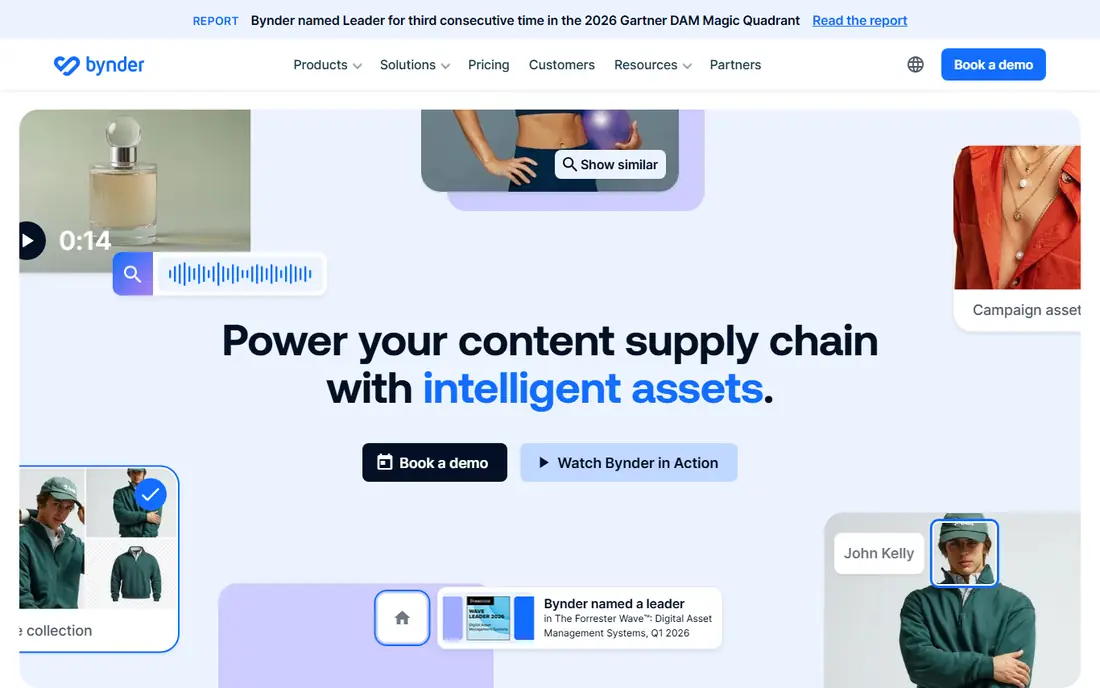
Bynder is a digital asset management platform for marketing teams, covering asset storage, brand guidelines, templates, and distribution. Its AI search and tagging help teams find assets quickly, while brand guidelines and approval workflows keep usage on-brand. Integrations cover CMS, social, and design tools.
Pricing is quote-based and setup needs planning for large libraries. For a marketing team that wants DAM plus brand control in one platform, Bynder is a leading Aprimo alternative.
- Strong brand guidelines and asset workflows
- AI search
- Many integrations
- Pricing is quote-based
- Setup needs planning for large libraries
Brandfolder
Ideal for: Simple brand DAM
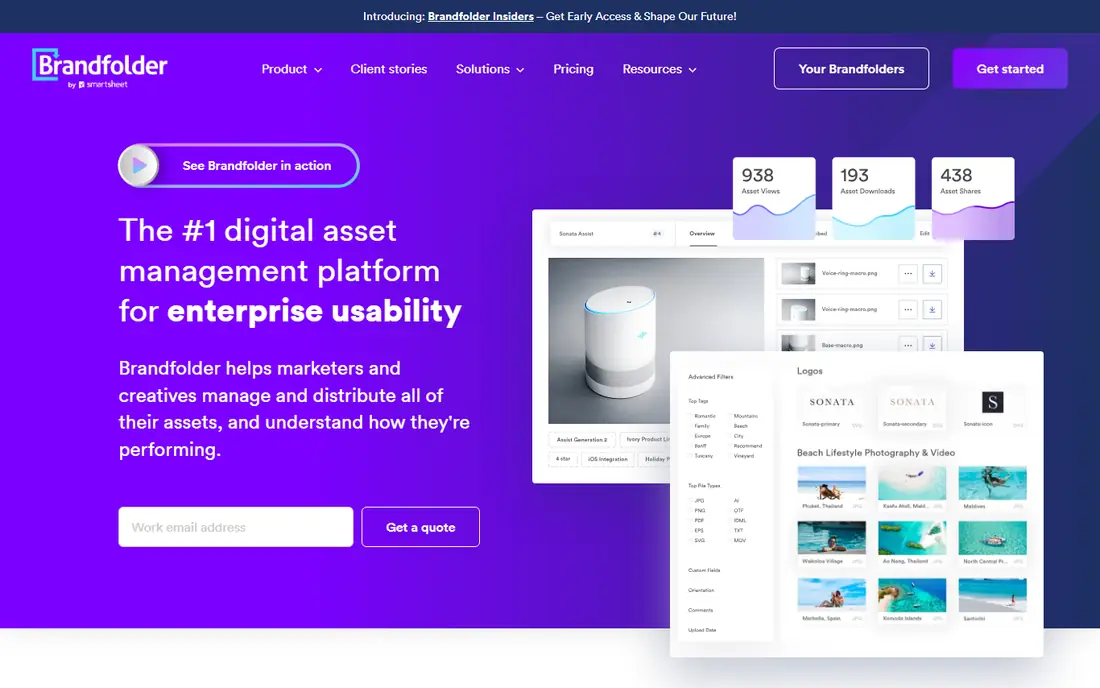
Brandfolder, part of Smartsheet, is a digital asset management platform with a simple, fast library, brand controls, and analytics on asset use. It suits teams that want a clean DAM without heavy workflow complexity, with sharing, permissions, and CDN delivery for published assets.
Workflow and work management features are thinner than Bynder's or Aprimo's. For a team that wants a simple, searchable brand library, Brandfolder is an easy choice.
- Simple, fast asset library
- Brand controls
- Good analytics
- Workflow features are thinner than Bynder
- Pricing is quote-based
Widen
Ideal for: Enterprise DAM
Widen, part of Acquia, is an enterprise DAM platform with strong metadata, search, portals, and distribution tools. It covers asset lifecycle from upload to publishing, with collections, permissions, and analytics. Its Acquia connection suits companies already on Acquia's digital experience platform.
Pricing is quote-based and the interface can feel enterprise-heavy. For a large company that needs deep metadata and distribution, Widen is a strong choice.
- Strong metadata and search
- Portals and distribution
- Acquia ecosystem
- Pricing is quote-based
- Interface can feel enterprise-heavy
Canto
Ideal for: Searchable DAM
Canto is a digital asset management platform known for fast visual search, smart tags, and AI features that help visual teams find images and video quickly. It offers portals, sharing, and integrations with design and marketing tools, with a clean interface for non-technical users.
Workflow features are thinner than Bynder's, and pricing is quote-based. For a visual team that values search speed above workflow depth, Canto is a strong pick.
- Fast visual search
- Smart tags and AI
- Good for visual teams
- Pricing is quote-based
- Workflow features are thinner than Bynder
Frontify
Ideal for: Brand plus assets
Frontify combines brand guidelines, digital assets, and templates in one platform, so distributed teams can find the right logo, asset, and rule in one place. It suits companies with many offices or partners that need consistent branding, with workspaces for guidelines, libraries, and projects.
DAM depth is thinner than Widen's for very large libraries. For a team that wants brand plus assets together, Frontify's combined platform is a clear advantage.
- Brand guidelines plus DAM in one platform
- Templates
- Good for distributed teams
- Pricing is quote-based
- DAM depth is thinner than Widen for very large libraries
Sitecore DAM
Ideal for: Enterprise DAM
Sitecore DAM, part of Sitecore's content platform, offers enterprise asset management with AI search, metadata, and distribution to web, social, and commerce channels. It suits companies already on Sitecore that want assets tied to content and experience delivery.
Pricing is quote-based and it works best inside the Sitecore ecosystem. For a Sitecore company that needs DAM, Sitecore DAM is the natural choice.
- Enterprise DAM with AI search
- Sitecore ecosystem
- Strong distribution
- Pricing is quote-based
- Works best inside Sitecore
Cloudinary
Ideal for: Media optimization
Cloudinary is a media platform that stores, optimizes, and delivers images and video through APIs and a CDN, with DAM features for organization and search. Developers can transform media on the fly, while marketers can manage assets in a library. A free tier covers basic use.
DAM features are thinner than Bynder's or Widen's, since Cloudinary focuses on delivery. For a team that needs media optimization plus a library, Cloudinary's developer tools are a major strength.
- Media storage plus optimization and delivery
- Developer APIs
- Free tier
- DAM features are thinner than Bynder
- Focused on media delivery
MediaValet
Ideal for: Microsoft-focused DAM
MediaValet is a digital asset management platform built on Microsoft Azure, with strong search, AI tagging, and compliance features for regulated industries. It integrates with Microsoft 365, Teams, and other tools, which suits companies already on Microsoft platforms.
Pricing is quote-based and MediaValet is a smaller brand than Bynder. For a Microsoft-focused company that needs DAM with Azure security, MediaValet is a strong fit.
- Built on Microsoft Azure
- Strong search and AI
- Good for regulated industries
- Pricing is quote-based
- Smaller brand than Bynder
How we picked these
We compared official feature pages, pricing pages, and app-store listings for digital asset management tools available in October 2026. We favored tools with current products, DAM features, and a range of audiences, from marketing teams to enterprises. We also tested search with real users, rights management, and distribution features, since a DAM must help people find and use assets, not just store them. We did not include our own product in this list.
How to choose an Aprimo alternative
Start with your main need. Brand control points to Bynder or Frontify, while simple search points to Brandfolder or Canto. Large libraries and distribution point to Widen, while Sitecore or Microsoft companies should try Sitecore DAM or MediaValet first. Media delivery points to Cloudinary.
Then test with a real asset set. Upload a sample library, check search and tagging, and confirm sharing and permissions work for your teams and partners. DAM only helps if people can find assets fast, so search quality matters more than a feature list.
A DAM system lives or dies on search, so test it with your real assets and real users. Upload a sample library with your actual file names, tags, and folder habits, then ask non-technical colleagues to find five assets without help. If they struggle, the taxonomy needs work before any purchase, since software cannot fix a messy library on its own. Also check rights management: expiry dates, usage restrictions, and model releases matter for marketing assets, and a DAM should surface those limits before someone publishes the wrong image. Distribution features deserve a test too, including CDN links, social sizes, and CMS integrations, since a DAM that cannot deliver assets where they are used adds manual steps. Finally, plan governance: name owners for taxonomy, uploads, and archiving, so the library stays clean after launch. A DAM without owners becomes a dumping ground within a year.
Rights and expiry tracking is where many DAM rollouts stumble, so test it early. Upload assets with different license terms, expiry dates, and usage restrictions, and confirm that the system warns users before an asset expires or blocks use that violates its terms. Check whether expiry alerts reach the right people, and whether expired assets stay visible for reference or disappear entirely. For global teams, confirm that rights metadata travels with distributed assets, including CDN links and social exports, since a rights note that lives only in the DAM will be missed by downstream users. A DAM that enforces rights quietly, at the point of use, prevents costly mistakes better than any policy document.
Frequently asked questions
What is the best alternative to Aprimo?
Bynder suits most marketing teams for DAM plus brand control, while Brandfolder suits teams that want a simpler library. Widen suits large enterprises, and Frontify suits teams that want brand guidelines plus assets together.
What is digital asset management?
Digital asset management, or DAM, stores, organizes, and distributes digital assets such as images, video, and documents, with search, permissions, and version control. It helps marketing teams find and use approved assets without digging through folders.
Is Bynder free?
Bynder offers a free trial, but its paid plans are quote-based for teams and enterprises. For a free DAM starting point, Cloudinary offers a free tier, though its DAM features are thinner than Bynder's.
Can I migrate from Aprimo to Bynder?
Yes. Bynder offers migration support for Aprimo and other DAM platforms, including assets, metadata, and permissions. Plan the migration with a trial, map metadata carefully, and test search before switching.
What is the difference between Bynder and Brandfolder?
Bynder offers deeper brand workflows, templates, and integrations, while Brandfolder offers a simpler, faster library with brand controls and analytics. Bynder suits larger marketing operations, while Brandfolder suits teams that want a clean DAM without heavy workflow.
How do I clean up a messy asset library before migrating to a DAM?
Start with an audit: find duplicates, outdated versions, and files with missing rights information, and archive or delete what is no longer used. Then define a simple taxonomy based on how teams actually search, such as campaign, product, and asset type, rather than a deep folder tree. Tag a sample set, test search with real users, and fix the taxonomy before a full migration. Migrate in batches by campaign or department, and keep the old library readable until the new one proves searchable.