Best Android Antivirus Apps in 2026: 8 Apps Compared

- Bitdefender and Norton offer strong malware protection with low impact on battery and performance.
- McAfee, Avast, and Kaspersky add VPN, anti-theft, and web protection alongside antivirus.
- Malwarebytes suits users who want strong on-demand scanning without heavy background use.
- Avira and ESET offer solid protection at lower cost, with free tiers for basic use.
Quick comparison
| Product | Ideal for | Price from | Free version | |
|---|---|---|---|---|
 Bitdefender | Strong light protection | See website | Free trial | Visit |
 Norton | All-round security | See website | Free trial | Visit |
 McAfee | Security plus VPN | See website | Free trial | Visit |
 Avast | Free antivirus basics | Free | Yes | Visit |
 Kaspersky | Strong malware protection | See website | Free trial | Visit |
 Malwarebytes | On-demand scanning | See website | Free trial | Visit |
 Avira | Low-cost protection | Free | Yes | Visit |
 ESET | Light reliable protection | See website | Free trial | Visit |
The best Android antivirus apps
We compared official feature pages, pricing pages, and app-store listings for Android security apps available in October 2026. The list covers full security suites and lighter scanners, since Android users need different levels of protection.
Bitdefender
Ideal for: Strong light protection
Bitdefender Mobile Security offers malware scanning, web protection, anti-theft, and account privacy checks, with a reputation for strong detection and low battery impact. Its autopilot feature runs scans and recommendations without constant input, while higher plans add VPN and app lock. A trial covers evaluation.
The free tier is limited, and full features need a paid plan. For an Android user who wants strong protection without slowing the phone, Bitdefender is a top pick.
- Strong malware detection
- Low battery impact
- VPN and anti-theft on higher plans
- Free tier is limited
- Full features need a paid plan
Norton
Ideal for: All-round security
Norton 360 for mobile offers malware protection, VPN, dark web monitoring, and Wi-Fi security, with a strong track record in independent tests. Its app covers Android and iOS, with features for safe browsing and device security. A trial covers evaluation.
Pricing is higher than some rivals, and the app can feel heavy on older phones. For a user who wants an all-round security suite with support, Norton is a reliable choice.
- Strong protection
- VPN and dark web monitoring
- Good support
- Pricing is higher than some rivals
- App can feel heavy
McAfee
Ideal for: Security plus VPN
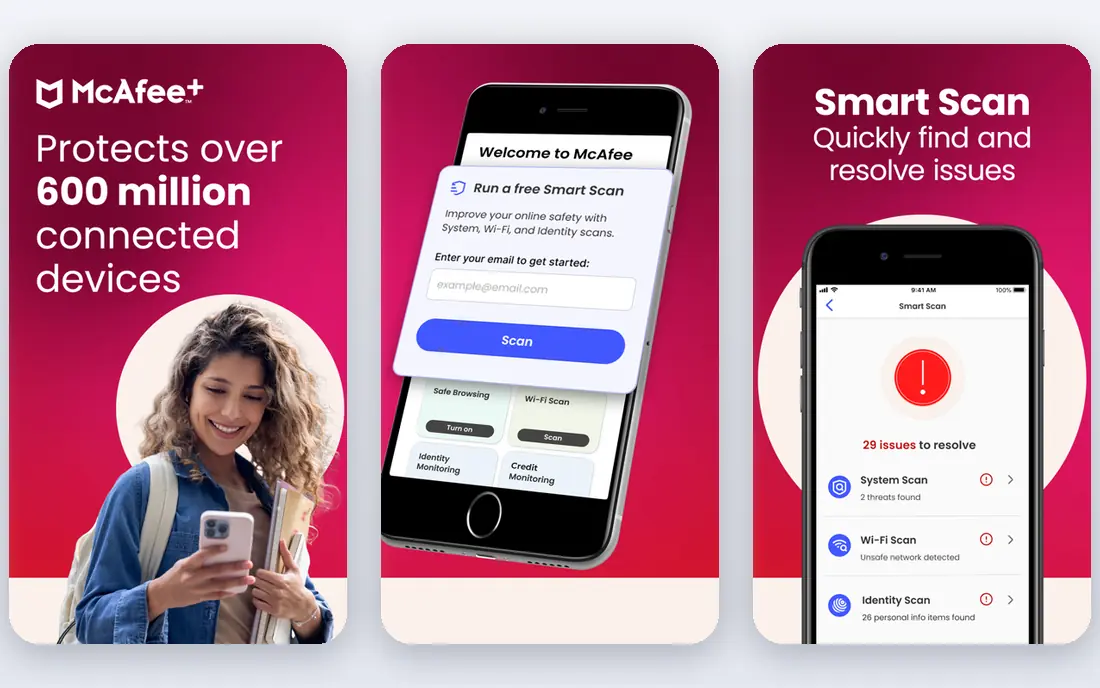
McAfee Mobile Security offers antivirus, VPN, anti-theft, and Wi-Fi scanning, with multi-device plans that cover phones, tablets, and computers. Its app includes safe browsing, app privacy checks, and device optimization tools. A trial covers evaluation.
The interface can feel busy, and pricing varies by plan and device count. For a household that wants security plus VPN across many devices, McAfee's multi-device plans are convenient.
- Antivirus plus VPN
- Anti-theft and Wi-Fi scanning
- Multi-device plans
- Interface can feel busy
- Pricing varies by plan
Avast
Ideal for: Free antivirus basics
Avast Mobile Security offers free antivirus scanning, anti-theft, and Wi-Fi security checks, with a premium plan adding VPN, app lock, and photo vault. Its free tier covers core protection, which suits users who want basic security without paying. A large user base backs its detection data.
The free tier includes ads, and premium features need payment. For a user who wants free basic protection, Avast is a practical choice.
- Free tier with core scanning
- Anti-theft
- Wi-Fi security checks
- Free tier includes ads
- Premium features need a paid plan
Kaspersky
Ideal for: Strong malware protection
Kaspersky for Android offers malware scanning, anti-theft, web filtering, and app lock, with strong detection in independent tests and low impact on performance. Its premium plan adds VPN and more privacy tools. A trial covers evaluation.
Availability varies by region due to regulatory restrictions, so users should check local availability. For a user in a supported region who wants strong detection, Kaspersky remains a solid choice.
- Strong malware detection
- Anti-theft and web filtering
- Low impact
- Availability varies by region
- Full features need a paid plan
Malwarebytes
Ideal for: On-demand scanning
Malwarebytes for Android focuses on strong malware and ransomware scanning, with privacy audit tools that show which apps access data. Its on-demand scanning suits users who want a second opinion on their phone, while premium adds real-time protection and web filtering. A trial covers evaluation.
Real-time protection needs a paid plan, and suite features are thinner than Norton's. For a user who wants a light, focused scanner, Malwarebytes is a good fit.
- Strong on-demand scanning
- Light background use
- Privacy audit tools
- Real-time protection needs a paid plan
- Fewer suite features than Norton
Avira
Ideal for: Low-cost protection
Avira Antivirus Security offers free malware scanning, anti-theft, and privacy tools, with a premium plan adding VPN and more features. Its free tier covers core protection at low cost, and its engine has a long track record. Apps cover Android and iOS.
The free tier limits features and the interface includes upsells to premium. For a user who wants free or low-cost protection, Avira is a solid alternative to Avast.
- Free tier with core protection
- VPN on premium
- Light on resources
- Free tier limits features
- Interface includes upsells
ESET
Ideal for: Light reliable protection
ESET Mobile Security offers malware scanning, anti-theft, app lock, and phishing protection, with a reputation for light resource use and reliable detection. Its interface is clean, and its premium plan adds proactive protection. A trial covers evaluation.
Extra features are fewer than in full suites such as Norton or McAfee, and pricing is per device. For a user who wants light, reliable protection without extra tools, ESET is a good choice.
- Light on resources
- Strong detection
- Anti-theft and app lock
- Fewer extra features than suites
- Pricing is per device
How we picked these
We compared official feature pages, pricing pages, and app-store listings for Android antivirus apps available in October 2026. We favored apps with current Android versions, independent test results, and a range of prices, from free tiers to full suites. We also tested notification behavior, battery impact, and multi-device value, since a security app that gets uninstalled protects no one. We did not include our own product in this list.
How to choose an Android antivirus app
Start with your risk level. Users who sideload apps or use public Wi-Fi often should pick a full suite such as Bitdefender, Norton, or McAfee. Users who only use the Play Store and want basic checks can start with a free tier such as Avast or Avira.
Then check battery and performance on your phone. Run a trial for a week, check battery use, and confirm the app does not slow daily use. Also keep Android and Play Protect updated, since an antivirus app complements, but does not replace, system updates and safe browsing habits.
An antivirus app should protect without annoying you, so test notifications and battery use during a trial. An app that nags constantly or drains battery will get uninstalled, which leaves you with no protection at all. Check what the app actually scans: on Android, antivirus apps scan installed apps and files, check Wi-Fi safety, and offer anti-theft, but they cannot scan the whole system the way desktop antivirus does. Also confirm that Play Protect stays enabled, since it complements any third-party app. For families, check multi-device plans and parental features, since covering several phones under one plan saves money. Finally, keep habits in mind: only install apps from the Play Store, review permissions for new apps, and update Android promptly. An antivirus app is one layer of protection, and safe habits plus system updates matter just as much.
Permissions and privacy deserve a look before installing any security app, since the app itself requests broad access. Check which permissions it needs and why, and read its privacy policy for data collection, retention, and sharing practices. A security app that collects more data than it protects against is a poor trade. Also test the anti-theft features before you need them: locate, lock, and wipe should work from a web dashboard, and you should know the steps while calm, not during a panic after losing a phone. For children or elderly relatives, check whether family plans offer simpler dashboards and remote help. Finally, remember that no app replaces caution: avoid sideloading, check app permissions regularly, and keep backups, so a lost or compromised phone is an inconvenience, not a disaster.
Frequently asked questions
What is the best Android antivirus app?
Bitdefender suits most users for strong, light protection, while Norton suits users who want a full suite with VPN and monitoring. Avast and Avira suit users who want free basic protection.
Do Android phones need antivirus?
Android includes Google Play Protect, which scans apps for malware, but a dedicated antivirus adds web protection, anti-theft, and privacy tools. Users who sideload apps, use public Wi-Fi, or want extra checks benefit most from a dedicated app.
Is Avast free for Android?
Yes. Avast Mobile Security offers a free tier with core scanning, anti-theft, and Wi-Fi checks, while premium adds VPN, app lock, and photo vault.
Can antivirus slow down my phone?
A heavy antivirus can slow an older phone or drain battery, but modern apps such as Bitdefender and ESET are designed for low impact. Test a trial on your phone and check battery use before committing to a paid plan.
What is the difference between Malwarebytes and Norton?
Malwarebytes focuses on strong on-demand scanning with light background use, while Norton offers a full suite with VPN, dark web monitoring, and device security. Malwarebytes suits a focused scanner, while Norton suits an all-round suite.
Does antivirus replace Google Play Protect?
No. Play Protect is built into Android and scans apps from the Play Store and sideloaded apps for known malware, and it should stay enabled even with a third-party antivirus installed. A dedicated antivirus adds web protection, anti-theft, Wi-Fi checks, and privacy tools that Play Protect does not cover. Think of them as complementary layers: Play Protect handles app scanning at the system level, while a security app adds broader protection and tools.