For Microsoft 365 and Google Workspace phishing defense, Ironscales is where this list starts. Listed starting prices: KnowBe4 Security Awareness Training from $5.30 per seat a month. Alternatives: Cisco Secure Email for Email security inside a Cisco environment, and Proofpoint Email Protection for wide email and collaboration defense. Details, prices and limits for the rest of the 6 tools are below.
Choosing anti phishing software usually comes down to price, fit and limits. This Ainotely guide sets 6 tools side by side on those three points, with the facts kept short and checkable.
Key takeaways
Top of the list is Ironscales, which targets Microsoft 365 and Google Workspace phishing defense.
The main caution on Barracuda Email Protection: portfolio breadth can obscure email specifics.
Neither Ironscales nor KnowBe4 Security Awareness Training, nor any of the other 4 tools, has a permanent free plan; trials and quotes are the norm.
Starting prices begin at $5.30 per seat per month with KnowBe4 Security Awareness Training.
Best for: Microsoft 365 and Google Workspace phishing defense
Ironscales is a good fit for Microsoft 365 and Google Workspace phishing defense. Understanding how the AI agents interact with your existing stack takes some review.
Highlights: Also addresses deepfake threats.
No starting price is listed for Ironscales here; confirm pricing on the vendor site. Trial and free access: Free trial.
What to check first: Cloud email focus may not suit every environment.
Best for: Email security inside a Cisco environment
Pick Cisco Secure Email if this describes you: Email security inside a Cisco environment. In daily use, the email product is one piece of a very large portfolio, so evaluating it means looking past the broader brand messaging.
What to check first: Value relies on Cisco ecosystem fit.
Organizations without Cisco infrastructure may find less advantage. Check the vendor site for Cisco Secure Email pricing; none is listed in this comparison. Free plan details: Not stated.
Choose Proofpoint Email Protection for wide email and collaboration defense. Proofpoint Email Protection sits within a broader system that the vendor describes as agentic security for collaboration, data and AI, with intent-based protection for every person and AI agent.
Also, teams with dedicated security staff are the most natural audience. If your priority is a narrow, straightforward email filter, a more focused tool may be simpler to run. Check the vendor site for Proofpoint Email Protection pricing; none is listed in this comparison. Free access: Not stated.
Trade-offs to know: Wide system may feel complicated for small teams.
Best for: Email protection within a wider security portfolio
Barracuda Email Protection makes the most sense for Email protection within a wider security portfolio. Barracuda Email Protection is part of a portfolio the vendor describes as handling email, application, network and data protection.
Downsides: May need several components for full coverage.
More specifically, teams wanting a narrow, best-of-breed email filter may prefer a specialist. Also, companies standardizing on a single security partner are the clearest audience. Pricing for Barracuda Email Protection is not stated here, so ask the vendor for current figures. Free access: Free trial.
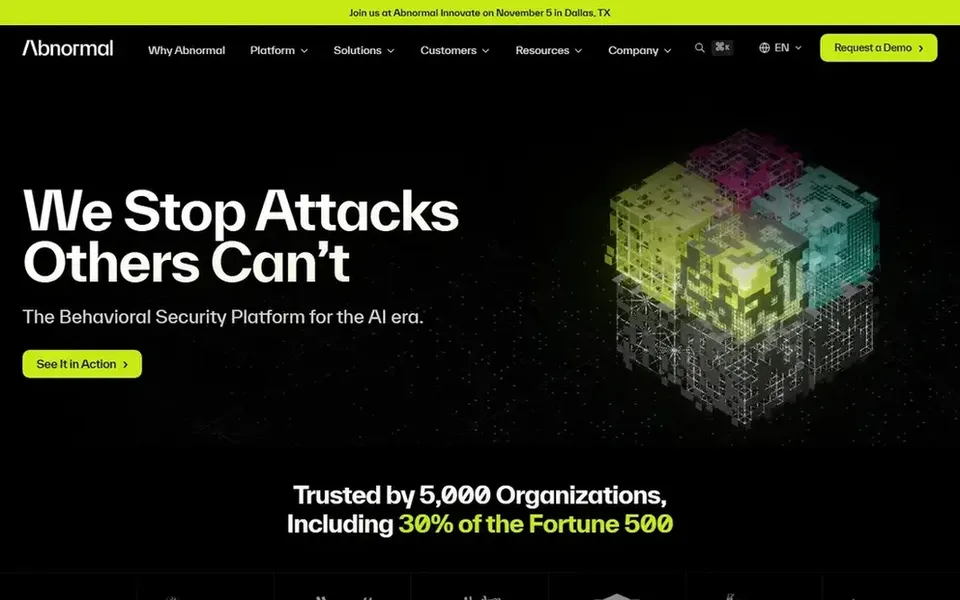
Abnormal Security works best for behavioral AI threat detection. A behavioral approach relies on learning your normal communication patterns, so results build over time.
Choose Abnormal when behavioral detection of email and identity threats is the priority. Abnormal Security describes itself as a behavioral AI security product that guards email, identity and AI whereas stopping insider threats. Abnormal Security does not show a starting price in this comparison, so check the vendor site for current pricing. Free access: Not stated.
KnowBe4 Security Awareness Training is built with reducing human risk through training in mind. It suits organizations that see phishing defense as partly a people problem and want to pair filtering with education and simulation.
Training programs also need sustained effort to stay effective. Entry price for KnowBe4 Security Awareness Training: $5.30 per seat per month. Free options: Not stated.
Where it falls short: Needs continuing program management.
Confirm the entry price on the vendor page. For Ironscales, Cisco Secure Email, Proofpoint Email Protection and others that means a quote rather than a fixed price.
Run a trial of Ironscales and Barracuda Email Protection with real work before paying for a year; your own workflow is the best test.
Read the limits listed for Ironscales first: cloud email focus may not suit every environment.
Total up the real monthly cost of Abnormal Security, including add-ons, extra users and usage-based fees.
A short pilot of KnowBe4 Security Awareness Training with your real workflow tells you more than a feature table.
How we picked
We compared the tools on published pricing, free plan or trial availability, feature coverage for anti phishing software, and the limits each vendor documents. Where a vendor does not publish a price, the entry says quote. Where a price depends on seats or billing term, the entry says so. The sequence is a judgement call: typical use case first, then pricing transparency, then free access. Use the profiles to check fit.
Every price and plan detail on this page comes from the vendors’ own websites. We did not run hands-on tests unless the text says so, and we do not publish star ratings or review scores. See how we score and our disclosure.
Keep your shortlist in one place
Paste prices, trial dates and notes from this guide into Ainotely, our AI note app. It files them into a topic and pulls out tasks like “cancel trial by Friday”. Free 7-day trial, no card needed.
Is security awareness training part of anti-phishing?
It can be. Filtering blocks messages, whereas training helps people recognize and report attempts that get through. Some systems, like KnowBe4, combine both approaches.
How do behavioral AI tools differ from rule-based filters?
Rule-based filters match known patterns, whereas behavioral tools like Abnormal Security learn normal communication and flag anomalies. The two can complement each other in a layered defense.
Does any tool for anti phishing software here have a free plan?
A permanent free plan is not offered by Ironscales, KnowBe4 Security Awareness Training or the other tools here. Ironscales, Barracuda Email Protection offer a trial. Plan a short evaluation period instead.
How are the tools for anti phishing software ordered?
The order follows typical fit for anti phishing software, with Ironscales first and KnowBe4 Security Awareness Training last, then price clarity and free access. It is editorial judgement, not a score, so another team could rank the tools differently.
Do these tools publish their prices?
Not all of them. Ironscales, Cisco Secure Email, Proofpoint Email Protection and others publish no starting price, so expect a quote request for those. The rest, KnowBe4 Security Awareness Training included, show a starting price, though seats and billing terms still change the final cost.
What is the cheapest option for anti phishing software in this list?
On published monthly entry prices, KnowBe4 Security Awareness Training is the lowest here at $5.30 per seat per month. Entry price is only part of the cost, because seats, add-ons and billing terms can change the total.