7 Best AP Automation Tools for Small Business Options for 2026

- Number one here is Yooz, a fit for document-driven invoice processing.
- BILL suits approval-heavy finance teams.
- The lowest published monthly entry price here is $99 per month, from Tipalti.
- Free plans exist at 2 of 7 tools (Ramp Bill Pay, Melio).
Direct answer
For document-driven invoice processing, Yooz is where this list starts. Ramp Bill Pay is the stronger choice for free AP plus spend controls, while Stampli suits collaborative invoice approvals. The remaining 4 options are covered below with prices and limits.
Quick comparison
| Product | Ideal for | Price from | Free version | |
|---|---|---|---|---|
 Yooz | Document-driven invoice processing | See website | Free trial (15 days) | Visit |
 Ramp Bill Pay | Free AP plus spend controls | Free | Yes | Visit |
 Stampli | Collaborative invoice approvals | See website | No | Visit |
 Tipalti | Global vendor payments | $99 a month | No | Visit |
 Melio | Low-cost vendor payments | Free | Yes | Visit |
 QuickBooks Bill Pay | QuickBooks Online users | See website | No | Visit |
 BILL | Approval-heavy finance teams | See website | Free trial | Visit |
Our 7 picks for AP automation tools for small business
Choosing AP automation tools for small business usually comes down to price, fit and limits. This Ainotely guide sets 7 tools side by side on those three points, with the facts kept short and checkable.
Yooz
Ideal for: Document-driven invoice processing
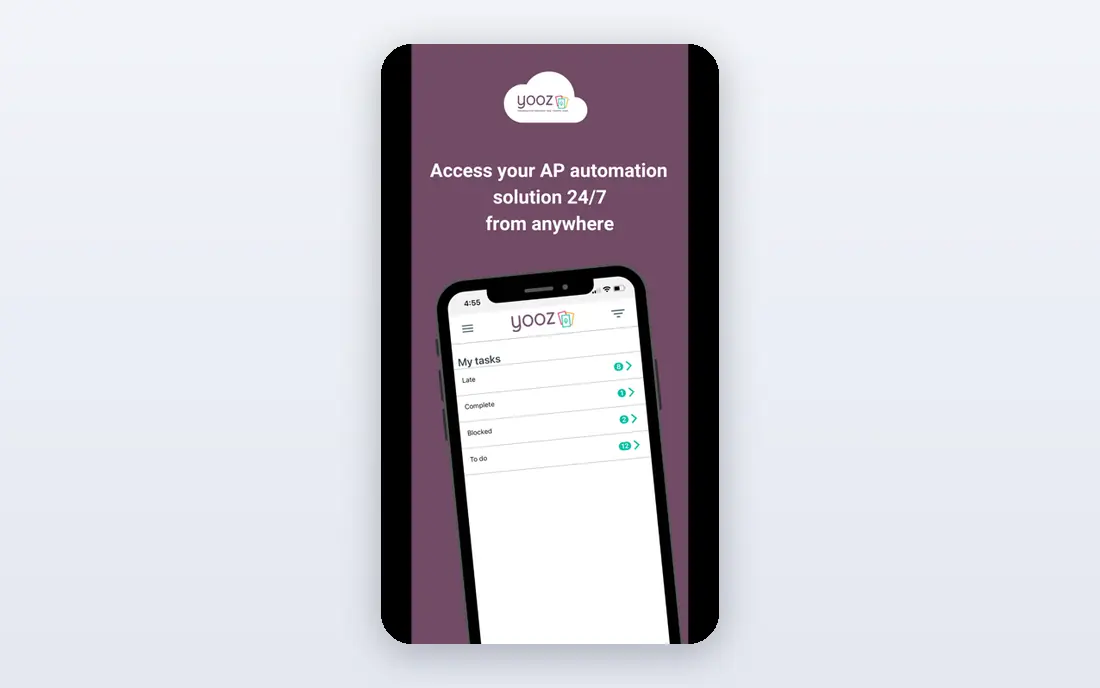
Yooz is designed for document-driven invoice processing. Yooz is also more of a mid-market tool than a one-person bill pay app. Integrations with major accounting and ERP systems help keep the approved invoice and payment in sync with the books.
Points against: Pricing is based on document volume.
For everyday use, pricing is based on document volume rather than a straightforward per-user rate, so a business with seasonal spikes should ask how volume is counted and billed. On top of that, Yooz centres on the document side of accounts payable, capturing invoices from email, scans and uploads, extracting data automatically and routing them for approval and payment. Beyond that, if invoice capture is your central pain and you process a steady volume, Yooz deserves a trial with your real invoices. Check the vendor site for Yooz pricing; none is listed in this comparison. Free plan details: Free trial (15 days).
- Solid document capture and automation
- Accounting integrations
- Setup needs planning
Ramp Bill Pay
Ideal for: Free AP plus spend controls
Ramp Bill Pay is aimed squarely at free AP plus spend controls. Ramp performs best when your team uses Ramp cards and accounts, and companies that only want standalone bill pay may prefer Melio or BILL. As for the details, for a team that already wants spend controls, getting AP automation at no monthly cost is a capable deal, and the interface is modern and quick.
The free level handles bill pay with AI invoice capture, approvals and accounting sync. The premium Plus level layers on more advanced features. For everyday use, international and advanced features also vary by plan, so check them before you switch. Ramp Bill Pay starts at: Free. Ramp Bill Pay has a free plan.
Downsides: Full value is tied to Ramp cards and accounts.
- Bundles cards and expenses
- AI invoice capture
- Plus plan layers on per-user cost
Stampli
Ideal for: Collaborative invoice approvals
Stampli is aimed squarely at collaborative invoice approvals. For everyday use, if your invoice volume is low, a free tool will do.
What to check first: Quote-based pricing.
In daily use, pricing is quote-based, which makes it harder to compare for a very small business, and Stampli is aimed more at mid-size teams than at a one-person company. Worth adding: if approvers constantly ask where an invoice is or who approved it, Stampli solves that exact pain. This comparison lists no price for Stampli; ask the vendor. There is no free plan with Stampli.
- AI invoice capture
- Invoice chat and collaboration
- Geared toward higher volumes than tiny teams
Tipalti
Ideal for: Global vendor payments
Tipalti is a good fit for global vendor payments. For a purely local small business, Tipalti is more tool than you need. The product fee plus transaction costs will exceed a free local choice.
Watch-outs: Monthly system fee plus transaction costs.
It manages supplier onboarding, tax forms, compliance checks and payments across currencies and methods, which removes plenty of manual work for global teams. That is a different problem from paying ten local vendors, and Tipalti is designed for it. The product fee begins at a published monthly level, with higher levels for advanced features. Price to start with Tipalti: $99 per month. Tipalti does not include a free plan.
- Payments in plenty of currencies and methods
- Tax and compliance tools
- More than small local teams need
Melio
Ideal for: Low-cost vendor payments
Melio works best for low-cost vendor payments. Melio is my pick for a small business that just wants to stop paying bills by hand. Card payments also cost a percentage, so they add up if you use them for large bills.
In practice, a handy trick is that you can pay by bank transfer on your side even when a vendor only accepts paper checks, since Melio mails the check for you. That removes a typical reason small teams keep writing checks. You upload or forward an invoice, Melio reads the amount and due date, you approve it. It pays the vendor by bank transfer, card or check. Melio cost at the entry level: Free. Melio offers a free plan.
Watch-outs: Card payments carry a percentage fee.
Best features of Melio: Syncs with QuickBooks and Xero.
- Card or check
- Pays vendors by ACH
- Free plan caps users and free ACH payments
QuickBooks Bill Pay
Ideal for: QuickBooks Online users
QuickBooks Bill Pay is a good fit for QuickBooks Online users. QuickBooks Bill Pay is the natural choice if your books already live in QuickBooks Online. That single-system simplicity saves time for owners and bookkeepers who already work in QuickBooks every day.
Honest limits: Needs a QuickBooks Online subscription.
If QuickBooks is already your system of record, though, native bill pay is hard to beat for convenience. For everyday use, the limits are clear. You need a QuickBooks Online subscription on top of any Bill Pay level, and the feature set relies on your QuickBooks plan. QuickBooks Bill Pay shows no starting price here, so confirm the cost on the vendor site. QuickBooks Bill Pay has no free tier.
- No second login for core billing
- Native inside QuickBooks Online
- Features vary by QuickBooks plan
BILL
Ideal for: Approval-heavy finance teams
BILL serves approval-heavy finance teams. If your business has grown past straightforward bill pay and needs audit trails and separation of duties, BILL is worth the additional cost and setup.
On top of that, pricing is per user, and transaction fees sit on top of the subscription. So a team with numerous approvers should model the total carefully. BILL shows no starting price here, so confirm the cost on the vendor site. Trial and free access: Free trial.
Downsides: Transaction fees apply on top of subscription.
- Capable QuickBooks and Xero sync
- AP and AR in one place
- Per-user pricing brings up
What to look for in AP automation tools for small business
How numerous invoices arrive each month, how numerous approvers touch them, and how plenty of vendors are local compared with international. From a buyer's view, a business with ten local invoices per month needs a different tool from one with two hundred invoices and fifty overseas contractors. That count decides whether a free plan is enough or a premium product pays for itself.
For everyday use, confirm two-way sync with your exact accounting system and plan, and test how a premium bill, a voided bill and a partial payment appear in your books. Also test invoice capture with your messiest real invoices, including handwritten totals, multi-page PDFs and foreign currencies. Finally, model the full cost for an usual month.
From a buyer's view, add the subscription, per-user fees, ACH and check fees, card percentage fees and international wire fees. A free plan with high card fees can cost more than a premium plan with cheap ACH, based on how you pay.
How the list was put together
The comparison looks at four things: starting price, free access, how well the feature set matches AP automation tools for small business, and the main limit of each tool. Seat minimums, billing terms and add-ons can move the real cost, so the starting prices here are a guide and not a quote. We ordered the tools by general fit, then by how clearly pricing is shown, then by free access. A buyer with unusual needs may reorder them.
Questions to settle before buying
- Get a written quote from Yooz, Stampli, QuickBooks Bill Pay and BILL; the list shows no starting price for them.
- Read the fine print on the free plans from Ramp Bill Pay and Melio; seat, project and feature caps differ.
- Run a trial of Yooz and BILL with real work before paying for a year; your own workflow is the best test.
- Before choosing Yooz, weigh its main limit: pricing is based on document volume.
- Before you load data into Melio, check what an export looks like and who can run it.
- Compare total cost, not headline price: for Tipalti, add extra seats, add-ons and any usage-based charges.
Frequently asked questions
Do these tools publish their prices?
Not all of them. Yooz, Stampli, QuickBooks Bill Pay and BILL publish no starting price, so expect a quote request for those. The rest, Ramp Bill Pay included, show a starting price, though seats and billing terms still change the final cost.
Can I try these tools before paying?
Often, yes. Ramp Bill Pay and Melio have a free plan and Yooz and BILL offer a free trial. Use your own data and a real task during the test, and check what the free tier or trial limits before you rely on it.
What should I check before switching AP tools?
Check accounting sync, approval workflows, payment methods, transaction fees and vendor onboarding. That test reveals sync issues and approval gaps before you move everything.
What is the best AP automation software for small firms?
Yooz is the pick this page puts first, mainly for document-driven invoice processing. If your situation differs, Ramp Bill Pay suits free AP plus spend controls, and Stampli suits collaborative invoice approvals. Compare price and limits before you decide.
How are the tools for AP automation tools for small business ordered?
The order follows typical fit for AP automation tools for small business, with Yooz first and BILL last, then price clarity and free access. It is editorial judgement, not a score, so another team could rank the tools differently.
Do I need AP automation if I only have a handful of bills per month?
Even five bills per month benefit from automatic capture, reminders and a clear approval record. If you pay by hand without errors or late fees, keep your current process and revisit automation when volume or approvers increase.