Best App Design Software in 2026: 8 Tools Compared

- Figma remains the default for collaborative app design, while Sketch suits Mac-based teams and Penpot appeals to teams that want open source design.
- Framer and ProtoPie lead for high-fidelity prototypes that feel like real apps, while Axure suits complex, logic-heavy prototypes.
- Uizard and Lunacy help smaller teams and solo designers start fast, with AI assistance or a free desktop tool.
- Design tool choice affects developer handoff, so check how specs, assets, and code export work before committing a team.
Quick comparison
| Product | Ideal for | Price from | Free version | |
|---|---|---|---|---|
 Figma | Collaborative UI design | Free | Yes | Visit |
 Sketch | Mac-based UI design | See website | Free trial | Visit |
 Framer | Design to live website and prototype | Free | Yes | Visit |
 Penpot | Open source design | Free | Yes | Visit |
 Lunacy | Free desktop UI design | Free | Yes | Visit |
 Axure RP | Complex interactive prototypes | See website | Free trial | Visit |
 ProtoPie | High-fidelity app prototypes | See website | Free trial | Visit |
 Uizard | AI-assisted app design | See website | Free trial | Visit |
The best app design software
App design software covers interface design, prototyping, and handoff to developers, and the best tools make it easy for designers, product managers, and engineers to work from the same files. The market has shifted toward browser-based collaboration, but desktop and open source options still have fans. We compared official feature pages, pricing pages, and public reviews, focusing on design, prototyping, collaboration, and handoff.
Figma
Ideal for: Collaborative UI design

Figma is the default app design tool for most teams in 2026, and its strength is collaboration: multiple people can design, comment, and review in the same browser file, without version conflicts or desktop installs. Its plugin and template community covers icons, UI kits, accessibility checks, and handoff tools, and developer mode helps engineers inspect specs and export assets. For product teams, that shared workspace is hard to give up.
Free plans cover starters and small projects, while professional features, such as advanced prototyping and organization tools, need paid plans. Very large files can also feel slower. For most app design teams, Figma is our pick, and it is the safest default choice.
- Browser-based real-time collaboration
- Huge plugin and template community
- Strong developer handoff
- Advanced features need paid plans
- Performance can dip on very large files
Sketch
Ideal for: Mac-based UI design
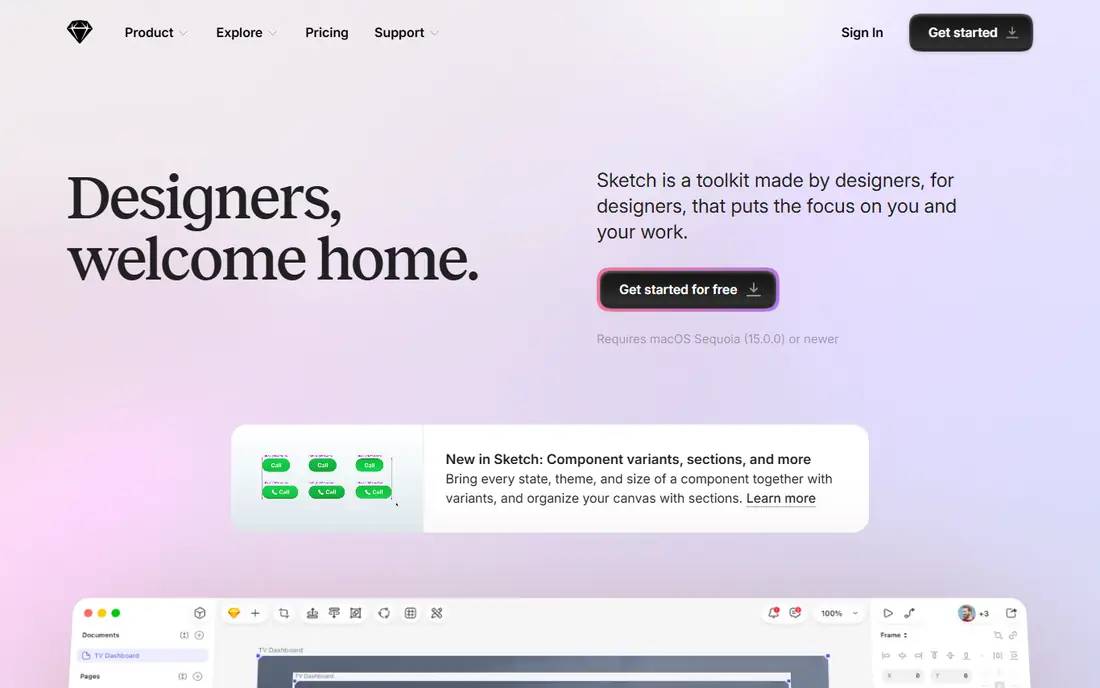
Sketch is a long-running Mac design tool with a mature feature set, a strong plugin ecosystem, and a desktop workflow that suits designers who prefer working offline or in native apps. It covers interface design, symbols, libraries, and prototyping, and its web app supports sharing and commenting for stakeholders. Many established design systems were built in Sketch.
The limit is platform: Sketch runs on Mac, and browser-based collaboration is less central than in Figma. Teams with Windows or Linux designers, or with heavy real-time collaboration needs, should prefer Figma or Penpot. For Mac-based design teams, Sketch remains a polished and reliable choice.
- Mature Mac design tool
- Strong plugin ecosystem
- Good offline desktop workflow
- Mac-only
- Collaboration is less central than in Figma
Framer
Ideal for: Design to live website and prototype

Framer lets designers create high-fidelity prototypes and live websites from the same canvas, with interactions, animations, and publishing built in. That makes it ideal for landing pages, marketing sites, and app prototypes that need to feel real in a browser, since stakeholders can click through a working version rather than a static mockup. Templates and AI assistance speed up starting points.
Framer is web-focused, so native mobile app handoff is less central than in Figma or Sketch. Pricing also varies by site and plan. For web app prototypes and marketing sites, Framer is a strong and creative choice.
- Design directly to a live site or prototype
- Strong interactions and animations
- Easy publishing
- Web-focused, less suited to native app handoff
- Pricing varies by site and plan
Penpot
Ideal for: Open source design
Penpot is an open source, browser-based design tool that covers interface design, prototyping, and collaboration, with a self-hosting option for teams that want control over their data. It uses open standards, including SVG, and it has become the leading open alternative to Figma, especially for teams that prefer open source software or need to run tools on their own infrastructure.
The plugin and template ecosystem is smaller than Figma's, and some advanced features are still maturing. For teams that value open source, self-hosting, and no vendor lock-in, Penpot is an excellent and increasingly capable choice.
- Free and open source
- Browser-based collaboration
- Self-hosting option
- Good Figma alternative
- Smaller plugin ecosystem than Figma
- Some advanced features still maturing
Lunacy
Ideal for: Free desktop UI design
Lunacy, from Icons8, is a free desktop design app that runs on Windows, Mac, and Linux, with built-in graphics, icons, photos, and UI kits. It opens Sketch files, which helps teams migrating from Sketch, and it works offline, which suits designers who prefer desktop tools. For solo designers and small teams on a budget, Lunacy offers a surprising amount for free.
Collaboration and plugin depth are lighter than in Figma, and the community is smaller. For free desktop app design, especially on Windows or Linux, Lunacy is a strong pick.
- Free desktop app for Windows, Mac, and Linux
- Built-in graphics and icons
- Works with Sketch files
- Smaller community than Figma
- Collaboration features are lighter
Axure RP
Ideal for: Complex interactive prototypes
Axure RP is built for complex, logic-heavy prototypes: conditional flows, variables, data-driven lists, and adaptive views that behave like a real application. That makes it popular for enterprise software, where stakeholders need to test workflows, error states, and edge cases before development. Documentation and specification tools are also strong.
The learning curve is steeper than Figma or Framer, and the interface feels less modern. For simple marketing prototypes, Axure is more than needed. For complex app workflows, it remains a powerful and respected tool.
- Powerful logic, variables, and conditional flows
- Great for enterprise and complex apps
- Documentation tools
- Steeper learning curve
- Interface feels less modern than Figma
ProtoPie
Ideal for: High-fidelity app prototypes
ProtoPie turns designs into high-fidelity prototypes that use real device features, such as sensors, voice, and multi-touch, without code. That realism helps usability testing, since participants interact with a prototype that feels like a finished app, including gestures and device responses. It imports designs from Figma, Sketch, and Adobe tools, so teams can keep designing where they like and prototype in ProtoPie.
ProtoPie is a prototyping tool first, not a full design replacement, and pricing is per editor. For mobile app prototypes that need to feel real, ProtoPie is an excellent specialist choice.
- Realistic interactions without code
- Sensors and device features in prototypes
- Good for mobile apps
- Prototyping focus, less full design tooling
- Pricing per editor
Uizard
Ideal for: AI-assisted app design
Uizard uses AI to turn text prompts, sketches, or screenshots into editable app screens, which helps non-designers and small teams start a design quickly. Templates cover common app patterns, and the editor lets users adjust layouts, text, and styles without design training. For founders and product managers who need a credible mockup fast, that speed is valuable.
AI output still needs refinement by a designer for production work, and detailed control is lower than in Figma. For fast starting points and early concepts, Uizard is a useful and approachable tool.
- AI turns prompts and sketches into app screens
- Fast starting points
- Easy for non-designers
- Output needs designer refinement
- Less control than Figma for detailed work
How we picked these
We compared official feature pages, pricing pages, and public reviews for tools used to design app interfaces and prototypes, not general graphic design tools. We looked at interface design, prototyping fidelity, collaboration, developer handoff, and platform support. Tools that had shut down or stopped active development were left out.
What to check before you choose app design software
Start with your team and platform. Browser tools such as Figma and Penpot suit mixed-platform teams and real-time collaboration, while Sketch suits Mac-only teams and Lunacy suits free desktop use. Check how stakeholders will review work, since commenting and sharing workflows differ.
Next, test prototyping and handoff with a real screen from your app. Build a flow with navigation, form states, and an error case, then check how a developer inspects specs and exports assets. A tool that designs pretty screens but produces messy handoff will slow development. Finally, confirm pricing per editor versus per viewer, since team costs depend on that split. Also test the design system workflow, since most app teams reuse components across screens. Check how libraries, tokens, and variants are shared, and how changes propagate to existing screens. A tool with weak component management will create inconsistent screens as the app grows. Finally, confirm export formats for icons and images, since developers need assets in the right sizes and formats for each platform.
Frequently asked questions
What is the best app design software?
Figma is the best default for most teams, thanks to collaboration, plugins, and handoff. Sketch suits Mac-based teams, Penpot suits open source teams, and Framer suits web prototypes, so the best choice depends on platform and workflow.
Is Figma free?
Yes, Figma offers a free starter plan for individuals and small projects, with paid plans for professional features, larger teams, and organization tools. Check the current pricing page for editor and viewer limits.
What is the best free app design software?
Penpot and Lunacy are strong free options, with Penpot leading for browser collaboration and open source use, and Lunacy leading for free desktop design. Figma's free starter plan is also generous for small projects.
Do I need a separate prototyping tool?
Not always. Figma, Framer, and Axure include prototyping, but specialist tools such as ProtoPie give more realistic interactions for mobile testing. Use a specialist only when prototype realism affects testing quality.
How does design handoff to developers work?
Design tools export specs, measurements, colors, fonts, and assets that developers use to build the app, often through a developer mode or inspection panel. Test handoff with a real screen before committing, since asset export and code snippets vary by tool.