Best App for Apartment Rentals in 2026: 8 Apps Compared

- 1
 Zillow RentalsLargest rental searchVisit
- 2
 Apartments.comLarge apartment listingsVisit
- 3
 Rent.comRental search with rewardsVisit
- 4
 TruliaNeighborhood dataVisit
- 5
 Realtor.com RentalsRental listings and dataVisit
- Zillow Rentals, Apartments.com, and Realtor.com give you the largest rental listings, with filters for price, beds, and pet policies.
- Trulia and Redfin add neighborhood data, including crime, schools, and commute details that listings alone miss.
- Rent.com and Zumper suit renters who want rewards, verified listings, or faster applications.
- Apartment List suits renters who want a personal concierge-style search based on budget and must-haves.
Quick comparison
| Product | Ideal for | Price from | Free version | |
|---|---|---|---|---|
| Zillow Rentals | Largest rental search | Free | Yes | Visit |
| Apartments.com | Large apartment listings | Free | Yes | Visit |
| Rent.com | Rental search with rewards | Free | Yes | Visit |
| Trulia | Neighborhood data | Free | Yes | Visit |
| Realtor.com Rentals | Rental listings and data | Free | Yes | Visit |
 Redfin Rentals | Brokerage listings | Free | Yes | Visit |
 Zumper | Fast rental applications | Free | Yes | Visit |
 Apartment List | Personalized rental search | Free | Yes | Visit |
The best app for apartment rentals
We compared official feature pages, pricing pages, and app listings to find rental apps with large, current listings, useful filters, and tools for touring, applying, and avoiding scams.
Zillow Rentals
Ideal for: Largest rental search
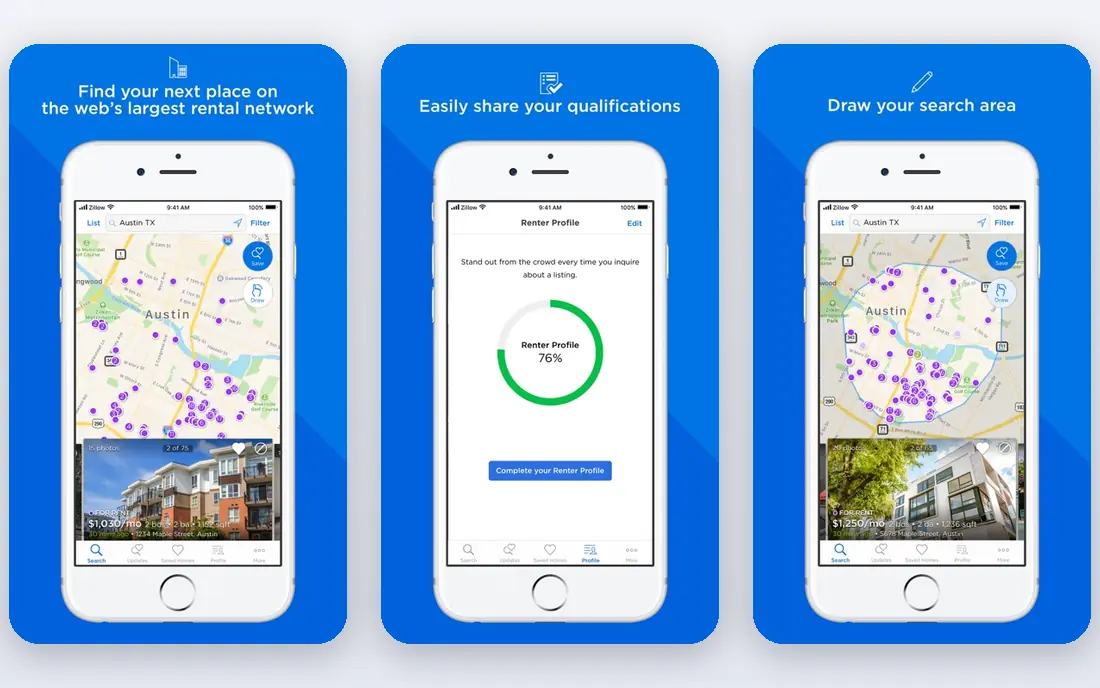
Zillow Rentals offers one of the largest rental pools, with filters for price, beds, baths, pet policy, and amenities that narrow a city-wide search quickly. Listings often include photos, floor plans, and rent history, which help you judge whether a price is fair. You can save searches, get alerts for new matches, and contact landlords directly from the app.
Large platforms attract stale listings and occasional scams, so always tour in person or by live video before paying anything. Never wire money for a deposit before seeing a lease. For breadth alone, Zillow Rentals is our pick for the widest rental search.
- Very large listing pool
- Detailed filters
- Zestimate and rent history
- Some listings are stale
- Scams appear on any large platform
Apartments.com
Ideal for: Large apartment listings
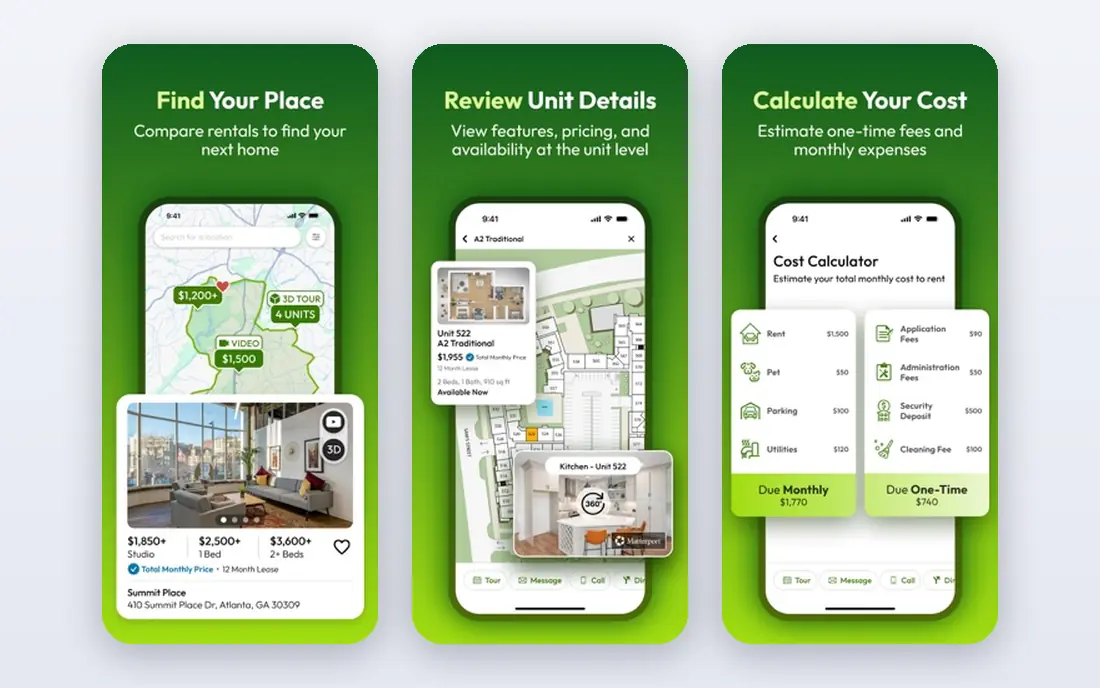
Apartments.com focuses on apartment buildings and complexes, with many listings offering 3D tours, photos, and amenity details. That focus helps renters who want a building with a gym, pool, or parking, since filters cover those features well. A verified listings program also helps reduce fake posts, though no system catches everything.
Single-family house rentals are thinner here than on Zillow, and coverage varies by city. Still, for apartment hunters, Apartments.com is our pick for building-focused search with good tour options.
- Large apartment-focused pool
- 3D tours on many listings
- Verified listings program
- House rentals are thinner
- Some areas have fewer listings
Rent.com
Ideal for: Rental search with rewards
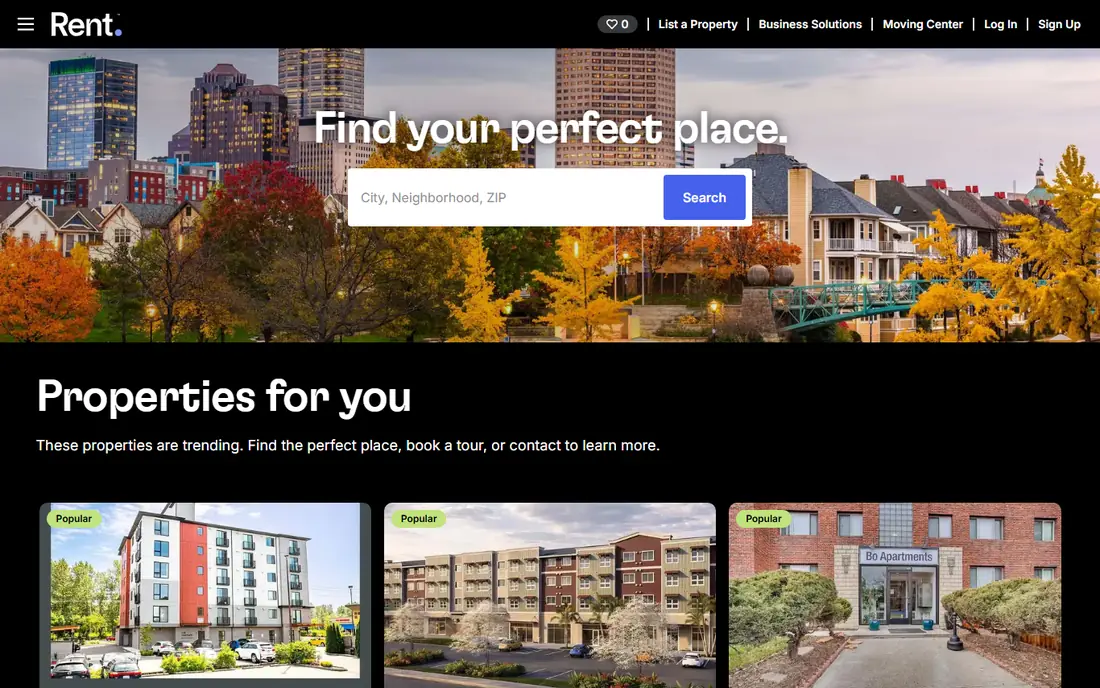
Rent.com offers rental listings plus a rewards program, where renters who find and lease through the site may earn a gift card or similar reward, depending on the property. That bonus is a nice extra, though it should not decide your home choice. Filters cover price, beds, pets, and amenities, and alerts notify you of new matches.
Rewards vary by property and are not available everywhere, and many listings also appear on larger sites. Still, if you are already searching, checking Rent.com costs nothing and may pay off. Use it as an extra source alongside Zillow and Apartments.com.
- Rewards for signing a lease through the site
- Large listing pool
- Filters
- Rewards depend on the property
- Listing overlap with larger sites
Trulia
Ideal for: Neighborhood data
Trulia, owned by Zillow, pairs rental listings with neighborhood maps and data on schools, commute times, and local amenities. That context helps renters compare areas, not just apartments, which matters when you are new to a city. You can view crime data, noise, and nearby services on the map, though such data is approximate and should be checked locally.
Listings overlap heavily with Zillow, since both belong to the same company, so Trulia works best as a research tool rather than a separate pool. For neighborhood comparison, though, Trulia is our pick.
- Neighborhood maps and data
- Commute and school info
- Large listing pool
- Owned by Zillow, so listings overlap
- Some data is approximate
Realtor.com Rentals
Ideal for: Rental listings and data
Realtor.com Rentals draws on MLS sources, which can surface listings that other sites miss, especially from agents. Rental price history and property details help you judge value, and agent contact options make it easy to ask questions or book a tour. Filters cover the usual price, beds, and pet criteria.
Apartment building coverage varies by city, and the interface feels busier than Zillow's. Still, as an extra source with MLS-backed listings, Realtor.com Rentals is worth checking for every search.
- Listings from MLS sources
- Rental price history
- Agent contact options
- Apartment coverage varies by city
- Interface is busier than Zillow
Redfin Rentals
Ideal for: Brokerage listings
Redfin Rentals comes from a brokerage, so its listings carry detailed price history and property data, with tour scheduling tools built in. That brokerage link can help when a listing needs an agent to arrange access. The app also shows market trends that help you judge whether rents are rising or falling in an area.
Redfin's rental focus is smaller than its home sales business, and coverage varies by market. Still, in cities where Redfin is strong, its rental listings are a useful extra source. Use it alongside larger rental sites for full coverage.
- Brokerage-backed listings
- Price history
- Tour scheduling tools
- Rental focus is smaller than sales
- Coverage varies by market
Zumper
Ideal for: Fast rental applications
Zumper focuses on speed, with instant alerts for new rentals and a fast application flow that lets you apply to multiple properties with one profile. Verified listings help reduce scams, and the app's design makes it easy to act quickly in competitive markets. That speed matters in cities where good apartments go within days.
Coverage varies by city, with stronger pools in major metros, and some features lean toward landlords. Still, for renters in a fast market, Zumper is our pick for applying quickly before a listing disappears.
- Fast applications
- Verified listings
- Instant alerts for new rentals
- Coverage varies by city
- Some features are landlord-focused
Apartment List
Ideal for: Personalized rental search
Apartment List takes a personalized approach, starting with a quiz on budget, must-haves, and deal-breakers, then matching you with rentals that fit. A concierge-style team can help with tours and questions in some cities, which suits renters who feel overwhelmed by open-ended searching. The service is free for renters, since properties pay to list.
The direct listing pool is smaller than Zillow's, so it works best alongside a large search app rather than alone. Still, for renters who want guidance rather than endless scrolling, Apartment List is our pick for a personal search.
- Personalized matches
- Concierge-style help
- Quiz-based search
- Smaller direct listing pool
- Concierge help varies by city
How we picked these
We compared official feature pages, pricing pages, and app listings for rental apps live in October 2026. We favored apps with large, current listings and useful filters, plus at least one distinct strength, whether neighborhood data, verified listings, or concierge help. We left out apps with thin listings or no rental focus.
What to check before you choose
Start with two large apps, such as Zillow Rentals and Apartments.com, plus one research or speed app, such as Trulia or Zumper. That combination gives you breadth, neighborhood context, and fast alerts without checking eight apps daily.
Next, set alerts for your exact criteria, including max rent, beds, pet policy, and commute area. Good rentals move fast, so alerts beat manual searching. Save favorites and note the date each listing appeared, since stale listings waste tour time.
Finally, protect yourself from scams. Tour in person or by live video, read the lease before paying, and never wire a deposit for a unit you have not verified. If a deal looks far below market rent and the landlord cannot meet, walk away.
Before you commit to one option, spend a short trial period with your top two choices from this list. Use each one for a real task from your own work or daily routine, not just a demo, and note where you get stuck, what feels slow, and which features you actually open twice. Check the official pricing page again at that point, since free plans and paid tiers change, and confirm that the plan you need covers the users, projects, or devices you will use. Read the privacy and support pages too, especially for tools that hold personal or work data, and confirm how to export your work if you later switch. A tool that fits your routine in a two-week trial is a far better choice than a more powerful option you avoid opening, so let daily use, not a feature list alone, decide your final pick for best app for apartment rentals.
Frequently asked questions
What is the best app for apartment rentals overall?
Zillow Rentals is our pick for the largest pool, while Apartments.com is our pick for apartment buildings. Add Trulia for neighborhood research and Zumper for fast applications in competitive markets.
Are apartment rental apps free for renters?
Yes, all eight apps here are free for renters to search and, in most cases, apply. Landlords and properties pay for listings and leads, while renters generally pay only application fees set by the property, not by the app.
Which app has the most apartment listings?
Zillow Rentals and Apartments.com have the largest apartment pools in most US cities, with Realtor.com Rentals adding MLS-backed listings. Use at least two large apps, since no single app lists every rental.
How do I avoid rental scams on these apps?
Tour in person or by live video, verify the landlord or agent, read the lease before paying, and never wire money for a deposit. Be wary of rents far below market, landlords who cannot meet, and pressure to pay before a tour.
Which app is best for finding pet-friendly apartments?
Zillow Rentals, Apartments.com, and Rent.com all offer pet filters, including pet-friendly, breed, and weight limits. Check the property's pet policy directly, since app filters can miss breed or size rules.
How do I pick between the free and paid plans in this list?
Start with the free plan or trial for any best app for apartment rentals option that offers one, and use it for at least two weeks on real tasks. Upgrade only when you hit a clear limit, such as a missing feature, a user cap, or a storage limit, rather than paying on day one for features you may never use. Compare the paid tier against the next option in this list as well, since a different tool's free plan may already cover what the first tool charges for.