Best Apps for Cheap Flights in 2026: 8 Options Compared

- 1
 Skyscannercomparing fares across airlines and datesVisit
- 2
 Google Flightstracking prices and finding good datesVisit
- 3
 Hopperpredicting when to bookVisit
- 4
 Kayakcomparing flights, hotels and cars togetherVisit
- 5
 CheapOairphone support and bundled trip bookingVisit
- Skyscanner and Google Flights are the best starting points for most travellers, with flexible dates and alerts.
- Hopper suits travellers who want booking timing guidance rather than just a fare list.
- Kiwi.com can find creative routes, but self transfer risk needs care.
- Always compare the final total, including bags and change rules, not just the headline fare.
Quick comparison
| Product | Ideal for | Price from | Free version | |
|---|---|---|---|---|
| Skyscanner | comparing fares across airlines and dates | Free | Free | Visit |
| Google Flights | tracking prices and finding good dates | Free | Free | Visit |
| Hopper | predicting when to book | Free | Free | Visit |
| Kayak | comparing flights, hotels and cars together | Free | Free | Visit |
| CheapOair | phone support and bundled trip booking | Free | Free | Visit |
 Kiwi.com | creative routes and hidden city style connections | Free | Free | Visit |
 Momondo | finding lower fares from many sources | Free | Free | Visit |
 Expedia | booking flights with hotels in one place | Free | Free | Visit |
The best apps for cheap flights
We compared official feature pages, pricing, app store listings, privacy policies and public reviews for this list. The options below cover different budgets and needs, so read the best for line first and then the full write up for the products that match your situation.
Skyscanner
Ideal for: comparing fares across airlines and dates
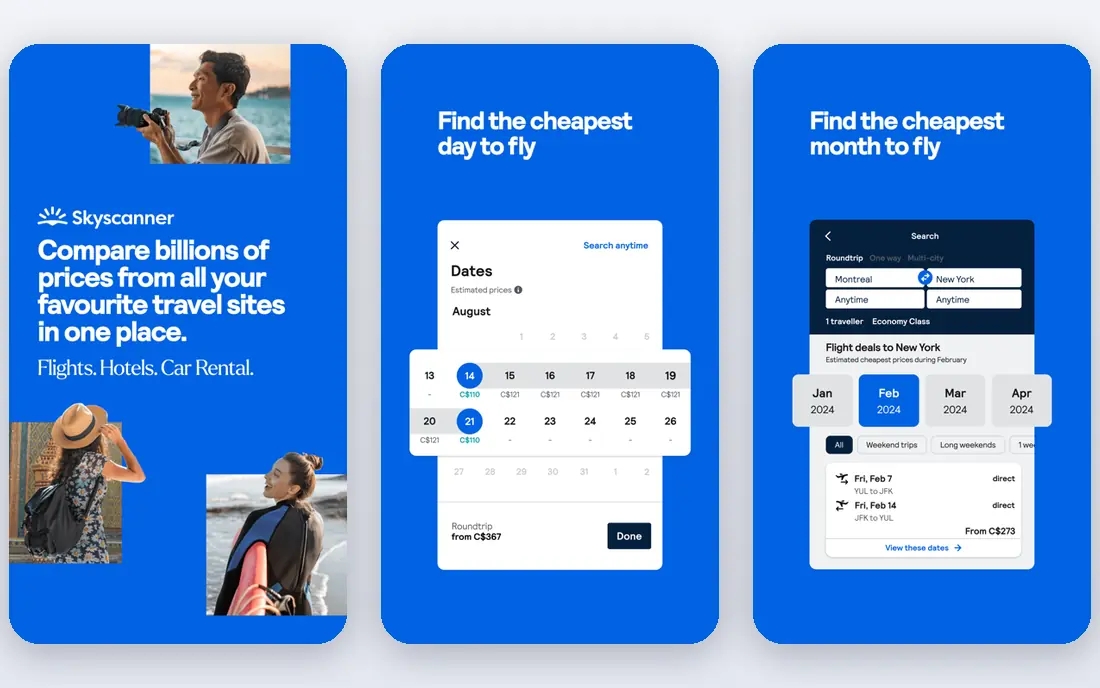
Skyscanner fits comparing fares across airlines and dates. Its whole month and flexible date views make it easy to see when a trip is actually cheaper. The strengths we noted were search across airlines and booking sites; flexible date and whole month views; price alerts. For many readers, that mix makes it worth a close look before deciding.
The honest catch is that bookers should check baggage, change rules and the booking partner before paying. Pricing is listed as Free, with a free plan status of Free. Before you commit, try the free tier or trial with your real work, and check the limits that matter for your use. That short test will tell you more than any feature list.
- Search across airlines and booking sites
- Flexible date and whole month views
- Price alerts
- It links to booking partners, so checkout terms vary
- Some fares need careful baggage checks
Google Flights
Ideal for: tracking prices and finding good dates
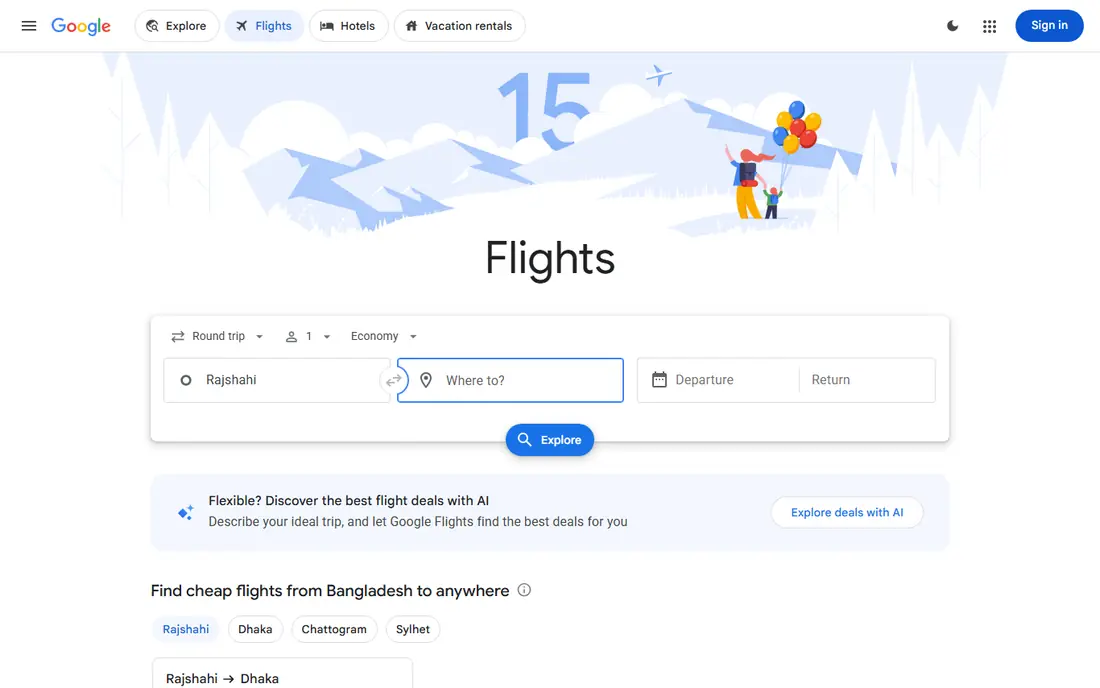
For tracking prices and finding good dates, Google Flights is a natural first candidate. Its price tracking and date grid help travellers spot a fair fare without constant searching. In practice, that means fast fare search; price tracking and history hints; clear date and airport flexibility. It is not perfect for everyone, but the fit is clear for this use.
On the downside, travellers should still read the airline fare rules before booking through a partner. The starting price is Free, and the free plan status is Free. We suggest testing it with a real task, checking support and export options, and confirming that the plan you need covers your team or household size.
- Fast fare search
- Price tracking and history hints
- Clear date and airport flexibility
- It does not book every fare itself, so checkout moves to an airline or partner
- Coverage varies by route
Hopper
Ideal for: predicting when to book
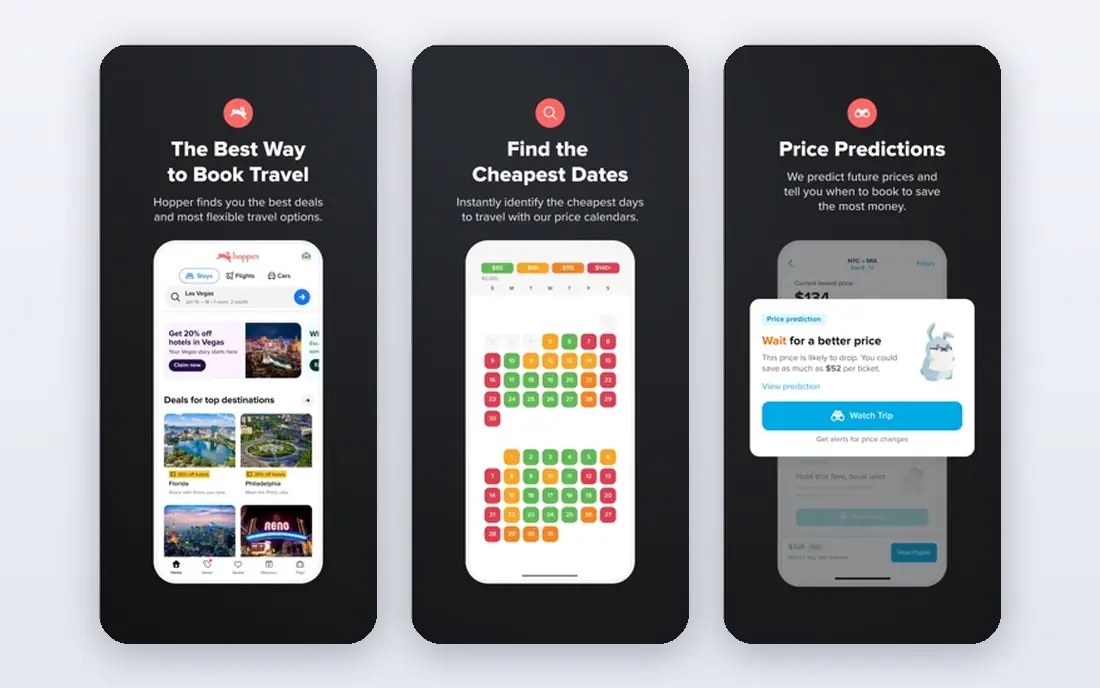
Hopper is aimed at predicting when to book, and the fit shows in daily use. Its booking advice and alerts help travellers decide whether to wait or book now. Readers who value price prediction and booking advice; alerts; calendar views for flexible trips will see the appeal quickly.
The trade off is that price predictions should be treated as guidance, since fares can move for many reasons. Starting price is Free, with free plan status Free. A trial with your own data is the best next step, since it reveals setup time, limits and everyday friction that a sales page hides.
- Price prediction and booking advice
- Alerts
- Calendar views for flexible trips
- Predictions are guidance, not guarantees
- Some features add fees at checkout
Kayak
Ideal for: comparing flights, hotels and cars together
If you need a tool for comparing flights, hotels and cars together, start with Kayak. It is useful when a trip also needs a hotel or car, with flight comparison in the same search. The result is a product that covers broad flight comparison; price alerts; flexible search and fare tools without forcing a complex setup.
Keep in mind that bookers should compare the final total, including bags and seat fees, across partners. It lists a starting price of Free and a free plan status of Free. Compare the total cost for your real use, including any add ons, before you settle on it.
- Broad flight comparison
- Price alerts
- Flexible search and fare tools
- Booking partner terms vary
- The interface packs many options into one screen
CheapOair
Ideal for: phone support and bundled trip booking
CheapOair fits phone support and bundled trip booking. Its phone support suits travellers who want help with complex or multi city trips. The strengths we noted were flight deals with phone support; vacation packages; flexible date search. For many readers, that mix makes it worth a close look before deciding.
The honest catch is that travellers should check service fees and change rules in the final total before paying. Pricing is listed as Free, with a free plan status of Free. Before you commit, try the free tier or trial with your real work, and check the limits that matter for your use. That short test will tell you more than any feature list.
- Flight deals with phone support
- Vacation packages
- Flexible date search
- Service fees can apply
- Fare rules vary by airline and ticket type
Kiwi.com
Ideal for: creative routes and hidden city style connections
For creative routes and hidden city style connections, Kiwi.com is a natural first candidate. It finds creative route combinations that standard searches often miss. In practice, that means virtual interlining for unusual routes; flexible search; price alerts. It is not perfect for everyone, but the fit is clear for this use.
On the downside, travellers using self transfers should understand the missed connection risk before booking. The starting price is Free, and the free plan status is Free. We suggest testing it with a real task, checking support and export options, and confirming that the plan you need covers your team or household size.
- Virtual interlining for unusual routes
- Flexible search
- Price alerts
- Self transfer connections carry extra risk if a flight is delayed
- Fees vary
Momondo
Ideal for: finding lower fares from many sources
Momondo is aimed at finding lower fares from many sources, and the fit shows in daily use. Its broad partner search can surface lower fares that narrower tools miss. Readers who value search across many booking sites; fare insights; flexible date tools will see the appeal quickly.
The trade off is that final checkout terms matter, so check baggage and change rules on the partner site. Starting price is Free, with free plan status Free. A trial with your own data is the best next step, since it reveals setup time, limits and everyday friction that a sales page hides.
- Search across many booking sites
- Fare insights
- Flexible date tools
- It redirects to partners for booking
- Terms and fees vary by partner
Expedia
Ideal for: booking flights with hotels in one place
If you need a tool for booking flights with hotels in one place, start with Expedia. Its packages suit travellers who want flights and a hotel booked together with one itinerary. The result is a product that covers flight plus hotel packages; rewards on bookings; clear trip management without forcing a complex setup.
Keep in mind that package bookers should still read flight change and baggage rules before paying. It lists a starting price of Free and a free plan status of Free. Compare the total cost for your real use, including any add ons, before you settle on it.
- Flight plus hotel packages
- Rewards on bookings
- Clear trip management
- Package prices can hide separate fare rules
- Cheapest fares may have strict change terms
How we picked these
We compared official feature pages, pricing pages, app store listings, privacy policies and public reviews. We checked that each product exists and works today, that it truly fits the topic, and that its official homepage loads. We favoured products with clear pricing or a clear free tier, honest limits, and a distinct use case, rather than listing near duplicates.
We did not claim hands on testing that did not happen. Where pricing was quoted rather than listed, we wrote See website rather than guessing a number. Where a product had a known limit, such as a watermark on a free plan or a state limit on cover, we stated it plainly so readers can judge the trade off. Readers should also check the current plan details on the vendor site before buying, since prices and free tiers change over time.
How to find genuinely cheap flights
Start with flexibility. Shifting by a day or two, trying a nearby airport, or flying at a less popular time often saves more than any app trick. Use whole month views to see the pattern before you fix dates.
Next, set alerts early and watch the total price. Headline fares often exclude bags, seat choice and change fees. Compare the final checkout total across two sources, and read the fare rules for the ticket you would actually buy.
Finally, book with care on third party sites. Direct airline booking can make changes easier, while partner booking can save money. Weigh that trade off, and keep a record of the booking reference and fare rules.
Frequently asked questions
What is the best app for cheap flights?
Skyscanner and Google Flights suit most travellers, with flexible dates and price alerts. Hopper adds booking timing guidance, while Kayak and Momondo widen the partner search.
Are flight prediction apps accurate?
Predictions use past price patterns, but fares move for many reasons and are not guaranteed. Treat advice as guidance, and book when the total price fits your budget.
Should I book through an app or the airline?
Third party booking can be cheaper, but changes are often harder. Direct booking usually makes support simpler if plans change, so weigh price against flexibility.
How far ahead should I book a flight?
Timing varies by route and season, and no single rule fits every trip. Price alerts help you watch a route over weeks rather than guessing one booking day.
Do cheap flight apps include baggage fees?
Many show a base fare first and add bags later. Check baggage allowance and fees at checkout, since a cheap fare with paid bags can cost more overall.