Best Apps for Writing a Book in 2026: 9 Options Compared

- Scrivener remains the most powerful organiser for long manuscripts, with a one-time licence.
- Dabble and Novlr suit authors who want cloud writing with plotting and goal tools built in.
- Ulysses and Atticus suit Mac-focused authors who value clean drafting and professional export.
- Export your manuscript regularly in standard formats, since no app should hold your only copy.
Quick comparison
| Product | Ideal for | Price from | Free version | |
|---|---|---|---|---|
 Scrivener | Deep organisation for long books | See website | Free trial | Visit |
 Ulysses | Clean distraction-free drafting | See website | Free trial | Visit |
 Novlr | Cloud writing with goals | See website | Free trial | Visit |
 Atticus | Formatting and publishing export | See website | No | Visit |
 Dabble | Simple plotting and drafting | See website | Free trial | Visit |
 Plottr | Visual plotting and timelines | See website | Free trial | Visit |
 LivingWriter | Cloud writing with story tools | See website | Free trial | Visit |
 Manuskript | Free open-source writing | Free | Yes | Visit |
 Google Docs | Simple collaborative drafting | Free | Yes | Visit |
The best apps for writing a book
We compared book-writing apps on organisation, drafting comfort, export and price. Our pick for most authors is Scrivener for structure, with Dabble or Novlr as simpler cloud alternatives.
Scrivener
Ideal for: Deep organisation for long books
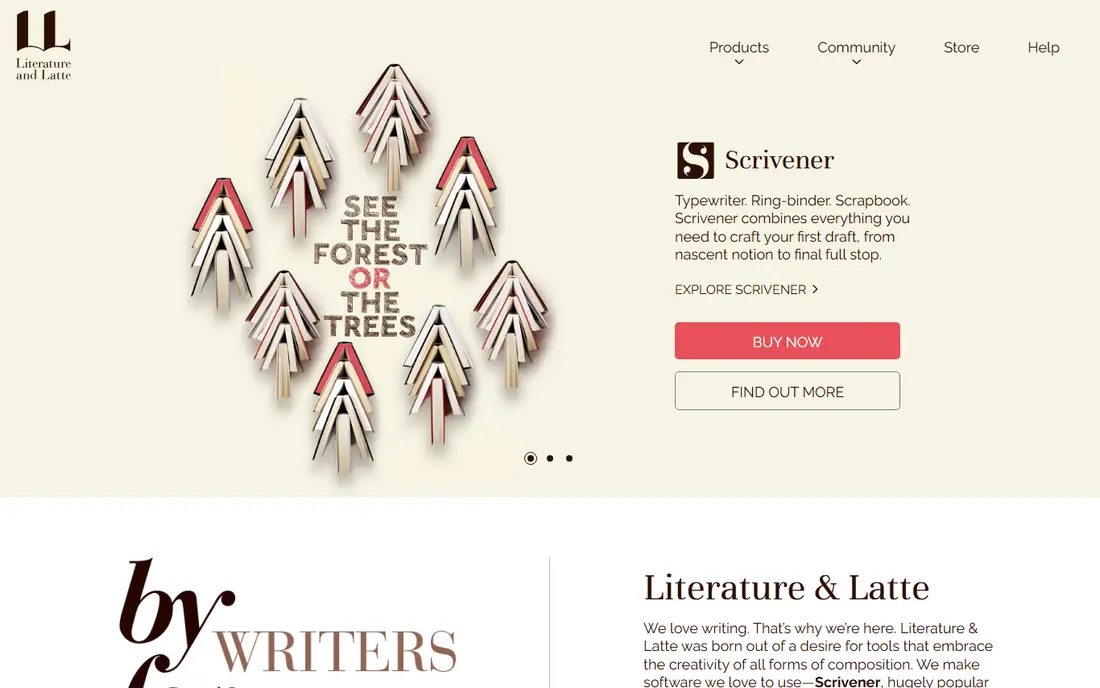
Our first look at Scrivener starts with who it serves best. It is the standard tool for serious long-form writing. Scrivener organises scenes, research and drafts in one binder, so a 300-page manuscript stays manageable.
The catch is learning curve: it rewards a weekend of setup. It fits novelists and nonfiction authors writing long books. Check the current pricing page before you commit, since plans in this category change often, and use the free plan or trial to confirm the fit with your own work.
Before you pay for Scrivener, run one real task through it, such as a full document, a full trip plan or a full project, and judge it on that result rather than on the marketing page.
- Powerful binder for scenes, research and drafts
- One-time licence
- Flexible export
- Learning curve for beginners
- Cloud sync needs setup
Ulysses
Ideal for: Clean distraction-free drafting

For many readers, Ulysses will be the most practical choice on this list. It is the clean drafting environment for Apple users. Ulysses keeps writing distraction-free while organising sheets, goals and exports neatly.
The catch is platform and subscription: it is Apple-focused and paid monthly or yearly. It fits Mac and iPad authors who value a calm writing space. Check the current pricing page before you commit, since plans in this category change often, and use the free plan or trial to confirm the fit with your own work.
A useful test for Ulysses is to try the exact workflow you will repeat weekly, then check how long it takes and whether the output needs heavy fixing before it is usable.
- Clean Markdown writing
- Good organisation and goals
- Strong Apple ecosystem support
- Apple-focused
- Subscription pricing
Novlr
Ideal for: Cloud writing with goals
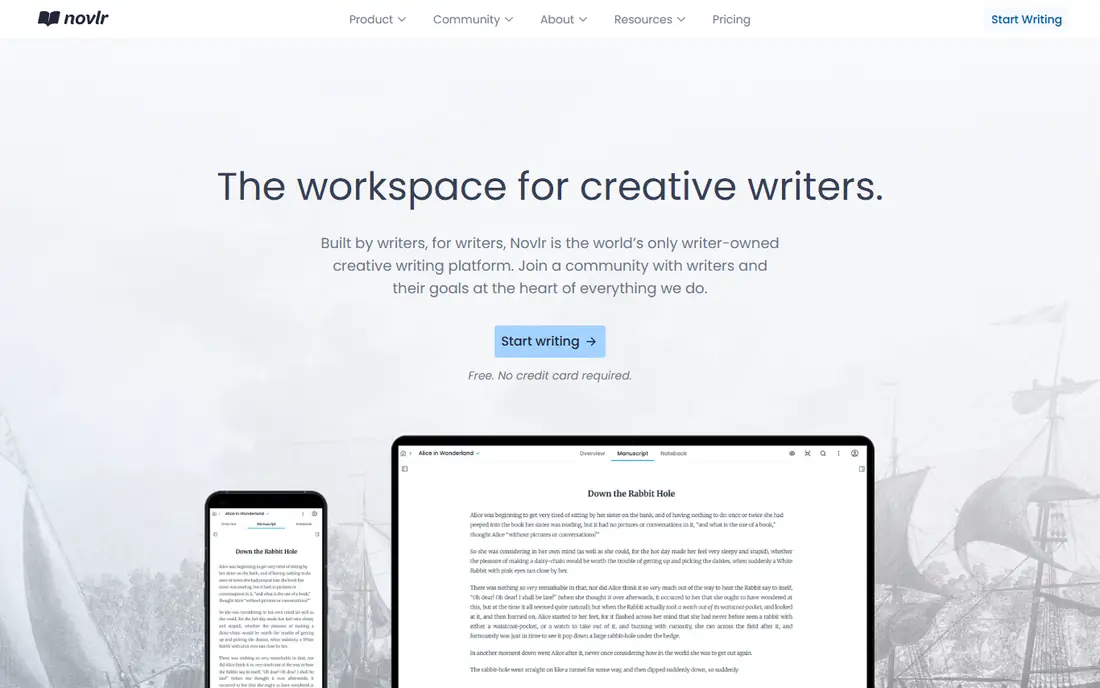
Next up is Novlr, which takes a different approach to the same job. It is the cloud-first alternative to desktop writing apps. Novlr lets authors write from any browser, track goals and see writing analytics.
The catch is ecosystem: it is smaller than Scrivener or Google Docs. It fits authors who write across devices and like goal tracking. Check the current pricing page before you commit, since plans in this category change often, and use the free plan or trial to confirm the fit with your own work.
When you trial Novlr, note what is missing as well as what works, since the missing piece often decides whether a tool survives past the first month.
- Cloud writing anywhere
- Writing goals and analytics
- Clean interface
- Smaller community and fewer integrations than Scrivener
Atticus
Ideal for: Formatting and publishing export
Atticus earns its place here for a specific kind of user. It is the finishing tool for a manuscript ready to publish. Atticus formats books for print and ebook with professional templates.
The catch is that it is a formatting tool first, not a deep drafting organiser. It fits authors preparing a manuscript for self-publishing. Check the current pricing page before you commit, since plans in this category change often, and use the free plan or trial to confirm the fit with your own work.
We would also check support and documentation for Atticus during the trial, since a tool you cannot get help with becomes expensive in staff time even when the subscription looks cheap.
- Strong book formatting for print and ebook
- One-time purchase
- Clean editor
- Formatting focus means less drafting depth than Scrivener
- One-time cost is higher
Dabble
Ideal for: Simple plotting and drafting
If the options so far have not fit, Dabble is worth a closer look. It is the friendly middle ground between a blank editor and Scrivener. Dabble combines scene cards, plot grids and goals in a clean cloud app.
The catch is subscription cost for a simpler toolset. It fits novelists who want plotting without Scrivener complexity. Check the current pricing page before you commit, since plans in this category change often, and use the free plan or trial to confirm the fit with your own work.
Before you pay for Dabble, run one real task through it, such as a full document, a full trip plan or a full project, and judge it on that result rather than on the marketing page.
- Plot grids and scene cards
- Cloud sync
- Goal tracking
- Simple interface
- Subscription pricing
- Fewer advanced features than Scrivener
Plottr
Ideal for: Visual plotting and timelines
Plottr is the option we point to when a reader has a clear priority in mind. It is the plotting companion for outliners. Plottr builds visual timelines, character arcs and outlines that export to writing apps.
The catch is scope: you still need a writing app for drafting. It fits plotters who plan stories visually before drafting. Check the current pricing page before you commit, since plans in this category change often, and use the free plan or trial to confirm the fit with your own work.
A useful test for Plottr is to try the exact workflow you will repeat weekly, then check how long it takes and whether the output needs heavy fixing before it is usable.
- Visual timeline and outline tools
- Exports to Scrivener and Word
- Good for plotters
- Plotting tool, not a full writing app
- One-time cost plus updates
LivingWriter
Ideal for: Cloud writing with story tools
Another strong contender is LivingWriter, and it stands out for one clear reason. It is a cloud writing app with story structure built in. LivingWriter organises chapters, characters and story elements while you draft online.
The catch is that it is less established than Scrivener or Dabble. It fits authors who want cloud writing with story tools. Check the current pricing page before you commit, since plans in this category change often, and use the free plan or trial to confirm the fit with your own work.
When you trial LivingWriter, note what is missing as well as what works, since the missing piece often decides whether a tool survives past the first month.
- Cloud writing with story elements and templates
- Collaboration features
- Clean interface
- Subscription pricing
- Smaller user base than leaders
Manuskript
Ideal for: Free open-source writing
We round out the list with Manuskript, which fills a gap the others leave open. It is the free open-source route to Scrivener-style organisation. Manuskript offers outliner, scenes and distraction-free writing at no cost.
The catch is polish: the interface and updates lag commercial rivals. It fits budget authors who want organisation without paying. Check the current pricing page before you commit, since plans in this category change often, and use the free plan or trial to confirm the fit with your own work.
We would also check support and documentation for Manuskript during the trial, since a tool you cannot get help with becomes expensive in staff time even when the subscription looks cheap.
- Free and open source
- Scene organisation and outliner
- No subscription
- Interface is less polished
- Development is community-driven
Google Docs
Ideal for: Simple collaborative drafting
Google Docs rounds out our shortlist with a focused set of strengths. It is the simplest place to start a book. Google Docs is free, autosaves and makes sharing drafts with editors easy.
The catch is scale: long manuscripts become hard to navigate. It fits first-time authors and collaborative drafts. Check the current pricing page before you commit, since plans in this category change often, and use the free plan or trial to confirm the fit with your own work.
Before you pay for Google Docs, run one real task through it, such as a full document, a full trip plan or a full project, and judge it on that result rather than on the marketing page.
- Free, familiar and collaborative
- Autosaves and works everywhere
- Easy comments
- Weak for long-manuscript organisation
- No plotting or scene tools
How we picked these
We compared official feature pages, pricing pages, app store listings, privacy policies and public reviews for each product, and kept only products that exist, work today and truly fit the topic. We favoured clear pricing, a usable free plan or trial, and honest limits over long feature lists. Where a price could not be verified on the vendor site, we wrote See website rather than guessing.
We did not claim hands-on testing we did not do. Instead, we weighed what each vendor documents, what reviewers report in practice, and where each product falls short, so the trade-offs below are stated plainly.
How to choose a book-writing app you will finish in
Pick the app that matches how you plan: outliners suit plotters, while clean editors suit writers who draft straight through. Test it on a chapter, check export to Word and ebook formats, and keep backups outside the app.
Frequently asked questions
What is the best app for writing a book?
Scrivener suits authors who need deep organisation for long manuscripts. Dabble and Novlr suit writers who prefer simpler cloud tools with plotting and goals.
Is Scrivener worth it for first-time authors?
Yes, if you write long fiction or nonfiction and need to organise research, scenes and drafts. Writers who prefer a simple editor may find it more tool than they need.
Can I write a book in Google Docs?
Yes, many authors draft in Google Docs for simplicity and collaboration. Dedicated apps add scene organisation, plotting and cleaner book export, which matter more as manuscripts grow.
What app is best for writing a novel?
Scrivener, Dabble and Plottr suit novelists, with scene organisation and plotting tools. Atticus adds strong formatting and publishing export for finished manuscripts.
Do book-writing apps work on phones?
Some offer mobile apps or web access, but long drafting is best on a computer. Check mobile support if you write on a phone or tablet regularly.