App Store Optimization Software in 2026: A Guide to 6 Tools

- 1
 AppTweakTeams wanting ASO, reviews and market data in one placeVisit
- 2
 App RadarIndie developers and small studios on a budgetVisit
- 3
 SplitMetricsA/B testing icons, screenshots and metadataVisit
- 4
 MobileActionTeams running premium ads alongside ASOVisit
- 5
 AppfiguresClean reporting and review monitoringVisit
- AppTweak takes the first slot, best suited to teams wanting ASO, reviews and market data in one place.
- Sensor Tower is the one to check for publishers who require the deepest market and keyword data.
- Free plans exist at 3 of 6 tools (App Radar, MobileAction, Appfigures).
- The main caution on AppTweak: no free plan, pricing climbs with tracked apps, some advanced reports need higher levels, ramp-up time.
- Pricing across the list, from AppTweak to Sensor Tower, is by quote only.
Direct answer
AppTweak is the first pick on this list for teams wanting ASO, reviews and market data in one place. App Radar is better for Indie developers and small studios on a budget, and SplitMetrics is better for a/B testing icons, screenshots and metadata. The other 3 tools in the list cover narrower or pricier cases.
Quick comparison
| Product | Ideal for | Price from | Free version | |
|---|---|---|---|---|
| AppTweak | Teams wanting ASO, reviews and market data in one place | See website | No | Visit |
| App Radar | Indie developers and small studios on a budget | See website | Yes | Visit |
| SplitMetrics | A/B testing icons, screenshots and metadata | See website | No | Visit |
| MobileAction | Teams running premium ads alongside ASO | See website | Yes | Visit |
| Appfigures | Clean reporting and review monitoring | See website | Yes | Visit |
 Sensor Tower | Publishers who require the deepest market and keyword data | See website | No | Visit |
App Store Optimization Software profiles
If you are comparing app store optimization software, this page covers 6 tools in one place: what each is best for, what it costs to start, whether it has a free plan, and the main limit to know about.
AppTweak
Ideal for: Teams wanting ASO, reviews and market data in one place
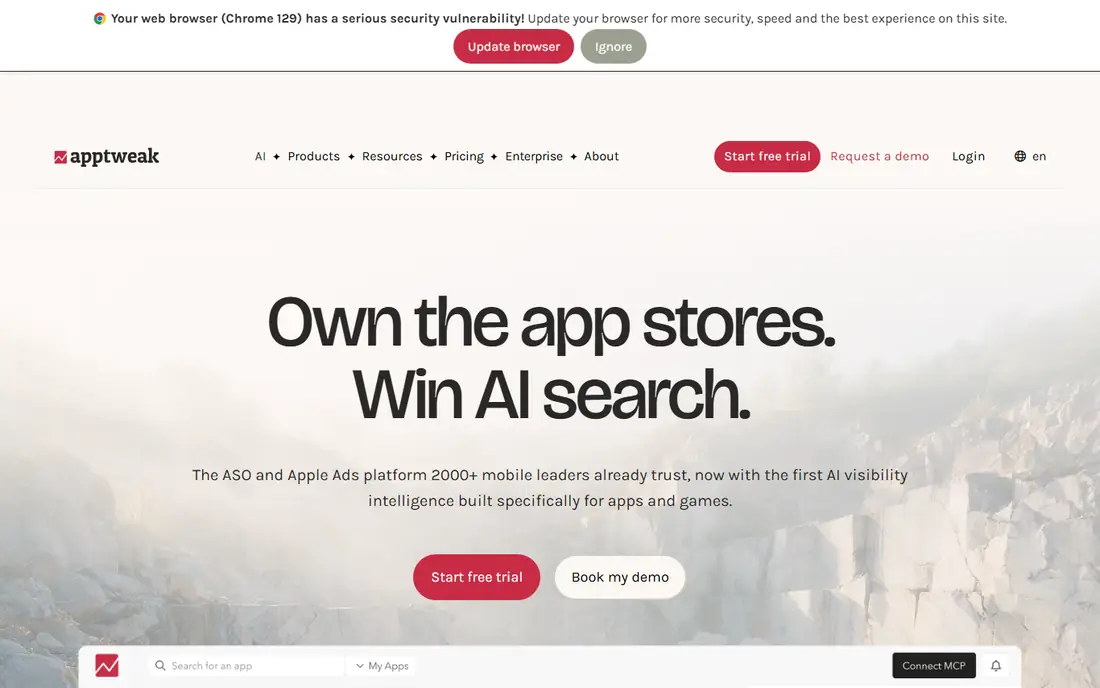
Choose AppTweak for teams wanting ASO, reviews and market data in one place. AppTweak merges keyword research, rank tracking, review monitoring and competitor tracking in a single dashboard.
Honest limits: No free plan.
What works well: timeline of store listing changes. When a rival tests new screenshots, you will see it there first, which tells you what positioning they think will work before their conversion data proves it. AppTweak does not show a starting price in this comparison, so check the vendor site for current pricing. No free plan comes with AppTweak.
- Review management included
- Decent keyword suggestions
- Pricing climbs with tracked apps
App Radar
Ideal for: Indie developers and small studios on a budget
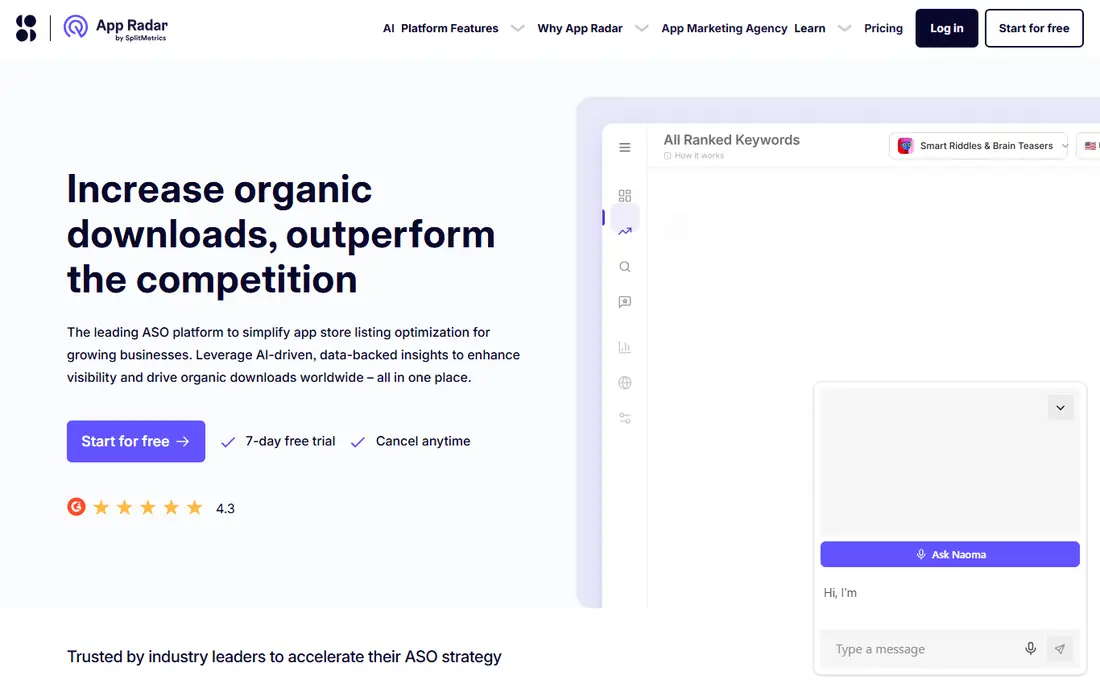
App Radar is a good fit for Indie developers and small studios on a budget. App Radar provides indie teams the ASO essentials without enterprise pricing. More specifically, App Radar's publishing tools save live for developers managing multiple apps.
The main drawbacks: best for smaller portfolios; fewer market intelligence features.
From a buyer's view, push metadata updates across locales from one dashboard rather than logging into each store console, and keep a changelog so you can correlate changes with ranking moves. Data depth does not match Sensor Tower, and market intelligence is lighter, but for a handful of apps it is enough. Check the vendor site for App Radar pricing; none is listed in this comparison. App Radar has a free plan. Best features of App Radar: keyword tracking and suggestions.
- Free level for basics
- Low-cost plans
- Smaller data set than leaders
SplitMetrics
Ideal for: A/B testing icons, screenshots and metadata

SplitMetrics is aimed squarely at a/B testing icons, screenshots and metadata. SplitMetrics experiments need enough traffic to reach confidence, so run them on your highest-volume locales first. Its experiments test listing variations with real users before you ship, and the reporting presents statistical confidence instead of gut feel.
Best features of SplitMetrics: pre-launch testing with real users.
That pre-launch testing can save a bad creative from tanking conversion. Teams that iterate on creatives on a regular basis get the most value. If you seldom change your listing, the cost is harder to justify. No starting price is listed for SplitMetrics here; confirm pricing on the vendor site. SplitMetrics has no free tier. Watch-outs: experiments need traffic to conclude, pricing is quote-based.
- Statistical confidence reporting
- Agency services available
- Testing focus means thinner keyword tools, no free plan
MobileAction
Ideal for: Teams running premium ads alongside ASO
MobileAction serves teams running premium ads alongside ASO. MobileAction's Apple Search Ads data pairs well with organic tracking: bid on the keywords where you rank on page two organically, and use the premium visibility to climb. Beyond that, MobileAction sits at the intersection of organic and premium: keyword tracking and rank history next to ad creative intelligence and Apple Search Ads data.
Limits to weigh: Jack of both trades, master of neither.
What works well: Merges ASO with ad intelligence.
But as a single dashboard for a lean growth team, the combination is practical and the free level is genuinely handy. The combined view shows which terms deserve both investments. MobileAction does not show a starting price in this comparison, so check the vendor site for current pricing. MobileAction offers a free plan.
- Free level available
- Keyword and creative tracking
- UI can feel busy
Appfigures
Ideal for: Clean reporting and review monitoring
Appfigures works best for clean reporting and review monitoring. Review alerts catch rating drops early, and the API feeds data into internal tools.
Main advantages: API access.
Watch-outs: less guidance for beginners; market data is entry-level.
In practice, Appfigures' review alerts deserve a Slack integration so the entire team sees rating drops at once. This comparison lists no price for Appfigures; ask the vendor. Appfigures offers a free plan.
- Clear dashboards and reports
- Sales and download reporting
- Keyword tools lighter than ASO-first rivals
Sensor Tower
Ideal for: Publishers who require the deepest market and keyword data
Sensor Tower was built for publishers who require the deepest market and keyword data. For a team deciding which keywords are worth chasing, that depth matters.
What users get: category rankings and trends.
Points against: Enterprise pricing, no free plan, interface takes training.
Sensor Tower's download and revenue estimates become most handy when you benchmark against them over time. This comparison lists no price for Sensor Tower; ask the vendor. There is no free plan with Sensor Tower.
- Capable competitor intelligence
- Huge keyword and download estimate database
- Overkill for a single indie app
App Store Optimization Software: more detail
Most app downloads start with a store search, and the apps at the top of those searches did not get there by accident. In daily use, App store optimization includes the metadata, visuals and ratings that decide your ranking: the title, subtitle, keyword field, screenshots and reviews. Review management manages the ratings side.
Market intelligence zooms out to category trends and competitor downloads. We compared data depth for keywords and competitors, rank tracking accuracy, A/B testing choices, review workflows. Pricing that suits teams from indie developers to large publishers.
Our selection method
Each tool was reviewed on what its vendor publishes: price, plan limits, core features and stated drawbacks. We did not run hands-on tests. Where a vendor does not publish a price, the entry says quote. Where a price depends on seats or billing term, the entry says so. Position on the page reflects fit for a typical buyer first, with price clarity and free access breaking ties. Treat it as a guide, not a ruling.
What to confirm before you sign up
- Request quotes from AppTweak, Sensor Tower and the others; the list shows no fixed prices.
- Look at free plan limits closely: App Radar, MobileAction and Appfigures have one, and the caps decide whether it is usable for real work.
- Read the limits listed for AppTweak first: no free plan, pricing climbs with tracked apps, some advanced reports need higher levels, ramp-up time.
- Before rolling out MobileAction, verify the integrations your workflow depends on.
- Look at the help docs and support options for Sensor Tower before you commit.
Frequently asked questions
Is AppTweak the right pick for everyone comparing app store optimization software?
No single tool suits every team. AppTweak comes first because it fits teams wanting ASO, reviews and market data in one place, while App Radar suits Indie developers and small studios on a budget and SplitMetrics suits a/B testing icons, screenshots and metadata. Match the tool to your own size, budget and workflow before deciding.
How are the tools for app store optimization software ordered?
AppTweak sits first and Sensor Tower last because the order follows typical fit for app store optimization software, then price clarity and free access. It is a judgement call, so read each profile for fit and limits.
Do these tools publish their prices?
No. None of the tools, from AppTweak to Sensor Tower, shows a fixed starting price here, so budget time for quotes.
Can I try these options before paying?
Often, yes. App Radar, MobileAction and Appfigures have a free plan. Use your own data and a real task during the test, and check what the free tier or trial limits before you rely on it.